
Azure Virutal Machine’s Identity — Zero credentials solution
Follow up on my Virtual machine blogs about
- Azure Virutal Machine’s Identity — Zero credentials solution
- Set Backup on Azure Virtual Machine
- Implement CIS Hardening Build Kit On RHEL9 — Stage 1
- Review scan report with AWS Inspector V2 — Stage 2
- [Packer] The new design to build golden images for multiple cloud platforms
Background
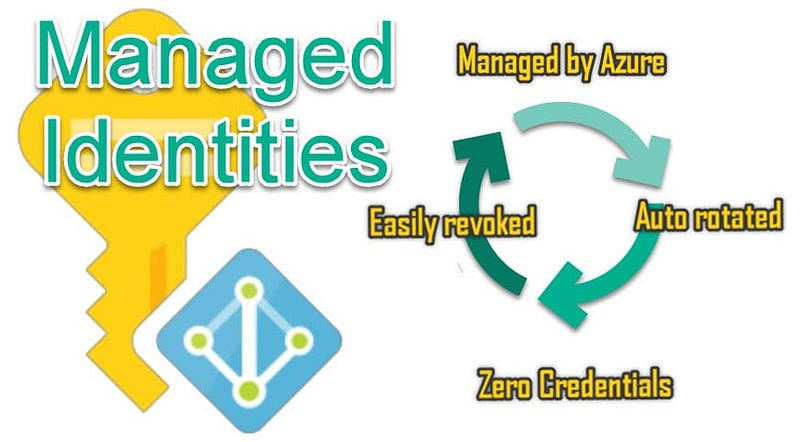
In the world of cloud computing, keeping things secure and managing who can access what is a big deal. While I was checking out Azure services, I stumbled upon something interesting — Azure Virtual Machine Identity. It’s a similar feature as AWS EC2 instance profiles if you know more about AWS. It’s all about making sure you can access your Azure resources without giving any secret codes.
What’s AWS ec2 instance profile?
An AWS EC2 instance profile is a container for an AWS Identity and Access Management (IAM) role with permission policies, that you can use to pass role information to an EC2 instance when the instance runs. This allows the EC2 instance to securely access other AWS services and resources without needing to embed long-term credentials directly on the instance.
Why Managed Identity
Azure Service Principal and Managed Identity are both tools for Azure identity management. Whereas Managed Identity is good when you want Azure to handle the login details automatically.
Managed identity scopes
- Tenant (most top level, similar to AWS Organization Root)
- Management group and its sub-management groups (similar to AWS Organization OUs)
- subscription (Similar to AWS Account)
- resource group
- resource
Azure’s Solution with its SDKs
Azure’s solution to this requirement is the DefaultAzureCredential. This credential mechanism is already supported by various Azure SDKs and tools, including Azure CLI, Azure Python SDK, Azure Golang SDK and other SDK. Using the DefaultAzureCredential, developers can obtain access tokens without resorting to the exposure of long-term credentials.
Using these identities in turn
The identity, virtual machine uses, depends on the environment. When an access token is needed, it requests one using these identities in turn, stopping when one provides a token:
- A service principal configured by environment variables. See EnvironmentCredential for more details.
- WorkloadIdentityCredential if environment variable configuration is set by the Azure workload identity webhook.
- An Azure managed identity. See ManagedIdentityCredential for more details.
- On Windows only: a user who has signed in with a Microsoft application, such as Visual Studio. If multiple identities are in the cache, then the value of the environment variable
AZURE_USERNAMEis used to select which identity to use. See SharedTokenCacheCredential for more details. - The identity currently logged in to the Azure CLI.
- The identity currently logged in to Azure PowerShell.
- The identity currently logged in to the Azure Developer CLI.
Biggest difference between AWS ec2 instance profile to Azure virtual machine’s identity.
From my perspective, the most significant distinction is that in AWS, permissions for resources are restricted to a single account. If you require access to other AWS accounts, you must set up an assumed role for each account you want to access. However, this limitation doesn’t exist in Azure. You can assign broader roles to Azure virtual machines, such as within a managed group, granting access to the entirety of the organization’s subscriptions.
To get better understanding on how managed identity with DefaultAzureCredential works, I show you some samples.
Get Access Token with simple curl API call
$ curl 'http://169.254.169.254/metadata/identity/oauth2/token?api-version=2018-02-01&resource=https://management.azure.com/' -H Metadata:true

{"access_token":"eyJ0eXAiOi...",
"refresh_token":"",
"expires_in":"3599",
"expires_on":"1504130527",
"not_before":"1504126627",
"resource":"https://management.azure.com",
"token_type":"Bearer"}

$ curl https://management.azure.com/subscriptions/<SUBSCRIPTION ID>/resourceGroups/<RESOURCE GROUP>?api-version=2016-09-01 -H "Authorization: Bearer <ACCESS TOKEN>"
Get Access Token with Python SDK
In the context of the Azure Python SDK, implementing DefaultAzureCredential is elegantly simple:
from azure.identity import DefaultAzureCredential
credential = DefaultAzureCredential()
scopes = ["https://management.azure.com/.default"]
token = credential.get_token(*scopes)
access_token = token.token
print("Access Token:", access_token)
Use case for reference
Requirement: Allow the virtual machine to read a KeyVault secret.
After you create the key vault and set the secret, you need go to its access control (IAM) and assign the Virtual machine as managed identity with role of key vault secrets user
With Azure CLI
# login as virtual machine identity. You don't need input any
# username/password or clientid/clientSecret to login with below command
az login --identity
az account set -s <subscription_id>
az account show

# get the secret easilypy
az keyvault secret show --vault-name <vault_name> --name <secret_name> --query value -o tsv
With Python SDK
from azure.identity import DefaultAzureCredential
from azure.keyvault.secrets import SecretClient

credential = DefaultAzureCredential()

key_vault_url = "https://your-key-vault-name.vault.azure.net/"
secret_client = SecretClient(vault_url=key_vault_url, credential=credential)

secret_name = "your-secret-name"
secret = secret_client.get_secret(secret_name)

secret_value = secret.value
print("Secret Value:", secret_value)
In conclusion
Azure’s Virtual Machine Identity offers zero credentials solution as AWS EC2 instance profiles. With native support like DefaultAzureCredential and the support of various programming languages, Azure streamlines the process of obtaining secure access tokens automatically.
Extra topics
Retrieve aws access token and instance metadata
Ref: https://docs.aws.amazon.com/AWSEC2/latest/UserGuide/instancedata-data-retrieval.html