
10 Mac Apps for September
September, an excellent month for the reveal of tech products from Silicon Valley. I am super hyped for the upcoming Apple event in which they’ll hopefully release the new iPhone 13, AirPods 3, and iPad Mini.
In this story, I will introduce some fantastic apps for September to make your Mac even more useful. The apps will be in the categories of utility, design, reference, and productivity.
1. Dashword
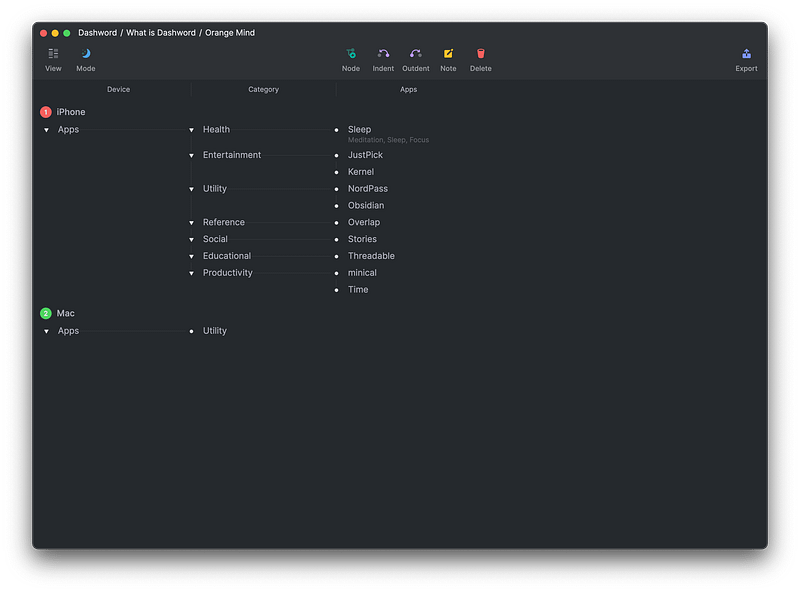
Hierarchal organization — two words I will use to describe Dashword. Despite being very new to the market, it does an excellent job delivering the very basics of organizing your thoughts into an organized entity in which you’ll be able to progress your ideas in a fun, intuitive way.
Being so new, it lacks critical functions such as search, yet, I still find some features enjoyable to use. That is why I log all the apps I introduced in my blogs in Dashword.
If you are looking for a new way to expand your thoughts, give Dashword a try.
🔐 Privacy: No data collection
💳 Price: Free!
☑️ Compatibility: 💻 Mac
🧩 Design: Aesthetically pleasing
⭐️ Rating: Insufficient data
🔗 Download: AppStore
🌐 Research: Website
2. NordPass
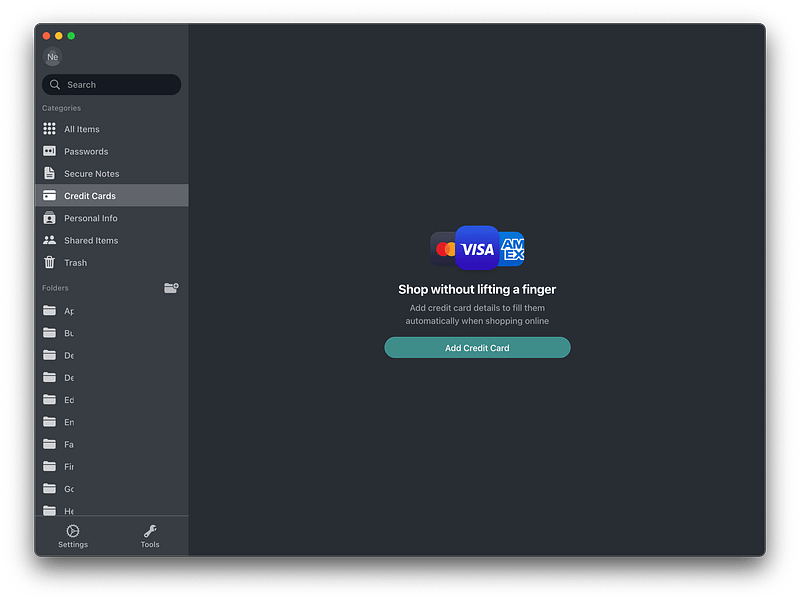
There are tons of password management apps out there. But, unfortunately, not many of them provide a beautiful user interface. An interface in which everything is simply, neatly organized.
I’m introducing NordPass, not because of its gorgeous user interface but the ease of use and how easy it is to find your way around the app. All you’ll need to do is create folders, then let the app organize your passwords in different sections.
If you are looking for a cheap way to manage your passwords, and protect your online privacy with more tools embedded into it, then give NordPass a try.
🔐 Privacy: Collects personal data
💳 Price: Subscription $4.99 per month
☑️ Compatibility: 📱iPhone, 📱iPad, 💻 Mac
🧩 Design: Displeasing
⭐️ Rating: Not available
🔗 Download: Website
🌐 Research: Website
3. Accents
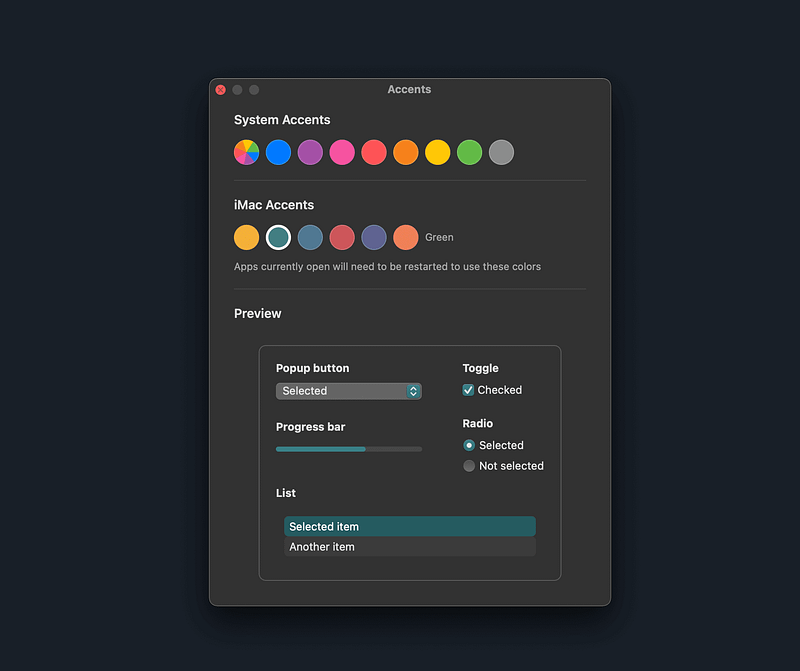
If you are a fan of the new 2021 iMacs and love their colors, then this app is for you. Depending on the color of the iMac you purchase, your macOS will adapt its accent color to match the device.
I have always always loved the green accent color on the M1 iMac and wanted to have it as the accent color on my MacBook Pro. Now, with the help of Accents, a new app that offers all colors for your Mac, I can do that. If you like to experience more unique, better user interface colors, then give this app a try.
🔐 Privacy: Data is not yet provided
💳 Price: Free!
☑️ Compatibility: 💻 Mac
🧩 Design: Decent looking
⭐️ Rating: Not available
🔗 Download: Website
🌐 Research: Website
4. TextSniper
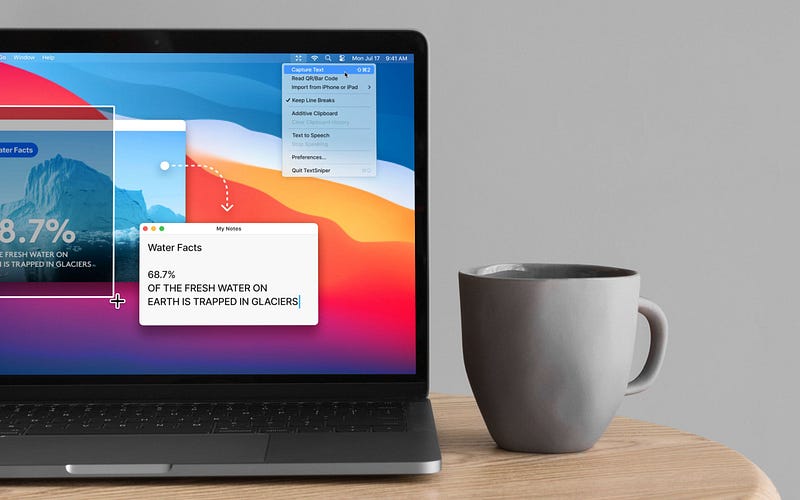
I love Apple’s introduction of new features for macOS Monterey. I specifically adore the new LiveText feature in which you can select any text from your photos.
TextSniper is an app that basically does the same thing with a bit of a different approach, making it more valuable than Apple’s default LiveText feature.
The great thing about TextSniper is how well the app executes text recognition on anything you see on the screen. In addition, it has OCR and can extend your text recognition by offering advanced features.
I love it so much that I did a dedicated review for it. Check it out:
If you are looking for an app that recognizes any text you see on the screen, give TextSniper a try. You are going to love it.
🔐 Privacy: No personal data collection
💳 Price: $6.99
☑️ Compatibility: 💻 Mac
🧩 Design: Displeasing
⭐️ Rating: Not available
🔗 Download: Website
🌐 Research: Website
5. MinimalClock
The default macOS screen savers are great. They are don’t take a toll on your battery life and won’t make your processor bleed. As much as like the default ones, I’m not a person who gets used to seeing the same thing every day. I like change and what better change than a minimal screen saver?
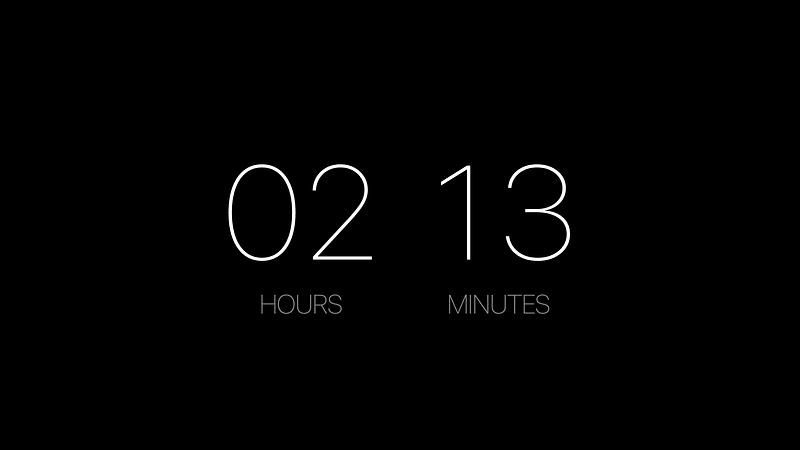
The MinimalClock is a zen-like screen saver that only shows the current time in a lightweight typeface, and that is basically all I have to say about it since it is that simple.
🔐 Privacy: Data is not yet provided
💳 Price: Free!
☑️ Compatibility: 💻 Mac
🧩 Design: Aesthetically pleasing
⭐️ Rating: Not available
🔗 Download: Website
🌐 Research: Website
6. Transmission
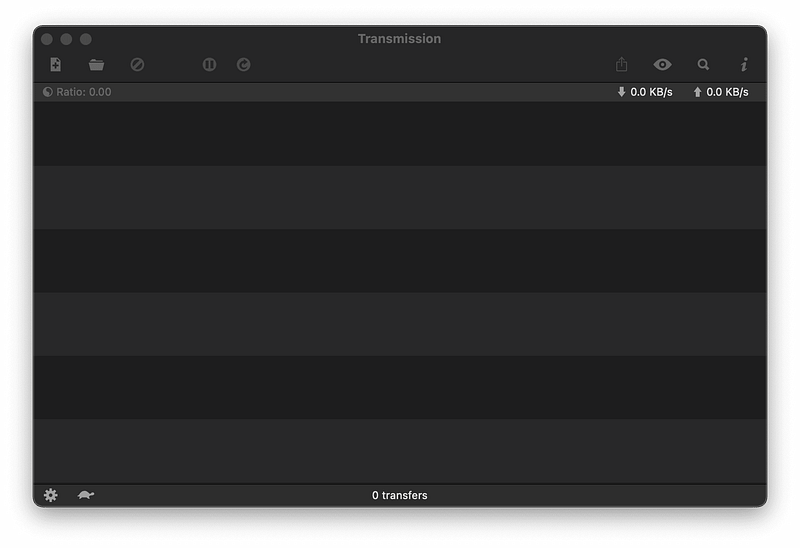
Transmission is the only freeware torrent app I have found for macOS that works really well. The app is designed like a default macOS app and doesn’t push the processor or take much memory to run.
All you’ll need is the magnet file and open it using Transmission. Then, your torrent download will start without any hassle. The user experience is fine, but the app could use a redesign for the new design language of Mac.
Overall, it is the best, free, minimal torrent client for mac.
🔐 Privacy: No data collection
💳 Price: Free!
☑️ Compatibility: 💻 Mac
🧩 Design: Displeasing
⭐️ Rating: Not available
🔗 Download: Website
🌐 Research: Website
7. Iconset
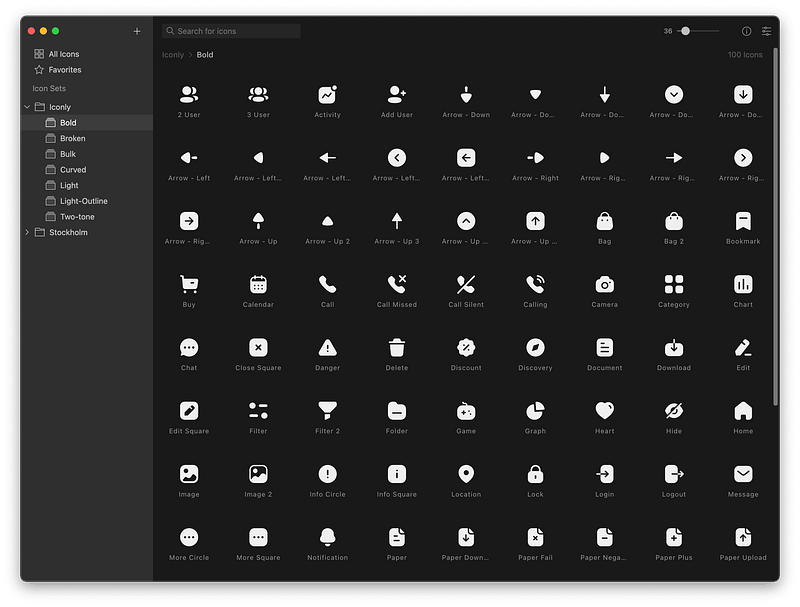
Whether you are a designer who needs an app to manage icon packs or you are a student who need icons for their next presentation, Iconset will answer your needs.
Simply navigate to their website and download the app alongside some of your desired icons. The great thing about Iconset is its last update where they made the app native for Apple Silicon, so the performance will be top-notch.
If you are looking for a free app that could easily manage your icons, give Iconset a try.
🔐 Privacy: Data is not yet provided
💳 Price: Free!
☑️ Compatibility: 💻 Mac
🧩 Design: Decent looking
⭐️ Rating: Not available
🔗 Download: Website
🌐 Research: Website
8. Overlap
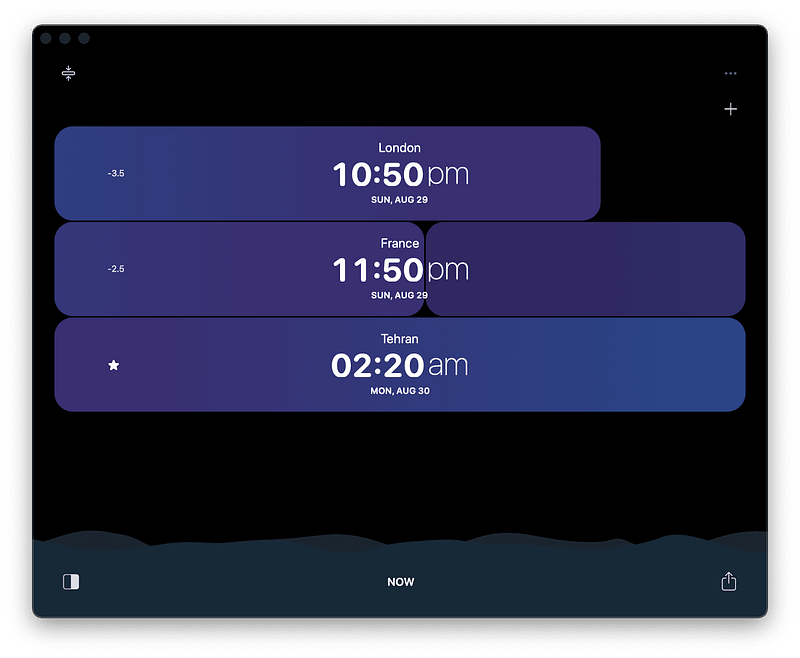
Many people have friends and family who live in different time zones. Keeping contact with your dear ones shouldn’t be difficult because of this. That is why I am introducing Overlap. A gorgeous app designed with a great user experience.
Using the app is easy, and all it requires is to add the city you like to track. The app is filled with feedbacks, whether they are audible or visual. It does a seemingly simple job appear facile. Lastly, a great feature is that you can also scroll the timeline to see the time difference before and ahead of you.
If you are one of those people who like to be in touch with their friends and loved ones, then give this app a try. You are going to enjoy its interface.
🔐 Privacy: No personal data collection
💳 Price: Free!
☑️ Compatibility: 📱iPhone, 📱iPad, 💻 Mac
🧩 Design: Aesthetically pleasing
⭐️ Rating: 4.6 out of 5 (191 ratings)
🔗 Download: AppStore
🌐 Research: Website
9. PDF Archiver
Going paperless has never gotten easier than now. The immense number of apps that you can use to convert from a paper-full life to a paperless one has made our job as a concerning citizen easier than ever.
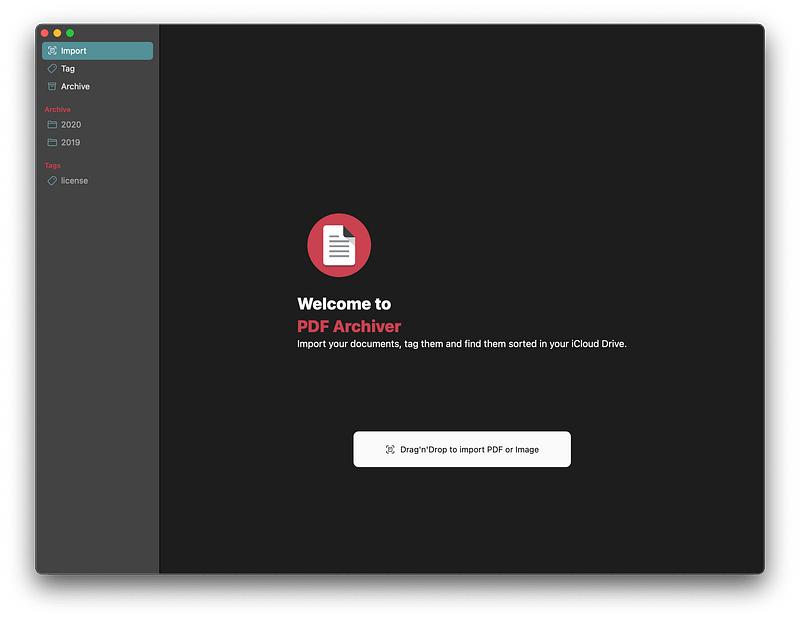
One of the apps that does a great job of storing your documents (whether they are in PDF or image format) into a structured, searchable place is PDF Archiver.
PDF Archiver allows you to create folders and assign tags for each one of your PDF or image files. It will then use its OCR technology to make the text within them searchable.
If you want to organize your documents in a straightforward approach, then give this app a try.
🔐 Privacy: No personal data collection
💳 Price: Subscription $1.99 per month
☑️ Compatibility: 📱iPhone, 📱iPad, 💻 Mac
🧩 Design: Displeasing
⭐️ Rating: Insufficient data
🔗 Download: AppStore
🌐 Research: Website
10. Aerial
Apple TV is a great entertainment device. It offers excellent apps and a fantastic interface to make your TV more colorful. One of the perks of having an Apple TV is its screen savers; They are phenomenal.
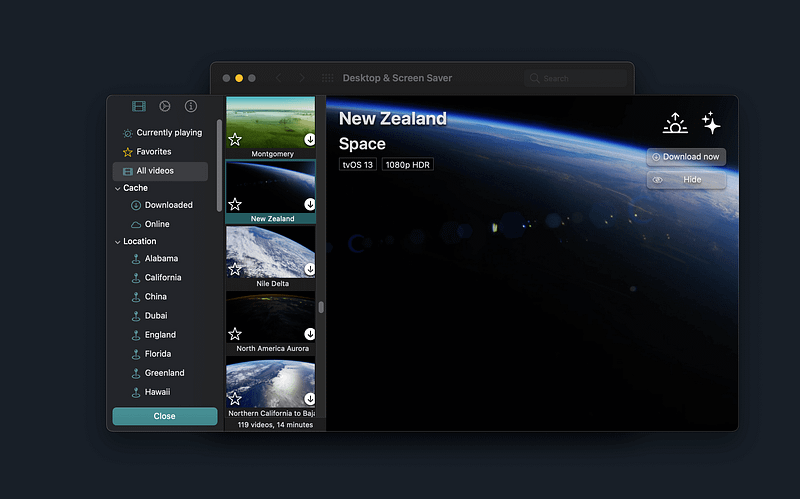
The screen savers on the Apple TV (depending on your model) are 4K HDR in Dolby format, and they brighten up your living room. But, what if you could experience the same screen savers on your Mac?
That is what Aerial does, and it does that very well. In addition, it offers plenty of Apple TV screen savers that run on your Mac when you are not using it. The only downside? It requires a good GPU as some Macs might struggle with displaying the screen savers in high-resolution quality.
If you like to observe the beauties of this earth on your monitor, then give Aerial a try. It is going to please your eyes.
🔐 Privacy: Data is not yet provided
💳 Price: Free!
☑️ Compatibility: 💻 Mac
🧩 Design: Displeasing
⭐️ Rating: Not available
🔗 Download: Website
🌐 Research: Website
Thank you for reading the September edition of monthly Mac apps. I hope you have enjoyed it. Contact me in the response section if you have any comments, suggestions of apps for future editions, and anything you would like to talk to me about. I will be happy to hear your thoughts and comments.
By the way, if you like my content on Medium, and want more, tell me what topics interest you and I will write about them.
Here are the monthly Mac apps for the previous months.


