avatarClark

Free AI web copilot to create summaries, insights and extended knowledge, download it at here

5823

Abstract

e help of TinkerTool, you can access the customization options by category with a decent user interface.</p><p id="bee7">Just a disclaimer that before making massive changes, make sure to thoroughly read what each change does, as reverting some options can be difficult.</p><p id="0593">🔐 Privacy: Data is not yet provided</p><p id="70e6">💳 Price: Free!</p><p id="c150">☑️ Compatibility: 💻 Mac</p><p id="3eec">🧩 Design: Displeasing</p><p id="276b">🔗 Download: <a href="https://www.bresink.com/osx/0TinkerTool/download.php">Website</a></p><p id="630e">🌐 Research: <a href="https://www.bresink.com/osx/TinkerTool.html">Website</a></p><h1 id="76bf">PopClip</h1><figure id="07f7"><img src="https://cdn-images-1.readmedium.com/v2/resize:fit:800/1*FZInb3Ls94VpqzqNuo01zw.png"><figcaption>Image from the official <a href="https://pilotmoon.com/popclip/">website</a></figcaption></figure><p id="8307">Whenever an app like PopClip comes for the macOS, I think about one thing: what an intelligent developer! The thinking behind extending the usage of your Mac beyond what Apple offers is what this app does best.</p><p id="2205">Even the most basic features from this app are phenomenal. Simply highlight a text anywhere on the Mac, and it will bring a pop-over bar on top of your highlighted note. It sort of looks like what you get from text selection on iOS and iPadOS.</p><p id="bf7f">PopClip supports over 100 extensions that will supercharge the capabilities of your Mac. I love it. If you are looking for an app that brings back the element of surprise, then give PopClip a try.</p><p id="a3cf">🔐 Privacy: No data collection</p><p id="a9fc">💳 Price: 12.99</p><p id="c64b">☑️ Compatibility: 💻 Mac</p><p id="9ffc">🧩 Design: Displeasing</p><p id="61c1">🔗 Download: <a href="https://apps.apple.com/us/app/popclip/id445189367?mt=12">AppStore</a></p><p id="44a9">🌐 Research: <a href="https://pilotmoon.com/popclip/">Website</a></p><h1 id="8773">Endel</h1><figure id="648e"><img src="https://cdn-images-1.readmedium.com/v2/resize:fit:800/1*b8ku8rn0dZS0PheQejNb2Q.png"><figcaption></figcaption></figure><p id="22d5">Listening to binaural beats has proven to work for many people who have difficulty sleeping, work, and relaxing. Endel brings an intelligent approach to what constitutes the mix of binaural beats and mellow, soothing sounds that will make your life a little more comfortable.</p><p id="e5c7">I received many emails from the team at Endel, and in many of them, they mentioned how they approached the sound design with the help of neuroscientists.</p><p id="f132">The user interface of Endel is phenomenal, and I recommend integrating this service with your workflow.</p><p id="bbd6">🔐 Privacy: Collects personal data</p><p id="d5a3">💳 Price: Subscription 5.99 per month</p><p id="4c16">☑️ Compatibility: ⌚️Apple Watch, 📱iPhone,📱iPad, 💻 Mac</p><p id="37d9">🧩 Design: Aesthetically pleasing</p><p id="9df4">🔗 Download: <a href="https://apps.apple.com/us/app/endel-focus-sleep-relax/id1484348796?mt=12">AppStore</a></p><p id="e72f">🌐 Research: <a href="https://endel.io">Website</a></p><h1 id="f7b3">Cloud Battery</h1><figure id="b4b8"><img src="https://cdn-images-1.readmedium.com/v2/resize:fit:800/1*3-Vwa8JoGP_D7BMuUMjLpQ.png"><figcaption></figcaption></figure><p id="d4a2">I, amongst many users from Reddit, have long asked Apple to update the battery widget for Mac, iOS, and iPadOS to include the battery status of all Apple devices.</p><p id="ecfb">So far, there is no official support from Apple; there might be battery optimization reasons behind the lack of implementation of such a feature. However, that does not stop developers from making our dream a reality. That is why, in this story, I’m introducing a fantastic app called Cloud Battery. It brings its own widget into your Mac and shows the battery status of all your Apple devices.</p><p id="02d1">I personally use this app to monitor the battery for my iPad, Apple Pencil, AirPods, iPhone, and Apple Watch. Cloud Battery is not super stable, and it does not constantly update itself, but it works, and I’m glad to have paid 3 to support their developer.</p><p id="a7bd">🔐 Privacy: No personal data collection</p><p id="3318">💳 Price: Free!</p><p id="bbfb">☑️ Compatibility: ⌚️Apple Watch, 📱iPhone,📱iPad, 💻 Mac</p><p id="550c">🧩 Design: Displeasing</p><p id="9edd">🔗 Download: <a href="https://apps.apple.com/us/app/cloud-battery/id1481005137?mt=12">AppStore</a></p><p id="91c2">🌐 Research: <a href="https://alanyan.ca/CloudBattery">Website</a></p><h1 id="480b">AnyDesk</h1><figure id="00be"><img src="https://cdn-images-1.readmedium.com/v2/resize:fit:800/1*h4g8R7OQfQ7UBRcA_mM6Hw.png"><figcaption></figcaption></figure><p id="7cae">Whenever someone asks me for help with their computer, I send them a link to AnyDesk and tell them to install it. Once installed, I can remotely connect to their computer and help fix their machine. I am not a computer technician, but I can imagine an expert using the same app for their job as it is almost free and works very well.</p><p id="3a0e">Personally, I have used AnyDesk to help my friends and family. I also get help from my friends who are network administrators and let them configure my networking equipment.</p><p id="1e62">If you are looking for a simple way to get or send help, make sure to give AnyDesk a chance. It is an incredible app.</p><p id="1fcd">🔐 Privacy: Collects personal data</p><p id="e726">💳 Price: Subscription 9.90 per month</p><p id="86cb">☑️ Compatibility: 💻 Mac</p><p id="06a3">🧩 Design: Displeasing</p><p id="93f7">🔗 Download: <a href="https://anydesk.com/en/downloads/mac-os">Website</a></p><p id="0bbc">🌐 Research: <a href="https://anydesk.com/en">Website</a></p><h1 id="35e4">TrashMe 3</h1><figure id="d1d0"><img src="https://cdn-images-1

Options

.readmedium.com/v2/resize:fit:800/1*ArkbCkfS37C85wvcB0rl2A.png"><figcaption></figcaption></figure><p id="b3de">Whenever I browse YouTube subscriptions and watch the tech creators, I tend to come across cleanup apps for Mac. As much as I dislike the term “cleanup,” I think having a basic app to refresh the caches on your Mac would not be a terrible addition.</p><p id="d0ea">Unfortunately, many Mac optimization apps in this industry are expensive, or they come with malware. So for a long time, I was looking for a decent alternative solution that did not cost much money.</p><p id="e2c4">That is when I found TrashMe 3. Despite its controversial name, it is an amazing little app. It helps you not only clear the cache but get additional features you didn’t think you needed, but you did.</p><p id="225a">Some of the features I have enjoyed using so far:</p><ul><li>Fully uninstall any app on your system</li><li>Get a list of all apps that have updates available</li><li>Find out which apps are slowing down your computer</li><li>Find and remove Safari extensions you dislike</li></ul><p id="4103">🔐 Privacy: No data collection</p><p id="4490">💳 Price: 13.99</p><p id="17a3">☑️ Compatibility: 💻 Mac</p><p id="1e1d">🧩 Design: Displeasing</p><p id="5324">🔗 Download: <a href="https://apps.apple.com/us/app/trashme-3/id1490879410?mt=12">AppStore</a></p><p id="2f33">🌐 Research: <a href="https://www.jibapps.com/apps/trashme3/">Website</a></p><h1 id="829d">Grammarly</h1><figure id="d9ab"><img src="https://cdn-images-1.readmedium.com/v2/resize:fit:800/1*Tt8SgqNb-ZM7z4jsV-hNXw.png"><figcaption></figcaption></figure><p id="17ae">The last app is sort of a cheat for those who are not good with their English language, but it is necessary to send a message to someone literate in English.</p><p id="cf60">I had my IELTS and GRE test over five years ago, and despite years of studying English, I still make mistakes with grammar and put a few typos in my writings. I love the English language, but I don’t like to embarrass myself once I write something important in English.</p><p id="a557">Not only does it reveal your writing mistakes, but it can also analyze the tone and different characteristics of your writings. I’m not gonna lie, I had used Grammarly when I started this blog, and it helped me a lot. Still, to progress and have my own way of writing, I decided to manually review my work.</p><p id="2cc6">If your use case requires precise grammar and tonality, then give this app a try. You are going to enjoy what it offers. Just don’t forget your own unique voice while writing.</p><p id="229e">🔐 Privacy: Collects personal data</p><p id="4a20">💳 Price: Subscription 12 per month</p><p id="20af">☑️ Compatibility: 📱iPhone, 📱iPad, 💻 Mac</p><p id="a17b">🧩 Design: Displeasing</p><p id="5b8e">🔗 Download: <a href="https://www.grammarly.com/native/mac">Website</a></p><p id="fac2">🌐 Research: <a href="https://www.grammarly.com">Website</a></p><p id="2cb5">Thank you for reading this edition of 10 monthly apps for August. I have enjoyed writing these editions, and I’m starting to make my stories focused more on how they make me feel when I use the apps.</p><p id="c298">I have also focused on minimalism for the amount of content written in each story.</p><p id="b60a">Here are the previous editions of monthly apps for Mac.</p><div id="6fcd" class="link-block"> <a href="https://readmedium.com/10-mac-apps-for-july-96643c2c82fa"> <div> <div> <h2>10 Mac Apps For July</h2> <div><h3>Apps in the category of productivity, utility, and addons</h3></div> <div><p>medium.com</p></div> </div> <div> <div style="background-image: url(https://miro.readmedium.com/v2/resize:fit:320/1*mgCtRY9T8Byz0Anq5tbCfw.png)"></div> </div> </div> </a> </div><div id="6946" class="link-block"> <a href="https://readmedium.com/10-mac-apps-for-june-55a6ff7ab4c"> <div> <div> <h2>10 Mac Apps For June</h2> <div><h3>June is an important month for many people who love tech. In this story I’ll introduce 10 apps that are useful to…</h3></div> <div><p>medium.com</p></div> </div> <div> <div style="background-image: url(https://miro.readmedium.com/v2/resize:fit:320/1*1m_h8lVvaEzw7hOJKTVP7Q.jpeg)"></div> </div> </div> </a> </div><div id="d654" class="link-block"> <a href="https://readmedium.com/mac-apps-for-the-month-of-may-25e9741dc427"> <div> <div> <h2>Mac Apps For The Month Of May</h2> <div><h3>The number of useful Mac apps to help me become more productive always amazes me. Seeing how far the Mac has gone, I am…</h3></div> <div><p>medium.com</p></div> </div> <div> <div style="background-image: url(https://miro.readmedium.com/v2/resize:fit:320/1*MXFcFGORdoTivPIxjGhIZA.png)"></div> </div> </div> </a> </div><div id="9f32" class="link-block"> <a href="https://readmedium.com/10-minimal-apps-for-mac-d693d83d6425"> <div> <div> <h2>10 Minimal Apps for Mac</h2> <div><h3>Ten Mac apps designed with minimalism in mind.</h3></div> <div><p>medium.com</p></div> </div> <div> <div style="background-image: url(https://miro.readmedium.com/v2/resize:fit:320/1*5d5Gmw5hlIu55wGbzheZ7Q.jpeg)"></div> </div> </div> </a> </div></article></body>

10 Mac Apps For August
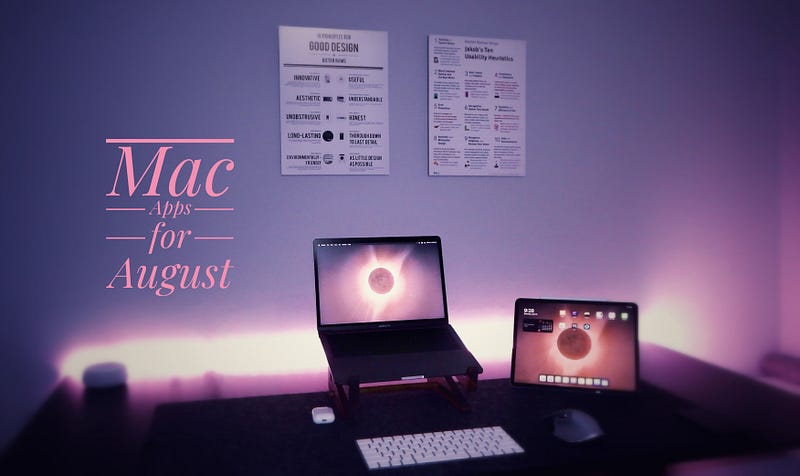
My current setup

It is August, and we are less than two months away from all the new gadgets that Apple will introduce at their annual hardware conference. I am hopeful of a brand new Apple Silicon processor (perhaps M1X or M2) that would significantly improve the graphical processing unit.

In this story, I will introduce 10 Mac apps in entertainment, reference, design, utility, health, and education. In addition, it is going to help you know more about some new apps and tools that I use to improve my overall life quality.

PS Remote Play

Photo by Fábio Silva on Unsplash

Do you ever wish you could play PlayStation games when you are not out and about? If you own a PlayStation 4 or a PlayStation 5, you can install the PS Remote Play app and use your Mac wherever you are to connect and play games remotely.

The app is not perfect, but it works, and all it requires is a fast internet connection. I recommend a stable connection that gives at least 40MBs of download and upload speed. In addition, to receive a higher-quality picture, you will need an internet connection with better bandwidth.

To test it out, I used my PlayStation 5, which is connected to the router using a LAN cable and enabled remote play in the PlayStation OS. Then, I set up the app on my Mac and connected it to the console in a matter of seconds.

I was able to pair my old PlayStation 4 DualShock controller with my MacBook Pro and play any game remotely using my Mac. The experience can sometimes be buggy, but overall, it is a feasible solution.

🔐 Privacy: Data is not yet provided

💳 Price: Free!

☑️ Compatibility: 📱iPhone, 📱iPad, 💻 Mac

🧩 Design: Displeasing

🔗 Download: Website

🌐 Research: Website

NetNewsWire
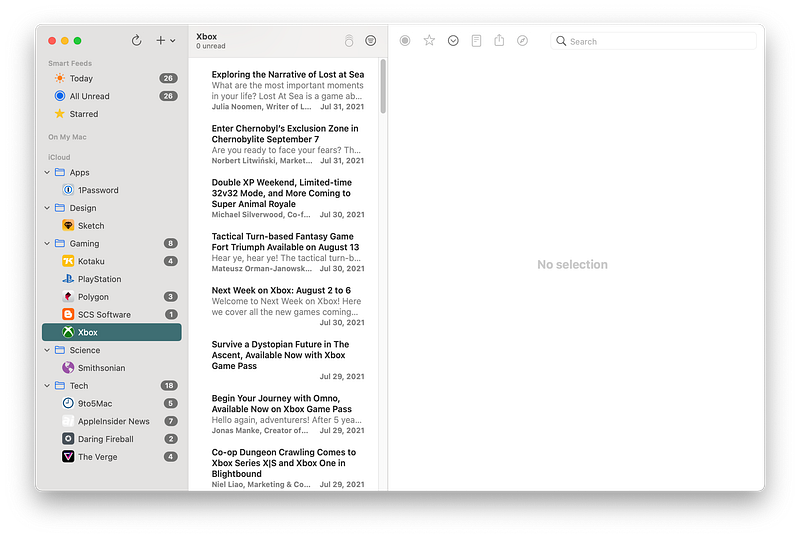
Being on track with the latest articles and news from your favorite websites can be a hassle. Especially if you don’t know your way around bookmarks and your browser is chrome. That is why many professionals recommend RSS readers.

These simple apps basically find an XML file containing all the latest articles from a specific website and bring you a clean, readable, and enjoyable experience. One of the great RSS readers for the Apple platform is the NetNewsWire.

It is free and open-source, which sounds suitable for many folks who want to manage their finances as best as possible. Still, many open-source and “free” apps come with downsides. One of them is the lack of a good UI/UX design.

NetNewsWire does not look bad; it works, but if you are looking for a more enjoyable experience, make sure to check the App Store for paid options.

This app is excellent for those who support open-source projects and want to contribute to the progress of free apps.

🔐 Privacy: Some personal data collection

💳 Price: Free!

☑️ Compatibility: 📱iPhone, 📱iPad, 💻 Mac

🧩 Design: Decent looking

🔗 Download: Website

🌐 Research: Website

Sketch
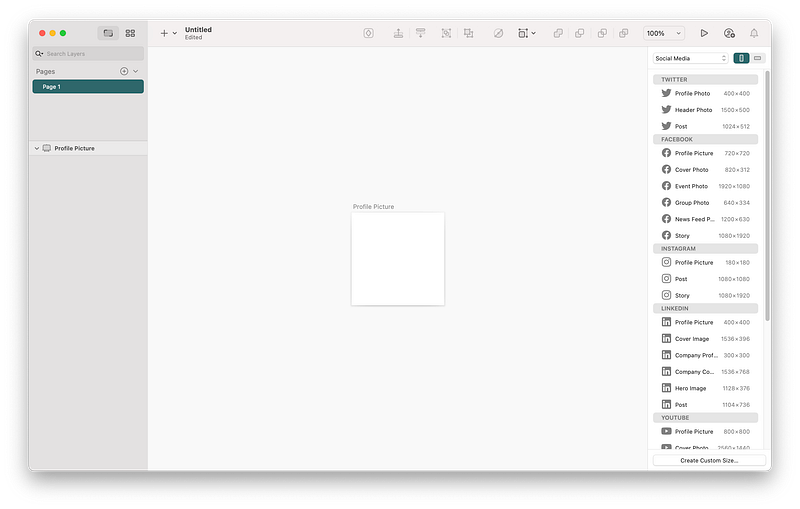
I used to recommend Sketch for user interface designers. Now, with all the features and capabilities it offers, I can say for sure that Sketch is a phenomenal app for plenty of professionals out there.

Suppose you are working in a marketing team and want to visualize your ideas in an interactive illustrative way. In that case, Sketch can help you out. Likewise, if you are a social media influencer and want to create tutorial posts, Sketch can be your best friend.

With the plethora of resources and plugins, you can do almost anything visual for your projects.

🔐 Privacy: Collects personal data

💳 Price: Subscription $9 per month

☑️ Compatibility: 💻 Mac

🧩 Design: Aesthetically pleasing

🔗 Download: Website

🌐 Research: Website

TinkerTool
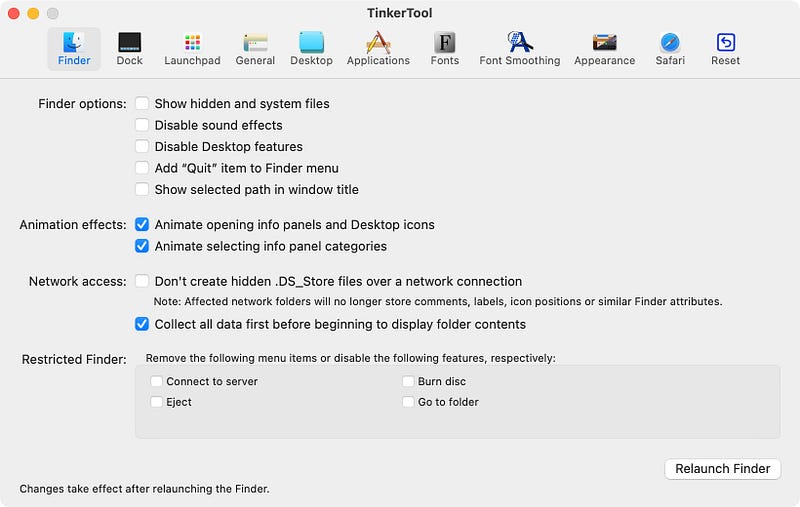
Image from the official website

TinkerTool is a macOS utility app specialized in customizing many features of the operating system. We see many tweaks throughout the internet for altering different aspects of the interface, and many require running commands in the terminal app. With the help of TinkerTool, you can access the customization options by category with a decent user interface.

Just a disclaimer that before making massive changes, make sure to thoroughly read what each change does, as reverting some options can be difficult.

🔐 Privacy: Data is not yet provided

💳 Price: Free!

☑️ Compatibility: 💻 Mac

🧩 Design: Displeasing

🔗 Download: Website

🌐 Research: Website

PopClip
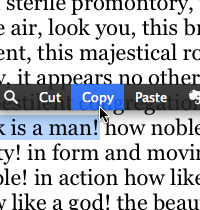
Image from the official website

Whenever an app like PopClip comes for the macOS, I think about one thing: what an intelligent developer! The thinking behind extending the usage of your Mac beyond what Apple offers is what this app does best.

Even the most basic features from this app are phenomenal. Simply highlight a text anywhere on the Mac, and it will bring a pop-over bar on top of your highlighted note. It sort of looks like what you get from text selection on iOS and iPadOS.

PopClip supports over 100 extensions that will supercharge the capabilities of your Mac. I love it. If you are looking for an app that brings back the element of surprise, then give PopClip a try.

🔐 Privacy: No data collection

💳 Price: $12.99

☑️ Compatibility: 💻 Mac

🧩 Design: Displeasing

🔗 Download: AppStore

🌐 Research: Website

Endel
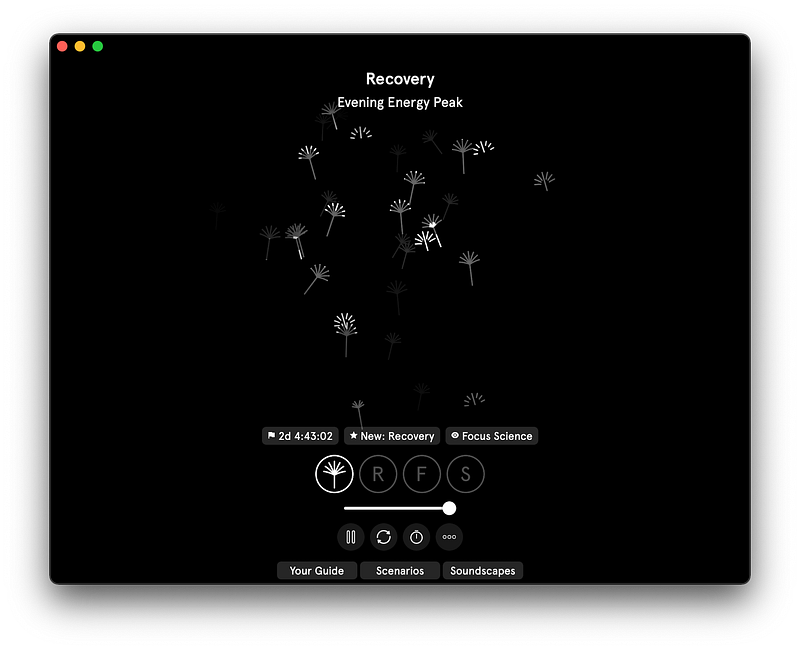
Listening to binaural beats has proven to work for many people who have difficulty sleeping, work, and relaxing. Endel brings an intelligent approach to what constitutes the mix of binaural beats and mellow, soothing sounds that will make your life a little more comfortable.

I received many emails from the team at Endel, and in many of them, they mentioned how they approached the sound design with the help of neuroscientists.

The user interface of Endel is phenomenal, and I recommend integrating this service with your workflow.

🔐 Privacy: Collects personal data

💳 Price: Subscription $5.99 per month

☑️ Compatibility: ⌚️Apple Watch, 📱iPhone,📱iPad, 💻 Mac

🧩 Design: Aesthetically pleasing

🔗 Download: AppStore

🌐 Research: Website

Cloud Battery
I, amongst many users from Reddit, have long asked Apple to update the battery widget for Mac, iOS, and iPadOS to include the battery status of all Apple devices.

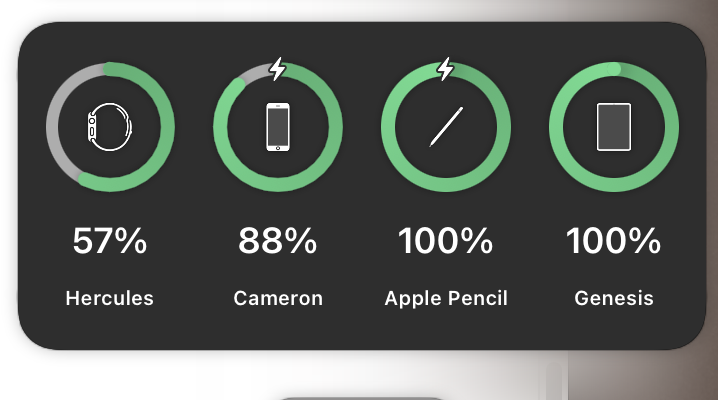
So far, there is no official support from Apple; there might be battery optimization reasons behind the lack of implementation of such a feature. However, that does not stop developers from making our dream a reality. That is why, in this story, I’m introducing a fantastic app called Cloud Battery. It brings its own widget into your Mac and shows the battery status of all your Apple devices.

I personally use this app to monitor the battery for my iPad, Apple Pencil, AirPods, iPhone, and Apple Watch. Cloud Battery is not super stable, and it does not constantly update itself, but it works, and I’m glad to have paid $3 to support their developer.

🔐 Privacy: No personal data collection

💳 Price: Free!

☑️ Compatibility: ⌚️Apple Watch, 📱iPhone,📱iPad, 💻 Mac

🧩 Design: Displeasing

🔗 Download: AppStore

🌐 Research: Website

AnyDesk
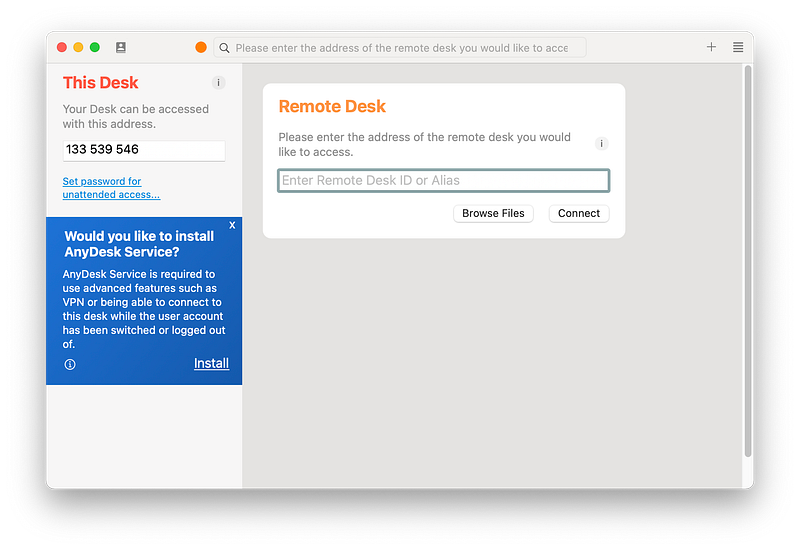
Whenever someone asks me for help with their computer, I send them a link to AnyDesk and tell them to install it. Once installed, I can remotely connect to their computer and help fix their machine. I am not a computer technician, but I can imagine an expert using the same app for their job as it is almost free and works very well.

Personally, I have used AnyDesk to help my friends and family. I also get help from my friends who are network administrators and let them configure my networking equipment.

If you are looking for a simple way to get or send help, make sure to give AnyDesk a chance. It is an incredible app.

🔐 Privacy: Collects personal data

💳 Price: Subscription $9.90 per month

☑️ Compatibility: 💻 Mac

🧩 Design: Displeasing

🔗 Download: Website

🌐 Research: Website

TrashMe 3
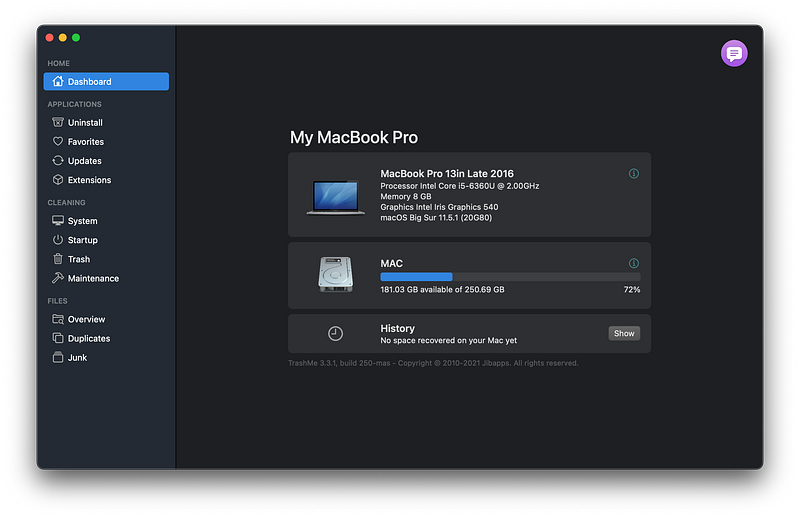
Whenever I browse YouTube subscriptions and watch the tech creators, I tend to come across cleanup apps for Mac. As much as I dislike the term “cleanup,” I think having a basic app to refresh the caches on your Mac would not be a terrible addition.

Unfortunately, many Mac optimization apps in this industry are expensive, or they come with malware. So for a long time, I was looking for a decent alternative solution that did not cost much money.

That is when I found TrashMe 3. Despite its controversial name, it is an amazing little app. It helps you not only clear the cache but get additional features you didn’t think you needed, but you did.

Some of the features I have enjoyed using so far:

  • Fully uninstall any app on your system
  • Get a list of all apps that have updates available
  • Find out which apps are slowing down your computer
  • Find and remove Safari extensions you dislike

🔐 Privacy: No data collection

💳 Price: $13.99

☑️ Compatibility: 💻 Mac

🧩 Design: Displeasing

🔗 Download: AppStore

🌐 Research: Website

Grammarly
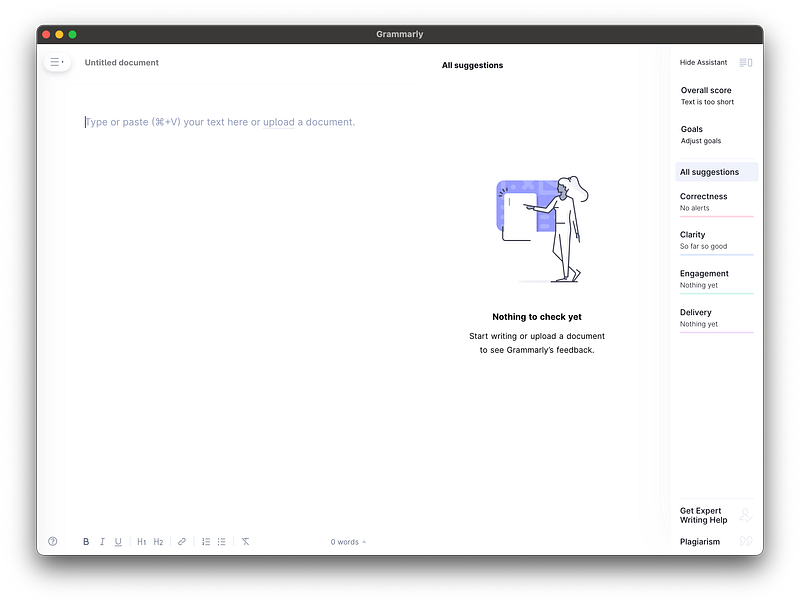
The last app is sort of a cheat for those who are not good with their English language, but it is necessary to send a message to someone literate in English.

I had my IELTS and GRE test over five years ago, and despite years of studying English, I still make mistakes with grammar and put a few typos in my writings. I love the English language, but I don’t like to embarrass myself once I write something important in English.

Not only does it reveal your writing mistakes, but it can also analyze the tone and different characteristics of your writings. I’m not gonna lie, I had used Grammarly when I started this blog, and it helped me a lot. Still, to progress and have my own way of writing, I decided to manually review my work.

If your use case requires precise grammar and tonality, then give this app a try. You are going to enjoy what it offers. Just don’t forget your own unique voice while writing.

🔐 Privacy: Collects personal data

💳 Price: Subscription $12 per month

☑️ Compatibility: 📱iPhone, 📱iPad, 💻 Mac

🧩 Design: Displeasing

🔗 Download: Website

🌐 Research: Website

Thank you for reading this edition of 10 monthly apps for August. I have enjoyed writing these editions, and I’m starting to make my stories focused more on how they make me feel when I use the apps.

I have also focused on minimalism for the amount of content written in each story.

Here are the previous editions of monthly apps for Mac.

Apple
Mac
Apps
Tech
Technology
Recommended from ReadMedium