
Theming for Angular Applications with CSS Variables
Introduction
In React applications, we could use createGlobalStyle from styled-component to introduce the global style as we mentioned before.
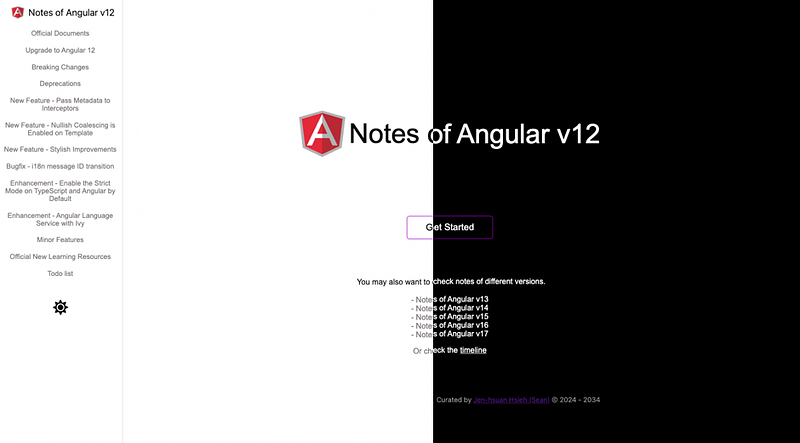
In Angular, it’s more elegant. We won’t have to install any third party libraries to create global themes. Instead, we could define CSS variables and switch their definitions during the runtime.
Agenda
- Implementation
- Demo
Implementation
1. Install required packages
Install the font-awesome/angular-fontawesome package for creating the theme switcher later.
npm install --save @font-awesome/angular-fontwaesome
2. Define CSS variables
First, we have to define colors as CSS variables in the styles.scss. The properties defined in the :root section could be referred to globally.
:root represents the element and is identical to the selector html .
Then replace colors of all components to CSS variables.
3. Create pre-defined themes
Create a new TypeScript file.
- Define required theme types (line 1 ~ line 4)
- Define required themes in the JSON format (line11 ~ line 35)
4. Create a theme service to operate the theme
Create a new service from the ng-cli.
ng g s theme
Update the service.
- Expose the method to retrieve the theme type from memory and localStorage (line 20 ~ line 23)
- Expose the method to set the theme type to memory and localStorage (line 42 ~ line 47)
The key is document.documentElement(line 55). It stands for the root DOM. In setCurrentTheme() , we set the new value for the corresponding theme.
5. Create a theme component for the theme switcher
Create a new component from the ng-cli.
ng g c theme
Update the theme.component.ts.
- In
ngOnInit()phase, we set the corresponding icon for the theme type retrieved from the service (line 23 ~ line 26) - When the user toggles, we set the icon for the next theme type retrieved from the service (line 28 ~ line 32)
Update the theme.component.html to place the icon.
Update the theme.component.scss to switch the theme of the icon.
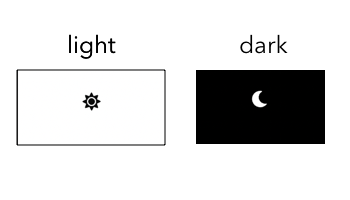
The theme switcher will look like the following images.
Demo
Feel free to check the following website.
Reference
- How to create themes for your Angular 7 apps using CSS Variables
- Angular Theming: How to Create a Dynamic Theme Switcher for Light & Dark Mode
- :root
Summary
Thanks for your patient. I am Sean. I work as a software engineer.
This article is my note. Please feel free to give me advice if any mistakes. I am looking forward to your feedback.
- The Facebook page for articles
- The latest side project: Daily Learning
Related topics
How to use the two-way binding in Knout.js and ReactJS?
Learn how to use SignalR to build a chatroom application
My reflection of
IT & Network:
Database:
Software testing:
Debugging:
DevOps:


