
Substack Alternative: 11 Sites Similar To Substack Where You Can Start Paid Newsletter
We have listed some sites that are similar to Substack where you could start a paid newsletter and get paid.

Every now and then more writing platforms are emerging, in the previous month, we listed some of the best Medium alternatives where you can start writing and make money. Substack is a platform where you could start your newsletter and can make money writing by only allowing people who are paying members. By Paying members here we mean people who pay a monthly or yearly fee to read your blog posts.
Now, the question here is; Why anyone would want to migrate from Substack to another newsletter platform?
Substack give you almost everything from your own website, yes you can connect a custom domain with your Substack publication, use their services for free, and do almost everything you want. The only con of this platform is the 10% services charges. In my opinion, if they are providing everything for free then getting your 10% share in the earnings from paid readers is justified. But, if you are looking for more opportunities and automation then there are some writing and publication-making platforms like Substack that you might be interested to know about. Some of the sites we mentioned might don’t charge anything from you but you have to pay some yearly fees in order to use their services.
The pros and cons of Substack
Substack is a very good writing platform for anyone who wants to build a community of specific interest. Before you leave Substack for others of its potential alternatives, the following are some of the pros and cons of Substack;
Pros of Substack:
- It’s free.
- The Substack cornerstone is email marketing, they designed their website for capturing email leads.
- Your content is saved and is accessible to the general public. this is good for generating passive email leads.
- You can also have the opportunity to get ranked on Google or other search engines which helps you get more traffic and potentially get more email leads.
- The monetization model they have is very unique and they help you by giving a direct Stripe integration.
Cons of Substack:
- Custom email: Substack doesn’t give a custom email to its user. Your email will look like; “[email protected]” a custom email that could help in branding.
- Custom domain: Substack does provide custom domain to publication but you have to pay an extra $50 (A one-time fee) In my opinion, if you are serious about writing on Substack then you should opt-in for this opportunity.
- User Analytics: There is no advanced user analytics like; the percentage of the audience from a country and what are their interests etc.
- Substack charges 10% of the service charges from every paid subscriber you are getting. If you have a $5/month package then this means for every paid subscriber $0.5 will go to the Substack.
You could be just exploring different newsletter-making websites like Substack, but in my opinion, Substack is one of the best platforms for monetizing your blog but there are some platforms that could be its potential alternatives.
15 Sites Similar to Substack or potential Substack alternatives:
Following are some of the potential Substack alternatives that you could use to build your email list and make money.
- Papyrus
- Medium
- Letterdrop
- Vocal Media
- Quora
- Ghost
- Convertkit
- Patreon
- Buttondown
- Tinyletter
- Memberful
- Newsbreak
- Revue
- Mailchimp
- Build your own Paid newsletter on WordPress
Now, let discuss each of the Substack alternatives in detail.
1. Papyrus:
Papyrus is a better Substack alternative where anyone can start a newsletter like Substack and start a subscription business by connecting their Stripe account. One of the competitive advantages of Papyrus over other newsletter tools is that it charges 5% of the service fee compared to Substack’s 10%.
Papyrus also lets you connect a custom domain for $50 (a one-time fee), there are some cool features on Papyrus like you can add hashtags and the website is better optimized for the search engines.
2. Writing on Medium and making money:
Medium is one big social media platform for writers where anyone can write and make money based on the reading time of Medium members. There are many other ways to make money like you can refer someone to buy your membership, add affiliate links if there are any, and let potential employers find your work.
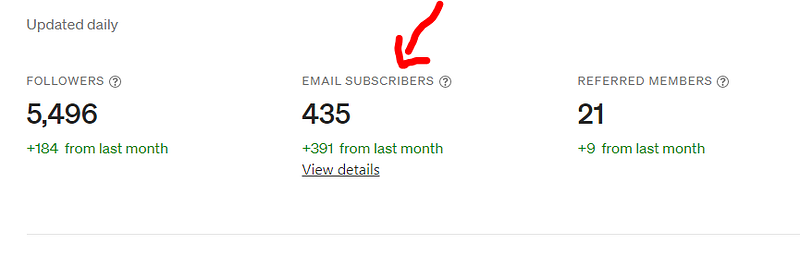
Medium now has a newsletter feature that lets you export/import your email subscribers and reaches more people with their emailing tool.
3. Letterdrop
Letterdrop is also a kind of Substack alternative but I would say they have more cons than pros. One of the things that I liked about Letterdrop is that they have a feature called “Sponsorship management” which means that they can let you companies run and track sponsorship on your newsletter.
The pricing is a bit too high and they’re charging you a 5% transaction fee even if you are a paying member. They also have a limit on how many free subscribers you have. I have an article comparing Substack Vs Letterdrop.
4. Vocal Media
Vocal Media is a writing platform where you can start writing and making money in many ways like submitting stories to Vocal challenges, making money through reads, getting tips from your readers, and bonuses from Vocal staff.
Writing on Vocal is highly effective and I have made over $8000 writing on Vocal and sharing information with the world.
5. Quora
Even though Quora is a question & answer based website but the platform is getting over millions of views from search engines alone and can help you shine in any category you want to write about. You can use Quora as a marketing tool for your newsletter and at the same time can make money writing like monetizing your Quora Spaces.
Quora is one of the best writing tools. As Nicolas Cole said “write in public” which means when you write in public, you have more data. More data means you can understand your audience better and your next post might do way better than the previous ones.
6. Ghost: A Better Substack Alternative with 0% transaction fee
I, myself using Ghost as a platform to host my content and to use it as any blogger is using this platform. Ghost is a modern tech that combined all of the good things in one place; you can start a paid newsletter, connect your custom domain, there are no service charges for getting paid subscribers and you can monetize your newsletter through many ways. Ghost CMS is free and open-source but if you are intended to use Ghost hosting services then you have to pay a flat $29/month or $350 a year.
I have reviewed the Ghost blogging platform even the platform is free for everyone but if you use their seamlessly fast-loading server and its modern technology then you have to pay $350 a year. In the next paragraph, we will compare Substack and Ghost and discuss what makes both platforms differ from each other.
A short comparison between Substack And Ghost:
- Substack charges 10% of the commission for every single paid subscriber you get, while on Ghost, you will get 100% of the revenue from your subscribers. If you are planning long-term then Ghost could be profitable for you.
- Substack is free so is Ghost but to use the Ghost server and its technology, you would have to pay. This one quality makes Substack a winner here.
- Substack recently announced a custom domain option which you can get through a one-time $50 fee. You can also use the custom domain on Ghost. In my opinion, Ghost SEO is way better than Substack so if you are taking the organic reach as a factor in your decision making then Ghost is a potential Substack alternative.
7. Convertkit: Recently announced a paid member feature
Yes, You might hear about Convertkit as an Email automation platform or a platform that gives you a sale funnel but now they are launching their paid newsletter. They want to be a better Substack alternative by offering competitive rates. For everyone who wants to experience Convertkit first hand, it is free for your first 1,000 email subscribers after that you have to pay a flat $29/month fee in order to send unlimited emails to your community.
The Convertkit new product known as “Convertkit Commerce” is currently available in a few countries (27 countries) but they are growing and it will be available around the globe in 2021.
The following is some comparisons between Convertkit Commerce and Substack:
- Substack charges 10% of the commission from every single paid reader or transaction while Convertkit charges 3.5%
- Substack is free for unlimited paid or free subscribers while Convertkit is just free for the first 1,000 free subscribers, if you are intended to use their services, you have to pay $29/month.
- You can’t customize your Substack newsletter but in the case of Convertkit, you can do that by choosing a variety of newsletter designs.
8. Patreon: A potential site similar to Substack but lack the discoverability
Patreon is a very reserved kind of Substack alternative. It is a good alternative as it provides you with every opportunity to connect with your paid subscribers. Patreon gives you an option to post a video, blog post, or almost anything with your paid subscribers.
Is Patreon a better substack alternative? If you have a sizeable audience on any social media platform and you want to give some perks to those who pay you then Patreon is your go-to platform. For a writer like me, I don’t think so that Patreon would add value to my writing career. For a writer, Patreon isn’t the right place unless you are Geroge RR Martin or JK Rowling.
Here is the comparison between Substack and Patreon:
- Discoverability: On Substack, when you publish a post, it is always there plus it has an opportunity to get discovered by the readers. Through this way, you can grow your email newsletter. On Patreon, you need to have a sizable audience on one platform and then direct them to your Patreon page so they get some perks being a paid subscribers like getting your video first or take part in live chat.
- Communication: On Patreon, you can communicate with your followers through direct messaging while the level of communication on Substack is just through emails.
- Patreon costs you 5% to 12% of the money you make from paid readers while Substack charges you 10% of every paid reader you get.
9. Buttondown
Buttondown is one of the best sites similar to Substack. They have all the functions that Substack provides. They give you a Stripe integration, the minimalist newsletter design, and for the people interested in personal newsletters. The good thing about Buttondown is that it is run by a single person. The platform isn’t as modern as Substack but still, they have a technology to enable you to make a paid newsletter.
Following is the comparison between Buttondown and Substack:
- Substack is a modern newsletter-making website while Buttondown could compete with it but if you look into the design perspective, Substack is a winner.
- Both Substack and Buttondown don’t give you a custom email option so we have a draw here.
- Organically, Buttondown doesn’t have a good authority compared to Substack which makes your Substack blog getting ranked for a keyword more favorable than Buttondown.
10. TinyLetter: A product of Mailchimp to monetize your Newsletter
TinyLetter is a product of Mailchimp which also gives the same functions to every writer to monetize their writing by introducing a paid newsletter. Tinyletter is a free service like Substack. It has a neat and minimalist design that could make your newsletter look interesting. There are a lot of credible news publications that are hosted on TinyLetter.
Here is the comparison between TinyLetter and Substack:
- Both Substack and Tinyletter are free to use.
- Tinyletter gives more customization and drag and drops features compared to Substack.
- Tinyletter also gives more stats. related to the email subscribers you have compared to Substack.
11. Memberful:
Memberful is a very different platform but at the same time very similar to what Substack is doing. Memberful is one package for everything and it is competing with Substack with just one feature; offering subscription. In Memberful, not only you can start a subscription business but you can also sell digital goods like courses, ebooks, consultation, and much more.
Memberful is free but you have to pay 10% service charges which is the same as Substack and if you go for paid plans ($25 a month) you still have to pay 4.5% service charges which I belive is what makes this platform a turn-off.
You can join 100+ interested bloggers by Sign-up for my Substack newsletter here.
Read more of our stories on Medium:
- Is Substack worth it? A Substack review
- Substack Vs Mailchimp: Which email marketing platform is the best?
- How to grow your Substack Newsletter?