Free AI web copilot to create summaries, insights and extended knowledge, download it at here
3724
Abstract
<span class="hljs-string">my-app</span>
<span class="hljs-comment"># Or run this to use yarn</span>
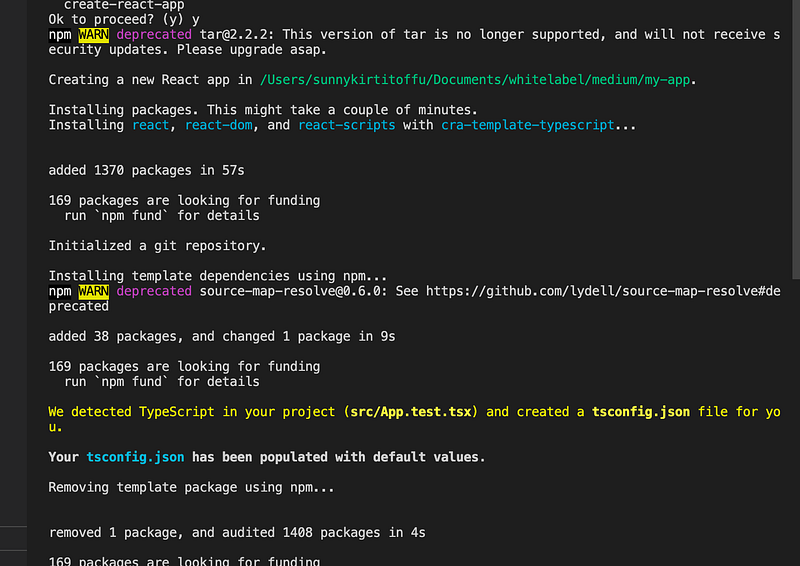
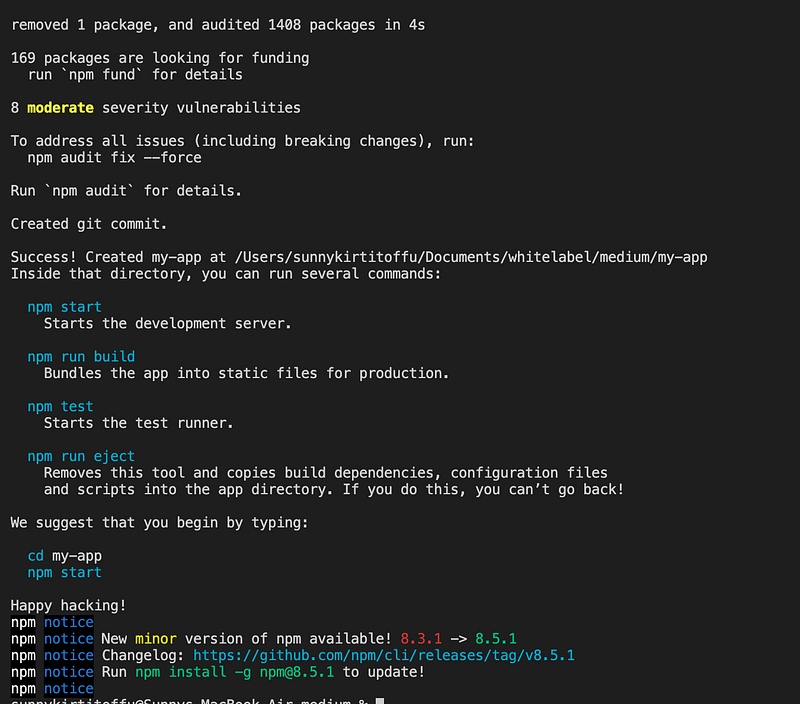
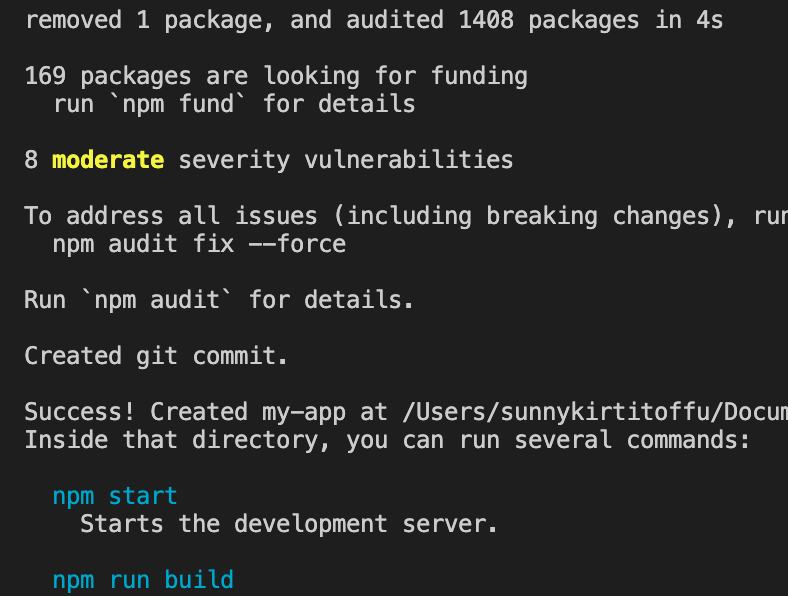
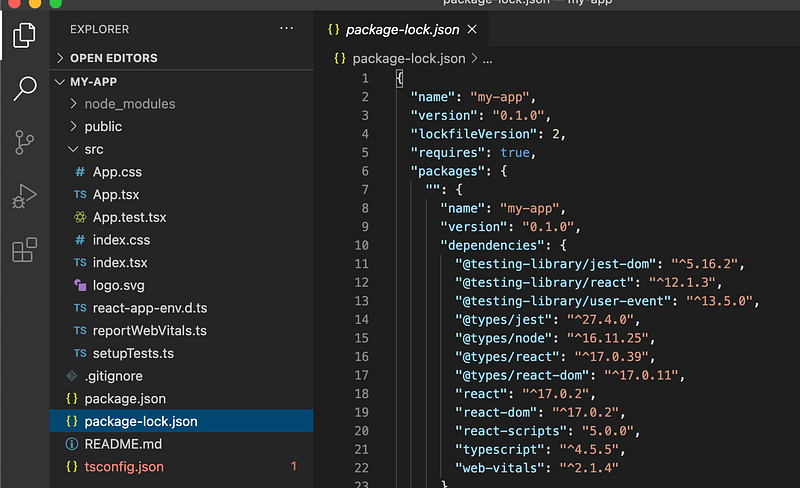
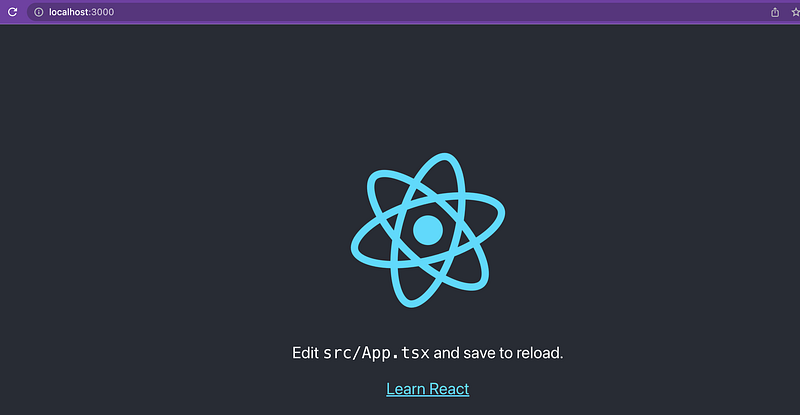
<span class="hljs-string">yarn</span> <span class="hljs-string">create</span> <span class="hljs-string">react-app</span> <span class="hljs-string">my-app</span></pre></div><p id="f313"><b>STEP 2</b></p><blockquote id="c28e"><p>Select Y in the screen and below all the dependencies related with webpack , typescript templates will install automatically.</p></blockquote><figure id="53eb"><img src="https://cdn-images-1.readmedium.com/v2/resize:fit:800/1*uNY1sBzZpt59vCH1BKxADw.png"><figcaption></figcaption></figure><figure id="df6b"><img src="https://cdn-images-1.readmedium.com/v2/resize:fit:800/1*mNjHFI0ZKCaSez2T7oUzNQ.png"><figcaption></figcaption></figure><figure id="4e4b"><img src="https://cdn-images-1.readmedium.com/v2/resize:fit:800/1*lCxPLiyjL6iTFEry_syd6g.png"><figcaption></figcaption></figure><p id="e443"><b>STEP 3 : </b><i>Start the project</i></p><blockquote id="dea2"><p><i>npm start</i></p></blockquote><blockquote id="13ee"><p><b>Note : If your project is setup with yarn then start the project with yarn start. But here if you notice our project is built with npm so we are starting with npm start</b></p></blockquote><figure id="4d52"><img src="https://cdn-images-1.readmedium.com/v2/resize:fit:800/1*KUHssSKUhwPnKBBCG0h-Cw.png"><figcaption></figcaption></figure><figure id="eaec"><img src="https://cdn-images-1.readmedium.com/v2/resize:fit:800/1*_D5VIwvcPfL9Nr1PcOwz8w.png"><figcaption></figcaption></figure><p id="28fb"><b>STEP 4 :</b></p><blockquote id="4dfc"><p><i>Open the browser — You will see below screen where project is setup with CRA typescript :)</i></p></blockquote><figure id="c98d"><img src="https://cdn-images-1.readmedium.com/v2/resize:fit:800/1*DPfPwe_S9SZxAYoHS6kUuw.png"><figcaption></figcaption></figure><p id="ad04"><b><i>Source code : <a href="https://github.com/kirti/typescript-cra">https://github.com/kirti/typescript-cra</a></i></b></p><h1 id="d073">Conclusion:</h1><p id="c9c8">This is the explanatory medium story of How to install Typescript with CRA (CREATE REACT APP) Beginner Guide.</p><blockquote id="9fea"><p><b><i>Happy Learning and Stay Safe.</i></b></p></blockquote><blockquote id="6046"><p><b><i>Take care All</i></b></p></blockquote><blockquote id="51c7"><p><b>Please find my few more articles</b></p></blockquote><div id="6437" class="link-block">
<a href="https://kirtikau.medium.com/react-converting-static-html-website-to-react-application-1a877a8e9948">
<div>
<div>
<h2>React — Converting Static HTML Website to React application</h2>
<div><h3>The following article will help you to understand how to convert any HTML web page to a ReactJS functional…</h3></div>
<div><p>kirtikau.medium.com</p></div>
</div>
<div>
<div style="background-image: url(https://miro.readmedium.com/v2/resize:fit:320/1*wPNnmLxGpWHIeZBIflFCwQ.png)"></div>
</div>
</div>
</a>
</div><div id="77d9" class="link-block">
<a href="https://readmedium.com/how-to-use-and-implement-context-and-usecontext-hook-with-example-react-hooks-beginner-guide-cb3058a5b4de">
<div>
<div>
<h2>How to Use and Implement Context and useContext Hook with example React Hook’s — Beginner Guide</h2>
<div><h3>In this tutorial, we’ll be learning How to Use and Implement Context and useContext Hooks with example React’s Hooks</h3></div>
<div><p>medium.com</p></div>
</div>
<div>
<div style="background-image
Options
: url(https://miro.readmedium.com/v2/resize:fit:320/1*3Q_RaspPs141BoCtfhf1Vw.jpeg)"></div>
</div>
</div>
</a>
</div><div id="7c7c" class="link-block">
<a href="https://levelup.gitconnected.com/how-to-add-swagger-ui-to-existing-node-js-and-express-js-project-2c8bad9364ce">
<div>
<div>
<h2>How to add Swagger UI to an existing Node.js and Express.js project</h2>
<div><h3>In this tutorial, we’ll be learning how to add swagger to existing Node Js and Express.js. As we already learned in…</h3></div>
<div><p>levelup.gitconnected.com</p></div>
</div>
<div>
<div style="background-image: url(https://miro.readmedium.com/v2/resize:fit:320/1*2tKCzmIJSz5xCiBCWYwTWA.png)"></div>
</div>
</div>
</a>
</div><div id="5bfc" class="link-block">
<a href="https://readmedium.com/how-to-create-a-rest-api-with-express-js-and-node-js-3de5c5f9691c">
<div>
<div>
<h2>How to create a REST API with Express.js and Node.js</h2>
<div><h3>In this tutorial, we’ll be learning how to build a Rest API in Node.js and Express.js by building a simple crud user…</h3></div>
<div><p>medium.com</p></div>
</div>
<div>
<div style="background-image: url(https://miro.readmedium.com/v2/resize:fit:320/1*EvMSXAxkt3-7V6BB2jYwgA.png)"></div>
</div>
</div>
</a>
</div><div id="2f24" class="link-block">
<a href="https://readmedium.com/quickest-five-way-to-center-div-with-css-5529788d3a2c">
<div>
<div>
<h2>Quickest Five Way to Center Div with CSS</h2>
<div><h3>In this tutorial, we’ll be learning how to Center div with CSS :)</h3></div>
<div><p>medium.com</p></div>
</div>
<div>
<div style="background-image: url(https://miro.readmedium.com/v2/resize:fit:320/1*LLOlHax9QGtyHz1OZotBtA.png)"></div>
</div>
</div>
</a>
</div><div id="df9b" class="link-block">
<a href="https://levelup.gitconnected.com/android-react-native-window-setup-how-to-setup-android-environment-for-react-native-app-588aaa13c3a6">
<div>
<div>
<h2>Android React Native Window Setup</h2>
<div><h3>How to Setup Android Environment for React Native App</h3></div>
<div><p>levelup.gitconnected.com</p></div>
</div>
<div>
<div style="background-image: url(https://miro.readmedium.com/v2/resize:fit:320/1*Ir97Hdkj_4irGmwSjj7dUw.png)"></div>
</div>
</div>
</a>
</div><div id="0854" class="link-block">
<a href="https://readmedium.com/simple-data-fetching-in-react-with-the-fetch-api-and-axios-with-hooks-useeffect-and-usestate-85d6bd7357c2">
<div>
<div>
<h2>Simple Data Fetching in React with the Fetch API and Axios with Hooks UseEffect and UseState…</h2>
<div><h3>In this tutorial, we’ll be learning Simple Data Fetching in React with the Fetch API and Axios with React- Hooks…</h3></div>
<div><p>medium.com</p></div>
</div>
<div>
<div style="background-image: url(https://miro.readmedium.com/v2/resize:fit:320/1*2o9WpO34_tLXDW6HRrY5-A.jpeg)"></div>
</div>
</div>
</a>
</div></article></body>

%22%3E)