
Simple Data Fetching in React with the Fetch API and Axios with Hooks UseEffect and UseState- Beginner Guide :)
In this tutorial, we’ll be learning Simple Data Fetching in React with the Fetch API and Axios with React- Hooks (useEffect and useState)
Before we start please find below the important definitions:
Hooks — Hooks are a new addition in React 16.8. They let you use state and other React features without writing a class.
a)
useState :is the first “Hook” and TheState Hookis a Hook that lets you add React state to function components
b) useEffect : The Effect Hook lets you perform side effects in function components:
“Side Effects ???” — Data fetching, setting up a subscription, and manually changing the DOM in React components are all examples of side effects :)
Hooks are:
Completely opt-in.
100% backward-compatible.
Available now. Hooks are now available with the release of v16.8.0.
Please follow the below link for more details about useEffect and useState
Why we need Fetch API or Axios?
Both help us to make the HTTP request to external resources.
- Fetch —The Fetch API provides an interface for fetching resources (including across the network). The Fetch API is a simple interface for fetching resources. It also supports the CORS. Fetch makes it easier to make web requests and handle responses than with the older XMLHttpRequest.
2. Axios — Axios is a library that helps us make HTTP requests to external resources. Axios Is More Secure, Featuring Built-In Cross-Site Forgery (XSRF) Protection.
Prerequisites :
Download software’s
Node.js (Version 8 or newer) — https://nodejs.org/en/download/
Chrome — https://www.google.com/chrome/
Visual Studio Code (you can use any other editor or IDE)
Dummy Api call or any api — We will use below api
Getting Started
Set up a Create React App
1 ) Create a new React Application running the following commands in your command terminal
Check out https://create-react-app.dev/docs/getting-started/ if need more info for the below commands
npx create-react-app create-react-app-docker-unit-test
cd create-react-app-docker-unit-test
yarn start
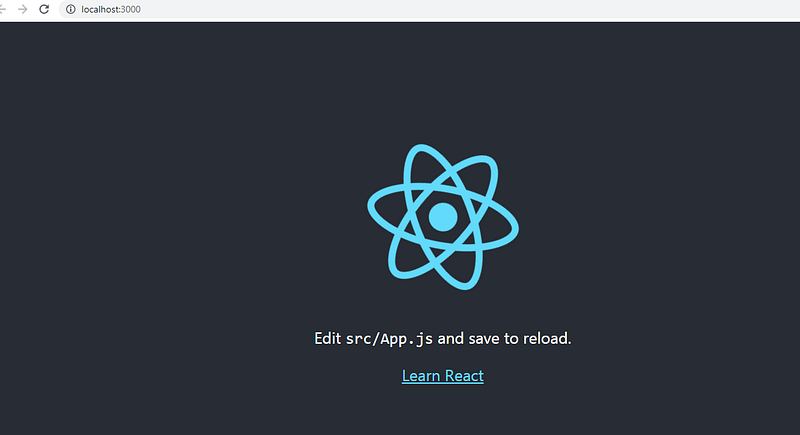
Then open http://localhost:3000/ to see your app and you will see the app in the browser as below
2) Once the application is created,
You should have an App.js file already generated inside the src/ folder
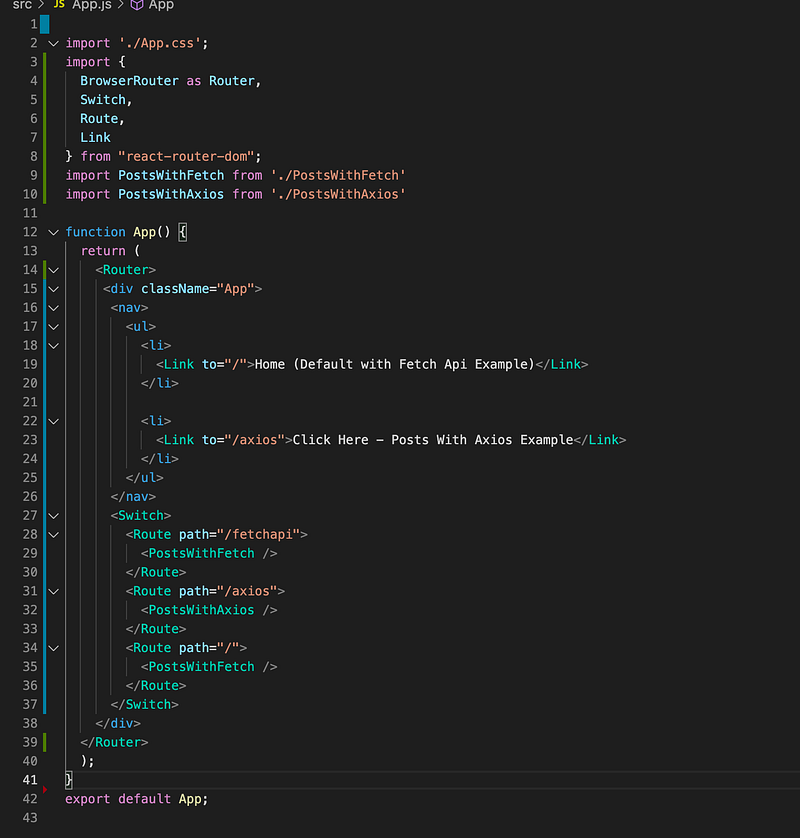
Starting with the App.js file and add two navigation links as below
a) Home (Default with Fetch API Example)
b) Click Here — Posts With Axios Example
Note: Make sure
react-router-dom is installed.
if not please add react-router-dom with the help of below command
yarn add
react-router-dom
4) Open the App.js and add basic routing as below code
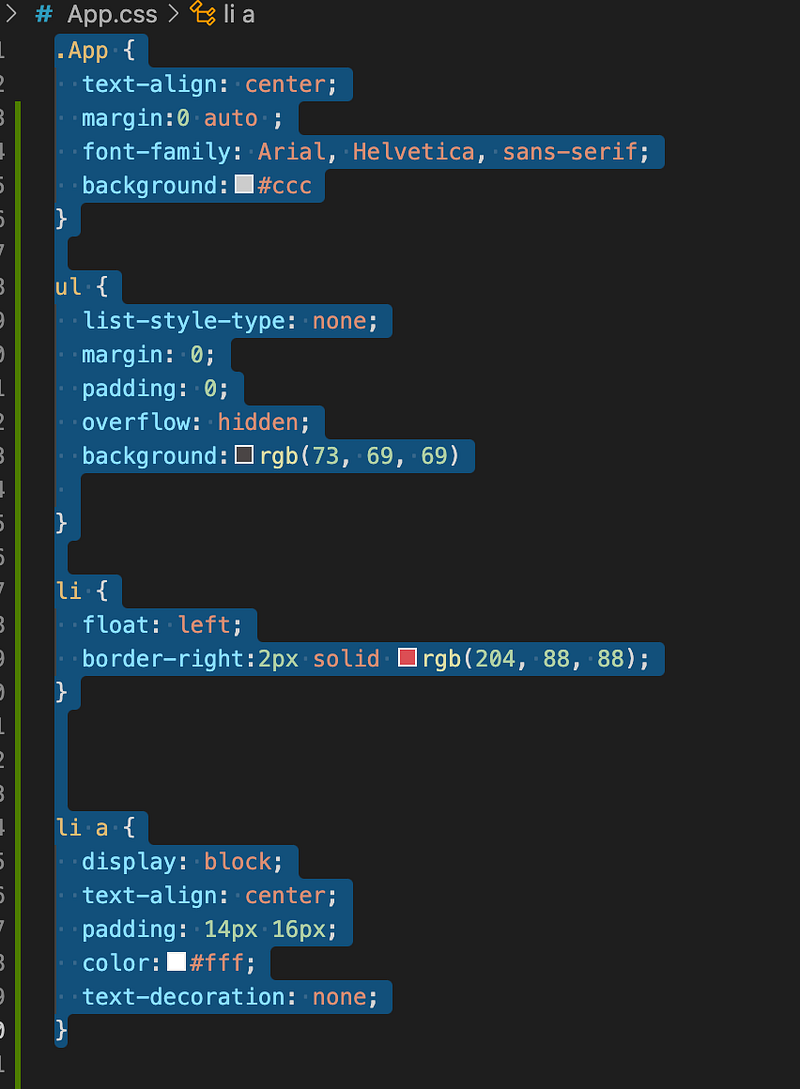
Css — Please add the below CSS for navigation in App.css
a) Create two new files PostsWithAxios.js and PostsWithFecth.js ( simple functional component)
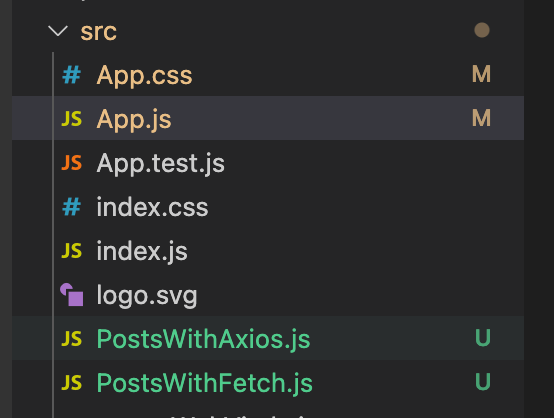
b) Start the dev environment
yarn start
You will see the navigation below

Tip about Hooks :
Don’t call Hooks inside loops, conditions, or nested functions. Instead, always use Hooks at the top level of your React function, before any early returns.
4) Let’s Start with Fetch API
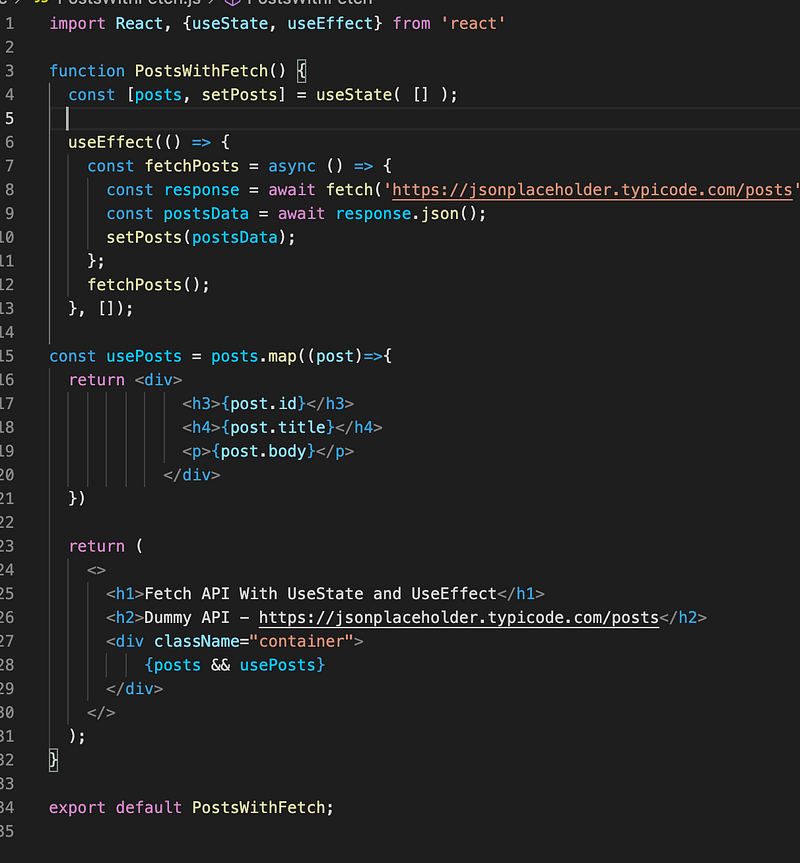
a) open the file PostWithFetch.js
i) add useEffect and useState at the top of the file as below

ii) add useState with an empty array as below —
the useState() state Hook is called with an initial state.
It is similar to the constructor.
The Hook returns two values: the current state and a function to update it.

iii) add useEffect with fetch API with dummy API URL as below
Effect Hooks accept a function and run it after each render by default.
Note: Here in this example we ran it just once, so we passed both a function and an empty array.
Since we passed an empty array, there is no state variable to watch for, and the effect will run just once.
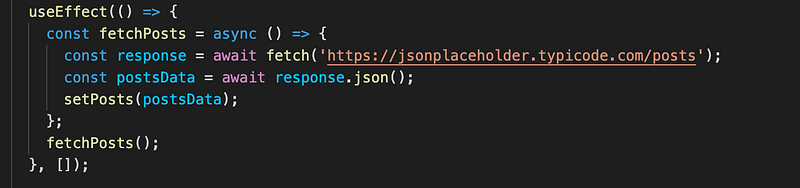
iv) Save the data by setPosts(postsData)
setPosts(postsData);
v) Get the data from state
use a map function to show the data in the UI layer.

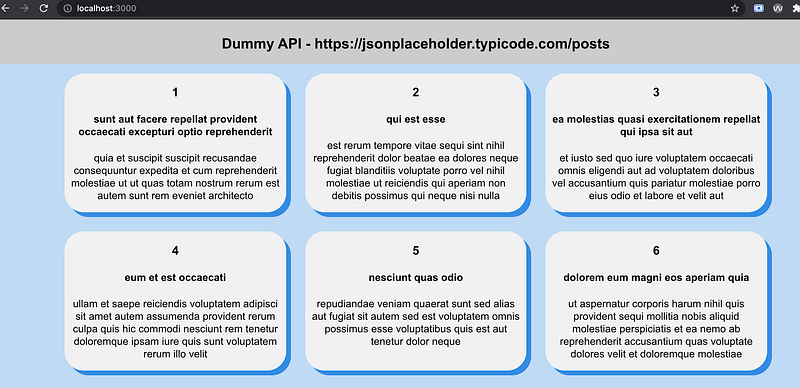
vi) add the CSS to show the data in a user-friendly and user interactive way.
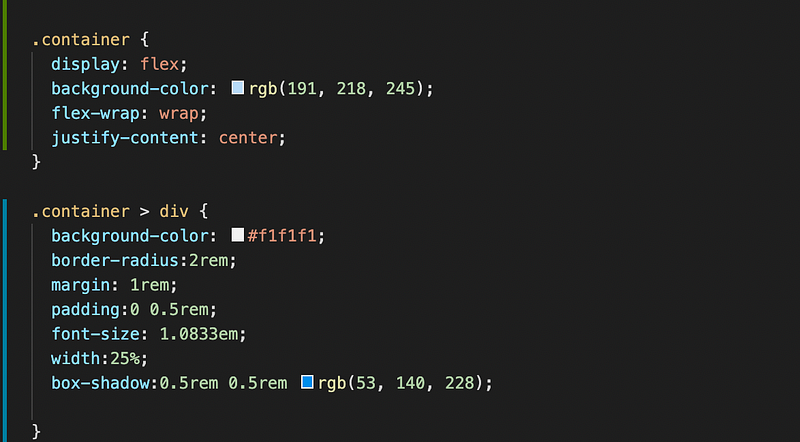
Please find the complete snapshot below
UI Snapshot — http://localhost:3000/
Code Reference :
5) Let’s Start with Axios -
To start for Axios we first need to install the Axios npm package.
a) Install the Axios
yarn add axios
b) open the file PostWithAxios.js and below code for Axios with useState and useEffect .
Note : Data Fetching Coding Steps with Axios integration are almost the same and only the Fetch API will be replaced with Axios :)
i) add useEffect and useState at the top of the file as below
ii) add useState with an empty array as below —
the useState() state Hook is called with an initial state.
It is similar to the constructor.
The Hook returns two values: the current state and a function to update it.
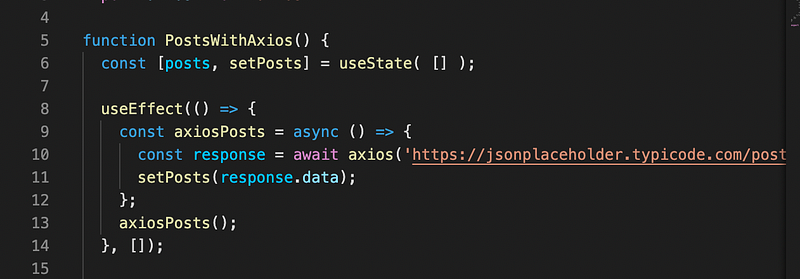
iii) add useEffect with fetch API with dummy API URL as below
Effect Hooks accept a function and run it after each render by default.
Note: Here in this example we ran it just once, so we passed both a function and an empty array.
Since we passed an empty array, there is no state variable to watch for, and the effect will run just once.
iv) Save the data by setPosts(postsData)
setPosts(postsData);
v) Get the data from state
use a map function to show the data in the UI layer.
vi) add the CSS to show the data in a user-friendly and user interactive way.
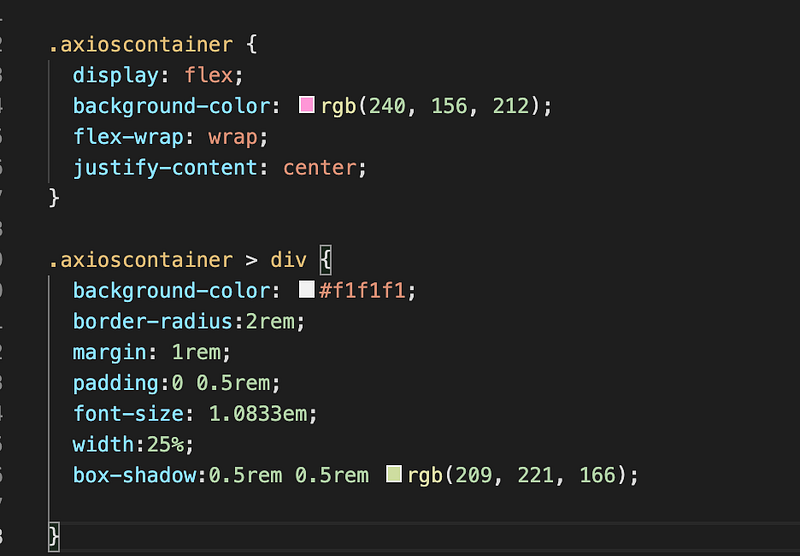
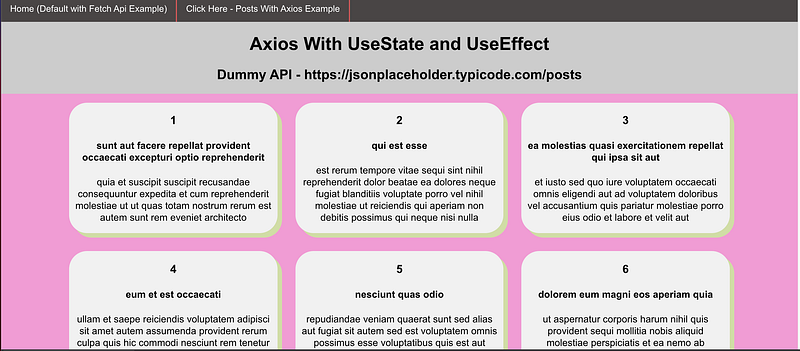
Please find the complete snapshot below
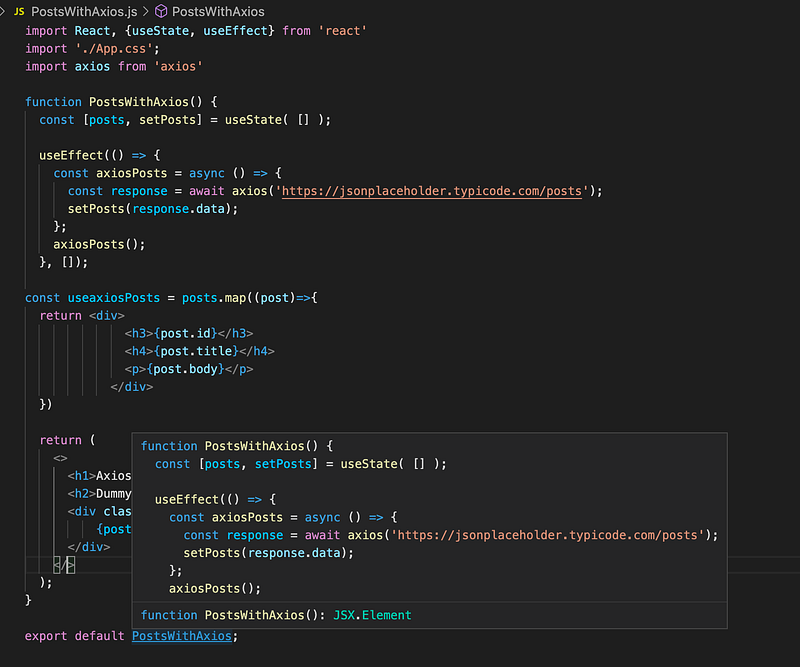
Github code -
Official links for React hooks for more details
Conclusion:
This is the explanatory medium story of Simple Data Fetching in React with the Fetch API and Axios with Hooks UseEffect and UseState if you have any doubts, please mail me at [email protected]
Happy learning and Stay Safe.
Please find my few more articles :)


