
How To Get Started With Azure AKS
Building the Kubernetes cluster and deploy a sample app

AKS is Microsoft Azure’s managed Kubernetes solution that lets you run and manage containerized applications in the cloud. Since this is a managed Kubernetes service, Microsoft takes care of a lot of things for us such as security, maintenance, scalability, and monitoring. This makes us quickly deploy our applications into the Kubernetes cluster without worrying about the underlying details of building it.
In this post, we will see how we can build the Kubernetes cluster on Azure AKS, Accessing clusters from outside, configuring kubectl to work with AKS cluster, and many more.
- Prerequisites
- Install Azure CLI and Configure
- Creating AKS Cluster
- Configure Kuebctl With AKS Cluster
- Example Project
- Create a Deployment and Access it
- Kubernetes Dashboard
- Delete the Cluster
- Summary
- Conclusion
Prerequisites
The prerequisites to this post are Docker essentials and Kubernests essentials. We are not going to discuss the basics such as what is a container or what is Kubernetes, rather, we will see how to build a Kubernetes cluster on Azure AKS. Below are the prerequisites you should know before going through this article
Docker Essentials
You need to understand Docker concepts such as creating images, container management, etc. Below are some of the links that you can understand about Docker if you are new.
- Docker Docs
- Docker — A Beginner’s guide to Dockerfile with a sample project
- Docker — Image creation and Management
- Docker — Container Management With Examples
- Understanding Docker Volumes with an example
Kubernetes Essentials
You need to understand Kubernetes' essentials as well along with Docker essentials. Here are some of the docs to help you understand the concepts of Kubernetes.
Microsoft Azure Account
You should have a Microsoft Azure Account. You can get a free account for one year. You should see the below screen after you login.
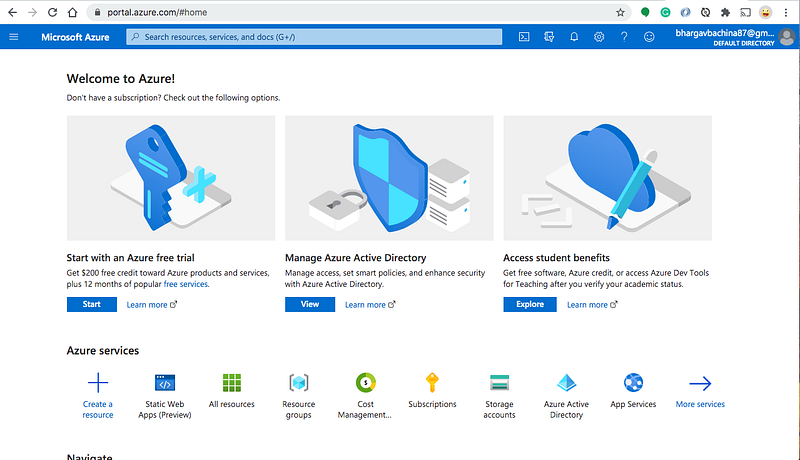
You need to create a subscription for your account. The most common is Pay As You Go subscription.
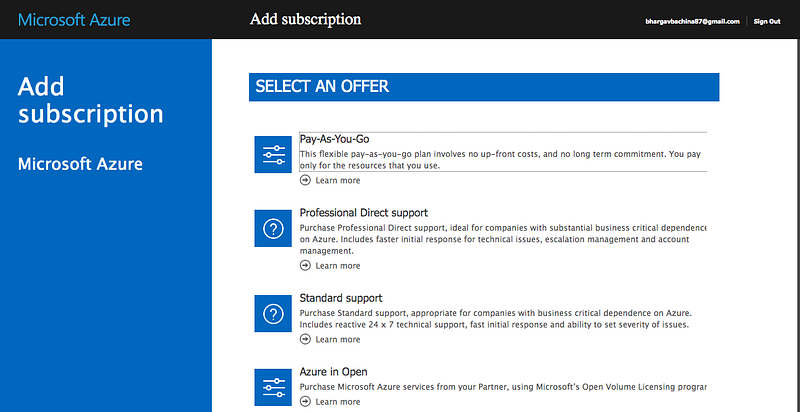
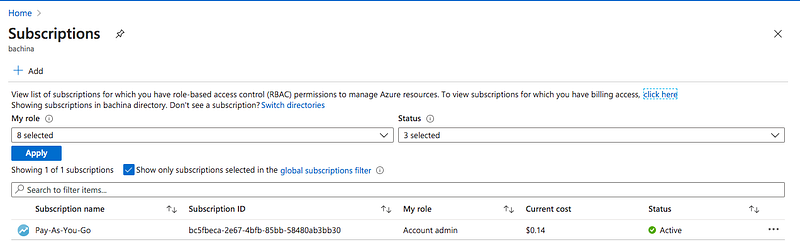
You need a subscription to be associated with your tenant so that all the cost is billed to this subscription.
Install Azure CLI and Configure
Once you have the Azure Account you can install Azure CLI. You can go to the below documentation and install Azure CLI based on your operation system. You can configure Azure CLI with your subscription.
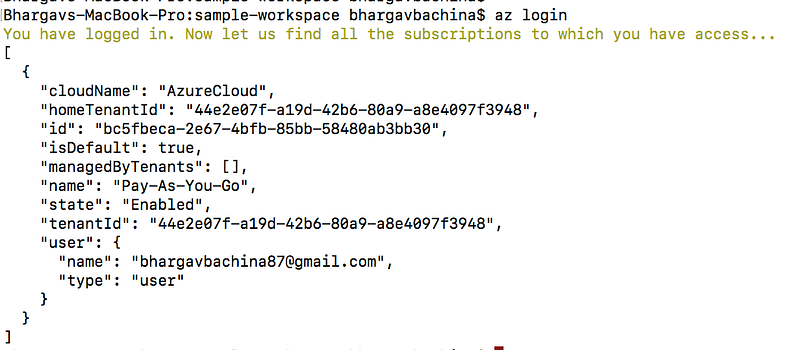
Let’s list the subscription with the following command
az account listCreating AKS Cluster
First, you need a resource group for all your resources. Let’s create a resource with the following command
az group create --name myAKSGroup --location eastus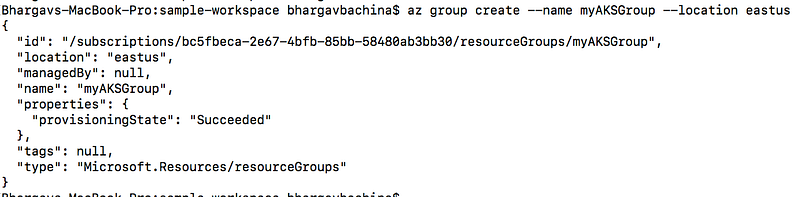
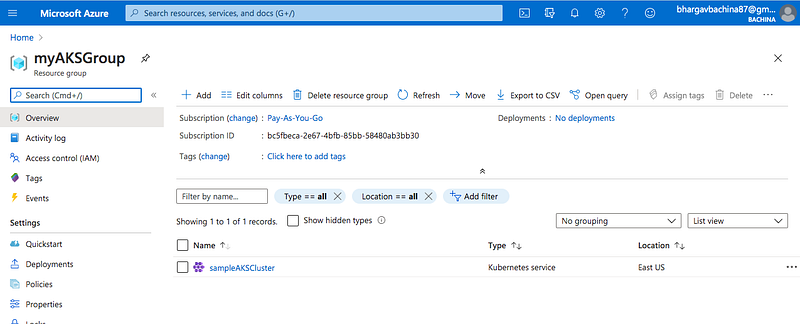
Let's create a cluster with the following command. Notice that we are using the same resource group that we created above. You can see the JSON formatted result after a few minutes.
az aks create --resource-group myAKSGroup --name sampleAKSCluster --node-count 3 --enable-addons monitoring --generate-ssh-keysYou can see the following cluster in the console.
Example Project
We have created the Kubernetes cluster on AKS. It’s time to look at the example project that we are deploying. Here is the Github link you can clone it and run it on your machine.
// clone the project
git clone https://github.com/bbachi/sample-app-aks.git
// Running on docker
docker build -t sample-aks-image .
docker run -d --name sample-aks -p 80:80 sample-aks-image// tag and push the image
docker tag sample-aks-image bbachin1/sample-aks-image
docker push bbachin1/sample-aks-imageThis is a simple HTML file serving through the Nginx server.
Here is the manifest.yml file for the Kubernetes deployment and service objects
Configure Kuebctl With AKS Cluster
Kubectl is the command-line utility for the Kubernetes. You need to install kubectl before you configure it. Run the first command only if you don’t have kubectl on your local machine.
// install CLI
az aks install-cli
// connect to your cluster
az aks get-credentials --resource-group myAKSGroup --name sampleAKSCluster// get all the contexts
kubectl config get-contexts// verify the current context
kubectl config current-context// get the node
kubectl get nodes
Create a Deployment and Access it
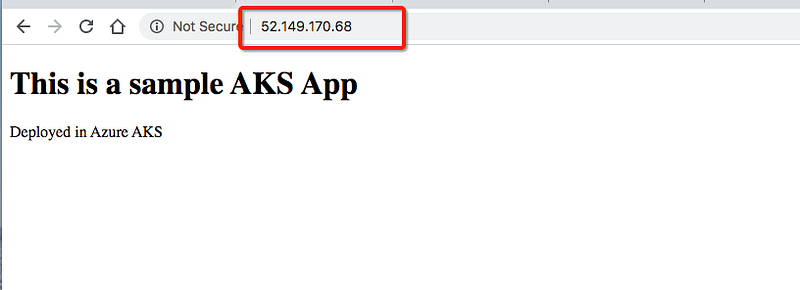
Let’s create a deployment with the following command and make sure you are in the root folder of the application. Since you are using type LoadBalancer you can have ingress traffic form the web.
// create a deployment
kubectl create -f manifest.yml
// verify the deployment
kubectl get deploy
kubectl get po
kubectl get service
Kubernetes Dashboard
We are done with the deployment and accessing it from the external browser. Let’s see our objects in the Kubernetes dashboard with the following command. Make sure you have the correct resource group name and cluster and the following command opens the Kubernetes dashboard in the browser.
az aks browse --resource-group myAKSGroup --name sampleAKSClusterYou can access the dashboard with either Kubeconfig or Token. You can get the token with the following command.
kubectl config view
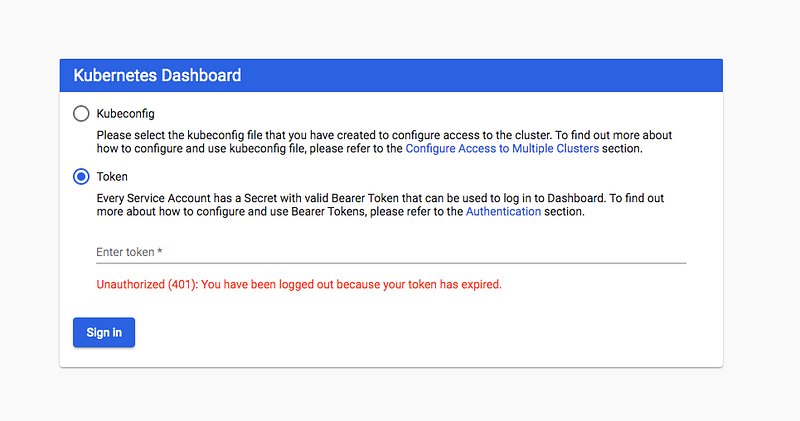
Once you log in with token and you can see the following dashboard with all the Kubernetes objects.
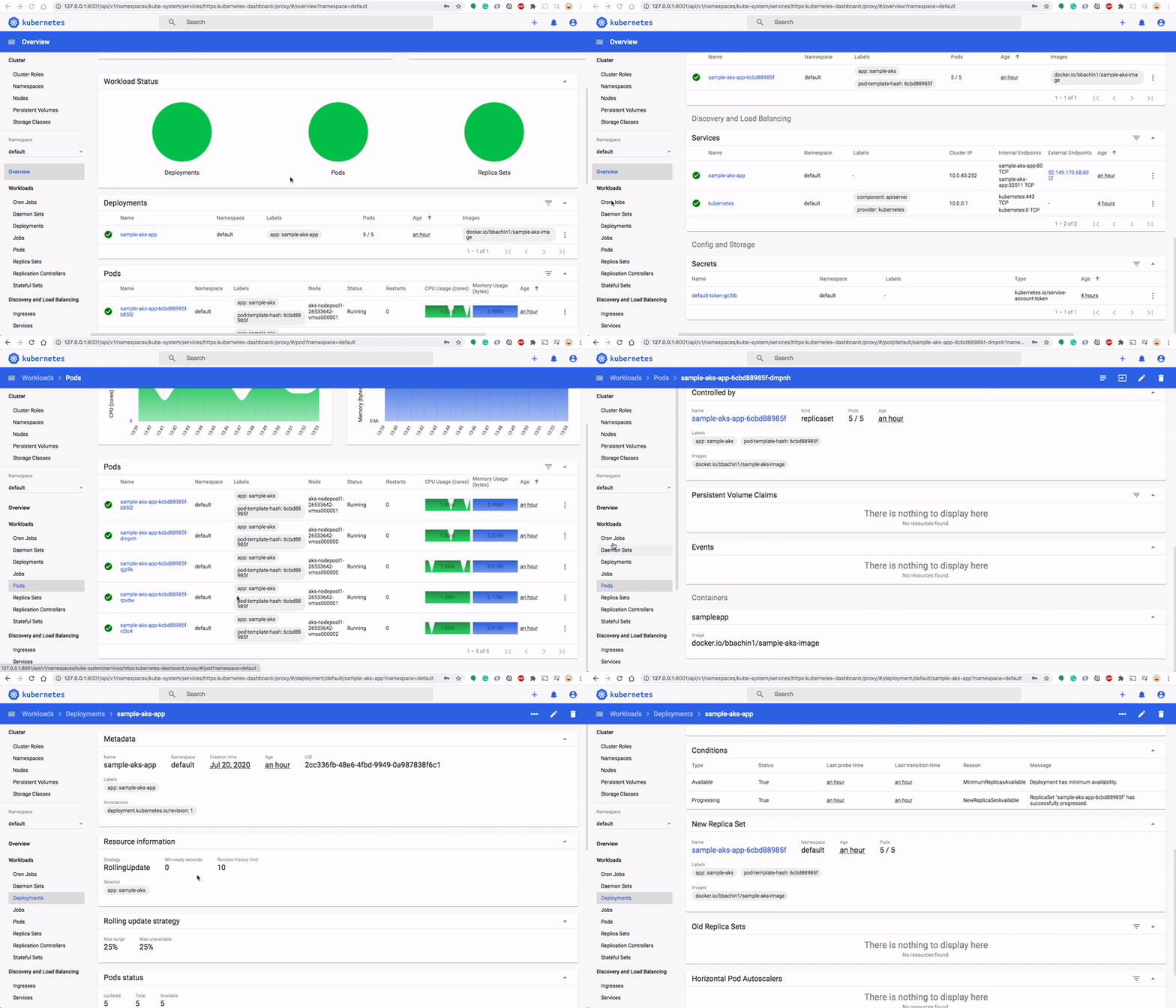
Sometime you might get the following error. If you get this error you have to delete and create cluster role binding.
az aks dashboard is empty “There is nothing to display here”
solution
// Run the following commandskubectl delete clusterrolebinding kubernetes-dashboardkubectl delete clusterrolebinding kubernetes-dashboard -n kube-systemkubectl create clusterrolebinding kubernetes-dashboard --clusterrole=cluster-admin --serviceaccount=kube-system:kubernetes-dashboard --user=clusterUserDelete the Cluster
You can just delete the cluster or the resource group. I created a resource group just for this so I am deleting the resource group with the following command. Make sure you delete if you don’t want to incur charges.
az group delete --name myAKSGroupSummary
- AKS is Microsoft Azure’s managed Kubernetes solution that lets you run and manage containerized applications in the cloud.
- Before starting this, you need to have docker and Kubernetes essentials. If you don’t have these essentials please go through these with the links provided.
- You need to create a Microsoft Azure Account here.
- You need a subscription to be associated with your tenant so that all the cost is billed to this subscription.
- You can create the AKS cluster through a portal, Azure CLI, REST API as well.
- You can install Azure CLI and configure it to use with your AKS Cluster.
- Configure kubectl to use the AKS cluster.
- Create a deployment and service with Loadbalancer so that you can access it from outside.
- You can access the dashboard with either Kubeconfig or Token.
- Make sure you delete if you don’t want to incur charges.
Conclusion
This is a very basic and beginner guide for managed Kubernetes service AKS from Azure. In future posts, we will explore more options such as RBAC, monitoring, etc.


