
How to Create This Fun Lead Magnet (Step-By-Step Instructions)
Easily create your own Income Goal Tracker coloring sheet.
I am just getting into the world of lead magnets to grow my newsletter email list. In case you don’t know, lead magnets are free offers you give someone in exchange for their email address.
Here’s an example from Ramit Sethi’s website, iwillteachyoutoberich.com.
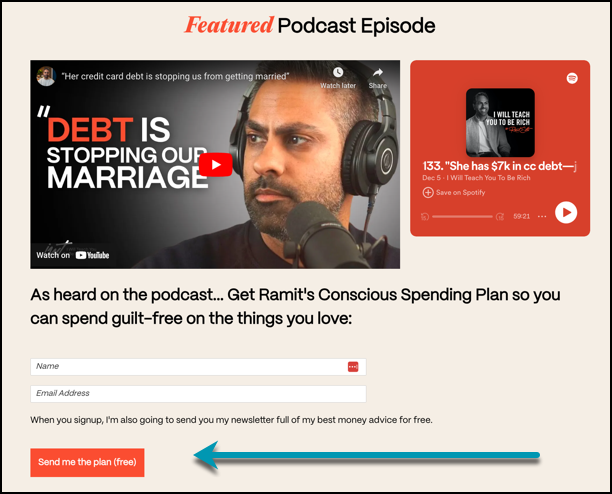
Ramit will send you his Conscious Spending Plan in exchange for your email address. (By the way, I highly recommend grabbing this plan! I’m not an affiliate, I just really like it.)
I have one lead magnet in my arsenal so far. It’s a 4-Step Affiliate Marketing System, and it’s for anyone new to affiliate marketing who wants to learn about that process. But it’s not enough. It’s time to do more…
Why Lead Magnets?
They have a few uses, including:
- help someone solve a problem
- get people on your email list
- allow you to see what people are interested in
I don’t want to create one lead magnet, I want to create several that help people solve different problems.
But first…
I had an idea to create something fun.
Maybe it doesn’t solve a big problem, but it makes tracking your online income more pleasurable.
And I’m going to show you exactly how I created it (so easy!). Then in the next article, I’ll show you how I set it up on my website.
This is what my fun lead magnet looks like:
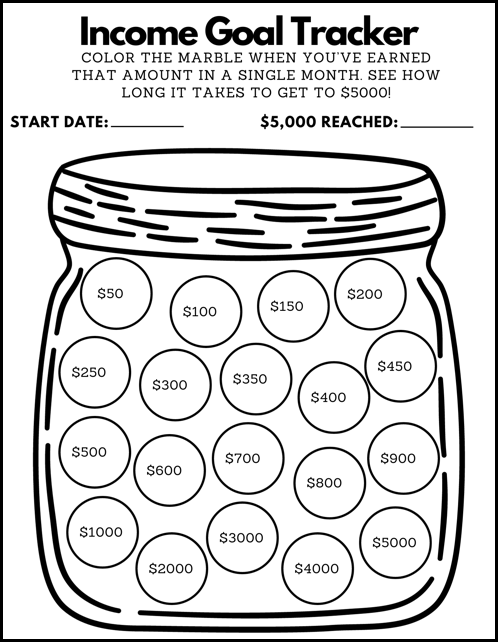
When someone goes to this landing page, they can give me their email address, and once they confirm their email, they’ll be able to get a downloadable version of this sheet to print out.
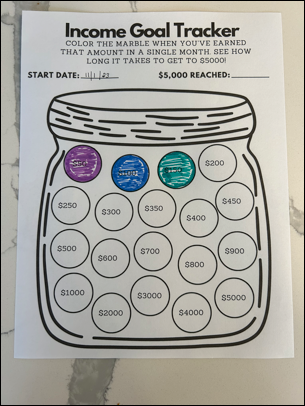
Then they can color it in as they hit their goals like I’m doing here:
Let me show you how to create your own.
Creating Your Lead Magnet
I had the idea of doing this coloring sheet from people on YouTube who do budgeting videos. They color in a part of the sheet every time they pay off some debt. Eventually, the entire sheet will be filled in once their debt is fully paid off.
Here’s an example of what I mean.
I always thought it was a fun way to tackle something that’s not very fun.
I decided to recreate a version of this using Canva. Here are the steps.
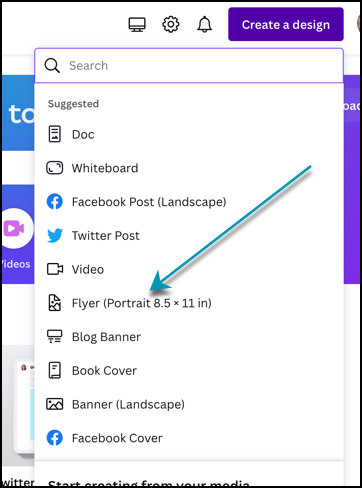
1. Create an 8.5" x 11" flyer.
In Canva, create a new design that’s 8.5" x 11".
2. Pick a main graphic.
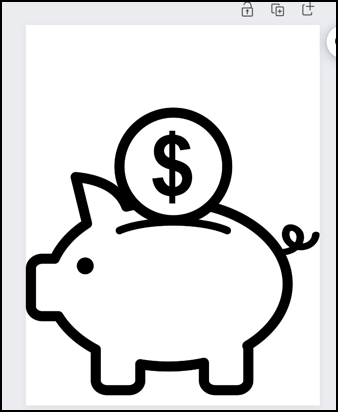
Pick a graphic that’s big with a nice bold outline. In my lead magnet, I used a jar, but you can pick anything you like. Make your graphic fill as much of the space as possible.
3. Pick a small graphic for inside the big graphic.
I used circles to represent marbles inside the jar on my sheet. Plus, circles are easy to color in!
You can use whatever you like. You can even use lines to section off your graphic, and each line can represent an amount of money.
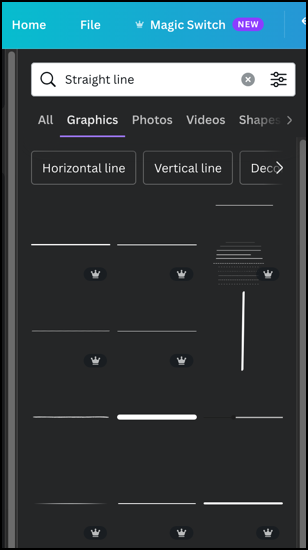
Here are what the lines could look like:
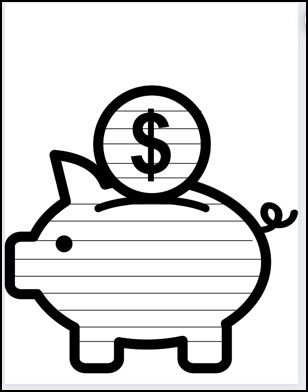
(P.S. I put this together really fast, so my lines aren’t even. If you take your time, it’ll look much better!)
4. Add instructions.
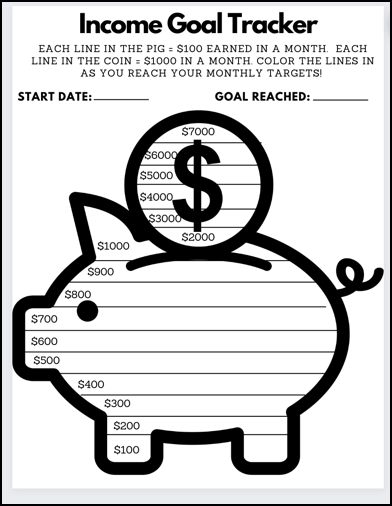
Now let’s add some instructions so the people downloading your lead magnet know what to do. You can make the lines represent anything you want, but here’s an example of how I would do it:
5. Save it as a PDF.
All you have to do is download it and save it as a PDF.
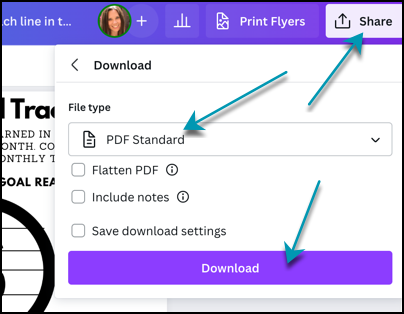
Save it somewhere easy to find because in the next article, I’m going to show you how to set this up on your website, or through ConvertKit if you don’t have a website.
(Don’t have a newsletter yet? Check out my step-by-step instructions to see how to start one.)
Final Thoughts
Lead magnets are a great way to collect email addresses for your newsletter. Ideally, it will solve a problem for your reader.
In this case, our lead magnet is a fun way for people to track their online income goals. You can use these instructions to come up with your own fun version.
Stay tuned for the next article where I’ll show you how to use your lead magnet, where to place it, and how to collect emails using it.
My Other Newsletter-Related Stories
2. Why Mini Newsletters are All the Rage (And Why You Should Start One)
3. 6 Simple Ways to Grow a Newsletter
4. My Newsletter Goals Update — See What I Accomplished (And What I Didn’t.)
5. 7 Super Simple Steps to Create a Template in ConvertKit
6. How to Connect ConvertKit to Gumroad (In 2 Easy Parts)
About the Author
Hey! I’m Christina, an introverted book nerd on the outside, and a raging metalhead on the inside. 🤘 I’m a married mom to two teenagers (and 3 cats and a dog). I love Vegas 🎰, the band Chevelle 🎸, and murder mysteries 📖.
I also love creating short, daily lists of resources and ideas to help you boost your online income. 👈 Click that astonishingly long link to sign up for free.