
Fun Things You Can Do With Notion API
Learn how to use Notion API and what you can achieve with it.
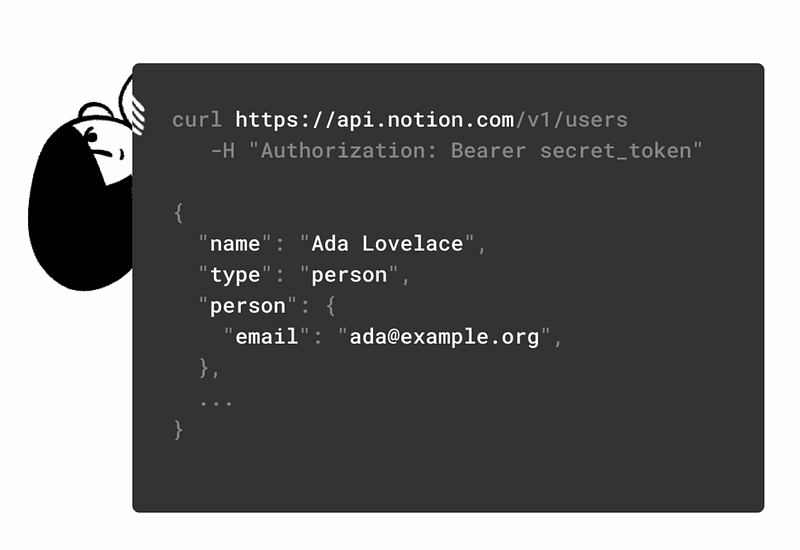
Considering the fact that Notion brands itself as the all-in-one workspace, it’s about time they release an API for third-party developers. Their new API, released on May 13, 2021, is still in public Beta but you can start playing with it today even if you use a free personal account.
Notion loves to call itself a productivity tool that blends all everyday work apps into one. Even before they released the API, it was already partially true. Personally, I think Notion is a great tool both for individuals and teams; something that I already discussed at length in this article:
This article is going to be more technical, but even if you’ve never worked with an API before, we will use a ready-to-use Postman collection and discuss all the steps. For complete beginners, this article can become a great starting point for a small personal project.
Experienced developers who read this article can start thinking about all the possibilities for third-party apps and API integrations with Notion. You can even join the new Notion’s Platform Partner Program:
A No-Code Solution
There is also a third option — connect to Notion API without knowing any code. I won’t be able to explain it better than this guy:
In his video, Thomas shows non-coders how to use Notion API to connect Notion to apps like Google Calendar, Gmail, Typeform, and other productivity apps they might use on a daily basis. It’s a very informative video, by the way!
Why Notion API?
APIs are like small bridges between the applications that connect them together. And building those bridges is a lot of fun!
As of today, Notion has only 2 code examples on their official home page. But if you think about all the APIs that exist nowadays, you’ll quickly realize that possibilities are virtually endless. People use Notion for so many things that GitHub and Gmail integrations are only a teeny-tiny top of this iceberg. So if you want to build something cool (to add it to your portfolio, write a cool tech blog post, or even sell it to someone), there is no better time to start than now.
Connect to Notion API Using Postman
Hopefully, by now you are as excited about Notion API as I am. Great, then open Postman and Notion documentation, make a cup of coffee and let’s begin.
The Basics
- The base URL that we will use to send all API requests is
https://api.notion.com - HTTPS is required for all API requests.
- The Notion API supports
GET,POST,PATCH, andDELETErequests on page and database resources - Request and response bodies are encoded as JSON.
Authorization
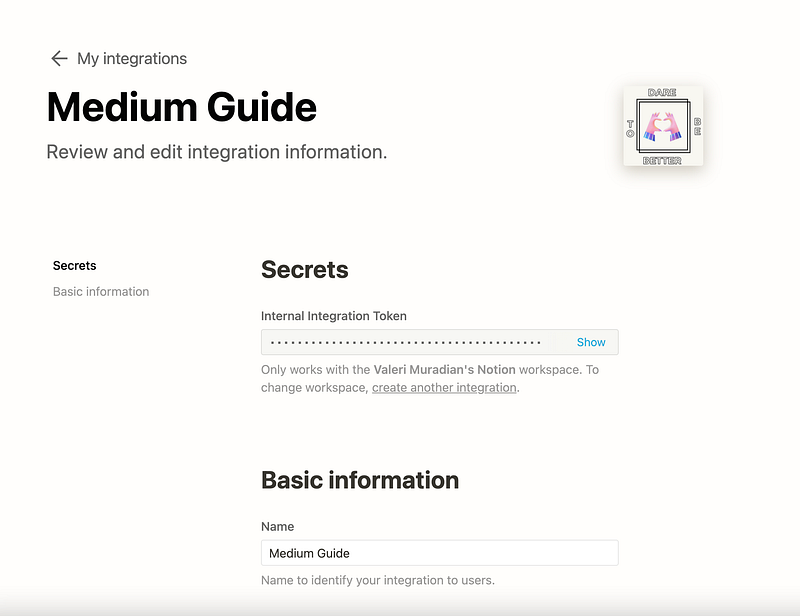
There are two types of integrations: Internal integrations and Public OAuth integrations. By default, all new integrations are internal, meaning that they are used to integrate the tools and services in use by you and your team only. Internal integrations are also easier to work with. After creation, the type can be changed to public integration in the integration settings.
We will do an internal integration today. To learn more about the second type of integration, visit this page.
Based on the integration type, you’ll receive and store bearer tokens differently. But for both types, you’ll need to send the bearer token in the HTTP Authorization request header:
GET /v1/pages/b55c9c91–384d-452b-81db-d1ef79372b75 HTTP/1.1 Authorization: Bearer {MY_NOTION_TOKEN}Where the notion token comes from? You can create a new internal integration here and get your token right away. Pretty easy, huh?
Make Your First Call
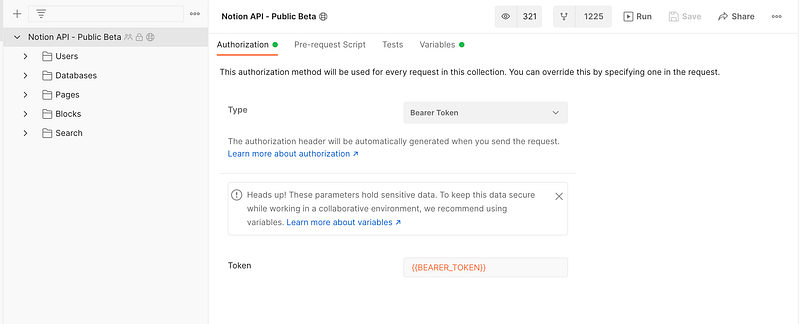
Now, all you have to do is to come up with a great idea for your integration and select the right API call. Notion is trying its best to help all developers; they even offer a handy Postman collection with sample API calls:
Download the collection, import it, and define the variables like bearer token on the Variables tab. After that, you are all set. It’s time to start experimenting!
Alternatively, Notions offers a JavaScript client. There is also a great guide for beginners that describes the whole process step by step. Even if it’s your first time seeing an API, I encourage you to try it. Honestly, it can’t get easier than that. Notion offers simple yet functional documentation, plenty of examples, and useful links. So if you are looking to do your first API integration, look no further!
What Are You Going to Create?
There is something exciting about new APIs. They are like new toys in the store, bright and shiny. In addition to that, Notion is a very popular app with so many use-cases that you can integrate virtually anything with it. Excel? Twilio? Twitter? Medium? The sky is the limit!
If you liked this article, here are some other articles you may enjoy:
Check out my free Notion Components that you can use to build your next Notion website:


