
Creating a New Batch Job Type For The 2SL Job Execution Framework
ACM.438 Deploy a 2SL Job Execution Environment — Step 1 — The job container and a script to run it
~~~~~~~~~~~~~~~~~~~~~~~~~~~~~~~~~~~~~~~~~~~~~~~~~~~~~~~~~~~
⚙️ Part of my series on Automating Cybersecurity Metrics. The Code.
🔒 Related Stories: AWS Security | Application Security | Batch Jobs
💻 Free Content on Jobs in Cybersecurity | ✉️ Sign up for the Email List
~~~~~~~~~~~~~~~~~~~~~~~~~~~~~~~~~~~~~~~~~~~~~~~~~~~~~~~~~~~
In the last post, I explained what a job execution environment is for the 2nd Sight Lab Job Execution Framework.
In the next series of posts I’m going to build out that environment piece by piece. In the end you’ll have a job that you can execute using the 2nd Sight Lab Job Execution Framework to create a new environment for future jobs.
The difference with this job is that we haven’t yet created our job execution environment, so the job will pull credentials from CloudShell. As mentioned I don’t recommend using CloudShell for the reasons outlined in a prior post, but I don’t want to deploy secrets with credentials or AWS developer access keys in the root management account for our organization.
Besides the difference of where the credentials come from the job will essentially work the same as a job run via a test script from the execution environment we are creating.
Create a new Repository
The first step is to create a repository for our job and build a container that can run the job.
I explained the separate repositories used by the framework here:
We will create a new repository for this job named 2sl-job-awsenvinit.
Files required for a new 2SL Job Execution Framework Job
Two files are required in our job repository (besides the README and the license.) You might have a job that requires other files but this is the minimum.
Dockerfile — builds the container with whatever tools the job needs to execute its actions.
execute.sh — the job specific actions.
As explained in a prior post the build process for the container pulls in files from both the job execution framework and the job-specific container.
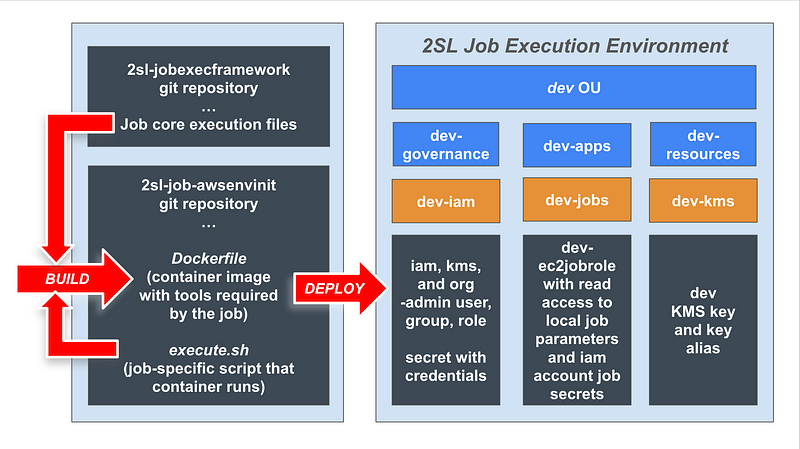
init.sh — Because we are running this job from AWS CloudShell, we are also going to have an init.sh script that obtains the credentials from CloudShell and passes them to the container. This file currently also upgrades buildx and builds the container but ideally we wouldn’t even need that. Hopefully AWS will update buildx in CloudShell soon and I’ll have another option for you in the future if all goes according to plan.
The steps to add the container, build and execute the job steps are essentially the same as the last job (2sl-job-awsorginit) so I copied the files from that job into this repository and made the following changes.
Repository
First I create a new repository and add a README:
I cloned the repository and copied and pasted the files from 2sl-job-awsorginit into this repository.
README
The instructions are pretty much the same as the last job, except that there’s a prerequisite (the last job) so I add that to the readme and update the job name.
Init.sh
I did a search and replace, changing “org” to “env” in the init script.
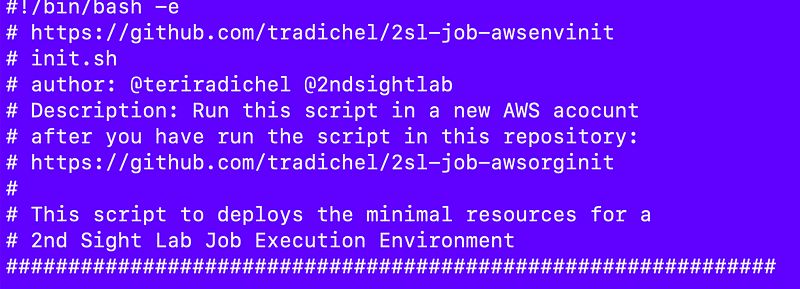
I also changed the comments:
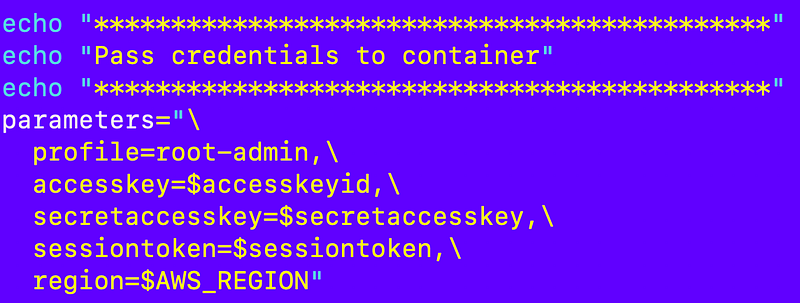
I also changed the profile to root-admin.
Dockerfile
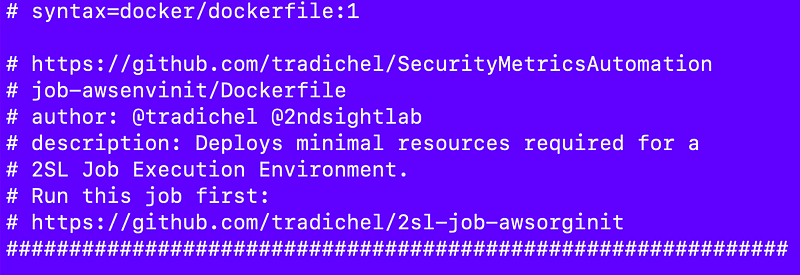
The only thing I had to change in the Dockerfile was the name in the comments and the description.
See this post for more on how the Docker container works in AWS CloudShell and the subsequent post in the link at the bottom:
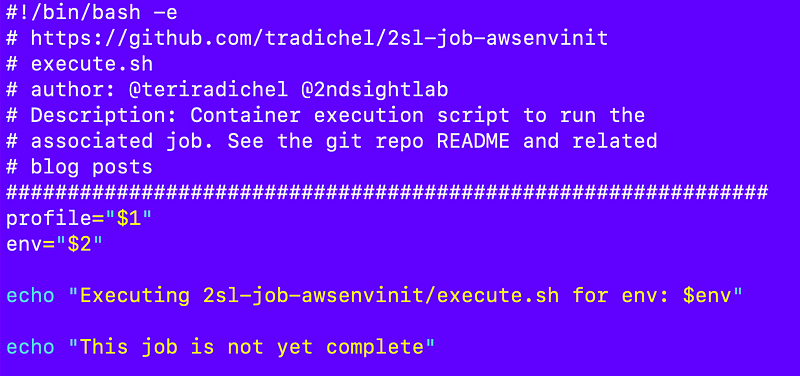
execute.sh
I replace the job-specific code in execute.sh with the following:
To test what I have working so far I did the following:
- Login as the aws-root user created with my last job in my management account.
- Copy init.sh into CloudShell from the 2sl-job-initawsenv git repository
- Change the permissions
chmod 700 init.sh- Execute init.sh
./init.sh
- If you get an out of space error, restart CloudShell as explained before and run init.sh again.
I get the expected output, so we’re good to go onto the next step:
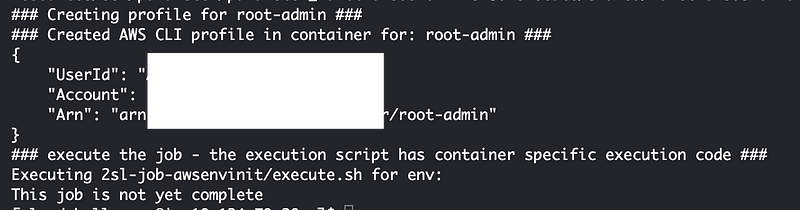
At this point, if youre job doesn’t require any parameters and just runs a series of steps, you can replace execute.sh with whatever you want and run it like I did in the prior job. But for this job I need to pass in the environment name (or a list of names) to build out. So I need an SSM parameter for this job and I’m going to add that in the next post.
Next step:
Follow for updates.
Teri Radichel | © 2nd Sight Lab 2024
About Teri Radichel:
~~~~~~~~~~~~~~~~~~~~
⭐️ Author: Cybersecurity Books
⭐️ Presentations: Presentations by Teri Radichel
⭐️ Recognition: SANS Award, AWS Security Hero, IANS Faculty
⭐️ Certifications: SANS ~ GSE 240
⭐️ Education: BA Business, Master of Software Engineering, Master of Infosec
⭐️ Company: Penetration Tests, Assessments, Phone Consulting ~ 2nd Sight Lab
Need Help With Cybersecurity, Cloud, or Application Security?
~~~~~~~~~~~~~~~~~~~~~~~~~~~~~~~~~~~~~~~~~~~~~~~~~~~~~~~~~~~~~
🔒 Request a penetration test or security assessment
🔒 Schedule a consulting call
🔒 Cybersecurity Speaker for PresentationFollow for more stories like this:
~~~~~~~~~~~~~~~~~~~~~~~~~~~~~~~~~~~~~~~~~~~~~~~~~~~~~~~~~~~~~
❤️ Sign Up my Medium Email List
❤️ Twitter: @teriradichel
❤️ LinkedIn: https://www.linkedin.com/in/teriradichel
❤️ Mastodon: @teriradichel@infosec.exchange
❤️ Facebook: 2nd Sight Lab
❤️ YouTube: @2ndsightlab