
12 Inspiring Ideas For Your Next Notion Page
Build a custom CRM, a game, a digital baby journal, or even an entire website…
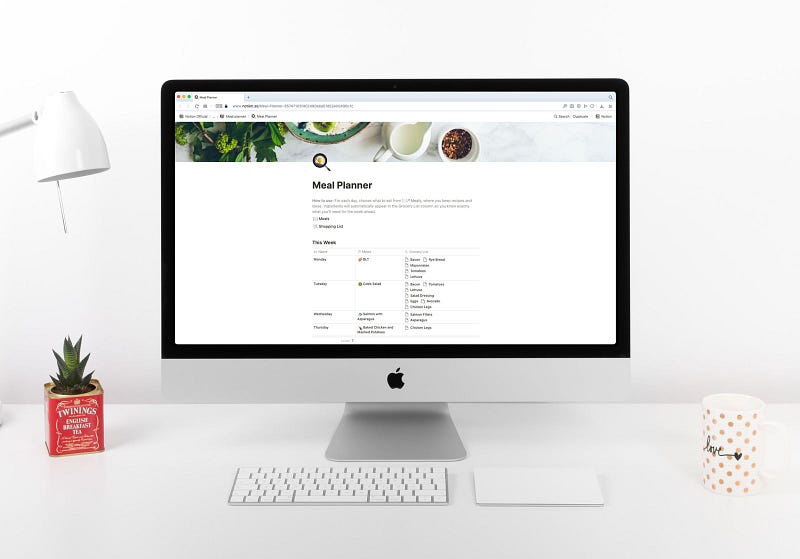
My love affair with Notion is nowhere near an end. At some point, I’ll have to stop creating new pages but every time I think about it, I come up with another great idea. Sigh. I’m glad I have Medium to share those ideas. After all, I don’t have a lot of friends who would be excited to discuss a productivity app on a Friday night.
I assume you have used Notion before (if not, here is a great guide for beginners). You probably used a few standard pages and duplicated a few templates. And now, let’s talk about the most exciting part:
What else can you use Notion for?
🐕 Pet records
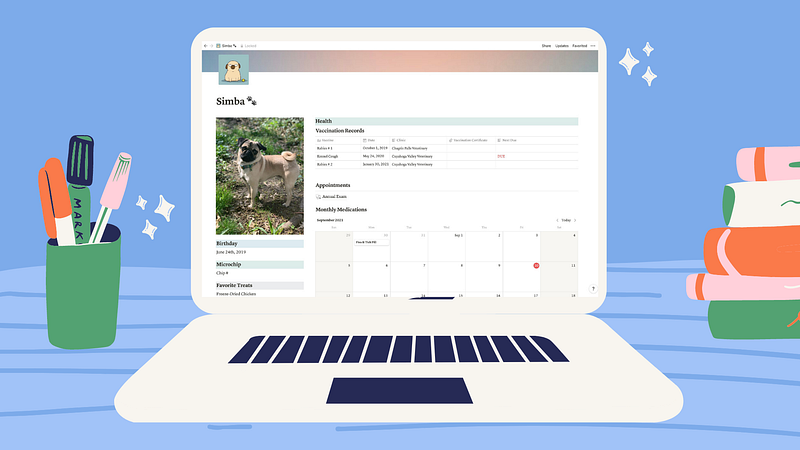
Speaking about friends who love good productivity apps as much as I do, my friend Alisa was one of the first people to share my excitement. She became an avid user after I published my first article about Notion. Like many students, she is using this app to take and organize her lecture notes, but also to keep track of her dogs’ health.
If you are also a parent with furry children, here is a nice template she used:
👶 Digital Baby Journal
This was my idea, inspired by an app called The Queepsake that Instagram has been offering me for months. For those lucky people who haven’t seen hundreds of their ads, The Queepsake is a digital baby journal that sends you various questions about the baby every day. You can answer those questions, upload pictures, and have a digital baby book full of fun memories. Great idea, but I didn’t like the execution.
First of all, the biggest concern when using an app like this is security. After all, you share your baby pictures and intimate notes with people you’ve never seen. They promise not to sell or distribute your cute baby pics and:
All Qeepsake staff members who have access to journal information have passed a criminal background check and sex-offender registry check.
Great to hear, but still not ideal. Plus, this app costs money.
At the same time, I realized that I’m not going to fill out a physical journal and print all the photos (who has time for those anyway?) so I needed something similar. I even built a web application with MERN stack but I had to pay for hosting and Twilio that handled SMS messages. It was so much easier to just use Notion for this.
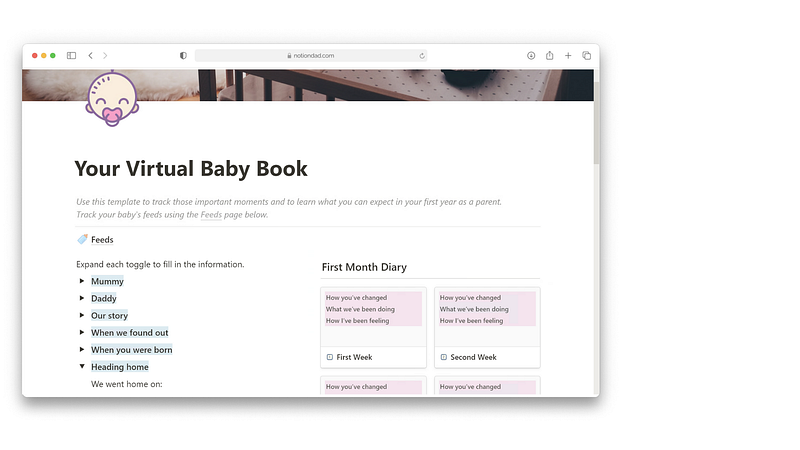
I created my own template with a gallery, calendar, and notes that I combined with recurring Notion notifications explained in this guide. As a result, I have a beautiful, functional, private, and completely free Baby Journal on my phone and computer that reminds me to write down something daily. In theory, I could take advantage of Notion API and create a database entry with a new random question about the baby daily but I’m not there yet.
If you don’t want to build the entire journal from scratch, here is a nice template I’ve found online. You’ll still need to hook up the notifications though.
💻 Create a website
I had no idea that you create an entire website using Notion. Ah, this looks like a fun personal project to try! There are even website templates you can use and hosting providers that offer to host and speed up your otherwise clunky Notion website:
🎮 Build a game
Excuse me, what? Build a game using a productivity app? Yes, sounds like a great idea to me!
📔 Bullet Journal
This was my first Notion project that I already discussed at length in this article:
✍️ Cornell Notes System
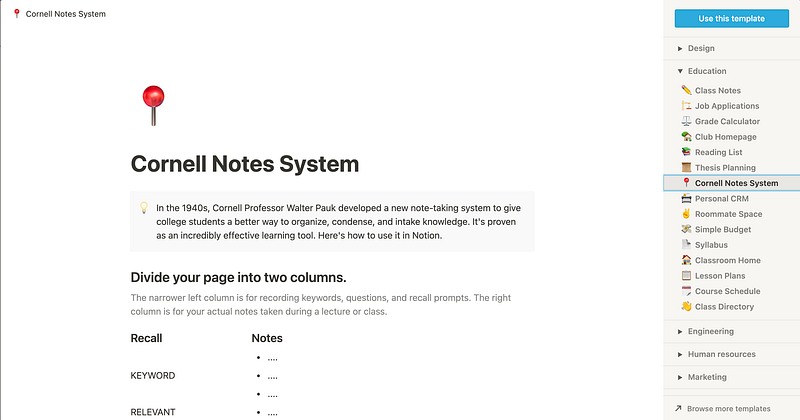
The way you take notes matters. The Cornell Notes System is one of my favorites so I was really glad to see it in a template section of my Notion app.
To learn more about the best note-taking systems, check out this article:
📖 Online Course Planning
Notion has built-in templates for lesson plans. But if you dig deeper, you can find some real gems online:
🗓️ Content Management
Not surprisingly, creators love to use Notion for their content management needs. My page includes a Kanban board, a gallery with inspiring photos for my next blog posts, and a list view of the same database that contains all my ideas for the next Medium piece.
In case you didn’t know, you can duplicate the same database and assign different views to every instance pretty easily:
🎡 Keep track of recurring tasks
I already shared this approach above but in case you missed the Baby Journal part, I wanted to mention this amazing template again. The guy who created it is a genius. Even though Notion doesn’t have recurring notifications (only one-time reminders are available for now), he found a perfect workaround:
💾 Create your own knowledge database
I do have my own knowledge database already that I’m pretty happy with, but Notion can do the same job equally well (without a fancy graph view that I love, of course).
⚛️ Track your atomic habits
If you don’t live under a rock, you’ve probably heard of, read, and loved an “Atomic Habits” book. While it’s easy to read, how many of you actually used the techniques from that book?
Thanks to this guy (⬇️), you can finally apply everything you learned in this book to your everyday life:
🎨 Create an art journal
It seems like Notion’s gallery feature was created specifically for artists. This simple building block can be used for anything — mood board, inspiration, or even an entire digital art journal. These Notion pages are so satisfying to look at!
Check out my free Notion Components that you can use to build your next Notion website:
You may also like Grow OS, a Notion template made specifically for self-learners. Popular Notion OS Systems usually cost hundreds of dollars. This one is free. Enjoy!


