avatarClark

Free AI web copilot to create summaries, insights and extended knowledge, download it at here

7903

Abstract

al Cut Pro is missing from the iPad.</li></ul><h2 id="2d56">#5. More Advanced Multitasking</h2><figure id="4c3e"><img src="https://cdn-images-1.readmedium.com/v2/resize:fit:800/1*dGkNibrmJIdDO2lBGZqIxw.png"><figcaption>The screenshot of multitasking on iPadOS</figcaption></figure><p id="6e84">The multitasking feature on iPad is great, and I can only hope for it to get better because there is room for improvement. Specially, when it comes to launching smaller apps.</p><ul><li><b>iPhone App Support</b>: Some of the most used apps on the iPhone are not available on the iPad. Apps like Snapchat and Instagram are some examples I can think about. It would be wonderful to run those apps in the iPhone layout and use drag-and-drop to move them around the screen.</li><li><b>Three Column Layout</b>: With iPadOS 14, we can have two apps running side by side, add a third app running in a small column on the left or right side of the screen and play a movie in PiP. Some use cases require us to have three apps separated in three columns. Imagine having Safari on the left column, the note-taking app on the center column, and the Pocket app on the right column. With such use case, you can increase your productivity.</li></ul><h2 id="fda6">#6. Better External Device Support</h2><figure id="1084"><img src="https://cdn-images-1.readmedium.com/v2/resize:fit:800/1*saomsuaNNllPYgYe3sg3AA.jpeg"><figcaption>Image of Logitech MX Master 3</figcaption></figure><p id="269a">There are multiple ways one can connect an external device to their iPad. One of them is via the Lightning cable. Another is via the USB-C Cable. And lastly, using Bluetooth. These interfaces have made our job easier to use our device more extensively, however, the iPadOS still does not give us the full control that we desire.</p><p id="1fec"><b>Dedicated Control Panel</b>: Like macOS where you can change the pointer speed of your mouse in the system preferences, I would love it if there was a dedicated section in the settings for controlling the mice and other accessories.</p><p id="4e99"><b>Accessories APIs</b>: Upon connection, some apps can easily connect, but I would like it if there were dedicated apps to control your accessories. An app like Logi Option on the iPadOS would do a lot if the developers can change gesture behavior with the peripherals.</p><h2 id="c1fd">#7. Safari Improvements</h2><figure id="08bf"><img src="https://cdn-images-1.readmedium.com/v2/resize:fit:800/1*h_4oqTy_9psvf6s7Pv_cWg.png"><figcaption>The screenshot of the Safari on iPadOS</figcaption></figure><p id="3647">Safari is the best browser when it comes to performance and privacy. However, the iPad version is limited by the features that are available on Mac. Here are some of the features I would love to see on the new Safari for iPadOS.</p><p id="6936"><b>Extension Support</b>: So far, I haven’t found a way to install an extension in Safari. The best I could find was sharing a webpage and running a shortcut to achieve some of the tasks I wanted to achieve. I would love it if Safari got extension support.</p><p id="1cb3"><b>Better Privacy</b>: A great feature which was added on Safari since the iPadOS 14 was website privacy report. I would love it if Apple extends that and allow us to restrict and disable websites that invade our privacy based on those reports. An example would be being able to disable all FaceBook products and all websites that use FaceBook APIs to track our activities.</p><h2 id="4b49">#8. Keyboard Improvements</h2><figure id="1290"><img src="https://cdn-images-1.readmedium.com/v2/resize:fit:800/1*BDpcpexr4N6nzaY9q6qO0g.gif"><figcaption>The screenshot of the Keyboard on iPadOS</figcaption></figure><p id="fafd">The keyboard on the iPad is only great when it is used in landscape mode. All the numbers and symbols appear, and you can easily type what you want. But, why doesn’t it do the same in all orientations? I guess an issue would be insufficient screen size, but I don’t think adding 20 more pixels to the height of the keyboard would be problematic. At least having the option would be nice.</p><p id="04b3"><b>Gesture Support</b>: The keyboard on the iOS supports gesture typing. The iPad does technically support it, but it only works when the keyboard is small. Having the option to use gestures on all sizes would be great.</p><p id="cfc4"><b>Multiple Themes</b>: Reckless customizability makes everything look ugly. That is why I want a controlled rollout of different styles and themes for the keyboard. If someone loves dark mode with a tint of blue, then they shouldn’t be restricted to the extreme dark appearance of the keyboard. They should be able to adjust some colors based on their preferences.</p><h2 id="7872">#9. More Default Apps</h2><figure id="6f35"><img src="https://cdn-images-1.readmedium.com/v2/resize:fit:800/1*sHXR0zD1Q6KXRNiHMu2Uww.jpeg"><figcaption>Photo by <a href="https://www.pexels.com/@joshsorenson?utm_content=attributionCopyText&amp;utm_medium=referral&amp;utm_source=pexels">Josh Sorenson</a> from <a href="https://www.pexels.com/photo/turned-on-ipad-1334597/?utm_content=attributionCopyText&amp;utm_medium=referral&amp;utm_source=pexels">Pexels</a></figcaption></figure><p id="78fd">iPads come with some apps installed on them. Many people say they don’t have everything they need. Specially when it comes to default apps. So, these are some Apps I would love to see in the newer version of iPadOS.</p><p id="6ff7"><b>Weather</b>: The iPad has been around for more than ten years, and we still have no stock weather app. A good weather app would have integration with your calendar and other apps, so it could help you in the context rather than being a simple number representation.</p><p id="0935"><b>Calculator</b>: One of those apps that people have asked for ages and still haven’t received it. I guess we are close to getting one, but it is already too late.</p><p id="c9a0"><b>Password Manager</b>: A password manager which works like Keychain on Mac but looks modern and minimal would be greatly appreciated. Specially for people who don’t like to pay for subscription-based apps.</p><h2 id="ffcc">#10. Revamped App Store</h2><figure id="f01f"><img src="https://cdn-images-1.readmedium.com/v2/resize:fit:800/1*bu8si6PIMeVwqLwGSUZ9Bg.gif"><figcaption>The screenshot of the AppStore on iPadOS</figcaption></figure><p id="4d61">The App Store is remarkable. It helps me find many great apps and games. It looks great and doesn’t have many bugs. But it could get better and here are my wishes for the newer App Store.</p><p id="1437"><b>Updates Tab</b>: Like the previous versions of iOS, I like to have a dedicated section for my app updates. Because of the App Store’s new update section, many people forget to update their apps. I would like to get notified and go straight into an individual tab for the app updates.</p><p id="4c55"><b>App Clips</b>: After their introduction on iPadOS 14 and iOS 14, I could only use two apps in the App Clip mode. I loved it. The app loaded super quick, and did most of what I needed. I would like to get a section on the app’s page so that I could try the App Clip before making a purchase or downloading the app.</p><p id="35d7"><b>Privacy</b>: I care a lot about privacy. I usually install and purchase apps that collect as little data as possible. Hence, it would make sense if the App Store could filter apps that collect less or no data from their customers. That way the developers also get encouraged to develop apps that don’t collect data.</p><p id="e2c5"><b>Badges</b>: We don’t have badges for apps. If an app doesn’t collect any data, I want it to have a golden badge, so it reveals that it is a wonderful app. If an app gets regular updates, I want a badge for it. This way I don’t have read the description or check when was the last time the app updated itself. Having a badge system also enco

Options

urages the developers to improve the quality of their apps.</p><p id="08f5"><b>Apple Arcade</b>: I enjoy playing games of Apple Arcade, and it offers a wide range of beautiful, well-made games. However, I think Apple Arcade being a dedicated tab is intrusive. I would enjoy looking at Apple Arcade games in the games tab. Doing so will make the App Store experience more minimal and give us less clutter when browsing for games.</p><h2 id="7f84">#11. Change More Default Apps</h2><figure id="2066"><img src="https://cdn-images-1.readmedium.com/v2/resize:fit:800/1*Jdrm3RRSQf4rmlH1lD8GuA.png"><figcaption>The screenshot of the settings app on iPadOS</figcaption></figure><p id="6e78">Being able to change the default apps was a great addition to the iPadOS 14 and iOS 14. I use Google for handling my emails, and I was happy to be able to use the native Gmail app on my iPhone and set it as the default mail client.</p><p id="5028">These are some apps I would like to be able to change:</p><ul><li>Reminders</li><li>Calendar</li><li>Weather</li><li>Camera</li><li>Voice Memos</li><li>Contacts</li><li>Notes</li><li>Podcast</li><li>Books</li><li>Music</li></ul><h2 id="b8d0">#12. Rear Portrait Mode</h2><figure id="99a2"><img src="https://cdn-images-1.readmedium.com/v2/resize:fit:800/0*XGmU4p9bLR_KJDBX"><figcaption>Photo by <a href="https://unsplash.com/@patrick_schneider?utm_source=medium&amp;utm_medium=referral">Patrick Schneider</a> on <a href="https://unsplash.com?utm_source=medium&amp;utm_medium=referral">Unsplash</a></figcaption></figure><p id="2f32">The camera app on the iPad is not on par with the iPhone’s version. The iPad Pro has three lenses: LiDAR, Wide, and Ultra-Wide. It has the capability to capture fantastic photos and record awesome videos, however, it does not work to its full potential. I would love it if it could capture portrait photos thanks to all cameras. The A12Z processor is well capable of taking portrait photos from the rear camera even if there is only one camera.</p><h2 id="31de">#13. More Accurate Voice Dictation</h2><figure id="9372"><img src="https://cdn-images-1.readmedium.com/v2/resize:fit:800/1*57i9gsCBngd1icwjVqifwg.gif"><figcaption>The screenshot of the keyboard voice dictation on iPadOS</figcaption></figure><p id="0748">The voice dictation got a big upgrade on iPadOS 14. It allows offline voice dictation, so no data is sent to Apple’s servers which is great for two things: Privacy, and Performance.</p><p id="4b57">One of the problems with the voice dictation is its inaccuracy. On an iPad Pro with five microphones and studio quality mic, the device can’t correctly write my dictation. It always makes mistakes, and I would like to see a better more accurate version of this system.</p><h2 id="9083">#14. Play Multiple Audio Streams</h2><figure id="46b7"><img src="https://cdn-images-1.readmedium.com/v2/resize:fit:800/1*EdQ-G5Eao9o7h4xdyKxrMA.gif"><figcaption>The screenshot of the control center on iPadOS</figcaption></figure><p id="1876">The iPad could be the choice of many people who record their voices for publishing on a podcast but most of them use Macs because of a simple reason; inability to manage multiple audio streams.</p><p id="7987">The iPadOS has a problem with playing multiple audios. It doesn’t play them simultaneously and only supports one stream at a time. If they manage to enable this feature then many professionals will use the iPad for their podcast production.</p><h2 id="4697">#15. Better Photos App</h2><figure id="f5fb"><img src="https://cdn-images-1.readmedium.com/v2/resize:fit:800/1*GZmNUY-z0u-khBC4q_nJGg.gif"><figcaption>The screenshot of the Photos app on iPadOS</figcaption></figure><p id="aac9">The photos app on the iPad is wonderful. Being able to zoom in and out of the gallery feels like using a magical device. I love it. The problem with this app is its inability to function as the photos app does on macOS.</p><p id="ce28">The Photos app on the macOS has great editing tools for photos. Tools that let you optimize and change many adjustments to your likings. What I love to see is having the same tools implemented on the iPad.</p><p id="757b">The iPadOS has a lot to improve. It is not perfect. Having said that, I love using it. Even at this version. What I hope to see from WWDC 21 is the intense focus of showcasing the iPadOS improvements.</p><p id="c7bf">The Worldwide Developer Conference happens on <b>June 7th, 2021</b>, and It will be an exciting day for me.</p><p id="993b">Thank you for reading this comprehensive wishlist. If you have any comments, let me know in the response section of this story.</p><p id="a46e">Here are some of my iPad related stories you might want to check out.</p><div id="3ae8" class="link-block"> <a href="https://readmedium.com/10-reasons-why-ipad-cameras-are-more-useful-than-you-think-b1d30e5c5d2e"> <div> <div> <h2>10 Reasons Why iPad Cameras Are More Useful Than You Think</h2> <div><h3>Have you ever used yours?</h3></div> <div><p>medium.com</p></div> </div> <div> <div style="background-image: url(https://miro.readmedium.com/v2/resize:fit:320/1*6klipR9NdXdv9Q8xT4Jdpg.jpeg)"></div> </div> </div> </a> </div><div id="46d9" class="link-block"> <a href="https://readmedium.com/an-advance-piece-of-machinery-ipad-pro-12-9-review-526fce36e4d5"> <div> <div> <h2>An advance piece of machinery. iPad Pro 12.9" review</h2> <div><h3>A designer’s perspective</h3></div> <div><p>medium.com</p></div> </div> <div> <div style="background-image: url(https://miro.readmedium.com/v2/resize:fit:320/1*_zXYHpqoCTKB9LDjnh6hMQ.jpeg)"></div> </div> </div> </a> </div><div id="12c6" class="link-block"> <a href="https://readmedium.com/5-minimal-ipad-apps-55eceb0b544e"> <div> <div> <h2>5 Minimal iPad Apps</h2> <div><h3>There is nothing better than a universal app explicitly written for the Apple platform. We will read about five minimal…</h3></div> <div><p>medium.com</p></div> </div> <div> <div style="background-image: url(https://miro.readmedium.com/v2/resize:fit:320/1*wz_-mlmk4sSUyF3srCG6Bw.jpeg)"></div> </div> </div> </a> </div><div id="8d67" class="link-block"> <a href="https://readmedium.com/10-ipad-apps-you-dont-need-42d66458890f"> <div> <div> <h2>10 iPad Apps you don’t need!</h2> <div><h3>Apps are amazing. They extend our devices’ usability; however, with the advancement of web technologies, the websites…</h3></div> <div><p>medium.com</p></div> </div> <div> <div style="background-image: url(https://miro.readmedium.com/v2/resize:fit:320/0*hJVTPHymvUYyDuv_)"></div> </div> </div> </a> </div><div id="3e84" class="link-block"> <a href="https://readmedium.com/4-ar-apps-ahead-of-their-time-475ded1a861e"> <div> <div> <h2>4 AR apps ahead of their time</h2> <div><h3>It is a great era, and I love living in it. Using Augmented Reality in our smartphones and tablets is incredible. Here…</h3></div> <div><p>medium.com</p></div> </div> <div> <div style="background-image: url(https://miro.readmedium.com/v2/resize:fit:320/0*LIgjm1ibfewkEqqL)"></div> </div> </div> </a> </div></article></body>

15 Wishes for iPadOS 15!
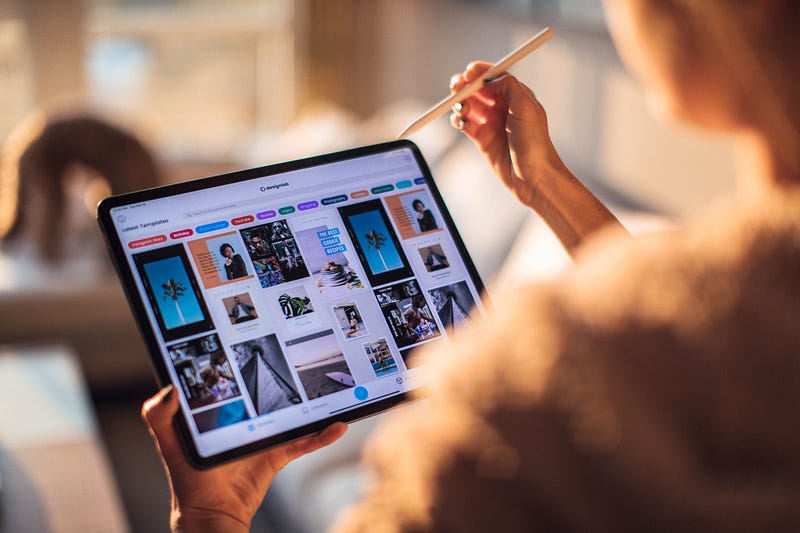
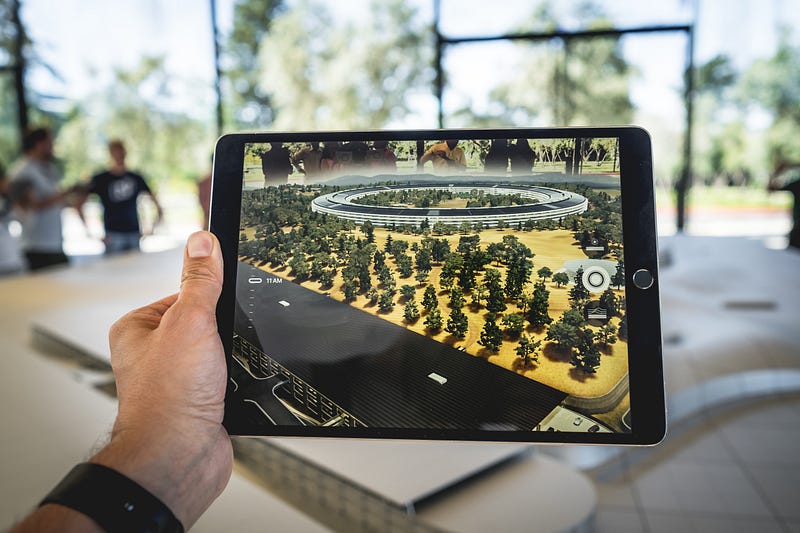
Photo by Roberto Nickson from Pexels

The iPadOS 14 was an update that didn’t bring much into the ecosystem, and it pretty much improved some minor aspects of the iPadOS when it came to privacy, Apple Pencil support, and the design of some apps.

During writing this story, I am running iPadOS 14 on my iPad Pro 2020 and the number one most noticeable thing on my machine is the performance. It seems as the A12Z chip is too powerful for the operating system.

On iPad, why can’t I run more professional apps to take advantage of such hardware? My MacBook Pro from 2016 can do things far beyond the capabilities of the iPad just because of its software even though it has a slow intel chip.

In this story, I will discuss 15 wishlists for the upcoming software of iPadOS.

#1. Better Files App
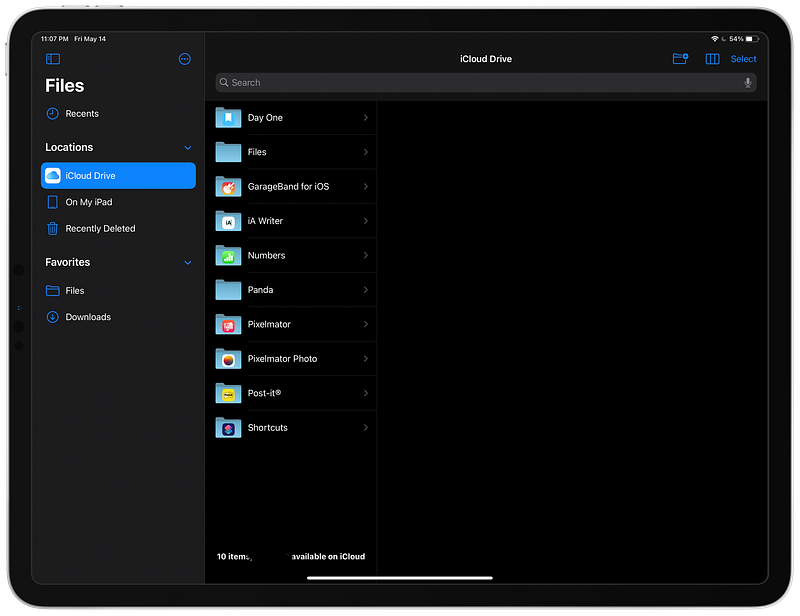
The screenshot of the Files on iPadOS

The Files app is a good step towards having a file system on the iPad, yet, it is very much restricted from what we expect of a file manager. Here are some features I would like to see.

  • Progress Bar: Where you get an unobtrusive modal window showing the remaining time and the file size to get an estimate of how things are going.
  • Hide App Folders: I wish we had a DropBox-like feature where all app-data went into an App folder and the rest of the files were on the root directory. Now, because of app folders on my root directory, I am forced to create a Files folder and put everything in there. It is annoying and an unnecessary extra step.
  • Shortcuts Integration: There are many shortcuts for managing specific files. For instance: uncompressing an archive file. Now, you have to use the “Share” feature to access shortcuts. I wish there was an easier method to integrate shortcuts with the Files app.
  • More Toolbar Options: The current Files app includes three buttons on the toolbar: 1. Create a new folder. 2. Change view 3. Select. These buttons are not enough for most professional iPad users.

#2. Improved Home Screen
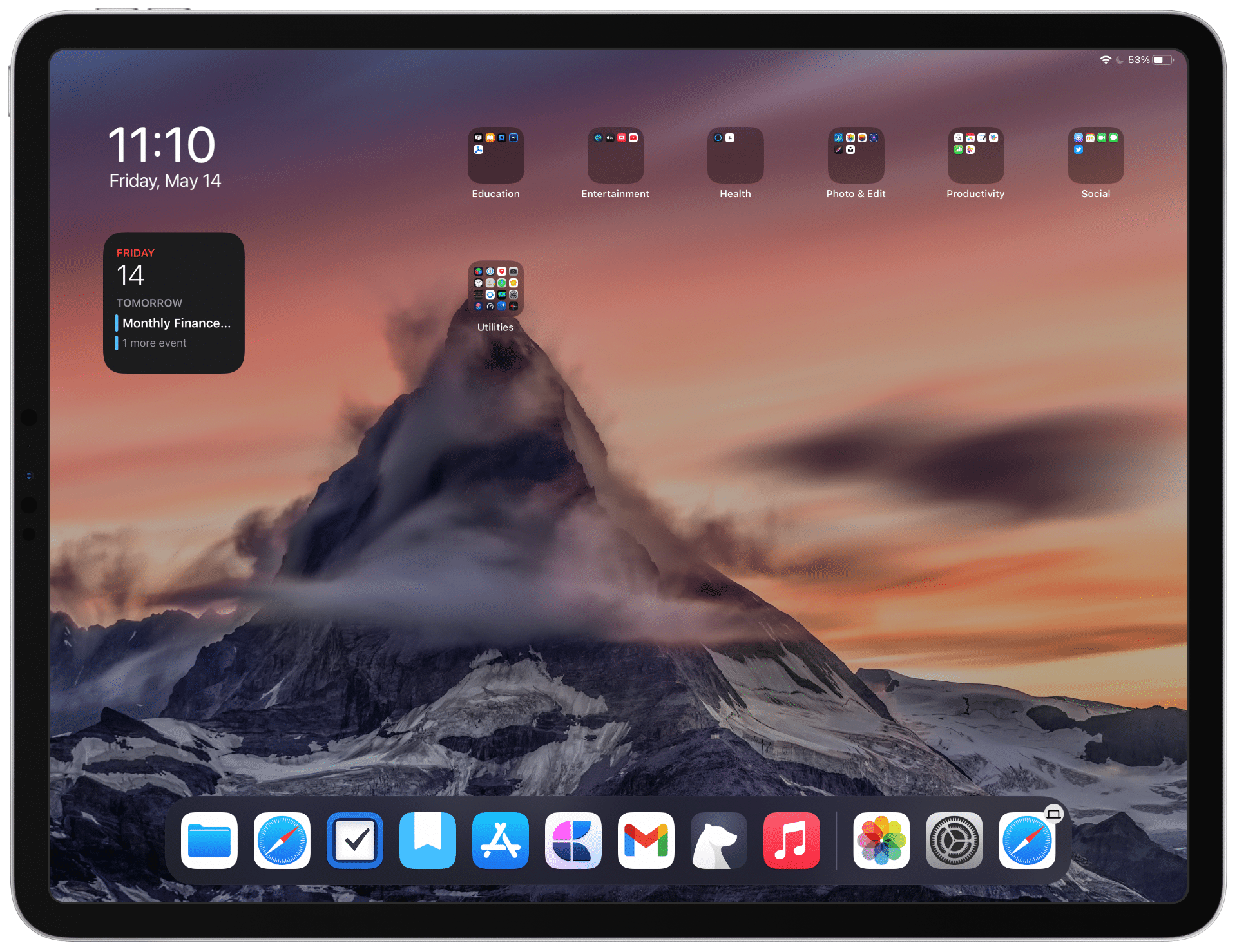
The screenshot of my home screen on iPadOS

The home screen has almost remained unchanged since the introduction of iPadOS. Having a couple of rows of apps with large icons might be usable for usability, however, most people I know, put their apps in folders to make the wallpaper come to life. I think the home screen has lots to improve and the WWDC 21 might introduce some critical changes for our benefits.

  • Widgets: The iPadOS 14 does feature the new widgets’ system which was introduced on iOS 14, however it is not as versatile as iOS 14. You cannot place widgets anywhere on the home screen. Everything only shows on the left side of the screen. It only reveals once the iPad is horizontal. What I want is being able to place widgets anywhere on the screen and get dynamic resizing for them.
  • Folders: I wish I had easy access to some of the most used folders on the iPad’s home screen. That way I could easily continue with the project I’ve been working without having to open multiple apps and navigate many directories.
  • App Launcher: iOS 14 brought AppLibrary, a place apps are stored and categorized. I wish we could get the same concept, but with better implementation. Something that resides on the Dock and allow multi-task of almost any app.

#3. Better Siri Experience
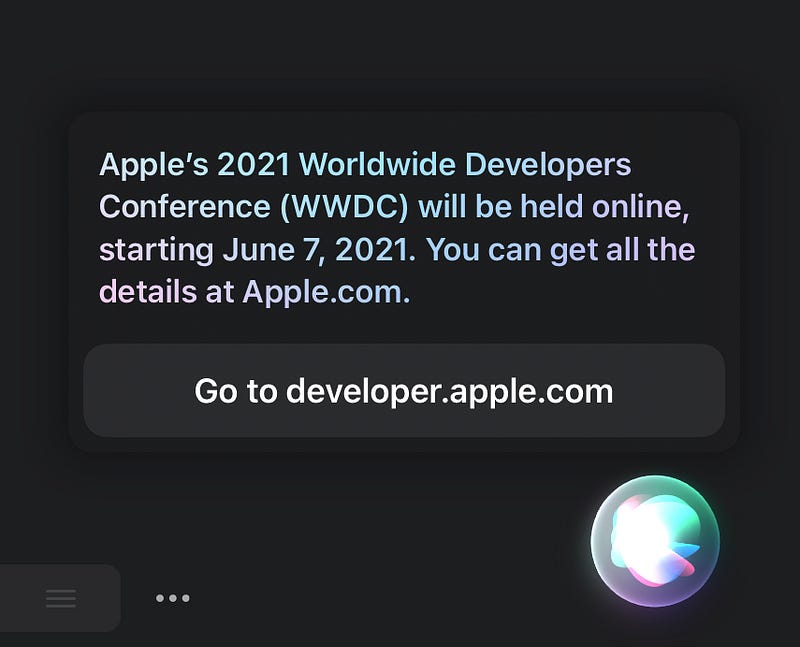
The screenshot of Siri on iPadOS

Siri is one of those products that has been almost untouched in terms of functionality, usability, and appearance.

I think the future of personal artificial intelligence is heading towards the concept of “Samantha” in the movie: her, However, we are at the beginning of this transformation and companies are not doing much work for the customers.

  • Brand New App: I wish Siri had a brand-new app with an interface that resembled a face or something futuristic. Thanks to Siri app, I imagine we could search the web, decide the best time for our appointments and help ourselves by delegating the secondary less important tasks.
  • More Natural Voice: The addition of new voices on iPadOS 14.5 and iOS 14.5 was wonderful. Definitely a step in the right direction, however, the voices still sound unnatural. We want a human-like voice where you could feel the tension, stress, and hope in the audio. That way we could have much more human-like conversations with Siri.
  • Wide Siri Presence: One of the most important tasks of the Siri could be being there for us when we need it with a swipe of a finger. When I use my calendar app, I want to ask Siri if the appointment I’m creating does not collide with bad weather. I need an assistant that does not invade our privacy and that might be one of the biggest design challenges in our lifetime.

#4. Professional App Support
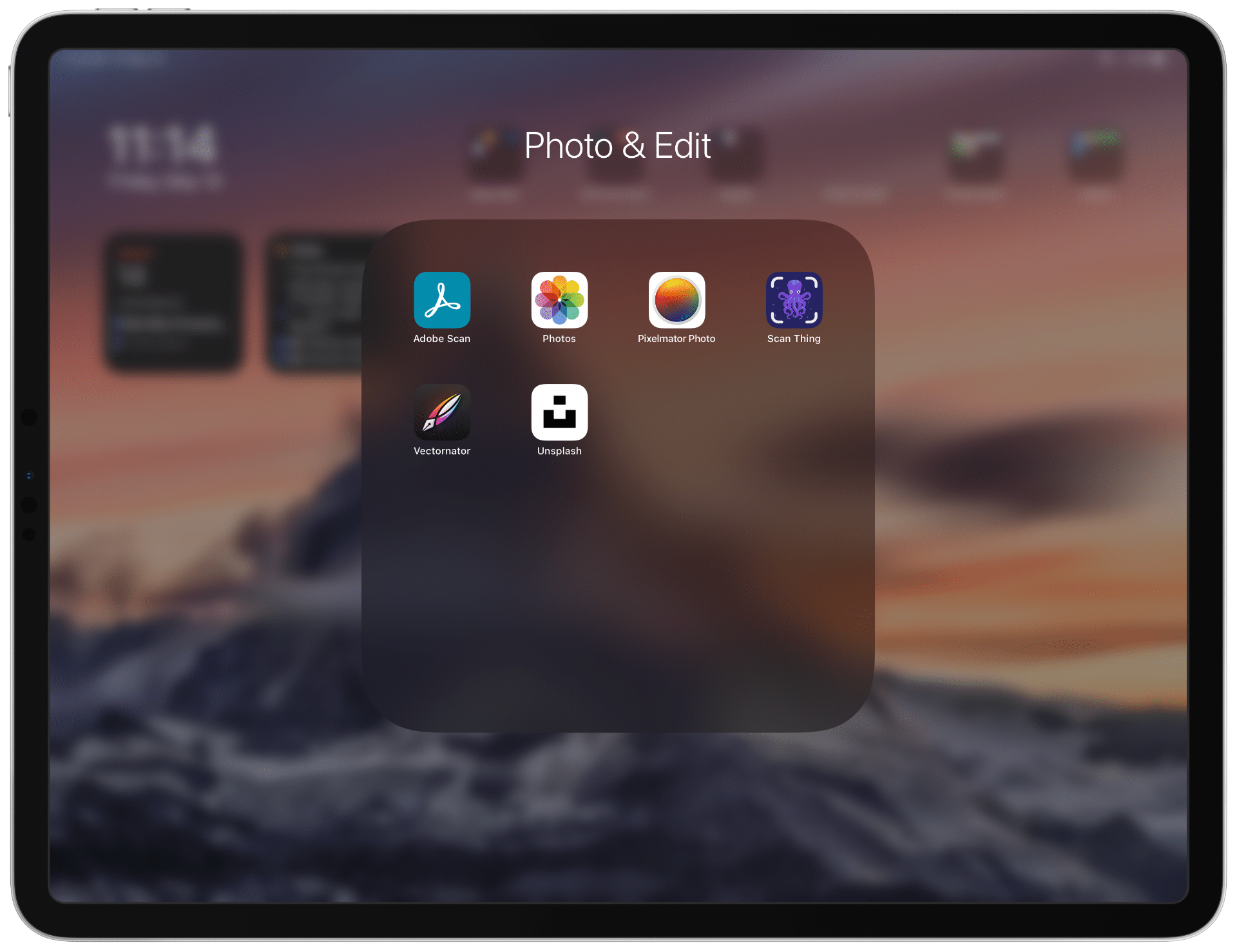
The screenshot of some professional apps on iPadOS

The app ecosystem on the iPad is phenomenal. You can’t find any other operating system with as much tablet apps as the App Store. It is just wonderful because of the number of new apps out there. New apps that make use of the neural engine and solve difficult problems for us. Having said that, the number of professional apps is not enough, and we need some things to change.

  • User Experience Design: As a researcher and designer myself, I haven’t found more than four apps that are exclusively designed for helping designers build UI/UX projects. Some of the apps that is missing from the iPad ecosystem are Figma, Sketch, and Adobe XD. Being able to use your iPad and design user interfaces would be such a great option to have.
  • IDEs: I used to develop Java programs back in 2010, and I remember how much fun I had building apps. As time passed, and we were introduced to small form-factor computers, I thought maybe adding a physical keyboard to the iPad would make app development possible on it. Keyboard support has been added to the iPadOS and so far, I haven’t seen any professional grade SDK or IDE for the developers to run on iPadOS. I would love it if apps like xCode and IntelliJ IDEA come into the platform.
  • Photo & Video Editing: We do have some of the most fantastic photo editing apps on the platform, but, most of them are not as capable as their mac counterpart. The point is we need apps that take full advantage of the silicon chip on the iPad. Many apps restrict their functionalities on the iPad and force you to use their mac versions. Pixelmator Photo is one of them and I wish it had the same functionality on both platforms. Furthermore, a video editing app as professional as Final Cut Pro is missing from the iPad.

#5. More Advanced Multitasking
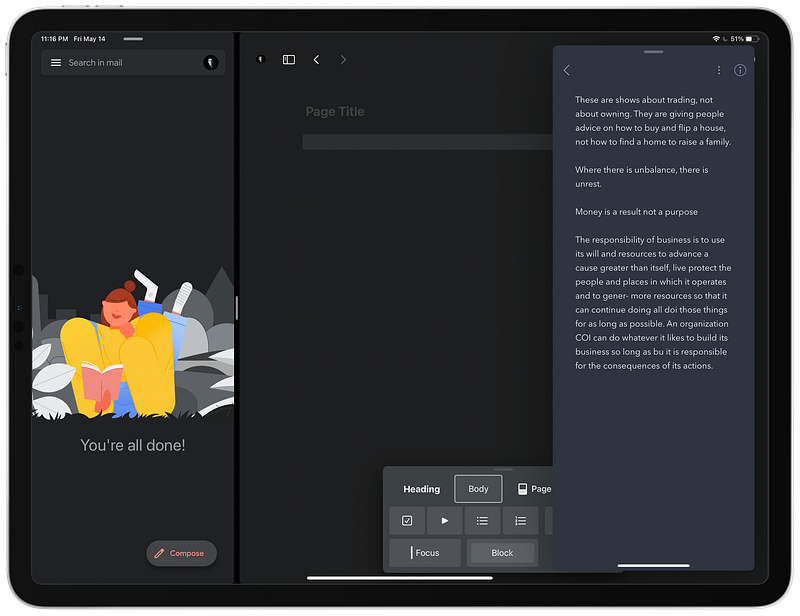
The screenshot of multitasking on iPadOS

The multitasking feature on iPad is great, and I can only hope for it to get better because there is room for improvement. Specially, when it comes to launching smaller apps.

  • iPhone App Support: Some of the most used apps on the iPhone are not available on the iPad. Apps like Snapchat and Instagram are some examples I can think about. It would be wonderful to run those apps in the iPhone layout and use drag-and-drop to move them around the screen.
  • Three Column Layout: With iPadOS 14, we can have two apps running side by side, add a third app running in a small column on the left or right side of the screen and play a movie in PiP. Some use cases require us to have three apps separated in three columns. Imagine having Safari on the left column, the note-taking app on the center column, and the Pocket app on the right column. With such use case, you can increase your productivity.

#6. Better External Device Support
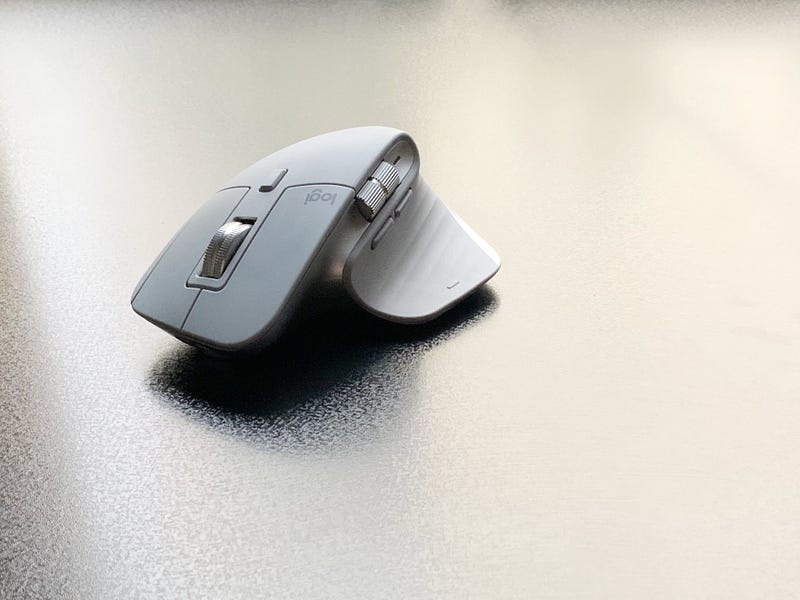
Image of Logitech MX Master 3

There are multiple ways one can connect an external device to their iPad. One of them is via the Lightning cable. Another is via the USB-C Cable. And lastly, using Bluetooth. These interfaces have made our job easier to use our device more extensively, however, the iPadOS still does not give us the full control that we desire.

Dedicated Control Panel: Like macOS where you can change the pointer speed of your mouse in the system preferences, I would love it if there was a dedicated section in the settings for controlling the mice and other accessories.

Accessories APIs: Upon connection, some apps can easily connect, but I would like it if there were dedicated apps to control your accessories. An app like Logi Option on the iPadOS would do a lot if the developers can change gesture behavior with the peripherals.

#7. Safari Improvements
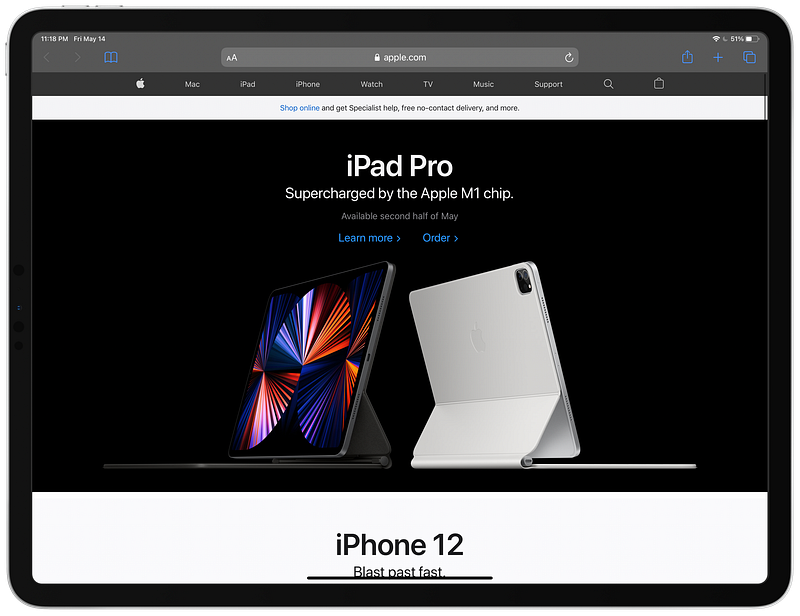
The screenshot of the Safari on iPadOS

Safari is the best browser when it comes to performance and privacy. However, the iPad version is limited by the features that are available on Mac. Here are some of the features I would love to see on the new Safari for iPadOS.

Extension Support: So far, I haven’t found a way to install an extension in Safari. The best I could find was sharing a webpage and running a shortcut to achieve some of the tasks I wanted to achieve. I would love it if Safari got extension support.

Better Privacy: A great feature which was added on Safari since the iPadOS 14 was website privacy report. I would love it if Apple extends that and allow us to restrict and disable websites that invade our privacy based on those reports. An example would be being able to disable all FaceBook products and all websites that use FaceBook APIs to track our activities.

#8. Keyboard Improvements
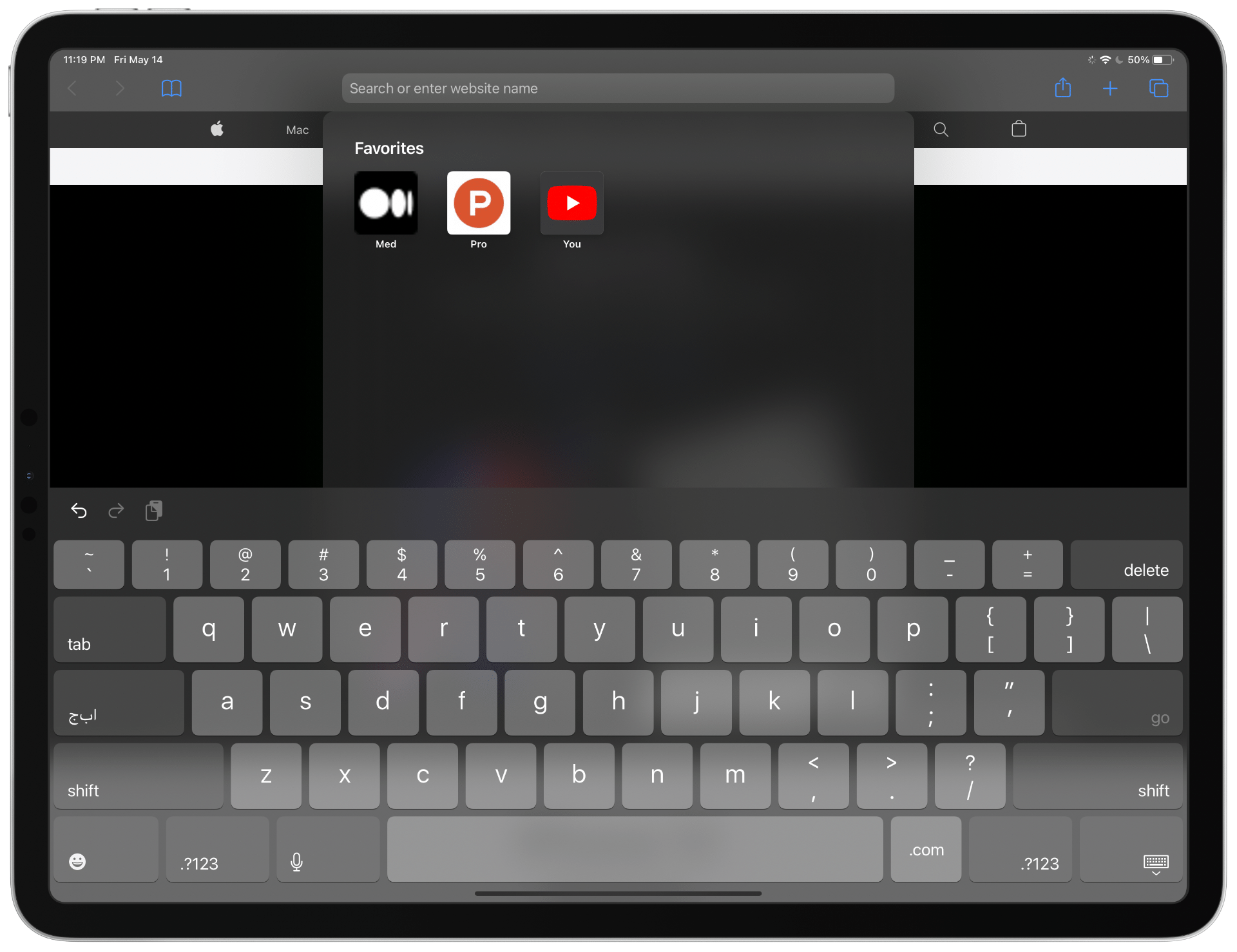
The screenshot of the Keyboard on iPadOS

The keyboard on the iPad is only great when it is used in landscape mode. All the numbers and symbols appear, and you can easily type what you want. But, why doesn’t it do the same in all orientations? I guess an issue would be insufficient screen size, but I don’t think adding 20 more pixels to the height of the keyboard would be problematic. At least having the option would be nice.

Gesture Support: The keyboard on the iOS supports gesture typing. The iPad does technically support it, but it only works when the keyboard is small. Having the option to use gestures on all sizes would be great.

Multiple Themes: Reckless customizability makes everything look ugly. That is why I want a controlled rollout of different styles and themes for the keyboard. If someone loves dark mode with a tint of blue, then they shouldn’t be restricted to the extreme dark appearance of the keyboard. They should be able to adjust some colors based on their preferences.

#9. More Default Apps
Photo by Josh Sorenson from Pexels

iPads come with some apps installed on them. Many people say they don’t have everything they need. Specially when it comes to default apps. So, these are some Apps I would love to see in the newer version of iPadOS.

Weather: The iPad has been around for more than ten years, and we still have no stock weather app. A good weather app would have integration with your calendar and other apps, so it could help you in the context rather than being a simple number representation.

Calculator: One of those apps that people have asked for ages and still haven’t received it. I guess we are close to getting one, but it is already too late.

Password Manager: A password manager which works like Keychain on Mac but looks modern and minimal would be greatly appreciated. Specially for people who don’t like to pay for subscription-based apps.

#10. Revamped App Store
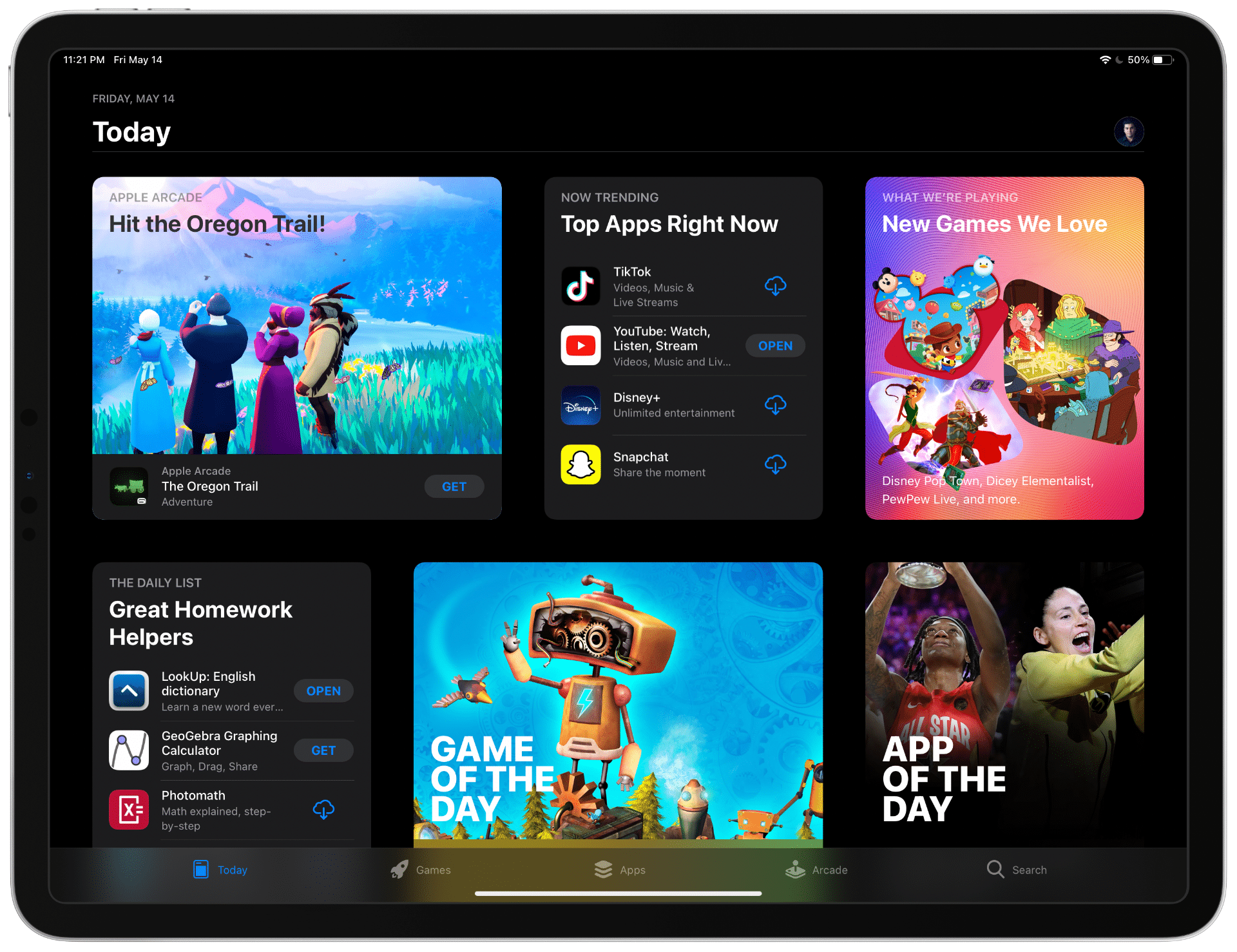
The screenshot of the AppStore on iPadOS

The App Store is remarkable. It helps me find many great apps and games. It looks great and doesn’t have many bugs. But it could get better and here are my wishes for the newer App Store.

Updates Tab: Like the previous versions of iOS, I like to have a dedicated section for my app updates. Because of the App Store’s new update section, many people forget to update their apps. I would like to get notified and go straight into an individual tab for the app updates.

App Clips: After their introduction on iPadOS 14 and iOS 14, I could only use two apps in the App Clip mode. I loved it. The app loaded super quick, and did most of what I needed. I would like to get a section on the app’s page so that I could try the App Clip before making a purchase or downloading the app.

Privacy: I care a lot about privacy. I usually install and purchase apps that collect as little data as possible. Hence, it would make sense if the App Store could filter apps that collect less or no data from their customers. That way the developers also get encouraged to develop apps that don’t collect data.

Badges: We don’t have badges for apps. If an app doesn’t collect any data, I want it to have a golden badge, so it reveals that it is a wonderful app. If an app gets regular updates, I want a badge for it. This way I don’t have read the description or check when was the last time the app updated itself. Having a badge system also encourages the developers to improve the quality of their apps.

Apple Arcade: I enjoy playing games of Apple Arcade, and it offers a wide range of beautiful, well-made games. However, I think Apple Arcade being a dedicated tab is intrusive. I would enjoy looking at Apple Arcade games in the games tab. Doing so will make the App Store experience more minimal and give us less clutter when browsing for games.

#11. Change More Default Apps
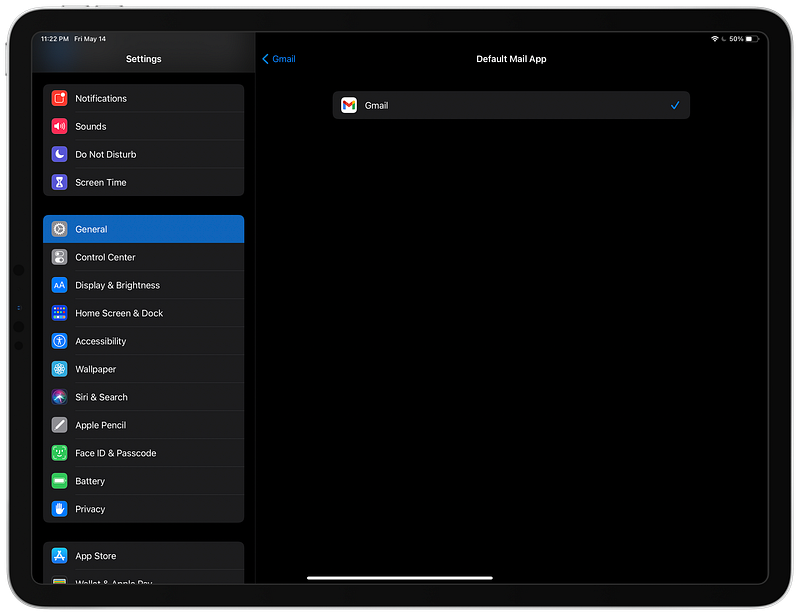
The screenshot of the settings app on iPadOS

Being able to change the default apps was a great addition to the iPadOS 14 and iOS 14. I use Google for handling my emails, and I was happy to be able to use the native Gmail app on my iPhone and set it as the default mail client.

These are some apps I would like to be able to change:

  • Reminders
  • Calendar
  • Weather
  • Camera
  • Voice Memos
  • Contacts
  • Notes
  • Podcast
  • Books
  • Music

#12. Rear Portrait Mode

Photo by Patrick Schneider on Unsplash

The camera app on the iPad is not on par with the iPhone’s version. The iPad Pro has three lenses: LiDAR, Wide, and Ultra-Wide. It has the capability to capture fantastic photos and record awesome videos, however, it does not work to its full potential. I would love it if it could capture portrait photos thanks to all cameras. The A12Z processor is well capable of taking portrait photos from the rear camera even if there is only one camera.

#13. More Accurate Voice Dictation
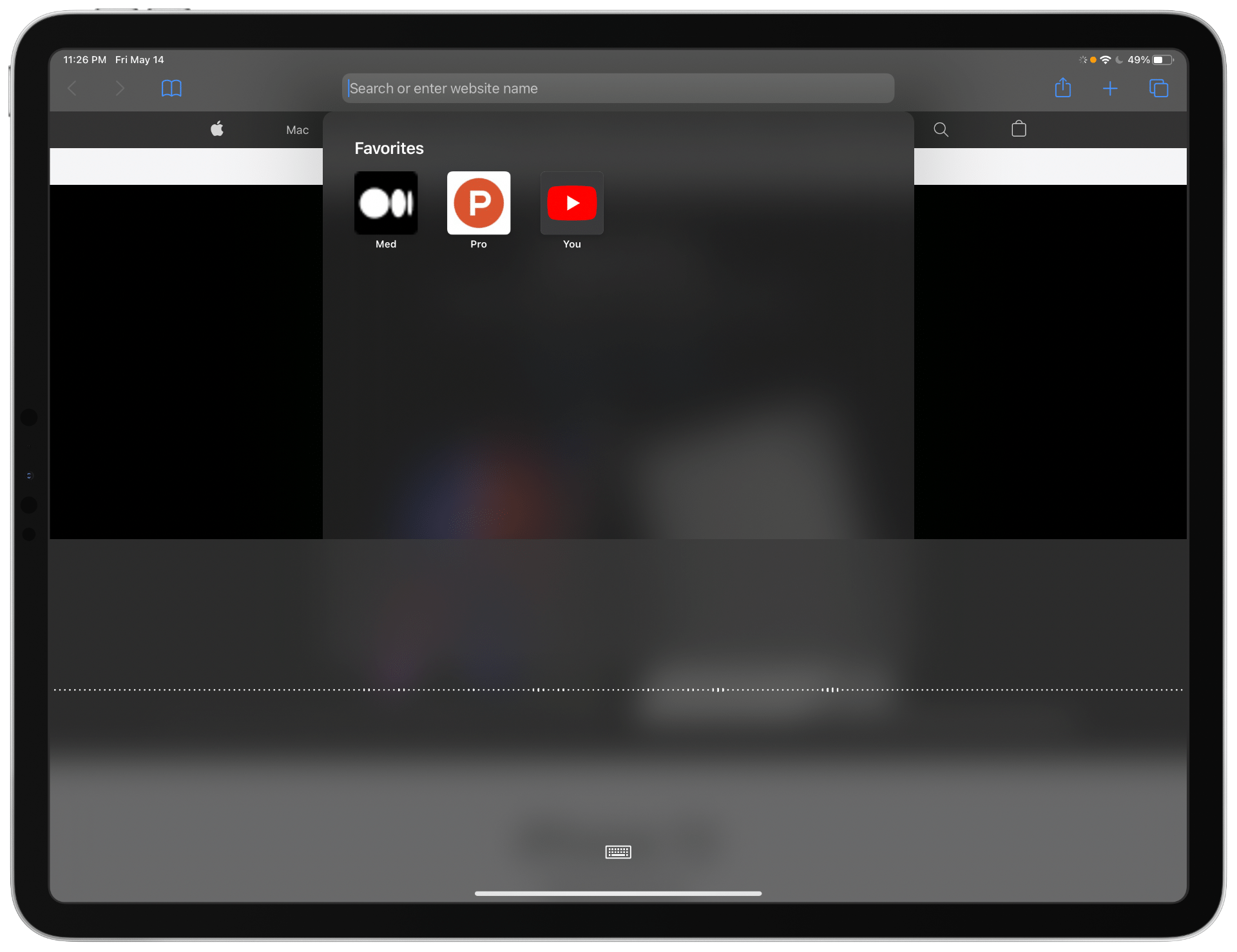
The screenshot of the keyboard voice dictation on iPadOS

The voice dictation got a big upgrade on iPadOS 14. It allows offline voice dictation, so no data is sent to Apple’s servers which is great for two things: Privacy, and Performance.

One of the problems with the voice dictation is its inaccuracy. On an iPad Pro with five microphones and studio quality mic, the device can’t correctly write my dictation. It always makes mistakes, and I would like to see a better more accurate version of this system.

#14. Play Multiple Audio Streams
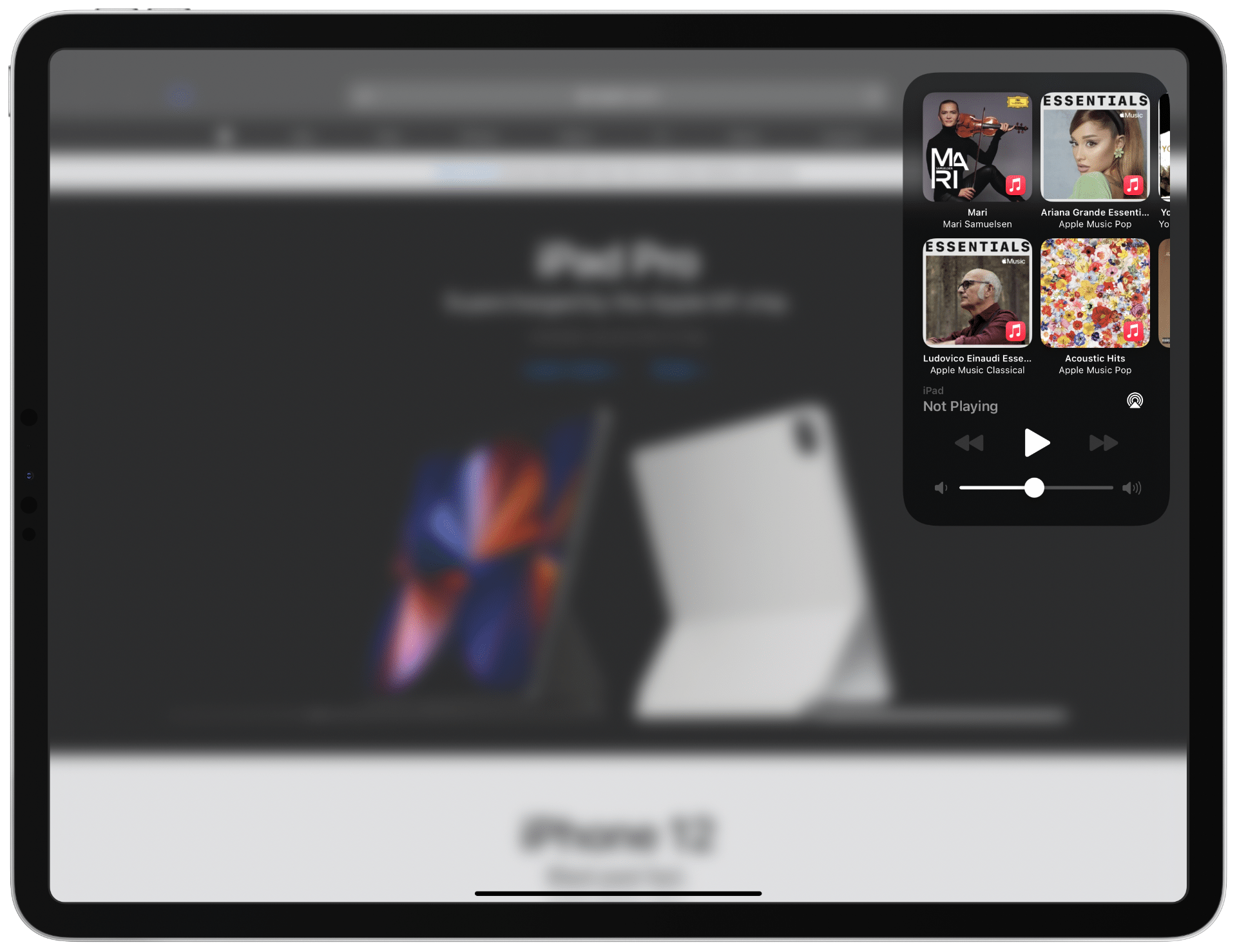
The screenshot of the control center on iPadOS

The iPad could be the choice of many people who record their voices for publishing on a podcast but most of them use Macs because of a simple reason; inability to manage multiple audio streams.

The iPadOS has a problem with playing multiple audios. It doesn’t play them simultaneously and only supports one stream at a time. If they manage to enable this feature then many professionals will use the iPad for their podcast production.

#15. Better Photos App
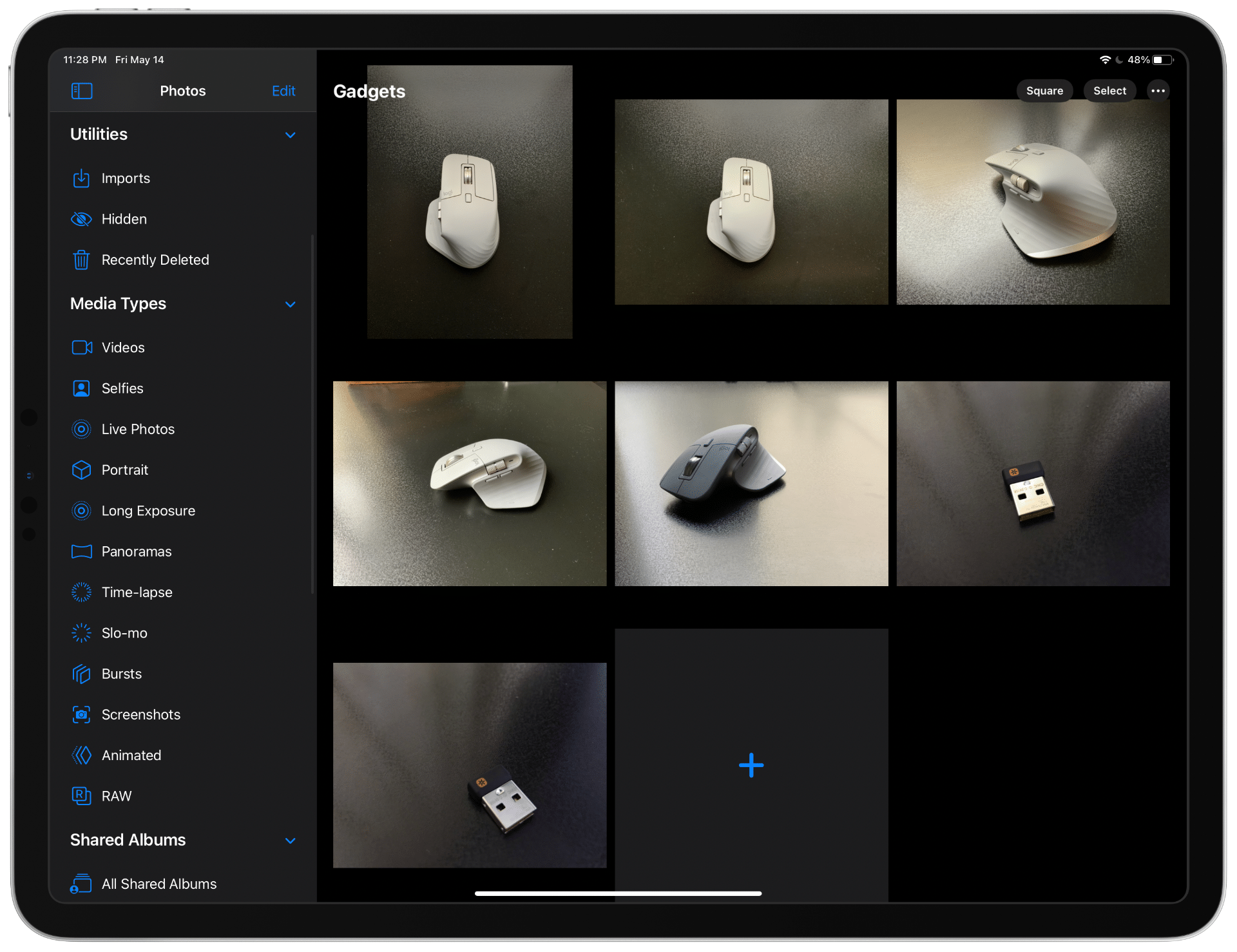
The screenshot of the Photos app on iPadOS

The photos app on the iPad is wonderful. Being able to zoom in and out of the gallery feels like using a magical device. I love it. The problem with this app is its inability to function as the photos app does on macOS.

The Photos app on the macOS has great editing tools for photos. Tools that let you optimize and change many adjustments to your likings. What I love to see is having the same tools implemented on the iPad.

The iPadOS has a lot to improve. It is not perfect. Having said that, I love using it. Even at this version. What I hope to see from WWDC 21 is the intense focus of showcasing the iPadOS improvements.

The Worldwide Developer Conference happens on June 7th, 2021, and It will be an exciting day for me.

Thank you for reading this comprehensive wishlist. If you have any comments, let me know in the response section of this story.

Here are some of my iPad related stories you might want to check out.

iPad
Technology
Apple
WWDC
iOS
Recommended from ReadMedium