
10 Mac Apps for December!
I love technology. I love Apple. Apple has created a world where technology helps each individual by providing a mixture of quality and excellent user experience.
Since January, I have written monthly stories covering Apple, and I am so happy to have made a petite contribution to the world of Mac users who seek a more productive life with a healthier approach to technology.
In November, I published multiple stories, which were the collection of apps that brought value to my life. Here is one of them:
In this story, I will introduce ten more Mac apps that are fantastic for improving your Mac experience. They are in the categories of utility, development, design, and productivity.
1. Boom 3D
Artificial intelligence has been making vast improvements in our lives. Imagine how primitive technologies such as augmented reality would have been if no AI was involved in learning real-world models. I have always been excited to learn about visual amplification with cameras and displays, but I haven’t given much attention to the audio side.
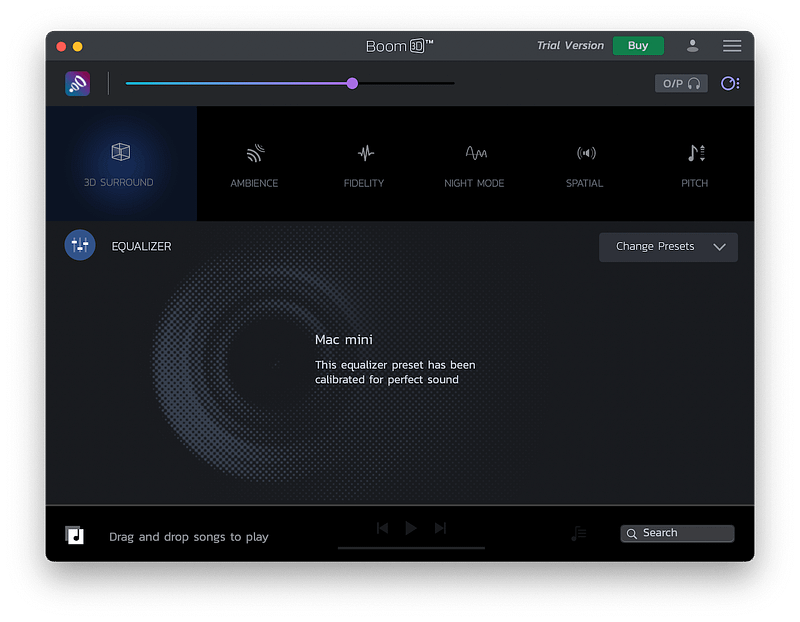
That is why I’m introducing Boom 3D. A phenomenal Mac app boosts your volume without distorting the audio and experiencing 3D surround sound. Now, as much as I love 3D audio, I wouldn’t precisely believe you will experience immersive audio through a set of standard speakers. That is why I recommend this app to Mac users who have devices that support Dolby Atmos.
Boom 3D is one of the few apps that I will always install on my Mac. I say that since the experience of boosted volume and better equalizer is a pleasure to my ears. Once activated, you don’t want to have a Mac without this app.
🔐 Privacy: No personal data collection
💳 Price: $24.99
✓ Compatibility: 💻 Mac
🧩 Design: Aesthetically pleasing
⭐️ Rating: 4.3 out of 5 (409 ratings)
🔗 Download: AppStore
🌐 Research: Website
2. Image Compressor X
While surfing the web, it is imperative to receive content in milliseconds. However, every second one spends waiting for a media file to load, the chance of them leaving the site. That is why every image you publish or send online should be compressed.
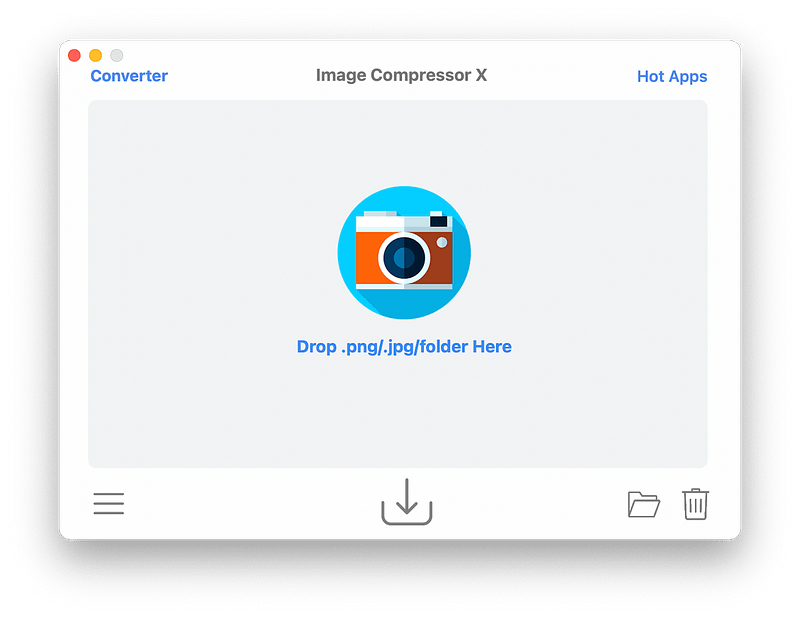
Image Compressor X is a great little utility that reduces the size of your image files without making their quality terrible. In fact, 95% of the time you compress images, you won’t even notice the difference in quality. By the way, I have found this app to be the quickest image compressor on Mac. It takes less than a second to compress multiple images on my M1 Mac Mini, and the app uses Rosetta 2 as it is not ARM compatible. However, despite the technical limitations, it is fast and works really well.
🔐 Privacy: No data collection
💳 Price: $8.99
✓ Compatibility: 💻 Mac
🧩 Design: Displeasing
⭐️ Rating: Insufficient data
🔗 Download: AppStore
🌐 Research: Website
3. Speedy

The macOS Monterey comes with a new feature for measuring your network called “network quality,” It is available to access from the Terminal on your Mac. This utility is excellent as the testing is done through Apple servers, and the end goal is to measure the quality and performance of your network connection.
Jordi Bruin developed Speedy, a utility that resides in your menubar and provides a privacy-friendly tool to measure your internet speed. After the measurement, you will get the following information:
- Download Speed
- Upload Speed
- Responsiveness
🔐 Privacy: Data is not yet provided
💳 Price: Free!
✓ Compatibility: 💻 Mac
🧩 Design: Displeasing
⭐️ Rating: Not available
🔗 Download: Website
🌐 Website: Not Found
4. ToothFairy
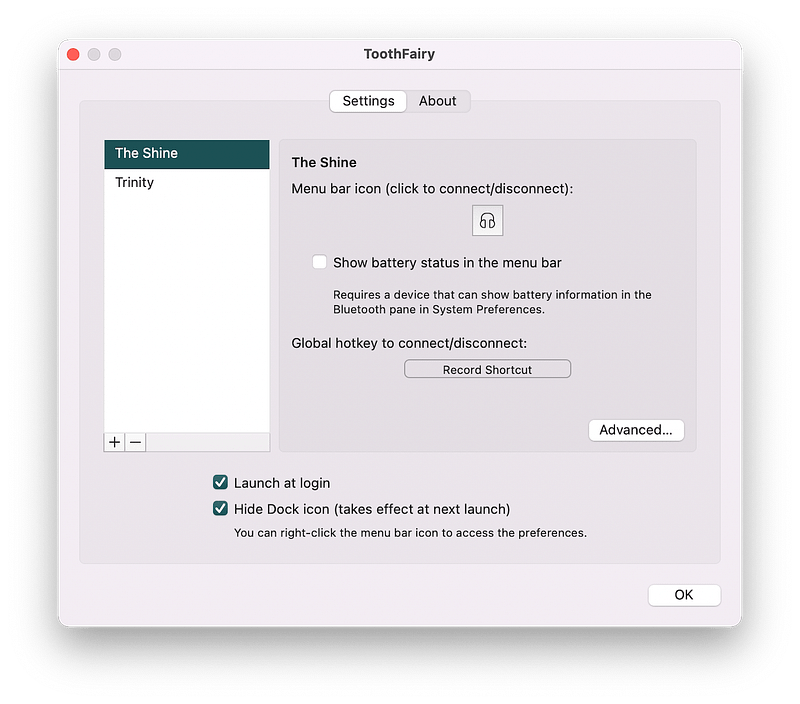
If you own an AirPod or a Bluetooth headset, then don’t miss ToothFairy. It does one thing and does it right. Simply add your Bluetooth device to the list, and see it on the menubar.
Now, every time you want to connect to your headphones, you don’t have to go to the Bluetooth settings; instead, simply click on its icon on the menubar.
It saves me frustration from connecting my headphones to my Mac, and I love it for reducing the friction of connecting my Bluetooth devices.
🔐 Privacy: No data collection
💳 Price: $4.99
✓ Compatibility: 💻 Mac
🧩 Design: Decent looking
⭐️ Rating: x out of 5 (x ratings)
🔗 Download: AppStore
🌐 Research: Website
5. Cyberduck
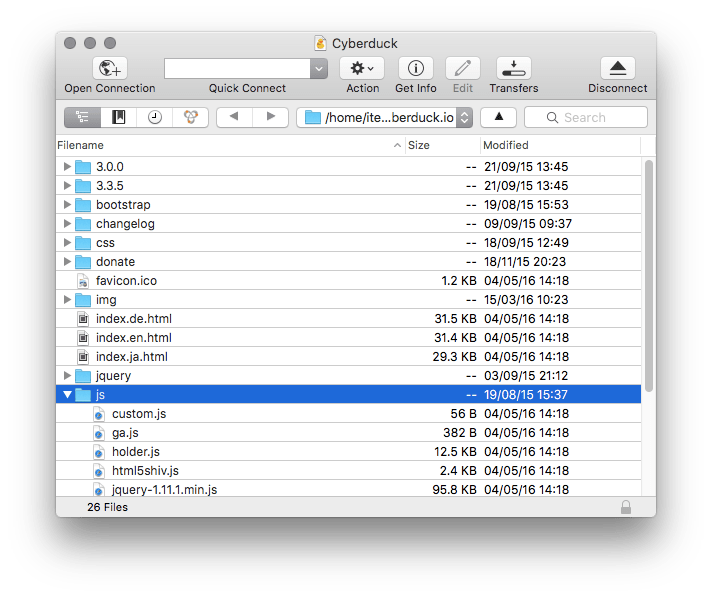
Cyberduck is a file manager with a simple user interface and many great features. It supports various online services (Amazon S3, Google Drive, Microsoft Azure, and many more), allowing a seamless experience of managing your files with intuitive controls like drag and drop.
Using Cyberduck, you can view your files in Hierarchical layout and perform numerous operations such as editing files with your preferred application.
Don’t miss this one if you are looking for an easy-to-use FTP client. You can download it for free from their website, and if you enjoy using it, I strongly recommend supporting the developer by purchasing their app through AppStore.
🔐 Privacy: No data collection
💳 Price: $23.99
✓ Compatibility: 💻 Mac
🧩 Design: Decent looking
⭐️ Rating: Insufficient data
🔗 Download: AppStore
🌐 Research: Website
6. Tint
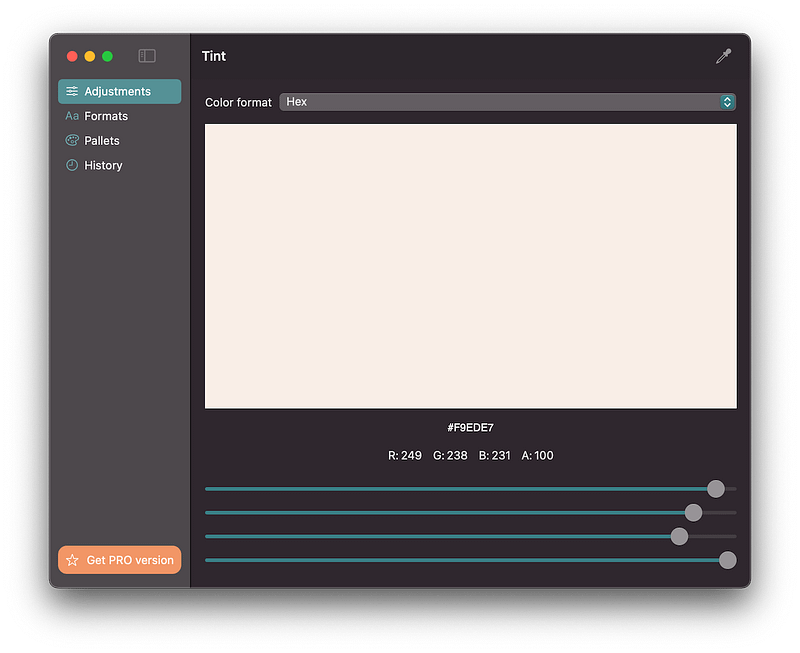
I have featured many color picker apps throughout the year. Each one does something well while leaving some essential functionalities behind. Tint is one of those few apps with features designers actually care about for their workflow.
Tint makes it easy to pick a color from your screen. The functionality doesn’t end there. You can adjust the RGBA and receive the color code in any format. The app supports Apple Silicon and syncs with iCloud, great for designers and developers who own multiple Macs.
🔐 Privacy: No data collection
💳 Price: $3.99
✓ Compatibility: 💻 Mac
🧩 Design: Displeasing
⭐️ Rating: Insufficient data
🔗 Download: AppStore
🌐 Website: Not Found
7. One Switch
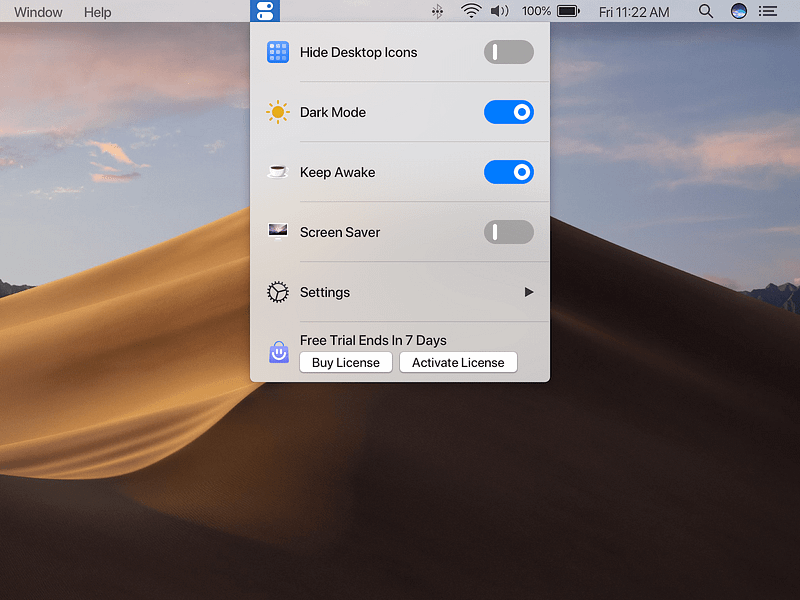
I haven’t met many people who claim they like their default out-of-the-factory settings that came with their Mac. Most designers and developers I see every week have issues managing the way their Mac is set up.
One Switch is an all-in-one app for those who don’t want to pay for many apps that customize the functionalities of their Mac. Using this app, you can:
- Hide desktop icons
- Turn on dark mode
- Keep your Mac awake
- Quickly connect to your AirPods
- Turn on Do Not Disturb
- Adjust your display settings and much more
The app keeps adding new features, and I believe it will be replacing many people’s control center.
🔐 Privacy: Collects personal data
💳 Price: $4.99
✓ Compatibility: 💻 Mac
⭐️ Rating: Not available
🔗 Download: Website
🌐 Research: Website
8. Keka
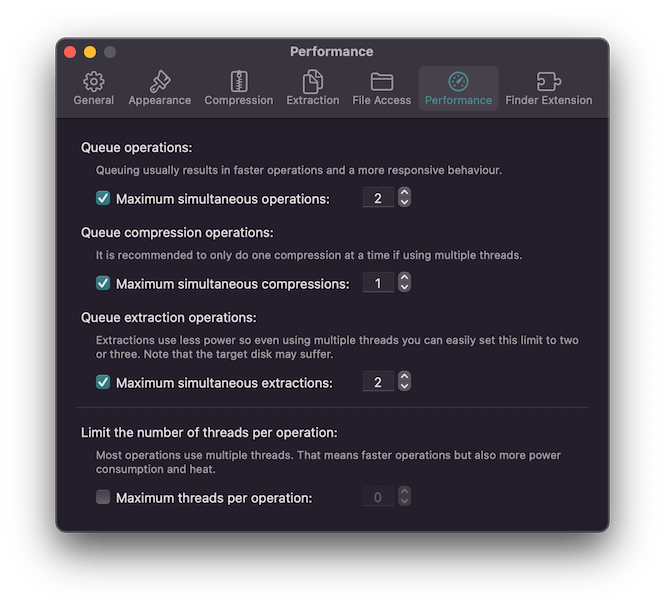
We all deal with compressed files. Most archives are compressed in ZIP format over the web, and Mac users are fortunate to have the ability to uncompress them without using any third-party application. However, the story is a little different for many, including designers like me.
Zip files are great for having the convenience to reduce large files, yet, it is not great for all use cases. That is why many people use formats like 7Z, RAR, and TAR which are not supported on Mac by default. To compress and uncompress such files, I recommend Keka, a fantastic app that runs very well on macOS.
It supports many compressed file formats and features a simple and easy-to-use user interface. Don’t miss this one if you are looking for a privacy-friendly file compression app on Mac.
🔐 Privacy: No data collection
💳 Price: $3.99
✓ Compatibility: 💻 Mac
🧩 Design: Decent looking
⭐️ Rating: x out of 5 (x ratings)
🔗 Download: AppStore
🌐 Research: Website
9. rcmd — App Switcher
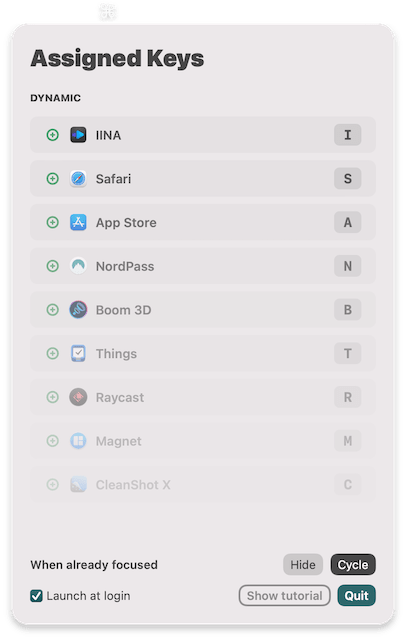
There are very few occasions in my life using the Mac where I come across an app with a straightforward yet revolutionary idea. rcmd is one of those Mac apps that does not collect any data and does one thing super well. It allows you to switch to any open apps using the right CMD button on your keyboard.
The idea is simple; press the CMD key with the first letter of an open app like Spotify, and the app will reveal itself. It saves seconds that typically accumulate into minutes of unproductive use.
rcmd is inexpensive, privacy-friendly, and available from the AppStore, a plus-one for an app reviewer like me.
🔐 Privacy: No data collection
💳 Price: $1.99
✓ Compatibility: 💻 Mac
🧩 Design: Decent looking
⭐️ Rating: Not available
🔗 Download: AppStore
🌐 Research: Website
10. Minimal

I admire the trend of minimalism within writing apps. Come to think of it, and I believe it is only fitting to have a zen-level of minimalism in the context of editing and writing apps. While writing, our focus should be on our minds and write them in words.
Minimal (a fitting name for an app) brings many fantastic features to a note-taking app. However, it is actually more than a simple note-taking app.
I’m used to the Bear app by ShineyFrog, and I have used that for over four years. If I hadn’t gotten used to that app, I would have definitely used Minimal as it comes with many great features missing from the Bear app.
Some of those great features are:
- Collaborative writing
- Publishing your notes as a website
- Adding your tasks within the app into the calendar app
- Highly customizable interface
- Export notes in a variety of formats
- Get reminded when a note is not reviewed for some time
If you are looking for an all-in-one note-taking app, don’t miss Minimal. It has a reasonable monthly subscription and provides immense value for your note-taking needs.
🔐 Privacy: Collects personal data
💳 Price: Subscription $4.99 per month
✓ Compatibility: ⌚️Apple Watch, 📱iPhone,📱iPad, 💻 Mac
🧩 Design: Aesthetically pleasing
⭐️ Rating: Insufficient data
🔗 Download: AppStore
🌐 Research: Website
Thank you for reading the last edition of Mac apps for the year 2021. I will continue writing these stories and discovering more amazing Mac apps helping you use your Mac better.
If you find these stories useful and want to contribute in any shape or form, let me know in the response section, and I will be forever thankful for your kindness.
I would appreciate it if you support me by becoming a Medium member using the link below:
Here are the previous editions of monthly Mac apps:


