
Who Owns The Objects in your AWS S3 Buckets?
ACM.196 The default for Object Ownership changed in April 2023
~~~~~~~~~~~~~~~~~~~~~~~~~~~~~~~~~~~~~~~~~~~~~~~~~~~~~~~~~
⚙️ Part of my series on Automating Cybersecurity Metrics. The Code.
🔒 Related Stories: S3 | AWS Security | Cloud Governance | AWS Organizations
💻 Free Content on Jobs in Cybersecurity | ✉️ Sign up for the Email List
~~~~~~~~~~~~~~~~~~~~~~~~~~~~~~~~~~~~~~~~~~~~~~~~~~~~~~~~~
In the last post, I created an S3 bucket for an organization CloudTrail log.
Before we create a S3 bucket policy, we need to understand who owns the objects in an S3 bucket. It is also especially important to understand this if you have existing buckets with cross-account access. In this post we are going to look at a configuration property called Object Ownership.
Objects vs. Files
An AWS S3 bucket technically stores something called objects. I remember a junior developer correcting me on this point and acting confused when I talked about files in S3 buckets. Actually, I think he was not confused at all but trying to point out that I was technically incorrect, even though that made no difference in the context of the discussion. So just to avoid any confusion or concerns, let me clarify this one point up front.
From a user or application point of view, you upload or download a file to an S3 bucket. Technically you “PUT” a file in an S3 bucket when you upload it or “GET” a file from an S3 bucket when you download it. The file in the S3 bucket is stored using “object storage” not “file storage.” So when you see information about an “object” in the AWS documentation or my blog posts, it is essentially a file but it is technically an object.
If you, like this junior developer, want to get into the technical differences of file and object storage you can read up on it here. You can also learn about block storage. Different types of storage have different purposes and you want to align your storage choice with your use case.
Personally, I find technicalities that do not change the meaning of a conversation distracting. But in case anyone is confused about an object is or wants to point out that technically AWS stores objects, not files, there you go. Yes, they are technically objects not files. Does it matter for the purposes of our discussion? No.
For the purposes of this discussion, in my blog posts on AWS S3:
objects = files
files = objects.
Again, not technically correct but it may help simplify understanding of what we are trying to do if someone is not familiar with objects.
Now back to point of this post: understanding the permissions of whatever you store in an S3 bucket.
Object permissions
It used to be that by default the person who created an object in a bucket owned it, not the person who owned the bucket. What that meant is that if you granted cross-account access to a bucket and someone added an object to a bucket from that other account you might not be able to see it as the bucket owner depending on the bucket policy and your IAM permissions. You also cannot easily see which buckets have cross-account access in the AWS console. I always found this to be odd and risky.
You look at your list of buckets and you see no indication of which buckets have cross-account access. A large organization may have hundreds of buckets spanning many accounts. The buckets with cross-account access may have files in them uploaded by someone in another account that the administrator cannot check for security misconfigurations because they cannot access those files and possibly don’t even know they exist, depending on the configuration.
AWS has changed this default behavior as of April 2023. After this change, the default behavior will be that the owner of the bucket owns the objects. That means if you want another account to have access to objects they upload you need to grant it explicitly in a bucket policy. But with this configuration, the bucket owner can see and audit all the files in the buckets. I’ll show you a tool AWS provides to do that later in the post.
Bucket Ownership
Who owns a bucket? By default the owner of a bucket is the account where the bucket is created.
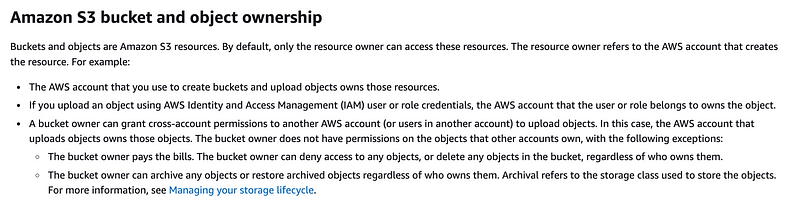
There’s some information in the above documentation on verifying the bucket owner as well.
Can you change the owner of the bucket? Not as far as I know.
Object Ownership S3 Bucket Property
The setting you can use to control the behavior of who owns an object in an S3 bucket by default is Object Ownership. There are three possible settings.
Object Writer (the previous default) made the principal who uploaded the object the owner. ACLs are enabled.
Bucket Owner Preferred leaves existing objects as is but makes the bucket owner the owner of new objects. ACLs are enabled.
Bucket Owner Enforced (The default as of April 2023 and the preferred option.) The bucket owner owns all objects. ACLs are disabled.
Update: as we will see in future posts, the description of Bucket Owner Enforced is not exactly accurate. If you want to fully disable ACLs you need to remove the permissions and make sure your bucket policy provides them instead. They are not completely disabled by default at the time of this writing.
Here’s the related documentation:
The name of the property in CloudFormation is OwnershipControls.
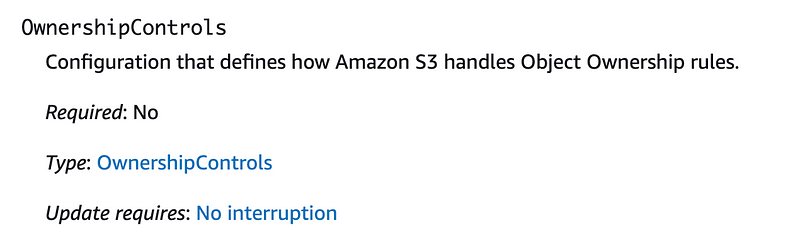
You add Rules related to ownership controls and then set ObjectOwnership to one of the allowed values.
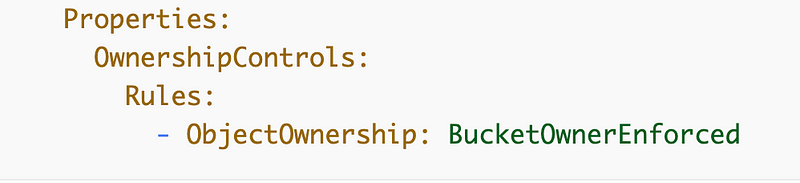
It is odd that you have to set a list of rules when the only rule that appears in the documentation at the time of this writing is the ObjectOwnership value. But that’s how it is. Maybe there is some other future planned use.
The allowed values:

What is the significance of an Owner?
What does “owner” mean exactly? What can the owner of buckets and files do?
From the above documentation if you use the new default setting:
The bucket owner has full control over every object in the bucket…For bucket Versioning, the bucket owner owns and has full control over all object versions in your bucket
Presumably in the case where the object creator owns the object, they would have those permissions.
Let’s think about the pros and cons for a minute. If you use bucket ownership control over objects, those bucket ownership privileges become incredibly powerful. The bucket owner can not only delete all the files in the bucket. The bucket owner can also delete all the versions of all the files. That means in the case of ransomware access to the bucket ownership will be extremely risky and powerful.
So while we’ve negated the risk associated with not being able to see and audit cross-account objects in S3 buckets, now the bucket owner has power to delete everything in the bucket and wipe out all our data. Therefore we’ll need to be very careful with the bucket ownership.
What happens if the bucket owner does not have permission to use a KMS key applied to an object? They may not be able to decrypt the object, but could they still delete the object and the versions? I presume so. But in the case of ransomware, if you have backups inaccessible to whatever credentials have that power, then the attacker cannot re-encrypt and hold your data for ransom or sell it on the dark web (which is happening a lot.) They can only delete the data, which you, in turn, can restore.
Inspecting our S3 bucket ownership controls
I did not explicitly sent the Object Ownership property on our new buckets.
So it’s April 2023. How did our buckets get created?
We can take a look at the ownership controls using the following command.
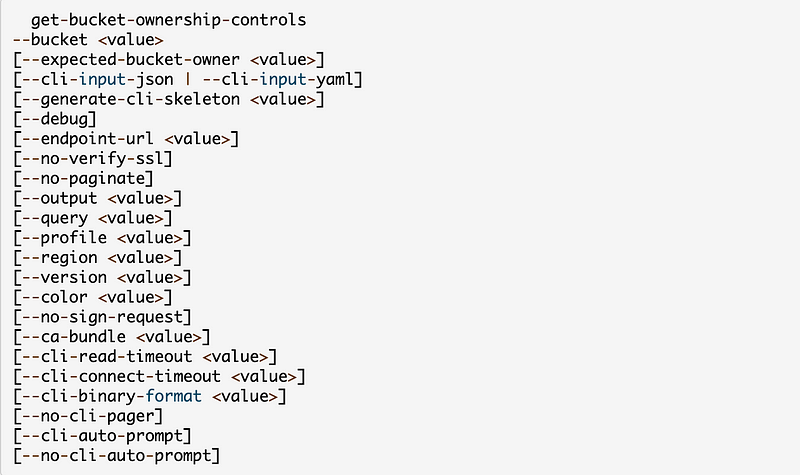
Let’s see how this property is set.
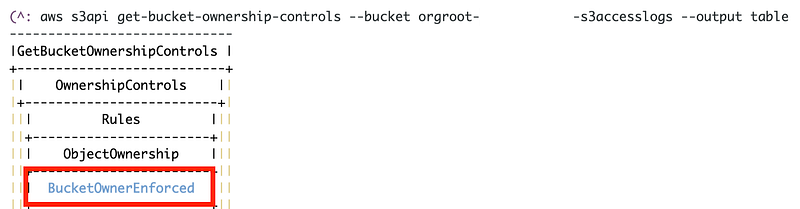
It looks like we did get the new default. So the Management Account an users in it are the owners of all the files in the bucket. Limitations on access to those objects is achieved by way of bucket policies and IAM policies which I wrote about here:
The other bucket has the same setting. To be explicit we can add this configuration to our template but the preferred default appears to be in place. By using a common template, people across the organization will not be able to change it if the proper controls are in place.
Inspecting object ownership with Storage Lens
What about objects in buckets? How can we see who owns what?
We can use AWS Storage Lens. I’m going to use a different account with some existing files for this purpose.
Note that there are free and advanced metrics. I am just going to use the free metrics for this test. Find the cost of the advanced metrics here:
Navigate to the S3 dashboard in your organizations management account.
Click on Dashboards under Storage Lens.
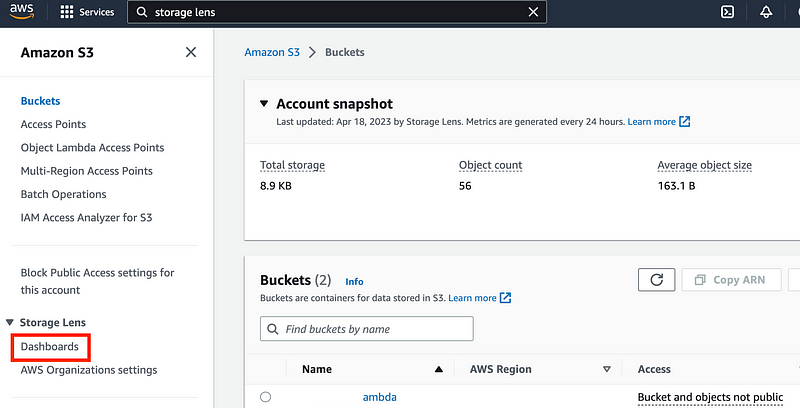
Click on the default dashboard.
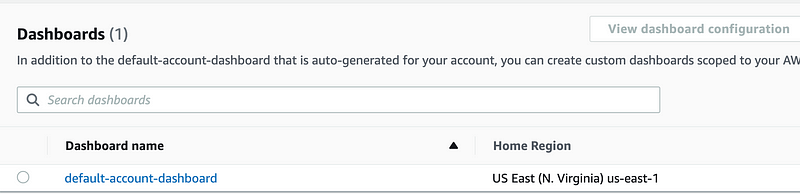
Click on Bucket at the top.

Click the X next to Summary.
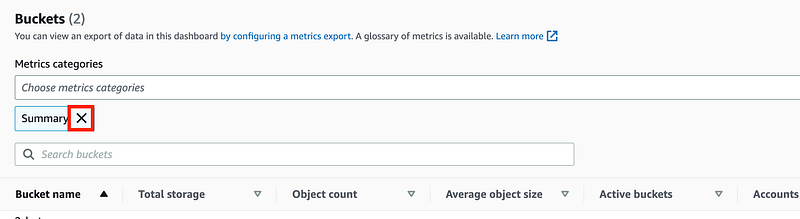
Click on Choose metrics categories. Check Data protection.
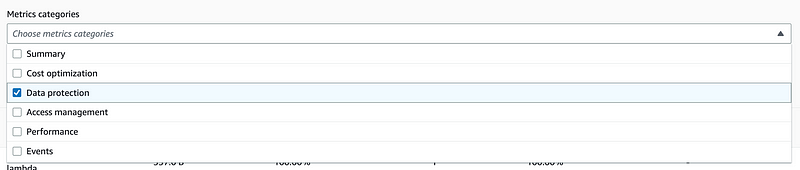
Here you can see many metrics related to your buckets. These are few examples.
Versioning and encryption

Replication

Locked objects

MFA delete enabled

Change the metrics category to Access management
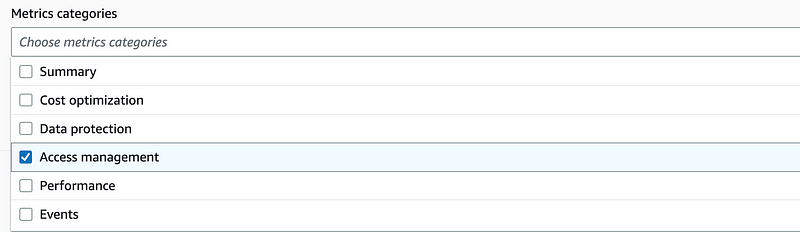
Here you can see the Object Ownership configuration for your buckets that we have been discussing in this post.

Here you can see I’m in an old account with some buckets that have the previous default — Object Ownership.
Note that for this example above, I’ve been using the default dashboard which only applies to the current region and account where I have two buckets. You can view all the accounts and region across your organization by creating a new dashboard as explained in the documentation linked above.
Note that you can also use AWS Access Analyzer for S3 to see if your buckets are exposed publicly which is a related topic.
Before you change the settings for all your buckets…
Read the documentation above before you change all your buckets to the Bucket Object Owner option. If your applications and users depend on ACLs to function and a proper bucket policy is not in place required access may be lost. Things will break.
The documentation walks you through things like looking in the logs to see if access to an object in an AWS S3 bucket required an ACL. If it did, your bucket policy needs to be adjusted to allow that access via a bucket policy before you make the change.
Now that we understand bucket ownership we can move on to create an S3 policy for our organization CloudTrail.
Related: CloudFront requires ACLs. Kind of strange.
Follow for updates.
Teri Radichel | © 2nd Sight Lab 2023
About Teri Radichel:
~~~~~~~~~~~~~~~~~~~~
⭐️ Author: Cybersecurity Books
⭐️ Presentations: Presentations by Teri Radichel
⭐️ Recognition: SANS Award, AWS Security Hero, IANS Faculty
⭐️ Certifications: SANS ~ GSE 240
⭐️ Education: BA Business, Master of Software Engineering, Master of Infosec
⭐️ Company: Penetration Tests, Assessments, Phone Consulting ~ 2nd Sight Lab
Need Help With Cybersecurity, Cloud, or Application Security?
~~~~~~~~~~~~~~~~~~~~~~~~~~~~~~~~~~~~~~~~~~~~~~~~~~~~~~~~~~~~~
🔒 Request a penetration test or security assessment
🔒 Schedule a consulting call
🔒 Cybersecurity Speaker for PresentationFollow for more stories like this:
~~~~~~~~~~~~~~~~~~~~~~~~~~~~~~~~~~~~~~~~~~~~~~~~~~~~~~~~~~~~~
❤️ Sign Up my Medium Email List
❤️ Twitter: @teriradichel
❤️ LinkedIn: https://www.linkedin.com/in/teriradichel
❤️ Mastodon: @teriradichel@infosec.exchange
❤️ Facebook: 2nd Sight Lab
❤️ YouTube: @2ndsightlab


