
These 3 Tools Are All You Need To Monitor Medium Stats Like A Pro
Most people only know about #1. The absolute game-changers are #2 and #3

“Success isn’t always about greatness. It’s about consistency. Consistent hard work leads to success. Greatness will come.” — Dwayne Johnson
I am a stats freak.
I strongly believe that unless we measure our progress, we will not always be able to improve.
This was not always the case until I read about Peter Drucker and the importance he places on tracking statistics. According to him, “What gets measured gets managed.”
In other words, if we want to improve our businesses or ourselves, we need to track our progress through numbers.
I started doing this in my personal life first.
I started tracking how many books I read per month, how much time I spent exercising, and how many social events I attended.
I discovered hacks and productivity tools and systems and their importance in helping me streamline my efforts towards getting the results I seek.
And then I got serious about my writing on Medium in February 2020. And in tracking my stats, I started to see the results I sought.
Why are productivity tools and systems important?
It is important to learn to use productivity tools and systems in our work because they can help us get our work done more efficiently and effectively. They can help us save time in our work and be more productive overall.
There are many different productivity tools and systems available, and it can be helpful to learn about as many as possible so that you can find the ones that best suit your goals.
For my writing on Medium, it was hard to tell whether I was improving or stagnating, especially since the only metrics I had to go by were the number of followers I had or the amount of money in my bank (it was peanuts).
In the grand scheme of things, most of us are not writing on Medium because we like to write into a void.
We want people to provoke people’s minds with our words and connect with like-minded people.
We want readers to reach our writing.
We want to be rewarded for our creative genius.
So, it is important that we learn early on what helps us get those rewards.
These 3 tools have been game-changers for me. They help me double down on what works and discard what doesn’t. I hope you find them useful.
Let me know in the comments section which ones you already knew about and which ones you just discovered.
Here are the 3 awesome tools you need to effectively monitor your Medium stats like a pro
1. Medium Stats
This one is quite straightforward. Most Medium users know about it. It allows you to view your basic Medium stats.
You can access Medium by going to your Medium Stats page. This is the direct URL https://medium.com/me/stats
If the URL is too cumbersome for you, you can click on your profile picture > Stats > and voila!
This is what it looks like:
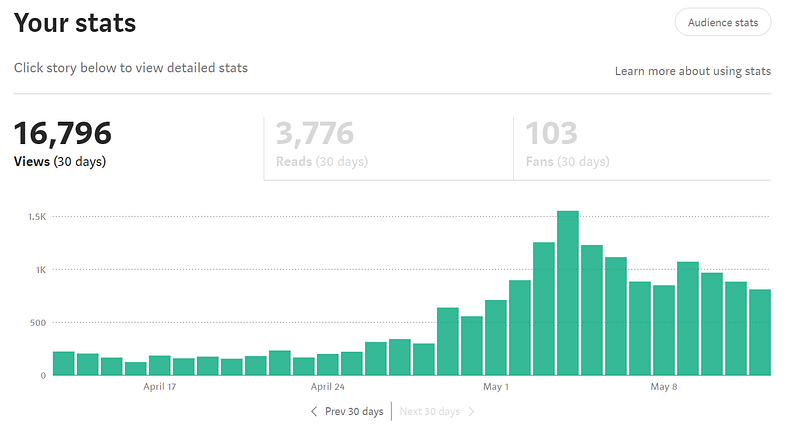
It will allow you access to the following information;
Views: The number of visitors who clicked on a story’s page.
Reads: An estimated number of visitors who have read the entire story.
Fans: Number of unique readers who clapped for the story. Each user can clap up to 50 times for a story, but they will be counted as one fan.
It also gives details on your audience, total views, read ratio, your earnings through the Medium Partner Program, your story’s impact, your traffic sources, your readers’ interests, and your internal vs external views.
You can learn more about this tool here:
2. Medium Curated Topics by Mariana Vargas
“Not all heroes wear capes.”
Mariana is proof of that. Unless she wears a cape I am not aware of. That said, she is the badass that created this extension.
If you have been on Medium longer than a year, you probably remember the good old days when your articles would get “curated” (later referred to as distribution) in various categories.
This is important because it shows you what tags you should double down on because the algorithm recognizes you as an authority on the subject matter.
Alas! Medium decided that they would inform the writer when their work was distributed, but they would not let us know into which categories. For us stats freaks, that was absolute torture.
Cue — the Medium Curated Topics. Unfortunately, you will not find the extension in the Chrome Webstore but Mariana seems to have thought it all out.
How to get the Medium Curated Topics Extension:
These are the instructions to install it:
- Download this repo as a ZIP file from my GitHub.
- Unzip the file and you should have a folder named
medium-curation-topics-extension-master. - In Chrome/Brave go to the extensions page (
chrome://extensions). - Enable Developer Mode (right top corner switch).
- Drag the
medium-curation-topics-extension-masterfolder anywhere on the page to import it (do not delete the folder afterward).
And that is it. You can now use and manage it just like any other Chrome extension!
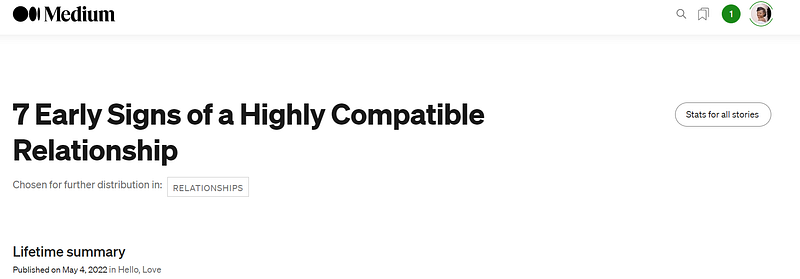
To see the work in action, open a new window, navigate to your stats page, choose one curated story, click on “Details” and check your curation topics below the story title.
This is what my stats page looks like today; showing the topic(s) in which an article is distributed.
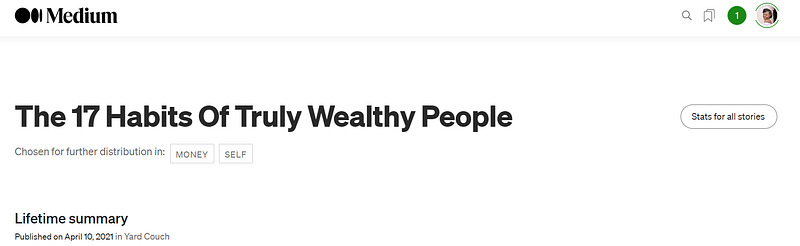
It also works for your much older articles:
You can learn more about this tool from its creator here:
Thank you, Mariana Vargas!
3. Medium Enhanced Stats by Tomas Trajan
“The good you do today, people will often forget tomorrow; Do good anyway. Give the world the best you have, and it may never be enough; Give the world the best you’ve got anyway.” — Mother Theresa
I really love this one, too.
Medium Enhanced Stats is a chrome extension designed by Tomas Trajan and I highly recommend it.
What you get:
- A button for quick stats check wherever you are on the internet
- Phenomenal improvement of your stats page
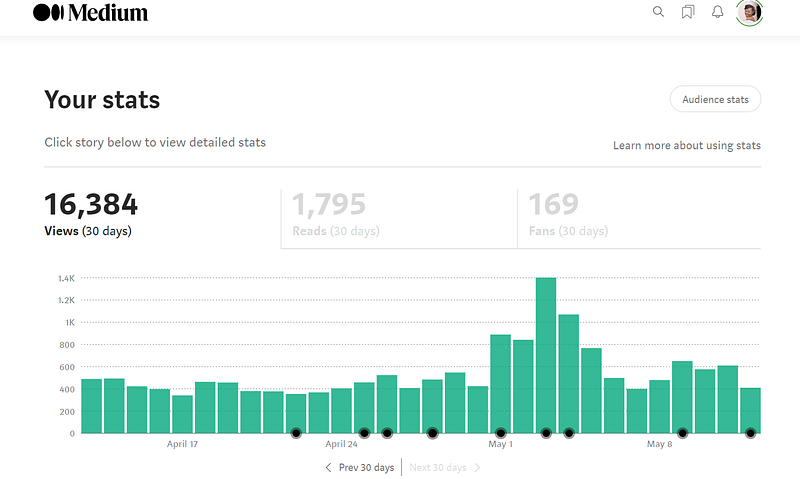
- The day you publish an article gets marked with a black dot. The dot will look bigger if you publish more than one story.
- The number of claps for each story per day
- The number of views for each story per day
- The number of reads for each story per day
An extra feature I really like that this extension adds to my stats page is the Show in chart feature right below the story name. This allows the views bar to become transparent, showing the results of the particular story with a darker color.
This is what my stats look like with the extension active. As you can tell from all the black dots, I have improved my publishing frequency since last month.
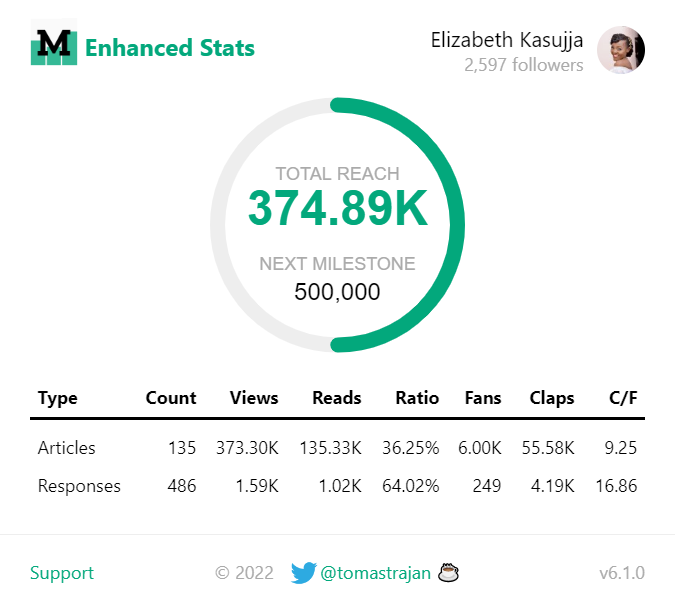
This is the most extensive article I have found on the extension. It was authored by Celine Lai
You can also learn more about this tool from its creator here:
Thank you, Tomas Trajan!
Final Thoughts
I hope you have found this article helpful.
A special shout out to the people who inspired this article from the comments section of this article. Teresa Young, The Good Men Project, Gregory Cade, Juana Flor, Latifa Nuñez, Aurora Frois, Glenda Miller, Erin M., and Drina Fried.
I know I still owe you one about how much Medium paid me for a 50k+ views article as well as effective tagging, thank you for your patience.
And Now Your Thoughts…
Did you learn something new today?
Which of the three tools will you be using going forward? 1? 2? 3? Or all 3?
Please let me know in the comments section.
I hope you enjoyed reading this. If you’d like to support me as a writer, consider signing up to become a Medium member. It’s just $5 a month and you get unlimited access to Medium.
You might also enjoy reading these stories:


