
This Chrome Extension Displays the Topics Your Medium Story Was Curated Into
I know you were starving for this. You’re welcome.

Remember when your stories were curated? Remember when your stats page displayed a very motivating message stating “Distributed by curators in” following a list of topic labels? Yeah, those were good times, when the Medium algorithm was, a little bit, more transparent. Knowing the topics your stories are being curated into provides useful information, such as which subjects your writing is a good fit for and where your readers are finding your stories on the platform. In other words, it helped writers to better understand their niche inside Medium.
Back in October 2020, Medium removed this information from the stats page, in an attempt to make the platform more relational. This move disappointed many writers, who already had a writing strategy that involved knowing in which topics they have higher chances to get featured. Hiding this information is not making anyone interested in communicating more with other Medium users. It’s not decreasing our interest in the curation algorithm either.
Many writers have been trying some workarounds to find their curation topics, as Zulie Rane in this video and Ria Tagulinao in this story. Their approaches are very clever. However, they require the users to dive into the browser’s source code, which not a comfortable action for people without a tech background; and it’s a tiring method to be doing all the time.
Therefore, I decided to go further and create a Chrome extension to do it automatically for everyone. Even if you are experienced with HTML, you can benefit from this extension to make your work easier.
Here’s what my stats page looks like right now:
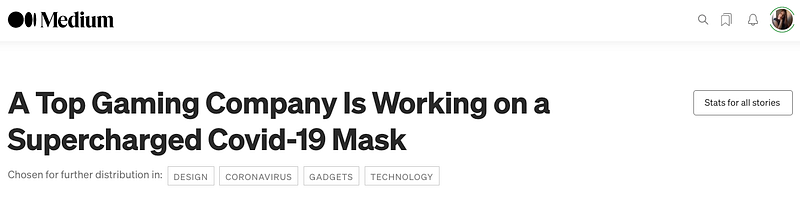
If you’re already salivating to have this extension, I have good news and bad news for you.
Bad news first: you won’t find it in the Chrome Web Store.
The good news: The extension is available in an alternative way!
These are the instructions to install it:
- Download this repo as a ZIP file from my GitHub.
- Unzip the file and you should have a folder named
medium-curation-topics-extension-master. - In Chrome/Brave go to the extensions page (
chrome://extensions). - Enable Developer Mode (right top corner switch)
- Drag the
medium-curation-topics-extension-masterfolder anywhere on the page to import it (do not delete the folder afterward).
And that is it. You can now use and manage it just like any other Chrome extension!
To see the work in action, open a new window, navigate to your stats page, choose one curated story, click on “Details” and check your curation topics below the story title.
Happy curation!


