
iOS 16.2 Keeps Getting Impressive — 7 More Features!
The update keeps getting impressive with every beta
#1. Apple Music Sing 🧑🎤
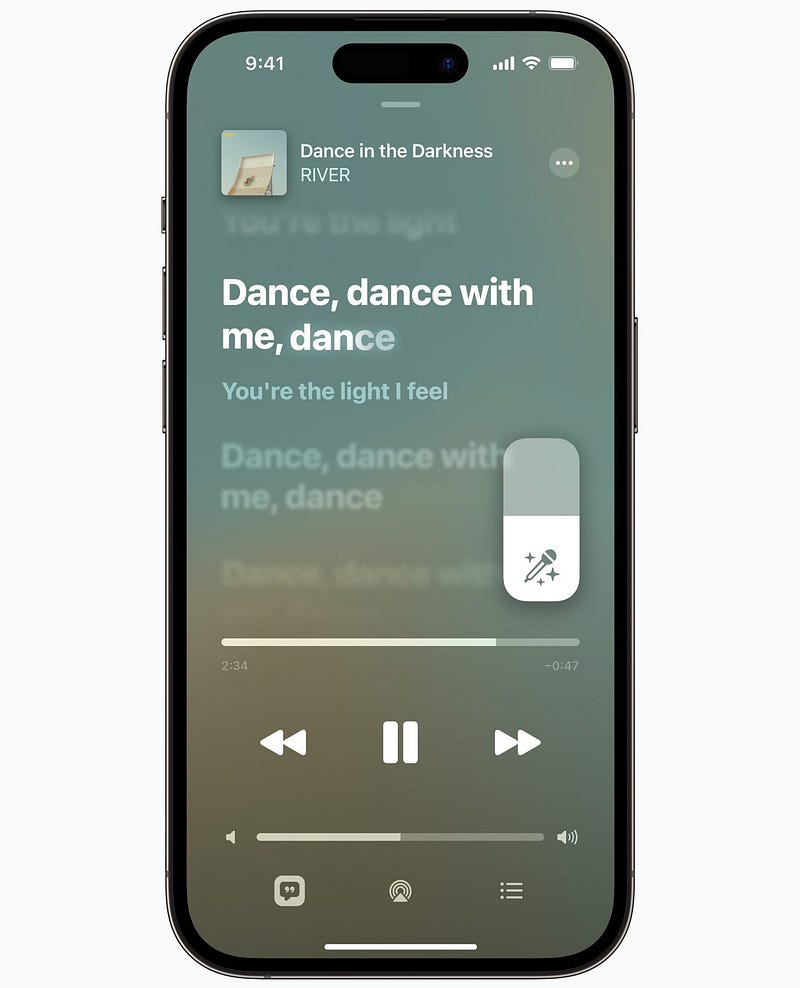
This feature is completely unexpected and un-teased.
The ‘Sing’ feature on Apple Music lets you sing karaokes to your favourite songs, right while playing them — with a single click.
By turning the vocal levels low to high, you go from singing with the original artist’s vocals, to taking the lead. And the animated lyrics help you stay in the flow.
It’s supported on all iPhones from 11 to 14 series.
For more info and additional features,
Apple introduces Apple Music Sing — What’s It?
A new karaoke app in the market
nikhilvemu.medium.com
#2. ‘Advanced Data Protection’ for iCloud 🛡️
Apple lately published a Newsroom article explaining its three new data protection features — Third one: ‘Advanced Data Protection’ that comes alongside iOS 16.2.
You can toggle it on in ‘Settings ⚙️ < your name < iCloud ☁️ < Advanced Data Protection’ (Note: It’s available in selected regions only).
This end-to-end encrypts iCloud-synced data, which can be decrypted back only on your trusted devices. So your data will stay safe even if a data breach occurs.
What data is covered?
• Device Backup 🔄
• Reminders
• Messages Backup 💬
• Safari Bookmarks 🧭
• iCloud Drive ☁️
• Siri Shortcuts
• Notes 📝
• Voice Memos
• Photos
• Wallet Passes 🪪If you’re curious, here are the first two features (they’re amazing).
#1. iMessage Contact Key Verification
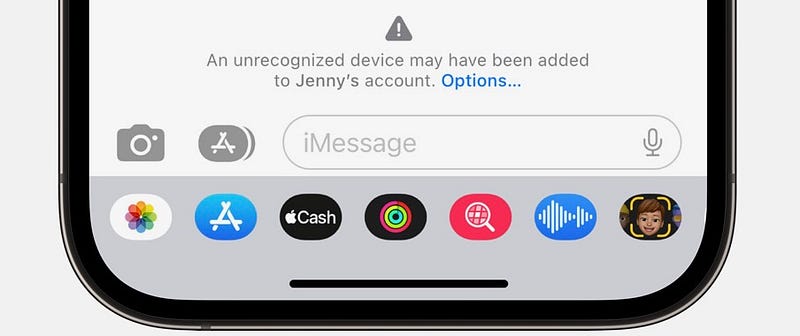
- Alerts you if an attacker ever succeeds in breaching iCloud servers and eavesdrops on your encrypted communications.
- Allows you to compare other person’s verification code in person, on FaceTime, or other calls.
#2. Security Keys
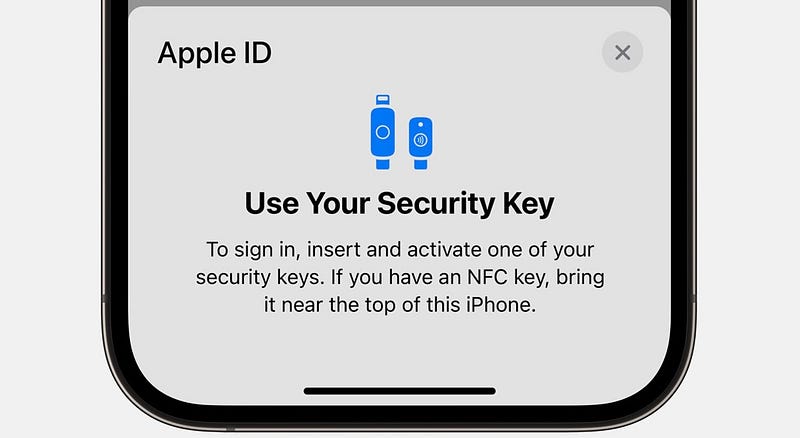
Lets you use a physical key (lightning or NFC) as an additional authentication way for iCloud login, extending 2-FA.
Did you know? You can use an AirTag as a physical security key (thanks to its NFC capability).
Both these features will be available globally in 2023, says Apple.
#3. AirDrop ‘Everyone for 10 Minutes’ for Everyone
Following the misuse of ‘Everyone’ of AirDrop by protesters against Xi Jinping to distribute anti-govt posters, Apple’s limited AirDrop for ‘Everyone’ to 10 minutes — only in Mainland China.
After the duration, AirDrop reverts back to ‘Contacts Only’. This clever simple tweak largely mitigated the unwanted file-sharing. Now,
With iOS 16.2, Apple mandates it for everyone, in every part of the world. Here’s a screenshot from my iPhone.
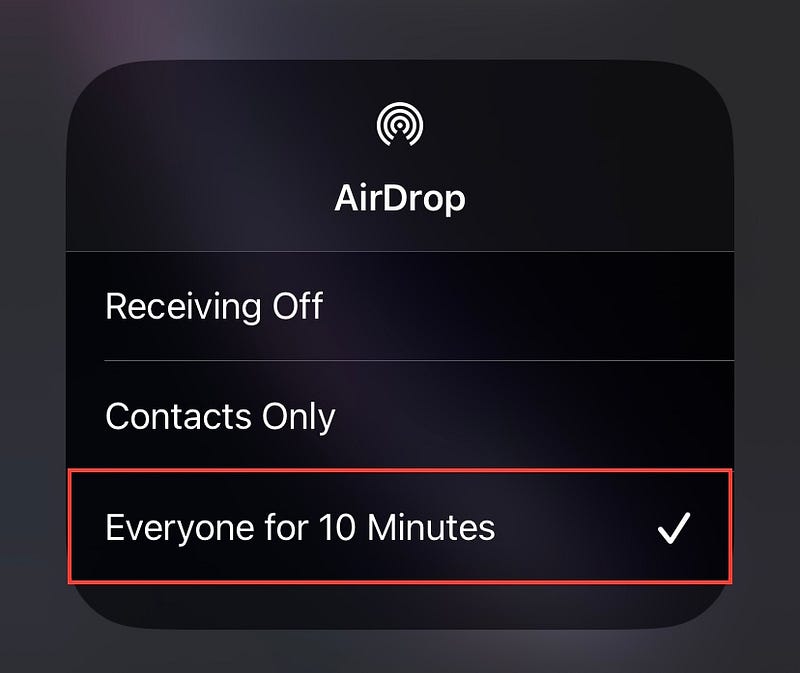
This makes me sad.
But I think Apple can convince us by saying strangers can no longer wide-spread malware in public.
#4. Swiping Multiple Notifications 🔔
Even before I could awe you with this hidden feature, Apple removed it.
Previously, you could swipe multiple notifications with multiple fingers to clear them at once. Like this ⬇️
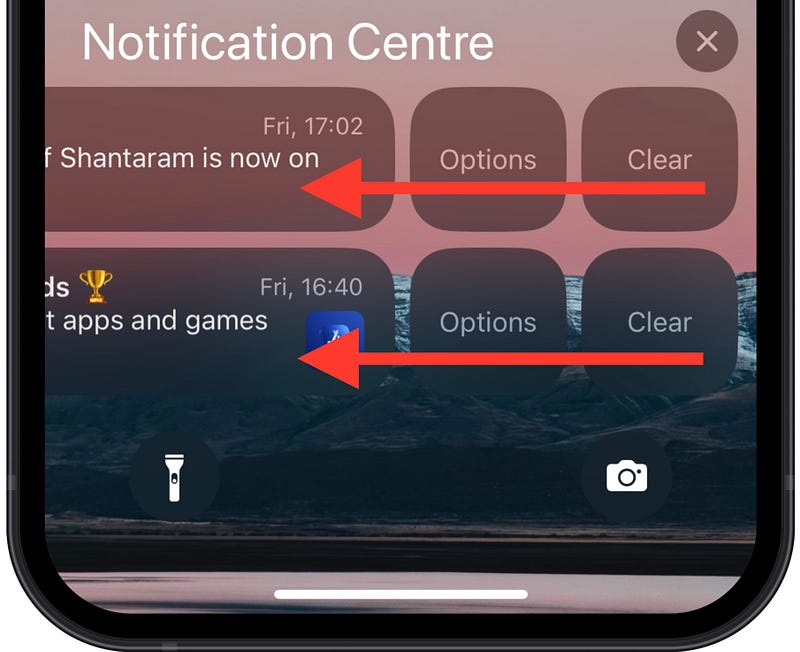
From iOS 16.2, you can’t do that.
Did you know? You could still swipe up multiple apps at once to close them.
Haha! Hidden feature.
#5. Notes now show Participant Cursors 📝
If you’ve ever collaborated on a Google or MS online doc, you might’ve seen coloured cursors scattered here and there indicating the parts others are editing.
Now, instead of simply syncing new data, Notes will also display such cursors when someone’s working on a collaborated note.
So you can know who’s doing what, easily.
#6. Indicator icons for Shazam and Calls
(Applies for Non-Dynamic Island iPhones only)
#1. Mic icon at top for Shazam
If you’re Shazaming a song using the built-in feature in Control Centre, you’ll now see a mic 🎙️ icon at the top-left corner of your iPhone.
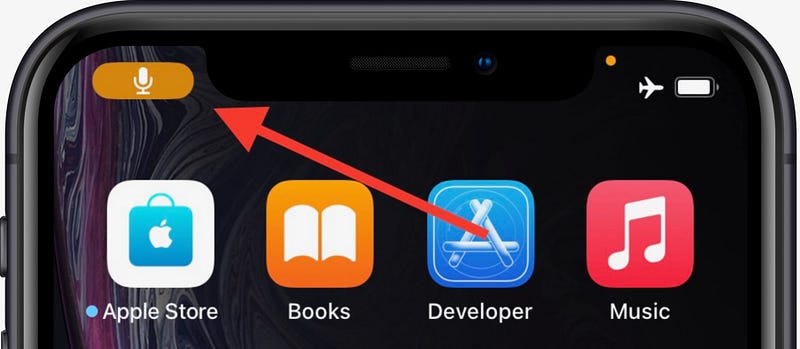
Previously, you could only see that little dot (top-right).
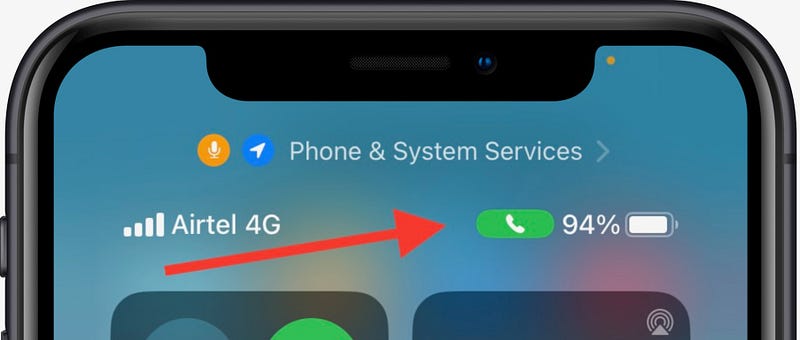
#2. Phone icon at top-middle part of Control Center while in a call 📞
While you’re in a call, and you minimise the call screen, you see a green phone icon at the top-left corner of your iPhone, right?
The same icon will now appear near the battery if you swipe down to Control Center.
#7. New Stocks Widget for Lock Screen 📈
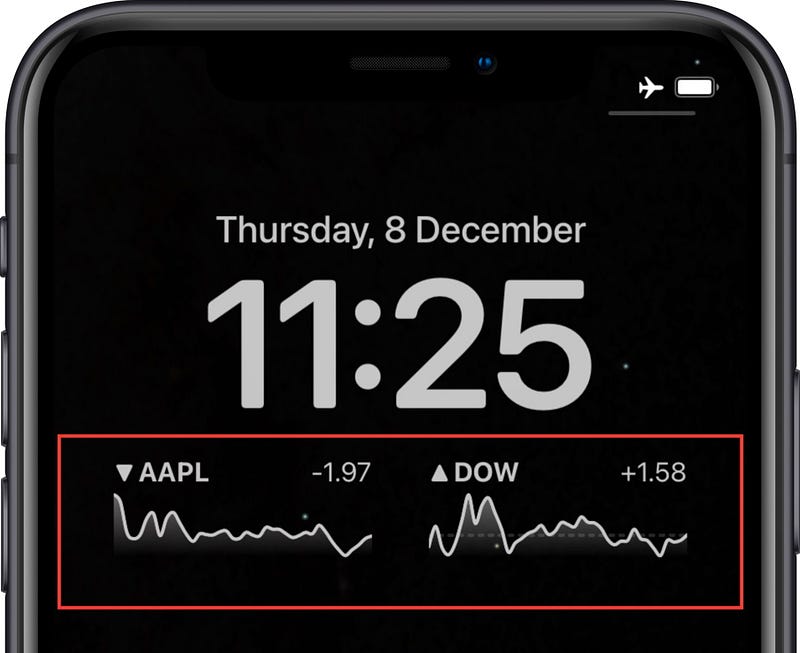
iOS 16.2 features a new Stocks widget for Lock Screen. It displays:
- The stock name, (you can choose what stock to display by tapping on it while editing)
- Brief graph of the stock price for the past 1 day,
- An arrow indicating the change in the stock price.
- Change in the stock price.
Best part, you can even set two of them on the Lock Screen :)
More Amazing features
#8. SharePlay support for Game Center 🎮
Game Center now supports SharePlay, so you can play multiplayer games with friends right from a FaceTime call.
#9. Improved Search in Messages 💬
Search in Messages now allows you to find sent/received photos based on their content — like dog, tree, person, location, text etc.
Appendix
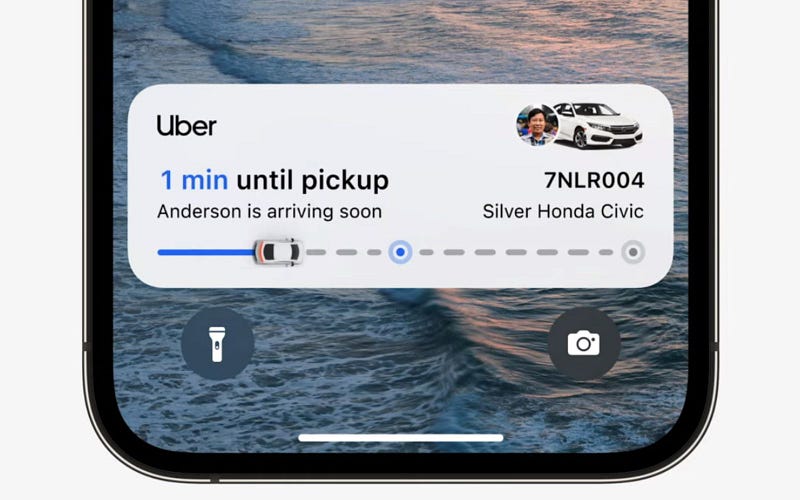
If you have Uber app installed right now, go to ‘Settings ⚙️ < Uber’, and you’ll find ‘Live Activities’ enabled.
It’s currently non-functional, but at least they’re on the way to bringing it. Here’s how it might look after it arrives.
Isn’t iOS 16 awesome?
175+ new features of iOS 16: A Compilation (Always Updated):
Join 190+ others to get notified whenever I publish a new story.