
4 mind blowing AirTag tricks only clever people use
AirTags aren’t just tracking devices

Here’s how AirTags actually work.
‘The above article explains the tech behind how AirTags help find your everyday objects.’
But, did you know AirTags can help automate mundane tasks in your daily life, preferably based on the object they stay with?
(All thanks to their secret NFC capabilities.)
Here are 4 automations I use regularly to save hours every week.
Prerequisite:
All automations below require you to link an AirTag prior to creating. Here’s how you do it.
- Go to Shortcuts < Automations < Create Personal Automation.
- Scroll down, click NFC.
- Click Scan, and tap your AirTag to the top-back part of your iPhone.
Your AirTag’s now linked — and the automation can be triggered anytime by tapping the AirTag again.
Now read on.
#1. Change Apple TV Profile — instantly 📺
If your family uses multiple Apple TV profiles, it’s frustrating to switch to your profile everytime you turn it on.
Yuck. Who likes it?
Here’s a killer automation to simplify it, provided you’ve sticked an AirTag to your Apple TV remote, like this.
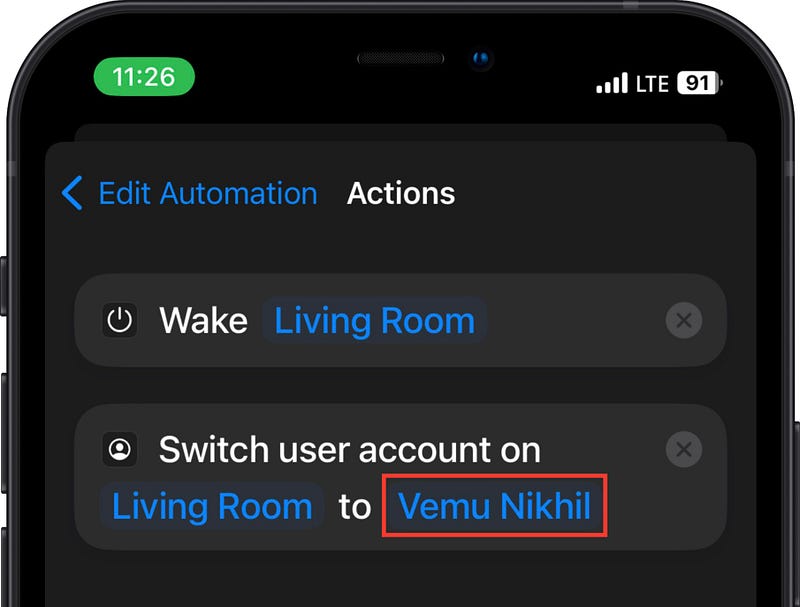
Ask everyone of the house to create this automation on their iPhones for the same AirTag, and to replace the username with their own profile names.
Now when any member taps the Siri Remote to their iPhone, the Apple TV wakes up and switches to their respective profile. Zero effort required.
If the Apple TV is already woke up, just the profile changes.
What’s automated here?
- Waking up Apple TV.
- Switching to a profile.
#2. Get into Workout Mood 🏋️
If you’re a regular gym goer and carry AirPods, and an AirTag in your gym bag, this automation is for you.
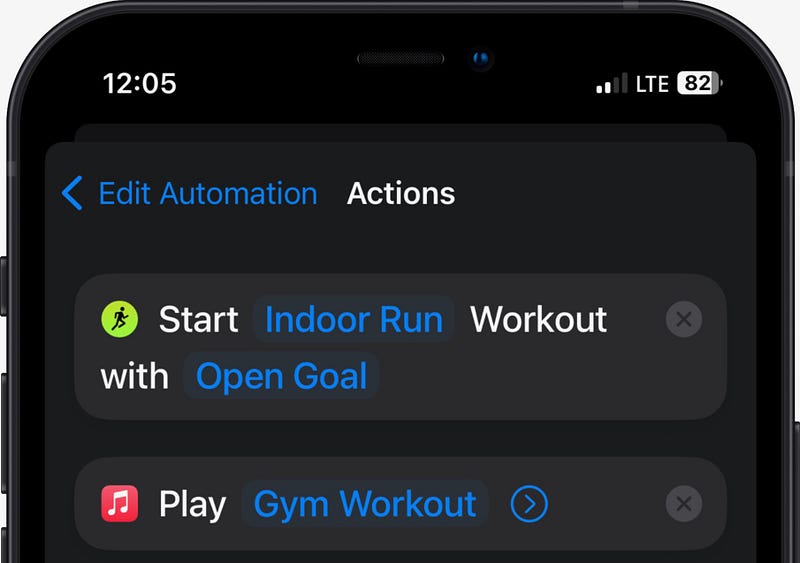
Just input your preferred workout, and Apple Music gym playlist to the automation.
You may also consider creating ‘Fitness’ focus, and setting it to toggle on automatically as you start a workout.
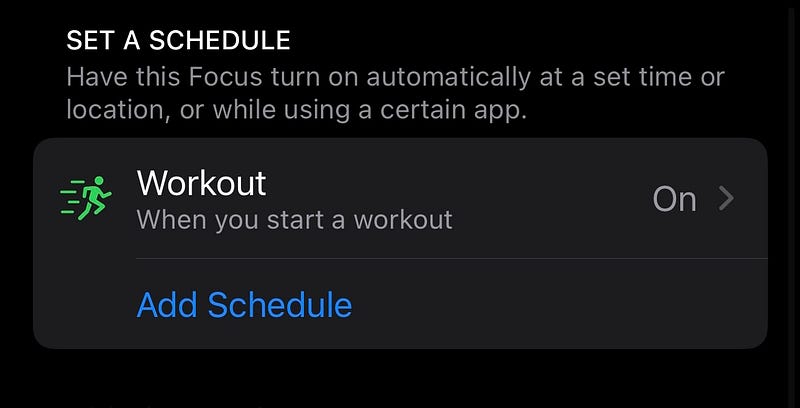
Now, whenever you’re ready for a workout, simply tap the AirTag to your iPhone. And both the workout, and your gym motivation playlist start playing — instantly!
What’s automated here?
- Waking up your Apple Watch, and starting a workout.
- Opening Apple Music and starting your gym playlist.
Cool, right?
#3. Get Directions to Home from Anywhere 🧭
If you’ve set an AirTag in your car, you might find this automation useful.
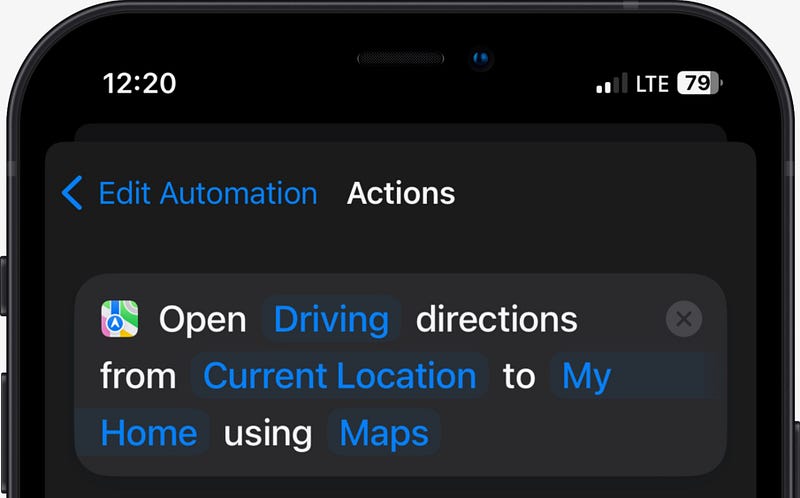
Simply input your home location.
Now, whenever you trigger the automation with the car AirTag, you’ll get the directions back to Home — wherever you are!
You can also set it to message your spouse with “Driving home!”.
You may also consider creating ‘Driving’ focus and setting it to toggle on automatically while driving or when connected to CarPlay.
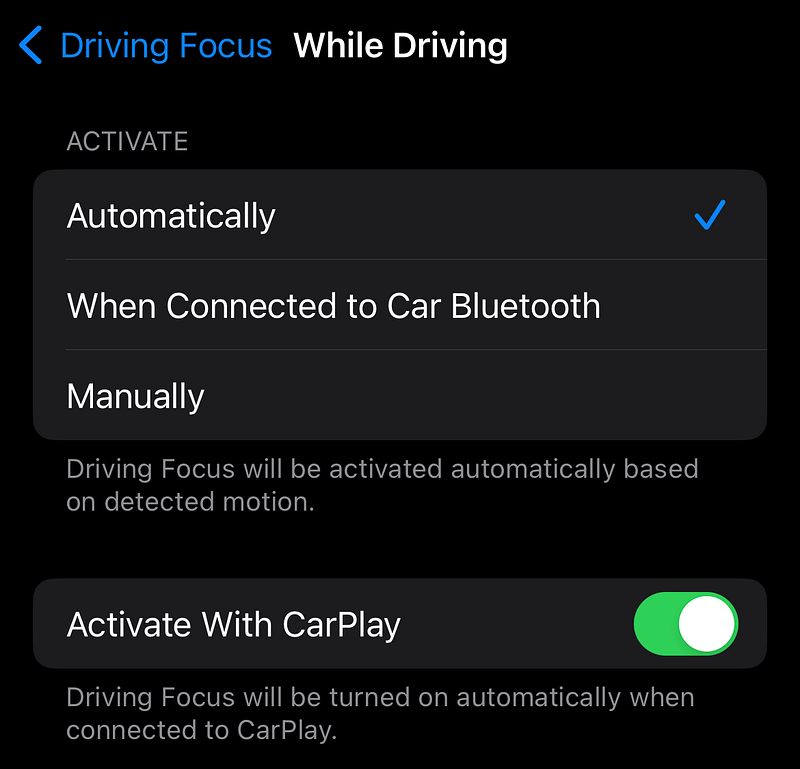
What’s automated here?
- Opening Maps and getting directions to Home.
#4. Pay Online to Anyone 💸
If you carry an AirTag in your wallet everyday, you’ll find this automation helpful.
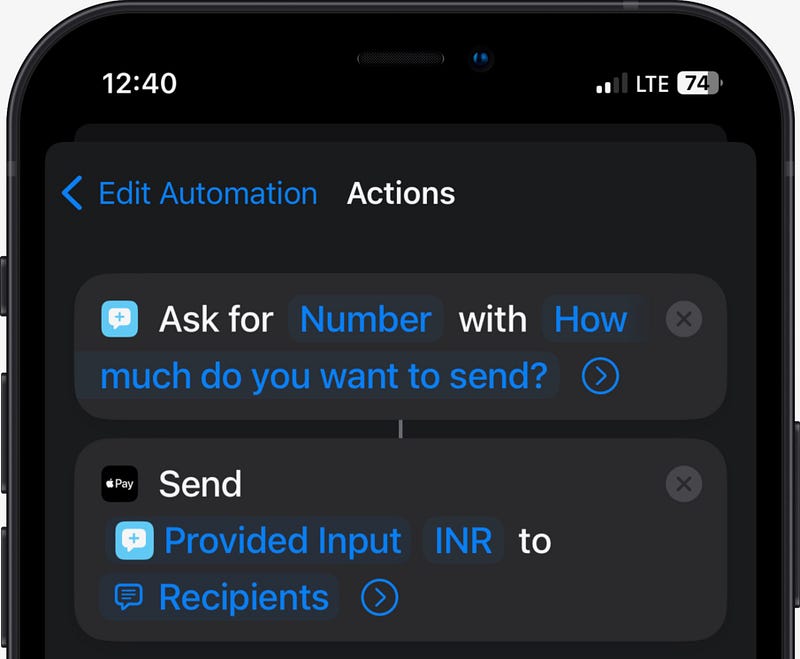
With this automation, you can pay money to anyone via Apple Pay (or any other supported app) just by tapping the wallet AirTag to your iPhone.
Set the ‘Recipients’ fields to be asked each time. And the amount and recipient can be chosen when the automation’s triggered.
What’s automated here?
- Opening Wallet app.
That’s it.
Do you have any other great ideas for AirTag automations? Let me know, I’m curious!
For more (amazing) articles on AirTags, read these.
Join 180+ others to get notified whenever I publish a new story.