
New Apple Account Card Now Available — How to Activate it!
A new card for more comfortable purchases
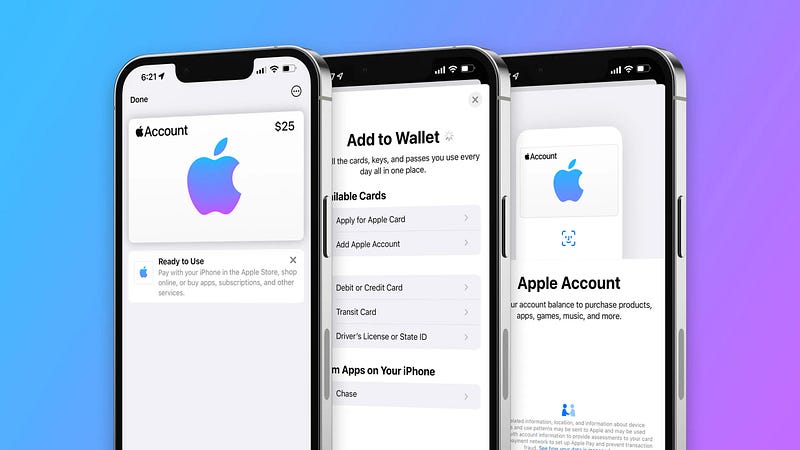
There’s been in the code about the new “Apple Account Card” since iOS 15.5 Beta 1, and Apple didn’t reveal it then.
Thanks to Steve Moser for peeping into the code and revealing the awesome feature long before it’s actually released.
And it’s now official — Apple pushes in Apple Account Card into the Wallet app! Silently, without any notification.
The only requirement to use it: update your device to iOS 15.5. If you’ve already updated, it’s already available.
But what’s it, exactly?
This is the upgraded version of the former iTunes Pass. It’s directly connected to your Apple ID funds.
With this card, you’ll be able to use your existing funds for buying products in an Apple store, or for paying for apps, movies, music, subscriptions, or in-app purchases in the Apple ecosystem.
Do my words sound too complex? No problem. Simply treat the card as your debit card that could be used for buying anything of Apple, or in Apple.
After you activate it, the card will appear in your Wallet app.
And anytime you’d like to make a purchase in an Apple store, you can use the NFC-payment method on your iPhone or Apple Watch, as it’s a virtual card.
How to activate it?
- Open the Wallet app, and click on ➕ icon at the top-right corner.
- Click on
Add Apple Account. If you don’t find it, your country probably isn’t supported yet. - Click
Continue, and wait for a few seconds…
Ta da! You now have your brand new Apple Account Card ready to use.
One more exciting news…
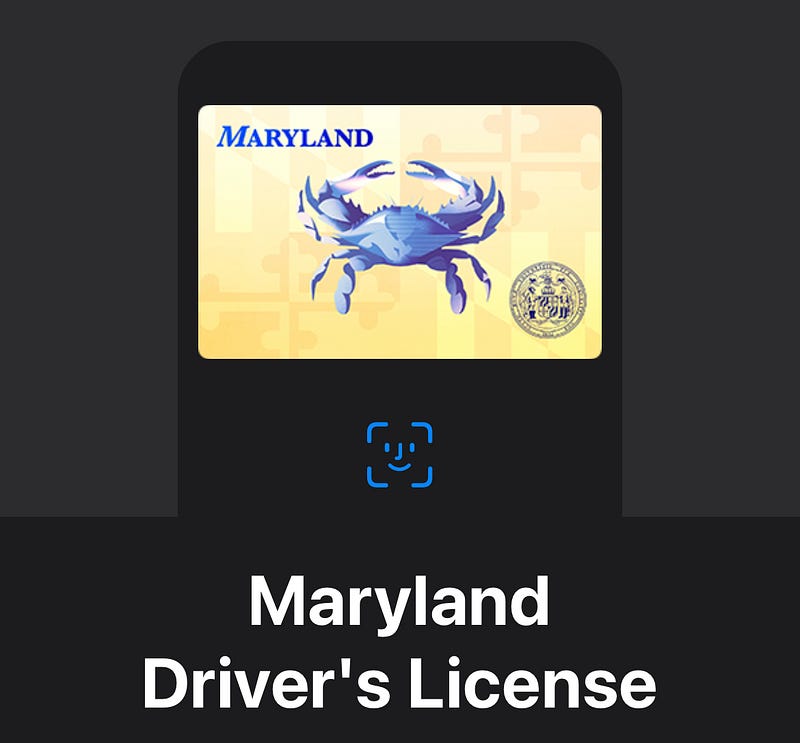
Apple now supports driving licenses of Maryland state of the US to be added to the Wallet app. For long, only Arizona has been supported.
This is a great news, as Apple’s evidently trying to extend support for more states — and probably in the future, more countries too.
If you liked this story, you might also like:
Hey! If you enjoyed this story, sign up for Medium as a member using my referral link! It’s just $5, and you get access to all of Medium.
Also, you can join 69+ others to get notified whenever I publish. Grab a free copy of my ebook “A Tech Blogger’s Guide” to write tech better!


