
Apple’s (Hidden) Flight Tracker App
I didn’t know this existed

Are you or a loved one a frequent flyer? If so, you might have already installed a flight tracker app on your iPhone.
I too had it, a week ago. It was my to-go app to know if someone of my family have boarded their flight, or to know when it arrives at my place.
It was so, for so long.
But lately, this simple message by my aunt has literally changed the way I use my iPhone.

After I received it, I thought why’s the flight number underlined.
I tapped it with curiosity, and to my surprise, this appeared.
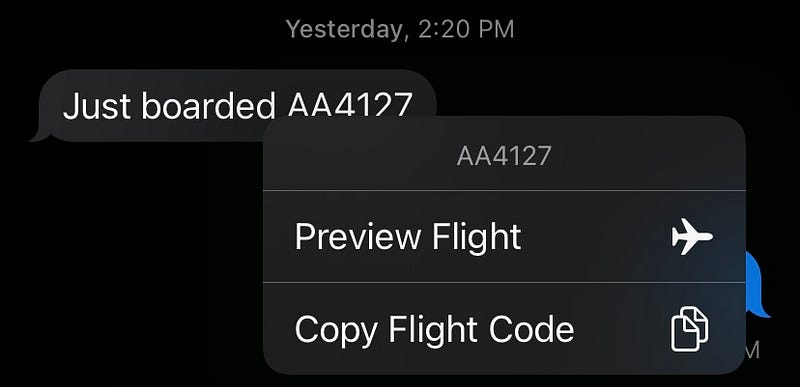
“What’s this new thing, Tim Cook? Does my iPhone already know it’s a flight number?”
I clicked on Preview Flight , and this appeared.
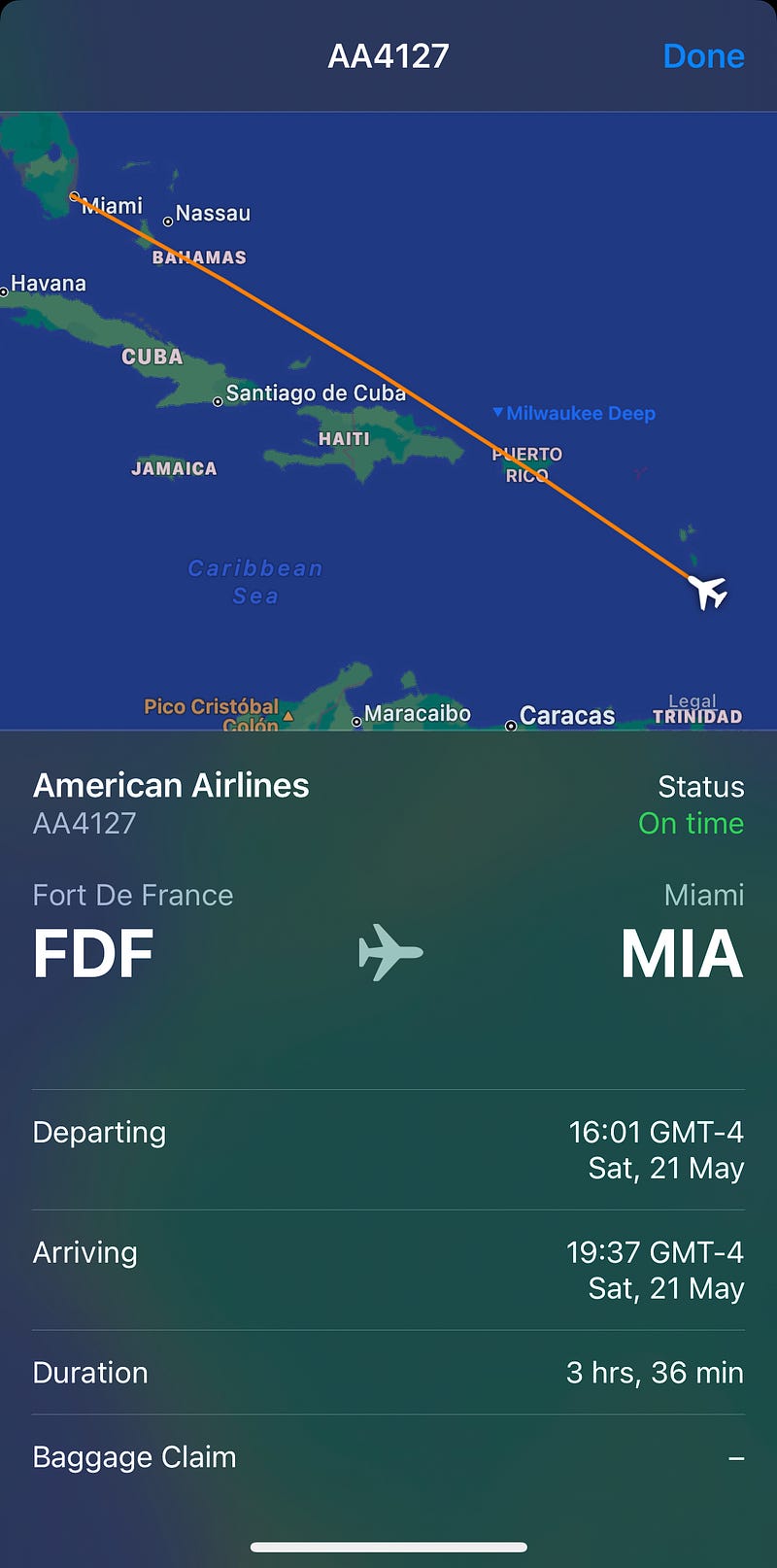
Amazing. It literally showed everything the third-party flight tracker app showed me:
- The route,
- Flight status,
- Departing place & time,
- Arriving place & time,
- Duration.
Eureka! I’ve discovered the hidden flight tracker feature by Apple!
Bye bye third-party app.
Bonus-ly, here’s another way to track a flight
Simply enter the flight number in Spotlight or in Safari address bar, and click on the first suggested option.
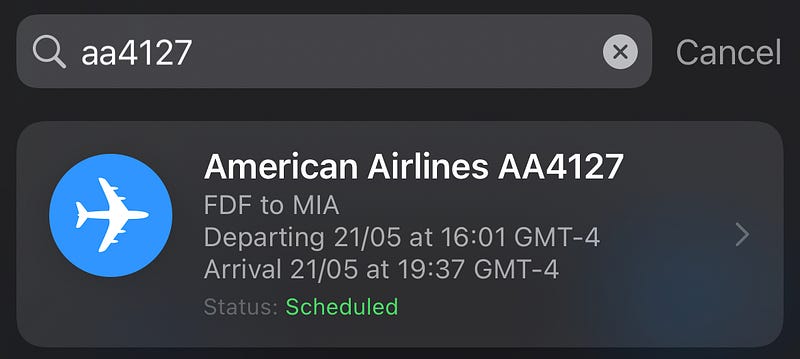
You’ll get the same window that shows all the relevant info about the flight. But this time, it includes two extra buttons:

The first one would open the airlines’s official website, and the second one would show directions to the departing and arriving airports.
How impressive! I didn’t know I already had this feature in-built on my iPhone, and have relied for so long on third-party apps for it.
It hurt my inner minimalist.
You could try this little feature next time you or someone you love boards a flight.
Will you?
If you liked this story, you might also like:
Hey! If you enjoyed this story, sign up for Medium as a member using my referral link! It’s just $5, and you get access to all of Medium.
Also, you can join 65+ others to get notified whenever I publish. Grab a free copy of my ebook “A Tech Blogger’s Guide” to write tech better!


