
Shapes with Paths using SwiftUI Part3
A compendium of shapes using paths
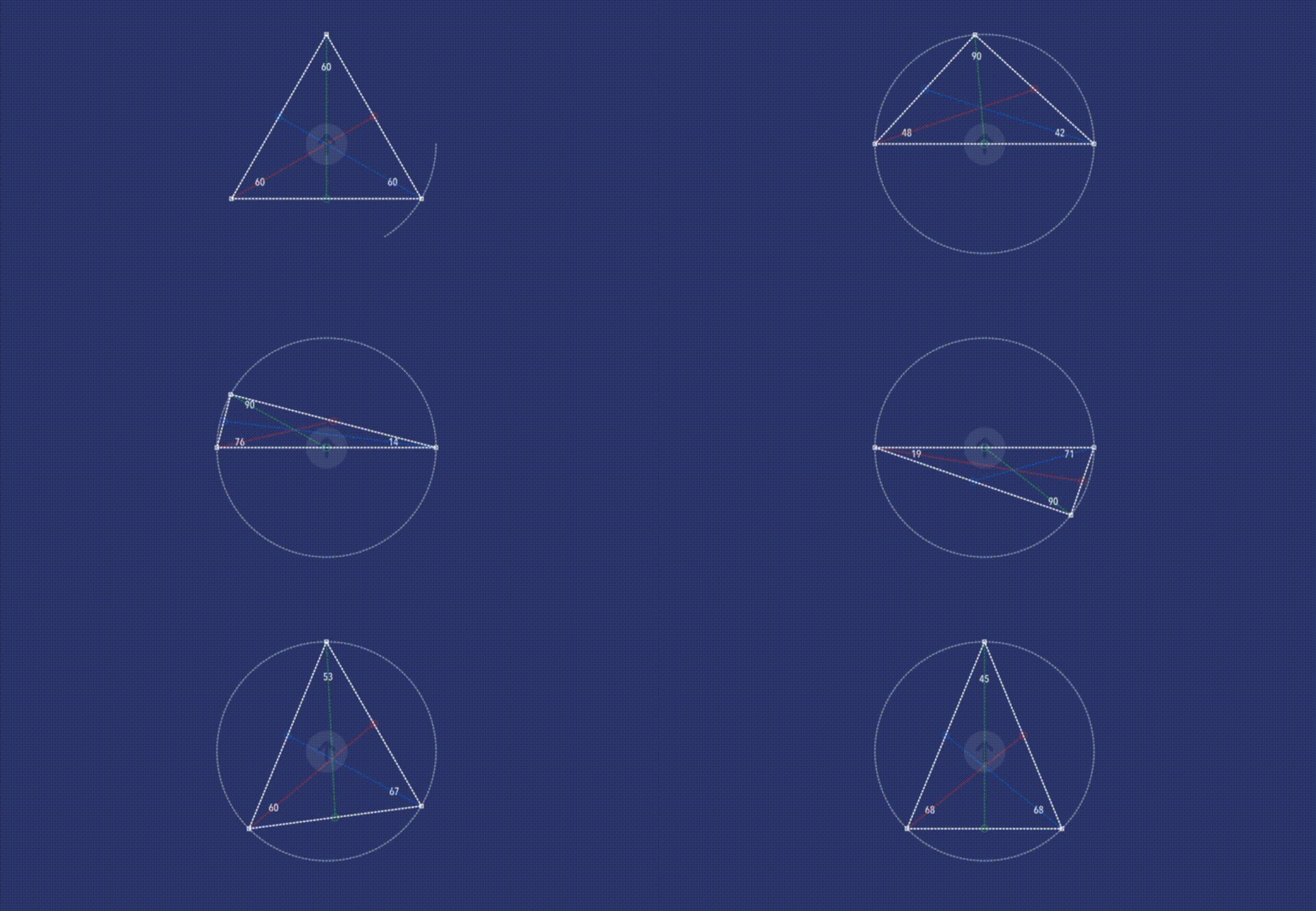
In part 1 and 2 of this series I covered isosceles polygons, equilateral triangles, right + left angles triangles, parallelograms and trapezoids; putting together routines to build them using methods based on circles. You can find the stories here. Shapes that you can mutate and animate to your hearts content in code.
At the end of part 1 I mentioned that we would return to the triangles and indeed in part 2 developed a routine that I want to take further in this article. Further to try and do some more triangles. The plan to do the sort I missed in in part 1. Namely ones that are not so regular.
To code than. At the end of part 2 in this series I introduced us to a method I called calcPoly. It was good. But I think we can do better. The plan is still to use the Combine framework, only we’re going to try and make the solution a little more generic.
So we start with a new combine message.
let updatePoints = PassthroughSubject<[CGPoint],Never>()This will update an array of points and will interface with the same sort of code we had in place. This time we won’t just bank four points, let’s bank an entire circle of co-ordinates.
Our updated calcPoly looks like this.
func calcPolyV(rect: CGSize, sides: Double, angle: Double, radius: Double) {
  var angles = [CGPoint]()
  let center:CGPoint = CGPoint(x: rect.width / 2, y: rect.height / 2)
  for i in stride(from: angle, to: (360 + angle), by: 360/sides) {
    let radians = Double(i) * Double.pi / 180.0
    let x = Double(center.x) + radius * cos(radians)
    let y = Double(center.y) + radius * sin(radians)
    angles.append(CGPoint(x: x, y: y))
  }
  updatePoints.send(angles)
}
Now we got 360 potential points we can choose — but wait — if I cannot see the triangle its no good. So I divide my 360 degrees of CGPoints out into 3 groups of 120 degrees each. I need to choose a random point in each sector and then build a shape [a triangle] using it. It’s easy no.
Net, net you’ll end up with this

Here I got 360 triangles, all random shapes and sizes meaning we now got the whole shebang — well almost all of the triangles you can imaginable.
What does code look like that I built, this.
func returnPoints() -> [Int] {
  var points = [Int]()
  for i in 0..<3 {
    let sRange = i*120
    let eRange = (i + 1)*120
    let k = Int.random(in: sRange ..< eRange)
    points.append(k)
  }
  return points
}
Along with this driver code.
The DrawPoly method itself looks like this.
struct DrawPoly: Shape {
  let points:[CGPoint]
  func path(in rect: CGRect) -> Path {
    var path = Path()
    for i in 0..<points.count {
      if points[i] != CGPoint(x: 0, y: 0) {
        if i == 0 {
          path.move(to: points[i])
        } else {
          path.addLine(to: points[i])
        }
      }
    }
    path.closeSubpath()
    return path
  }
}
Talking polygons, we haven’t actually covered random ones yet. With this the perfect opportunity to do so. We know how to generate random triangles, all we need to do is update the returnPoints routine to take a number of sides to look at, and set it to it. Here is the refactored code.
func returnPointsV(spikes: Int) -> [Int] {
  var points = [Int]()
  for i in 0..<spikes {
    let sRange = i*(360/spikes)
    let eRange = (i + 1)*(360/spikes)
    let k = Int.random(in: sRange ..< eRange)
    points.append(k)
  }
  return points
}
That I call against the DrawPoly viewModifier with this change.
.onReceive(tick) { (_) in
  if color < 360 {
  let foo = Int.random(in: 3..<12)
  let choice = returnPointsV(spikes: foo)
  var cords = [CGPoint](repeating: CGPoint(x: 0, y: 0), count: 24)
  for i in 0..<choice.count {
    cords[i] = points[choice[i]]
  }
  choices = cords
  color += 1
  }
}
The end result looking like this. Reminds me that old video game called meteors which features lots of random polygons looking just like this.

Which brings me to the end of this piece, although not quite the series — cause I one two more shapes in mind that we should do, a star and a cross. Shapes which of course I use a circle or two to build. Follow me to get more updates to the shapes series and indeed other articles on coding I post.
Keep calm, keep coding.


