
Restricting the Ability to Invoke a Lambda Function to a Private Network
ACM.311 When configuring a VPC is not enough
~~~~~~~~~~~~~~~~~~~~~~~~~~~~~~~~~~~~~~~~~~~~~~~~~~~~~
⚙️ Check out my series on Automating Cybersecurity Metrics | Code.
🔒 Related Stories: Lambda | Container Security | Application Security
💻 Free Content on Jobs in Cybersecurity | ✉️ Sign up for the Email List
~~~~~~~~~~~~~~~~~~~~~~~~~~~~~~~~~~~~~~~~~~~~~~~~~~~~~
In the last post I demonstrated that I was able to invoke a Lambda function from outside the VPC in which the Lambda function exists. So a VPC configuration for a Lambda function affects outbound calls potentially, but not invocations triggered by calling public AWS APIs via the public Internet. As I showed you can’t see the IP addresses that invoked the Lambda function in AWS logs without CloudTrail data event logging for Lambda.
In this post, we’ll attempt to configure our VPC to keep access to our Lambda function private, meaning only traffic coming from an IP address within our VPC can call the Lambda function.
Besides the CLI invoke function I showed you in the last post, Lambda functions can also be configured with a function URL to make a curl request to invoke the function.
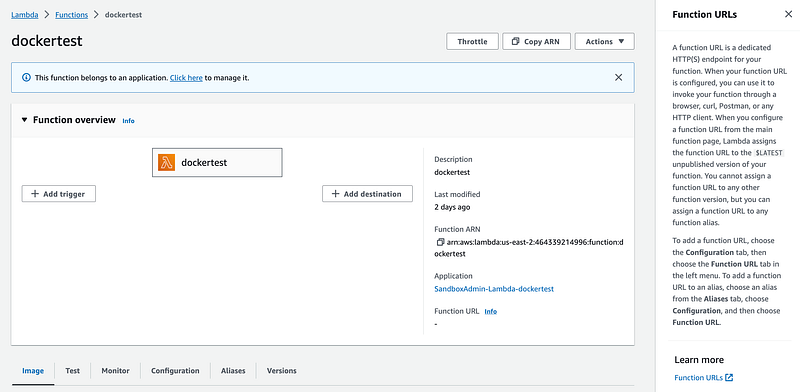
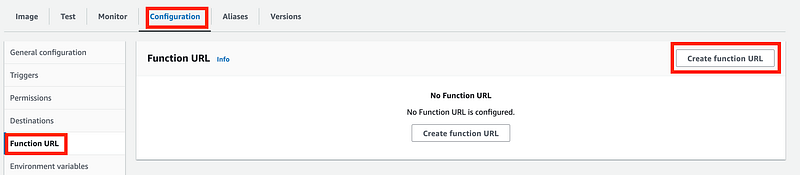
To configure and endpoint, navigate to your function in the Lambda console. Click on Configuration. Click Function URL. Click Create function URL.
Choose your Auth type.
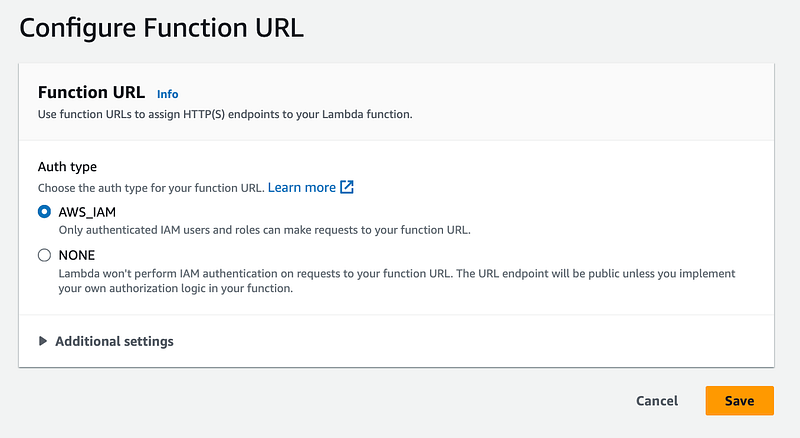
If you choose IAM here’s the documentation for passing in credentials.
If your function URL uses the
AWS_IAMauth type, you must sign each HTTP request using AWS Signature Version 4 (SigV4). Tools such as awscurl, Postman, and AWS SigV4 Proxy offer built-in ways to sign your requests with SigV4.
Note that functions can be created without ANY authentication (not recommended.) I already showed you in the last few posts how many IP addresses are hitting anything you have exposed to the Internet.
But for this test I am going to choose the NONE option to make it easier to demonstrate how Internet access to Lambda functions works, even with a VPC and a VPC Endpoint for Lambda.
Now I have a URL I can curl.
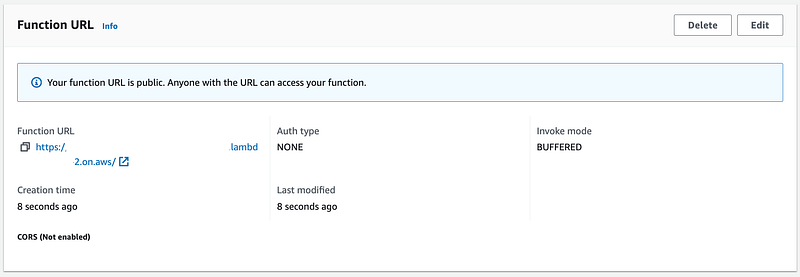
Now I can curl that URL to invoke my function just as I did via the AWS CLI in the last post.

I’m going to create a script to run this test. It will ask for the URL to curl.
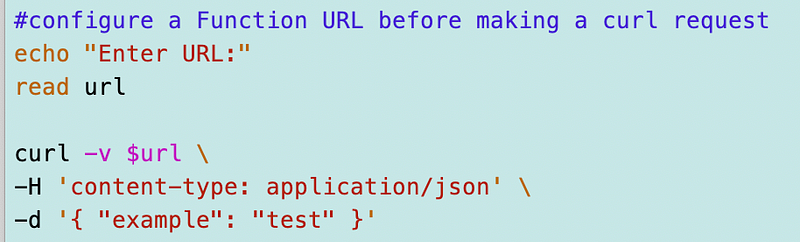
I can curl the function from my EC2 instance in a separate VPC and see that it executed successfully.
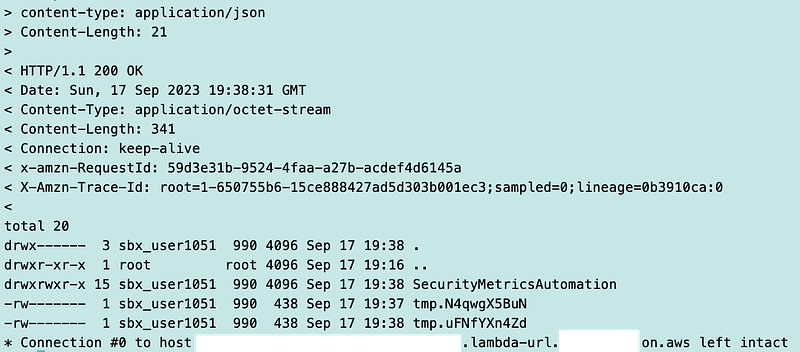
Fixing our VPC configuration to keep invocations on a private network
In order to keep invocations to our Lambda function restricted to a private network we need to add some additional configuration. we need to add a VPC Endpoint. I already explained what VPC endpoints are here.
I already created a generic function in a prior post to create VPC Endpoints for any service. I had to make some adjustments to the template in this post, where I deployed the endpoint for CodeCommit in the same VPC where I’m going to add the Lambda endpoint.
We can add the endpoint in the script used to deploy the above VPC and I can basically copy and modify the following code.
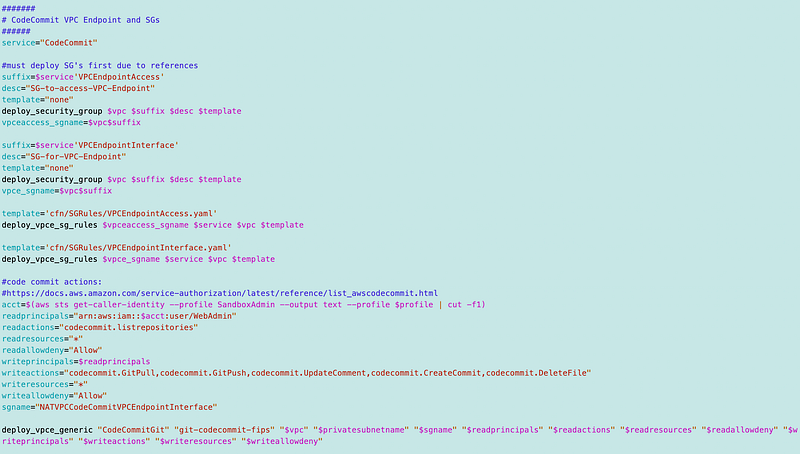
Now, as I’m looking at this, I’m seeing some repetitive code I can reduce. I can move all the code to create the security groups to the common functions since that won’t change.
That reduces the code I need to include to deploy a VPC Endpoint in my deploy_sandbox.sh script to the following:
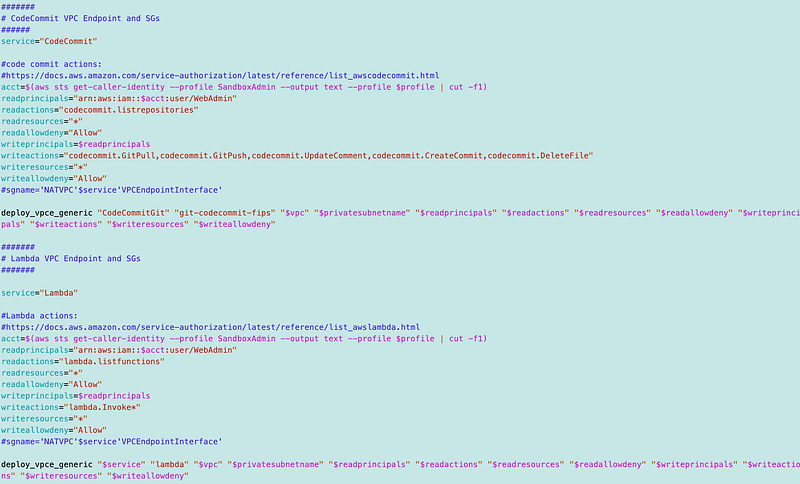
For some reason after recent route table changes in the last few posts I’m getting this error on my route tables:

But since I don’t need to alter the route tables and they are for the moment correct, I’m going to ignore that for now. Everything else deploys fine.
So now we have a VPC Endpoint for Lambda deployed in our VPC where our Lambda function runs. What that allows us to do is access the function on a private IP address without ever traversing the Internet.
Let’s run the curl function again from a different network.
Curl still worked. Why?
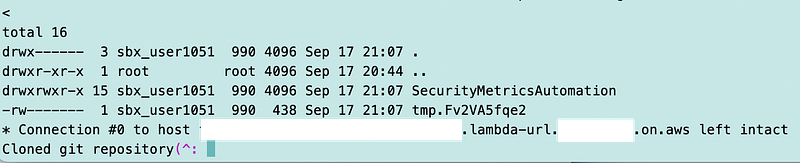
Apparently Function URLs are public no matter how you configure your security groups, VPCs, and endpoints.
Let’s test the invoke CLI command. That still works as well.

Both these calls are coming from outside the VPC. They are able to call the function through the public AWS Lambda endpoints.
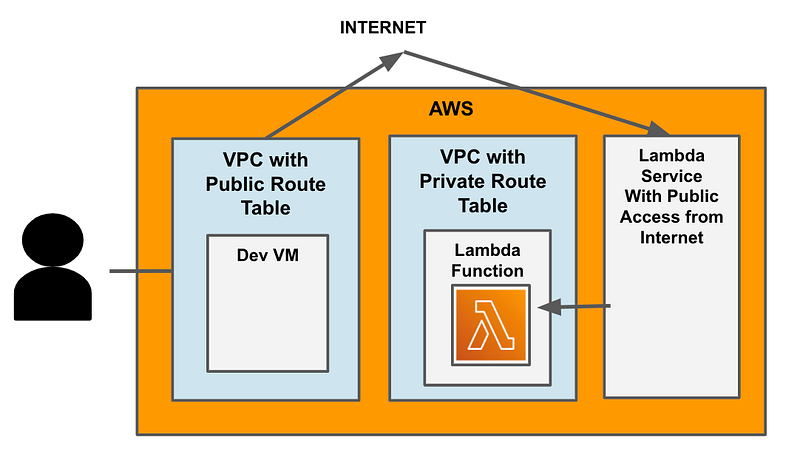
Adding the VPC endpoint to the VPC where the Lambda function exists has no effect on the ability to call the Lambda function as currently configured.
It allows you to use a private IP to access the function.
However, it does not prevent you from calling the Lambda function from the public Internet as well.
These types of endpoints work differently than the gateway type endpoints you can apply to S3 buckets.
For Lambda, calls are coming from AWS and if someone can access AWS with valid credentials over the Internet, they can reach your function.
If you review the network logs as explained in prior posts, you’ll see that the function is still being called with a public IP address from a separate VPC.
Can we restrict access to the function to only our VPC?
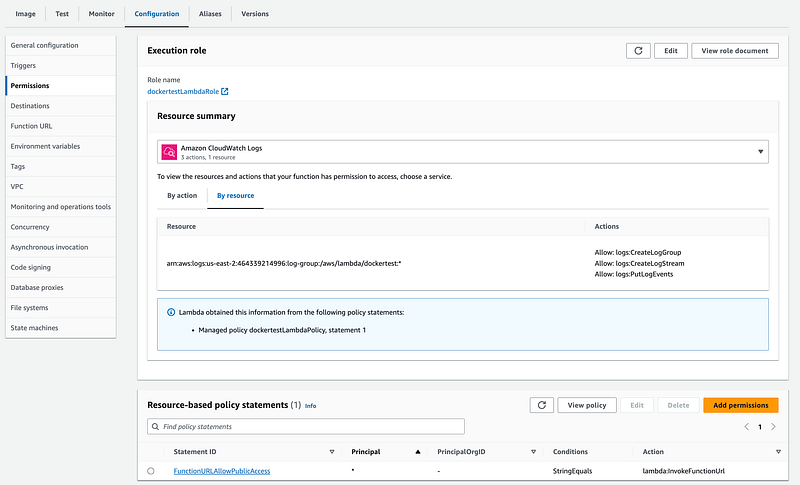
A resource-based policy will place restrictions on the Lambda function, but unfortunately this is not at the network layer, nor does it appear to have an ability to add network restrictions if only what is allowed in the UI is available as a restriction.
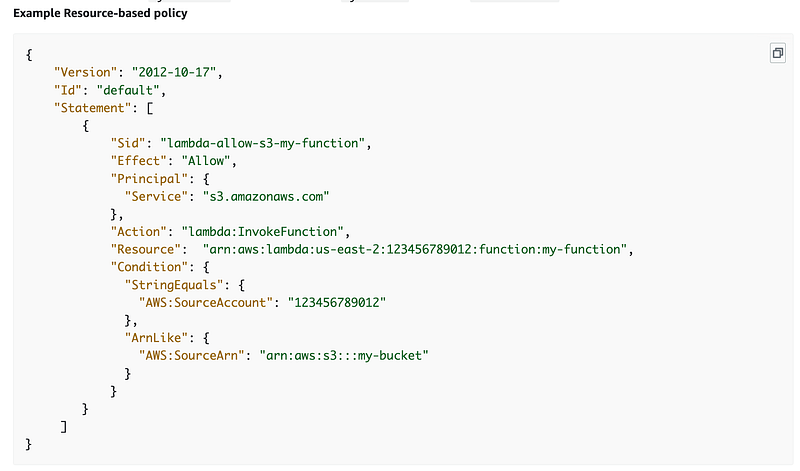
Unfortunately you cannot edit the JSON policy directly in the console. Hopefully AWS will fix this so you can directly edit the JSON. Perhaps this is because you cannot actually add conditions such as IP address to the Policy statement. You can only add what is shown in the console at this time, which only includes application layer identity restrictions, not network restrictions.
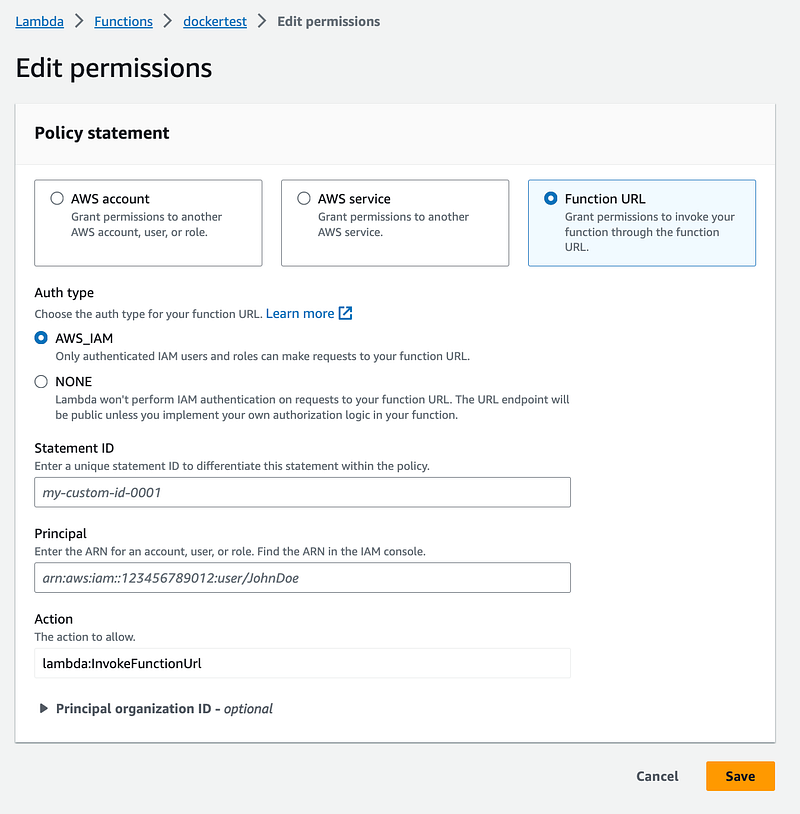
However, resource policies are becoming a more generic function on AWS so perhaps adding IP restrictions would work, like you can with an S3 bucket. Something to test in another post.
What happens if I remove the Function URL?
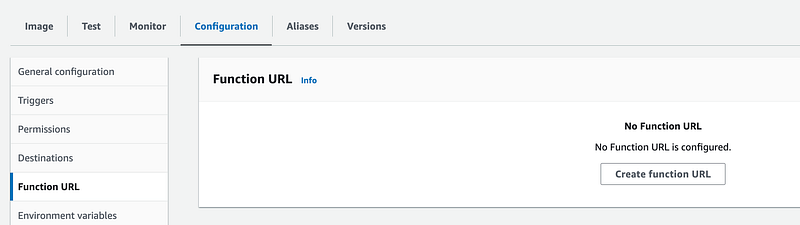
The curl function doesn’t work anymore:

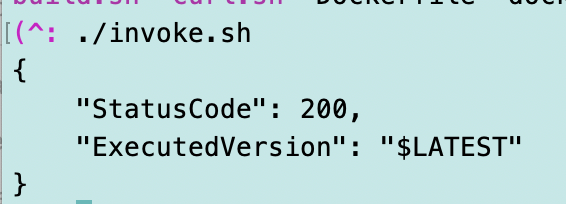
Does the invoke function still work? Yes.
I put the invoke command in a script called invoke.sh.
What if I delete the resource policy?
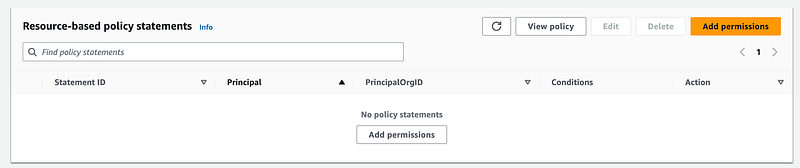
It still works via the CLI invoke command. At least the invocation is restricted to users in the current account who have permission to invoke Lambda functions (I haven’t written about cross-account access yet.)
So what can we do?
Unless IP restrictions actually work in the resource policy (TBD), we’re pretty much stuck to limiting access to the function to a specific IAM role via the resource policy and then limiting assumption of that role to a specific IP range in the IAM Policy as far as I can tell.
The other thing we might be able to do is restrict access with a Service Control Policy.
Unless I’m missing something or there’s some as of yet undocumented features for Lambda resource policies, I don’t see any other way to restrict access to involve Lambda functions to specific network ranges at the time of this writing. Hopefully AWS will offer some better options to restrict inbound access to invoke AWS Lambda functions with actual network controls in the future. If I discover a better option I’ll write about it.
Here are the follow on posts to fix the problem:
Follow for updates.
Teri Radichel | © 2nd Sight Lab 2023
About Teri Radichel:
~~~~~~~~~~~~~~~~~~~~
⭐️ Author: Cybersecurity Books
⭐️ Presentations: Presentations by Teri Radichel
⭐️ Recognition: SANS Award, AWS Security Hero, IANS Faculty
⭐️ Certifications: SANS ~ GSE 240
⭐️ Education: BA Business, Master of Software Engineering, Master of Infosec
⭐️ Company: Penetration Tests, Assessments, Phone Consulting ~ 2nd Sight Lab
Need Help With Cybersecurity, Cloud, or Application Security?
~~~~~~~~~~~~~~~~~~~~~~~~~~~~~~~~~~~~~~~~~~~~~~~~~~~~~~~~~~~~~
🔒 Request a penetration test or security assessment
🔒 Schedule a consulting call
🔒 Cybersecurity Speaker for PresentationFollow for more stories like this:
~~~~~~~~~~~~~~~~~~~~~~~~~~~~~~~~~~~~~~~~~~~~~~~~~~~~~~~~~~~~~
❤️ Sign Up my Medium Email List
❤️ Twitter: @teriradichel
❤️ LinkedIn: https://www.linkedin.com/in/teriradichel
❤️ Mastodon: @teriradichel@infosec.exchange
❤️ Facebook: 2nd Sight Lab
❤️ YouTube: @2ndsightlab


