
Passwords Are Dead — This Is Newly Replacing It!
Apple creates a better alternative
Passwords are hands-down the first gateway of our online entry.
Lets ignore the second gateways (2FA, OTP, Authenticator approval) for a while, as most people (9 in 10 Google accounts) don’t use them, letting their accounts be the easiest targets for hacking.
With no MFA linked, weak and reused passwords, it’s easy for hackers to grab everything of your accounts.
Sad part, they don’t even require to know your password. Because their computers are so smart to crack weak passwords by brute force.
Did you know?It just takes 5 secs to crack a strong 6-character password,
400 years for a similar password with 11 characters,
and 15 BILLION years for one with 15 characters. (Source)Every new character you add pumps up the time needed exponentially. Secure. But, how long do you think we should still rely on a long, crazy, hard-to-remember set of patterns for our account safety?
You say password managers help us? But it’s still difficult to type in a password if you’re logging in in a system that’s not yours.
Ex: dafwY4-wumxyq-fevqyx. I can’t type this without seeing it thrice.
What’s the Solution?
Very similar to this.
Have you ever logged in to WhatsApp Web? It pops up a QR code on the screen, and the first device (on the planet) to scan it will be logged in to the pc — needless of password.
Keep this in mind. Let’s talk about this later.
Solution — Apple Passkey.
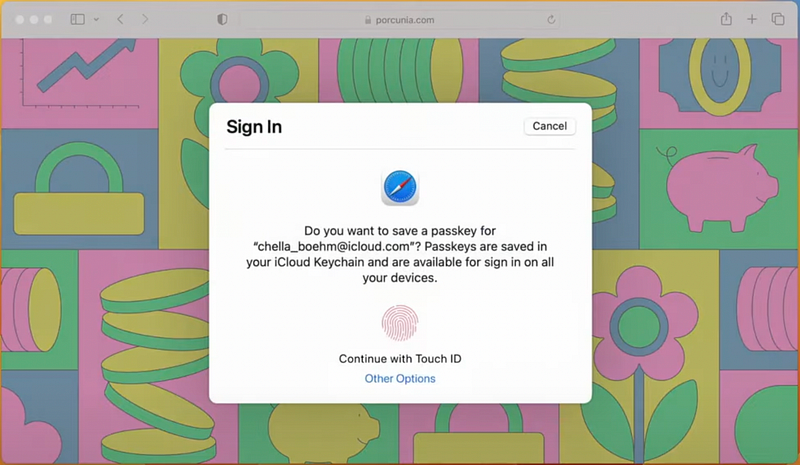
Apple introduced cool new Passkey feature at the WWDC22, which makes your identity, your password.
Passkeys are WebAuthn credentials, additionally powered by Apple with the capabilities of backup, sync, and sharing with trusted people.
These can be synced across your iPhone, iPad, Mac, and Apple TV via iCloud Keychain. With Passkey, logging in to websites so easy, in most cases, it just takes a single tap to sign in.
Best part, these can neither be leaked (just as your biometrics) nor be phished as they are designed to never leave your device.
How do you sign in thru Passkey?
If you’re already on iOS 16 Developer or Public Beta now, visit this website for Passkey demo.On iOS 15? Okay, keep reading :)On your own device
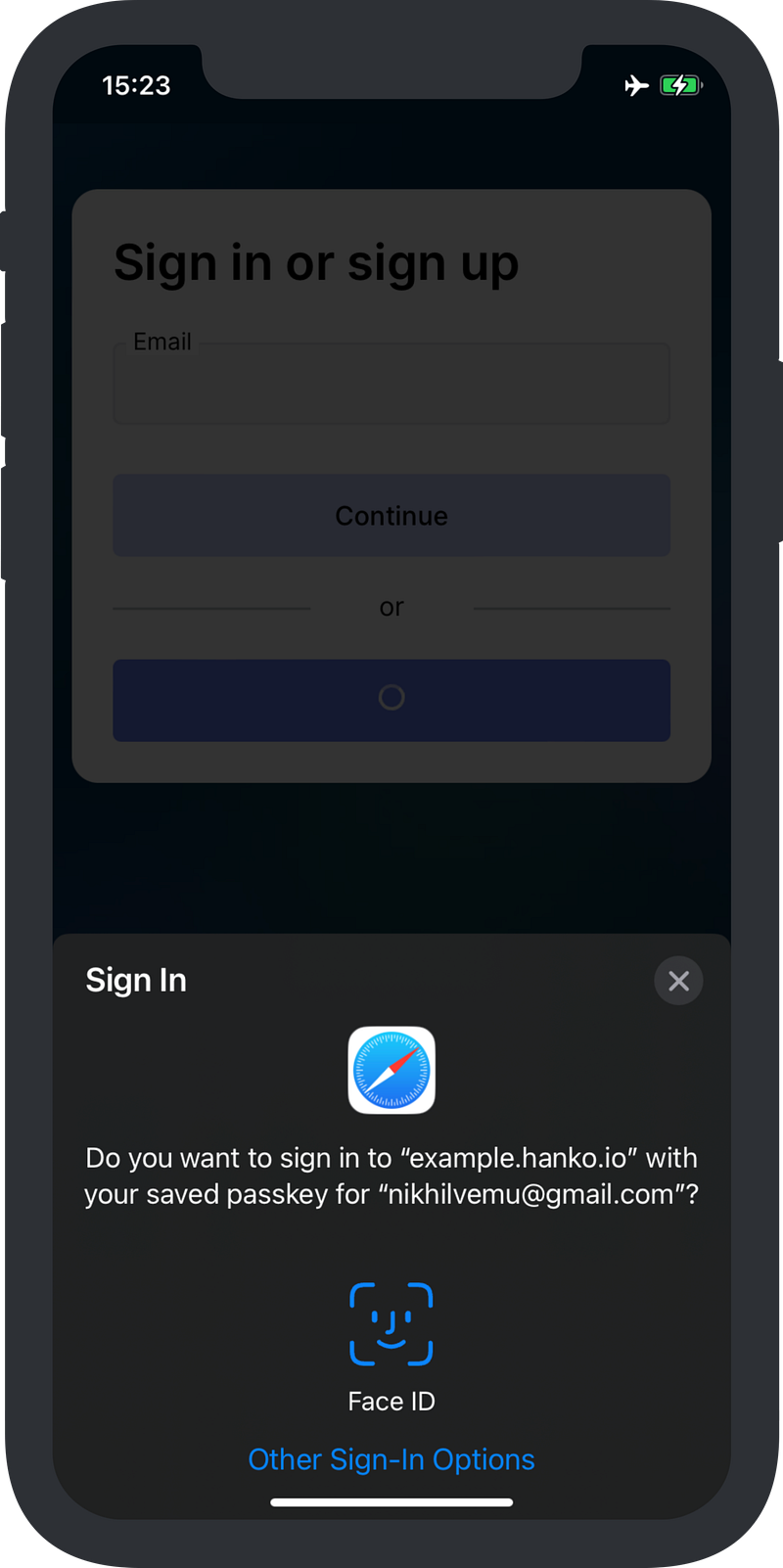
After you tap on Sign in , you get the Face ID or Touch ID prompt which authenticates it’s you who’s signing in — and BOOM — you’re signed in, instantly.
This is pretty similar to 'Sign in with Apple' you’ve seen already in many websites.
On someone else’s device
If you needed to login from your friend’s device or in an internet cafe, here’s how.
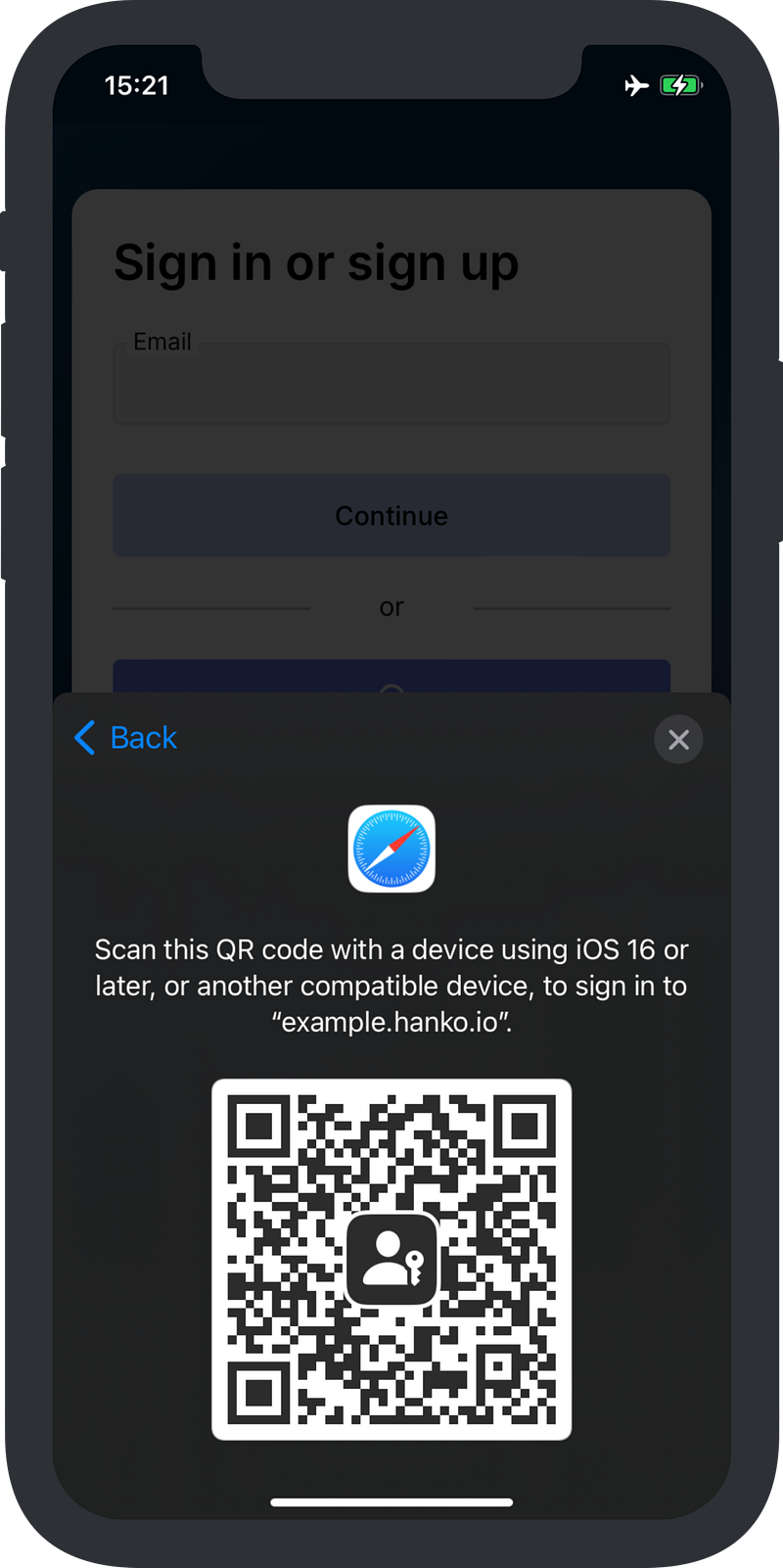
After you tap on Sign in , click on iPhone, iPad, or Android device. You’ll get a QR code. Scan it from your personal device, and you’re signed in!
What’s awesome.
- This needs Bluetooth to be turned on on both devices, so Apple’s sure you’re in the spot. So, You can’t login from a video call, unlike WhatsApp Web.
- This shouldn’t require internet access on your personal device, as it’s only for authentication.
Can Passkeys be shared?
Swapping to Passkeys doesn’t mean you lose the ability to share accounts with people.
Your Passkeys can be shared via AirDrop (only), which gives someone the ability to login in your absence.
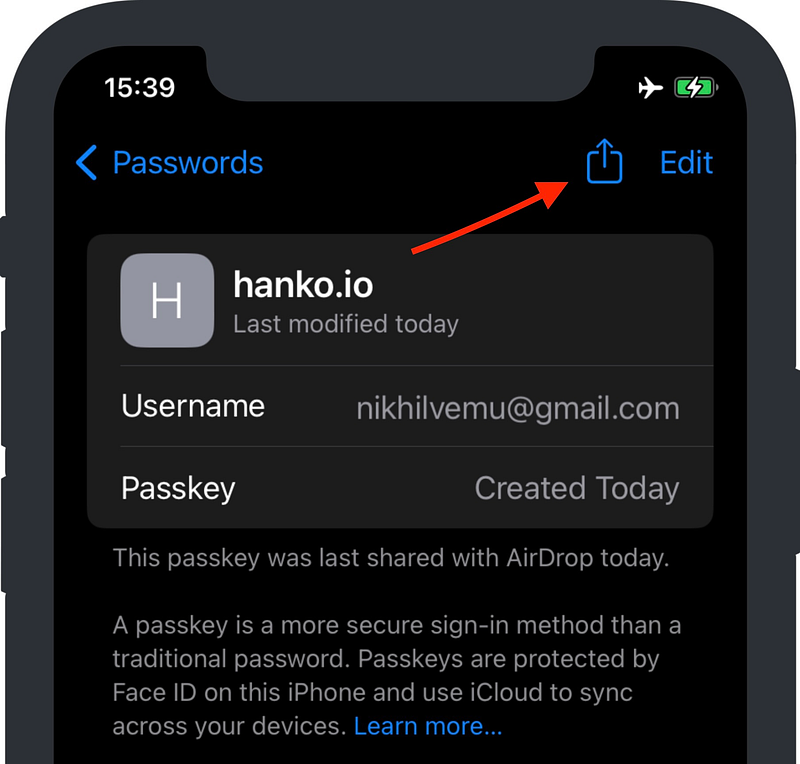
I hope Apple allows to share them via iMessage or email in the future. Because, what if the other person isn’t in an AirDroppable vicinity?
Conclusion
Passkeys base on robust W3C standards, and so are extremely secure, invisible, and unpredictable. With the origination of Passkeys, I smell a password-less future very near.
Many websites are already working on implementing Passkey technology as an additional login method for users. This will most probably get pervasive after the public release of iOS 16.
The iOS 16 Update Just Got An Extreme Security Feature
The Lockdown mode is game-changing
medium.com
The end of passwords, and this story.
If you enjoyed this story, join 125+ others to get notified whenever I publish a new story.
Get your new useful ebook

Download Chapter #1 of the ebook for free here!


