
Gaming News
Modder Enhances Steam Deck to Support Detachable Joy-Cons From Nintendo Switch
Steam Deck modder unveils groundbreaking modification, transforming it into a Switch-like device.
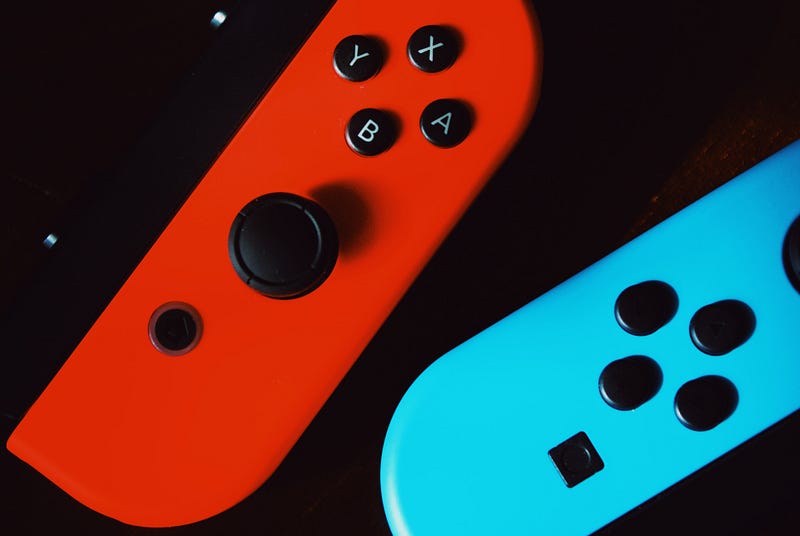
So, in some of my previous stories, I’ve chatted about both the Steam Deck and the Nintendo Switch. I’ll drop the links to those stories at the end of this post, so check ’em out if you’re interested.
But for now, let’s focus on the Steam Deck and this super cool mod that a talented modder pulled off. Ready? Let’s dive in!
What is the Steam Deck?
The Steam Deck is a super cool handheld gaming device that’s been making waves in the gaming community. It’s like having a gaming PC right in the palm of your hand!
Developed by Valve, the same company behind the popular digital distribution platform Steam, the Steam Deck aims to bring the power of PC gaming to a portable form factor.
Think of it as a combination of a Nintendo Switch and a gaming laptop. It has a sleek design with a 7-inch touchscreen display at the center, surrounded by a bunch of buttons and controls that would make any gamer’s heart skip a beat.
You’ve got your standard D-pad, thumbsticks, face buttons, and shoulder triggers, all positioned in a way that feels familiar and comfortable.
But what really sets the Steam Deck apart from other handhelds is its hardware prowess. It’s equipped with a custom APU developed by AMD, featuring a quad-core Zen 2 CPU and a powerful RDNA 2 GPU.
In simpler terms, it means that this little device is capable of running even the most demanding PC games. From AAA titles to indie gems, you can play them all on the Steam Deck.
And let’s not forget about storage. The Steam Deck comes with various storage options, starting from a 64GB eMMC model all the way up to a 512GB NVMe SSD version.
If that’s not enough, you can expand the storage using the microSD card slot, so you’ll never have to worry about running out of space for your game library.
Now, the Steam Deck shines on the software side of things. It runs on a modified version of SteamOS, Valve’s Linux-based operating system. This means you’ll have access to your entire Steam library right out of the box.
Whether you’ve got hundreds of games or just a handful, you can play them on the go without having to repurchase anything.
But what if you want to do more than just play games? Well, you’re in luck! The Steam Deck is essentially a full-fledged PC, so you can use it for all your productivity needs as well.
Need to check your emails, browse the web, or watch some videos? No problem! Just switch over to the desktop mode, and you’re good to go. You can even install other game stores and launchers like Epic Games Store or GOG.
To ensure a smooth gaming experience, the Steam Deck also includes built-in features like gyro controls and haptic feedback. These add an extra layer of immersion to your gameplay, allowing for more precise aiming and intuitive interactions with the game world.
And if you’re a fan of multiplayer games, you can connect external controllers or even hook it up to a TV or monitor for a big-screen gaming experience.
All this power and versatility comes at a price, though. The Steam Deck is not the cheapest handheld gaming device out there, with the price varying depending on the storage capacity you choose.
But considering its capabilities, it’s definitely a worthwhile investment for serious gamers who want to take their gaming sessions wherever they go.
Nintendo Joy-Cons on a Steam Deck?
Have you ever wished you could replace the existing high-quality controls on your Steam Deck with the lower-quality Nintendo Joy-Cons? Yeah, me neither.
But that’s precisely what engineering student and Reddit user mrblackm123 has done. They’ve taken the internals of the Steam Deck and put them into a new case that supports the Nintendo Switch’s Joy-Cons.
In a video showcasing the mod, mrblackm123 has added rails to the device, allowing the Joy-Cons to easily attach to the sides, just like on the Switch. However, since the Joy-Cons connect via Bluetooth, they don’t seem to perfectly replicate the Switch’s rail functionality for now.
The video reveals the complete mod, which basically involves the Steam Deck’s guts crammed into a transparent plastic shell. There’s even a large grill or fan on the back, reminiscent of the Xbox Series S, and mrblackm123 thoughtfully included a small stand to prop up the device.
Despite the impressive nature of the mod, it seems that the moderators of the r/SteamDeck subreddit didn’t pay it much attention, as they removed the post. Nevertheless, mrblackm123 shares their plans for the next step in this mod, which is to enable the Joy-Cons to charge directly from the Steam Deck itself.
Currently, the Joy-Cons charge either through the rails on the Switch or via USB when connected to the right cradle. The Switch has metal pins at the bottom that establish a connection with the Joy-Cons to initiate the charging process.
When asked about how they use the desktop mode, mrblackm123 reveals that they primarily rely on the touchscreen. To bring up the onscreen keyboard, they have even mapped the plus button to serve that purpose.
This mod is certainly pushing the boundaries of what the Steam Deck can do. It’s exciting to see someone experiment with merging the features of different gaming devices. While the reception from the r/SteamDeck subreddit moderators may not have been as expected, the modding community continues to thrive.
There’s no doubt that mrblackm123’s future plans for the SteamJoy will generate even more interest and perhaps inspire others to come up with their own creative mods.
Final Words
It’s impressive how modders like mrblackm123 are exploring the possibilities of the Steam Deck.
By combining the best aspects of different gaming devices, they are creating unique experiences.
Mods like the SteamJoy highlight the creative and innovative spirit of the gaming community.
The Steam Deck continues to captivate enthusiasts, and it will be fascinating to see what other mods and customizations emerge in the future.
If you enjoy my posts and would like to stay updated on the latest gaming-related news, technology advancements, design trends, and social media insights, I invite you to follow my profile.
I will continue to share my thoughts and insights on a wide range of topics in the world of entertainment and technology.
With that being said, thank you for reading my post, and have a good one.
Here are a few of my previous stories relating to the Steam Deck and the Nintendo Switch I believe you will enjoy:
References
Modder Rebuilds Steam Deck to Use Connectable Nintendo Switch Joy-Cons.
About Me
I write articles in my field covering gaming, film-making, social media, and design. I am also a YouTuber. Thank you for subscribing to my account to get notifications when I post on Medium. I also created a new website to share my content for free and promote stories of writers contributing to my publications on Medium. Let’s connect on Twitter and LinkedIn.
I own two publications on Medium. One for video gamers and another for YouTubers and Podcasters. I also support Illumination Integrated Publications as a volunteer editor and participate in collaborative activities in the Slack Workspace. Writer applications for my publications can be sent via this weblink. Please add your Medium ID.
If you are new to Medium, you may join via my referral link. You may also consider being a Vocal+ member to monetize your content. I write for both platforms and repurpose my content to reach a larger audience. Here is more information about Vocal Media.
This post includes my Medium and Vocal Media referral links.


