
Midjourney: Mastering Style Tuner
Part 2: Style Tuner
This story is part of the “The Styles in Midjourney” series.
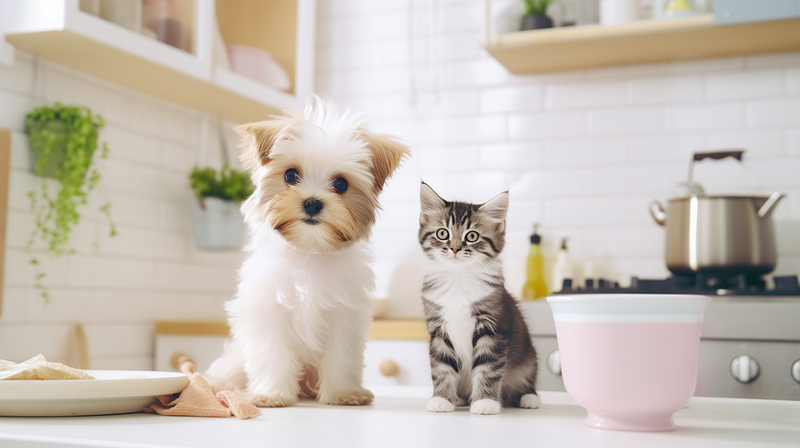
Unlike /imagine, the /tune command generates a bunch of image grids, up to 256 in a single session. That’s a total of 1,024 images! (4 images per grid x 256 grids).
Therefore, it’s worthwhile to take the time to understand and consider its options before clicking the green and scary “Are you sure?” button.
This story is part of the “The Styles in Midjourney” series, in which I will explain how Styles and Style Tuner work in Midjourney.
If you’re new to Style Tuner, you should start here.
Other stories in the series can be found by following the links below.
The Styles in Midjourney
Part 2: Style Tuner << you are reading this story in the series.
Part 5: Template Tuning Method
Part 6: Adjust a style
Part 7: Practical tips related to styles
Part 2: Style Tuner’s goal is to explain the Style Tuner creation process and its associated aspects when using the /tune command.
TL; DR
- Style Tuner is a powerful tool for exploring and creating a new, personalized style for your creation. It generates Style Codes, which can be used to apply an artistic style to an image.
- The
/tunecommand generates a Tuner or Style Tuner page. When creating a Tuner, consider the following four factors: Have you tested the prompt? Is it necessary to create a Tuner? What are the costs and number of style directions? Which mode: raw versus default? - There is only one Style Tuner tool, regardless of the prompts. The visual directions are consistent and can be generalized and described in words.
- On the other hand, the interaction of a Style Code with the prompt is a complex “alchemical reaction” unique to the prompt.
- Style Tuner, with its sample images displaying the results of these alchemical reactions (applied styles), helps users select and fine-tune the customized style.
Part 2: Style Tuner
- What is the official jargon for a Style Tuner page?
- What is the difference between Style Directions and Visual Directions?
- The Anatomy of a Tuner
- What is the purpose of a Style Tuner?
- What is the distinction between /tune and Style Tuner?
- What should you consider when using the /tune command?
- Should I create multiple Tuners for a single prompt?
- What about the compatibility of /tune with other features in Midjourney?
- What is the function of the prompt when creating a Style Tuner page?
- What happens when you create a Tuner with 128 Style Directions?
- How many sample images should be selected to fine-tune the visual direction?
What is the official jargon for a Style Tuner page?
Tuner or Style Tuner.
It is referring to the Style Tuner page or URL.
The official term, however, was not used consistently in the Prompt FAQs.
Style Tuner is also known as a tool for style exploration.
When the type of Tuner is specified, such as 128 Style Directions, the Tuner is referred to as a 128-row Tuner (128-Tuner) with 128 Visual Directions.
What is the difference between Style Directions and Visual Directions?
Generally, they are the same.
“Style Direction” is used in the /tune menu, whereas “Visual Direction” refers to the rows or grid pairs on the Tuner page.
Style Tuner has a maximum of 128 visual directions that correspond to the 128 style dimensions of the aesthetic space.
I’m unsure why the developers did not use “Visual Direction” for everything. It is perplexing to have two different terms that mean the same thing.
The Anatomy of a Tuner
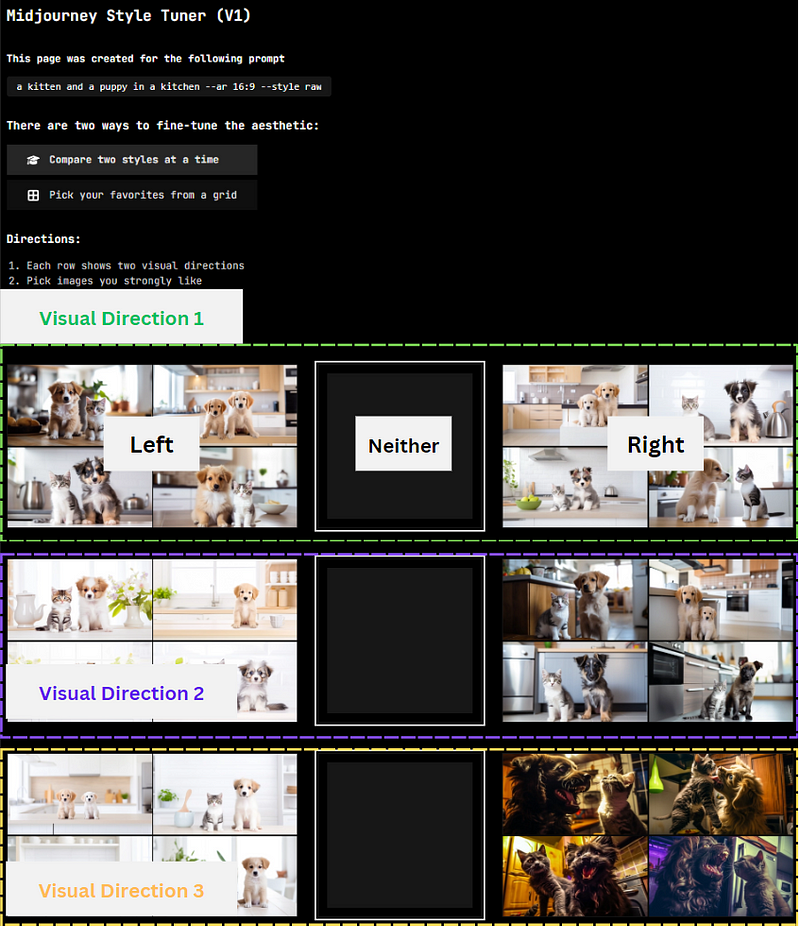
The image above shows a Tuner with 128 Style Directions. It has 128 visual directions (rows) for users to choose an image from per row.
The images displayed on the Tuner page are called “sample images.” These images will not appear in the gallery. There are merely the canvases to display the applied styles of the visual directions.
Each row in the “Pair” view has two visual directions. Choose whether you want the Left (L) or Right (R) style to blend into the final aesthetic style you’re going for or leave the row in its neutral middle position (“neither.”)
Visual Direction 1 sample images are the most popular styles that users prefer. The default Midjourney house style typically generates a style similar to this visual direction. (The left of Visual Direction 1 appears closest to the house style.)
Users can configure Visual Directions 2, 3, and other remainder directions by selecting the left or right images or skipping the selection.
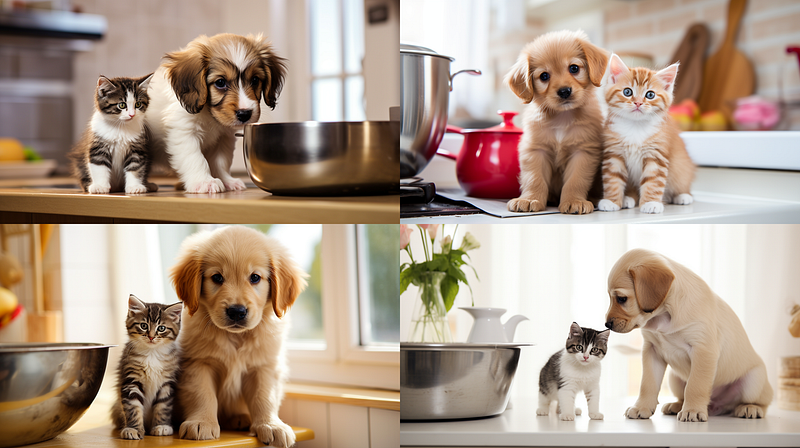
In the “Grid” view mode, each image you select pulls the aesthetic you create in that direction while leaving another aesthetic direction behind. Selecting neither direction is the neutral position.
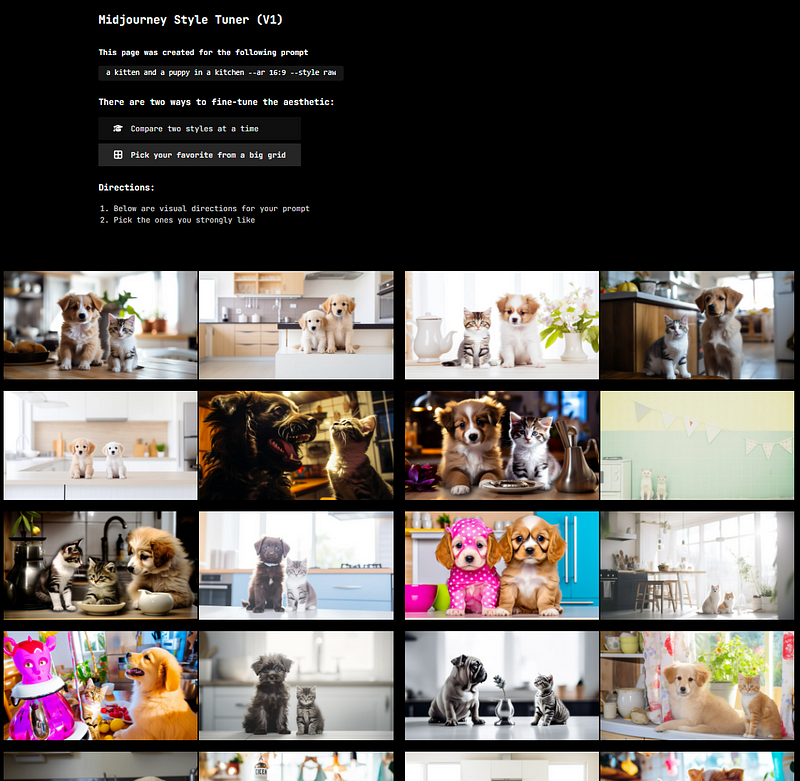
Personally, I prefer the Grid view, especially for 128-Tuner with more than 100 images. Scrolling through hundreds of rows is exhausting, let alone moving my eyes left and right to select the images.
The Style Code and the generated prompt are displayed at the bottom of the Tuner page.

What is the purpose of a Style Tuner?
(1) To explore different styles (2) To create a customized style
To explore different styles
The Style Tuner lets you explore billions of different styles.
The styles are represented as Style Codes, so users do not need to be familiar with aesthetic terminology to describe a style.
It is a style generator that generates a Style Code that you can use to apply an artistic style to an image.
To create a customized style
You can generate a customized style by configuring the visual direction of a style on the Tuner page.
A Tuner with 128 Style Directions has 128 dimensions in pairs (left and right), where you can choose the visual directions. “Configuring” means choosing either the left or right images or neither (center).
Your selection will immediately affect the generated Style Code in real-time.
The Style Code generated is your customized style, which you can apply to other prompts to create a collection of images with the same aesthetic style.
What is the distinction between /tune and Style Tuner?
The /tune command creates a link to a Style Tuner page (or Tuner).
The /tune command consumes Fast Hours after you have confirmed that you want to create a Tuner, regardless of whether you’re in /relax or /fast mode.
Depending on which bot is creating the Style Tuner, there are two types of /tune commands.
The Midjourney bot’s default /tune command will generate Style Tuner in Default or Raw mode. But you can also create a Style Tuner dedicated to the anime Niji style using the Niji·Journey bot.
Read this story to find out how to invite the Niji·Journey bot to your private server in Discord.
The developers have enabled a /relax mode that does not consume Fast Hours for the /tune command. Creating the Tuner in the /relax mode is thus… free! It is unclear how long it will remain free. I wish it would last forever!
Style Tuner is a web page that serves as a visual template for you to (1) explore Midjourney’s billions of styles and (2) customize a reusable Style Code.
You can use another person’s Tuner without using the /tune command to save your Fast Hours. Or you can use the --style random parameter.
What should you consider when using the /tune command?
(1) Have you tried out your prompt?
(2) Is a new Tuner page necessary?
(3) The Cost vs. the Number of Style Directions
(4) Raw Mode vs. Default Mode
Have you tried out your prompt?
If your prompt is lengthy and complicated, try running a /imagine job to test it out before committing to generating a large number of images in the Tuner.
Is the prompt capturing all of the elements you want it to express? Are there any errors? Do you mean cat (singular) or cats (plural)? Do you want to change anything else in the prompt?
Only create a Tuner when you are satisfied with the prompt’s output.
Otherwise, you risk creating hundreds of less-than-ideal images in the Tuner that are useless.
Is a new Tuner page necessary?
If someone else has already created a Tuner for that prompt, the bot will notify you not to create another. It is not necessary to re-create another because the generated styles are similar.
You can also generate Style Codes using the Tuner page created by others. View the Tuner pages collection created by the Midjourney community here.
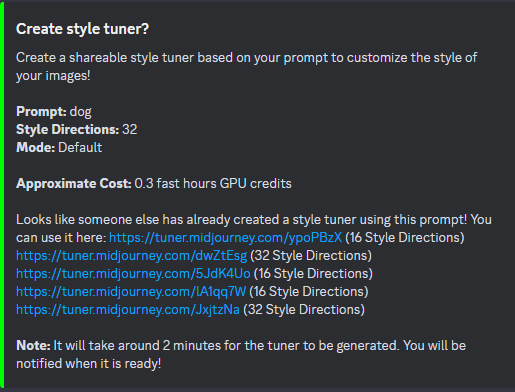
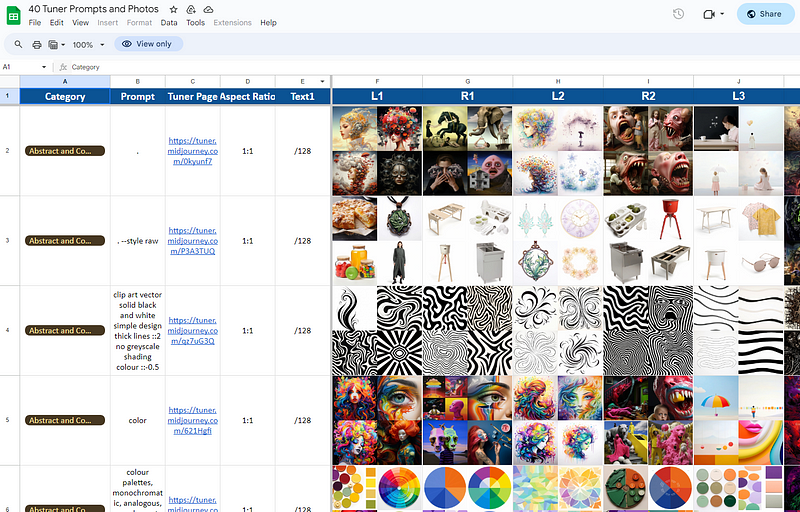
Consider the Tuner page’s utility. Do you intend to use the Style Codes for that specific prompt primarily? Or do you want to use them on various subjects (across prompts)?
There are options if you simply want to experiment with various alternative styles. “Part 3: Explore the styles” will go over how to explore styles without creating a Style Tuner.
The Cost vs. the Number of Style Directions
The /tune command lets you specify how many Style Directions (also known as Visual Directions) you want to explore. There are four options: 16, 32, 64, and 128.
Each Style Direction produces a pair of image grids to fine-tune the style on the Tuner page. For example, a “16 Style Directions” option will generate 32 image grids (16 x 2 = 32).
Creating a Style Tuner page is costly; “16 Style Directions” takes 0.15 Fast Hours, while “128 Style Directions” takes 1.2 Fast Hours! The more Style Directions you have, the higher the cost.
Raw Mode vs. Default Mode
The styles created by the Tuner modify either the (1) default Midjourney house style or (2) raw output.
Choosing “Default Mode” as the base style means using the default Midjourney house style. The created styles modify the house style. The generated Style Code will likely work as expected when applying it on another prompt using the default house style.
Choosing “Raw Mode” means generating the raw output (without the default base style). The created styles modify the raw output. The generated Style Code will likely work as expected when applying it on another prompt using the raw output. The Tuner page will automatically add the --style raw parameter to the generated prompt.
Read Part 1: Create a style to learn more about default (house style) versus raw output (--style raw).
Should I create multiple Tuners for a single prompt? To put it another way, should I make Tuners for all possible configurations: 16-tuner, 32-tuner, 64-tuner, and 128-tuner?
Short answer: Create one 128-Tuner to keep it for future reference.
Longer answer: There is only one Stye Tuner tool.
The “tool” contains 16 to 128 visual directions that you can modify and generate the final Style Code.
If you have already created a 128-Tuner, that Tuner includes all the visual directions from the 16-, 32-, and 64-Tuners.
It serves no purpose to recreate the 128-Tuner with the same prompt.
Most extended and advanced answer:
Regardless of the prompt, the visual directions are the same.
Let’s say you have two prompts: A and B. For each prompt, you made a 128-tuner. If you then make the same selections on both tuners, you will get Style Codes that work the same!
Example 1: Comparing the Tuners of the same prompt
Let’s compare the first to fourth visual directions for a prompt for 32-Tuner and 128-Tuner.
Prompt: /tune prompt: a kitten and a puppy in a kitchen — ar 16:9
32-Tuner: https://tuner.midjourney.com/NLzPvR0
128-Tuner: https://tuner.midjourney.com/JVjnTCc
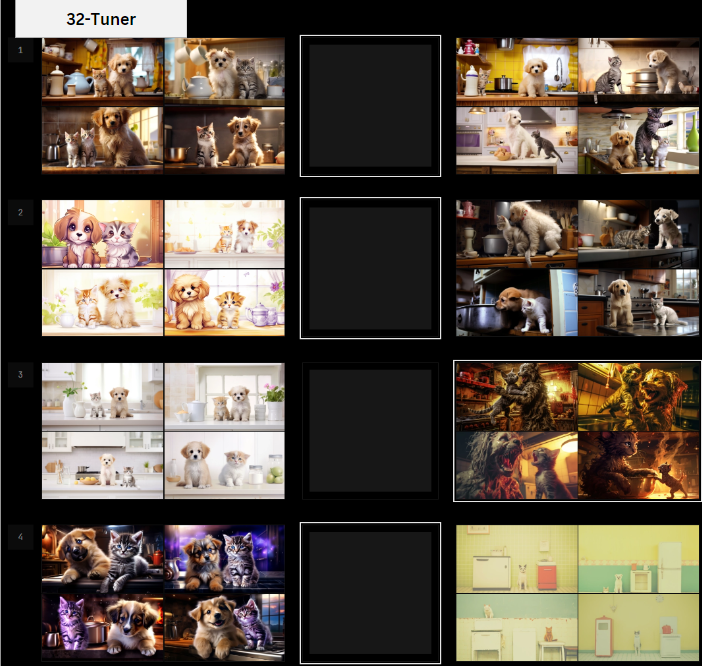
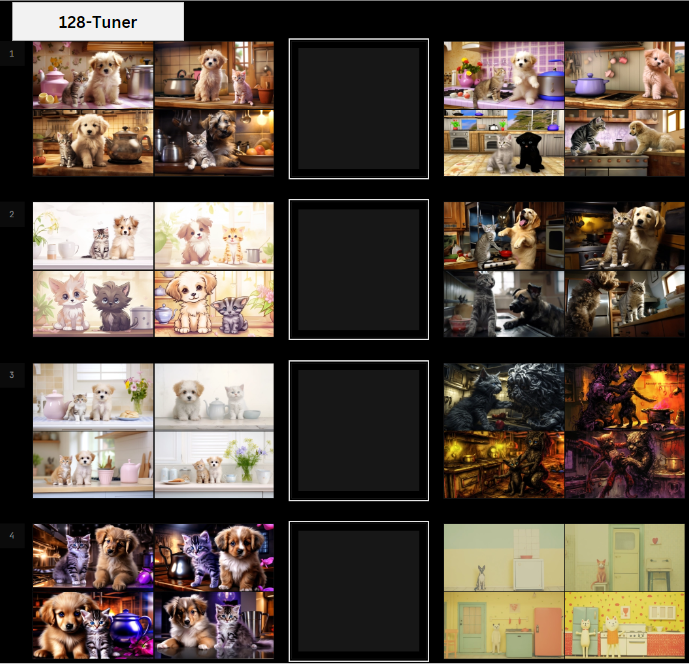
Even though the sample images are different, the styles of the visual directions are noticeably the same.
The 128-Tuner has more visual directions (styles) that include the direction of the 16-Tuner.
Example 2: Comparing the Tuners of the different prompts
Let’s compare the first to fourth visual directions for two different prompts for 128-Tuners.
The 128-Tuner is the same as described above. The third visual direction’s right image (3R) contains horror images.
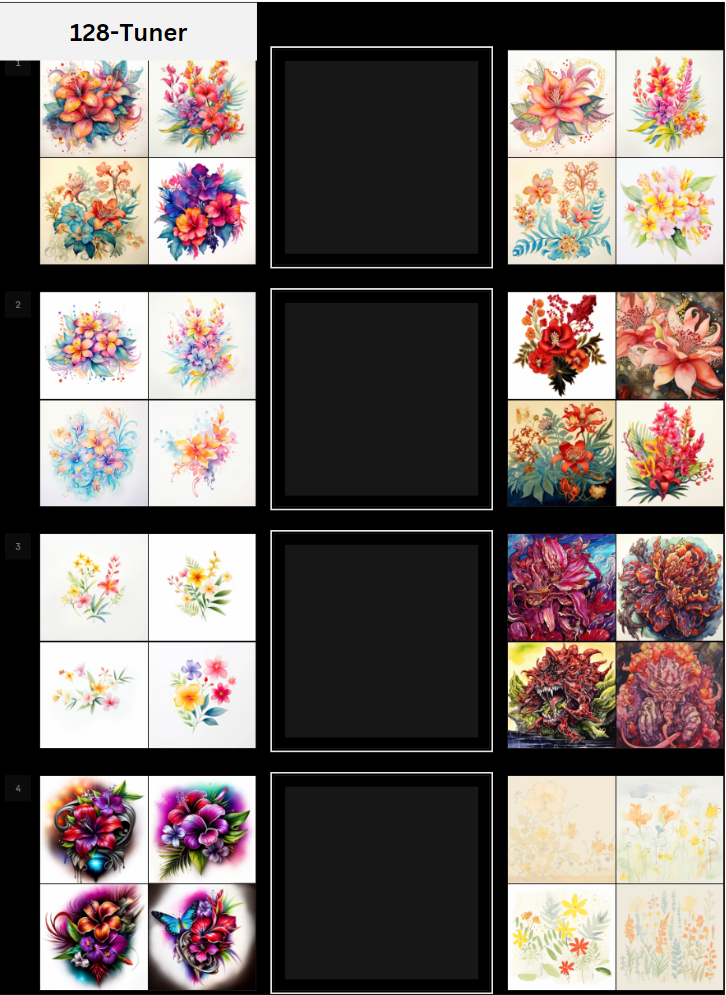
The above is another 128-Tuner.
Prompt: /tune prompt: a watercolor illustration of flowers in the style of balinese
128-Tuner: https://tuner.midjourney.com/VNN5mV4
Even though the prompt has nothing to do with animals, the right image in the third visual direction (3R) also contains horror images.
In other words, regardless of the prompt, there is only one Style Tuner tool that will produce the same style for each visual direction.
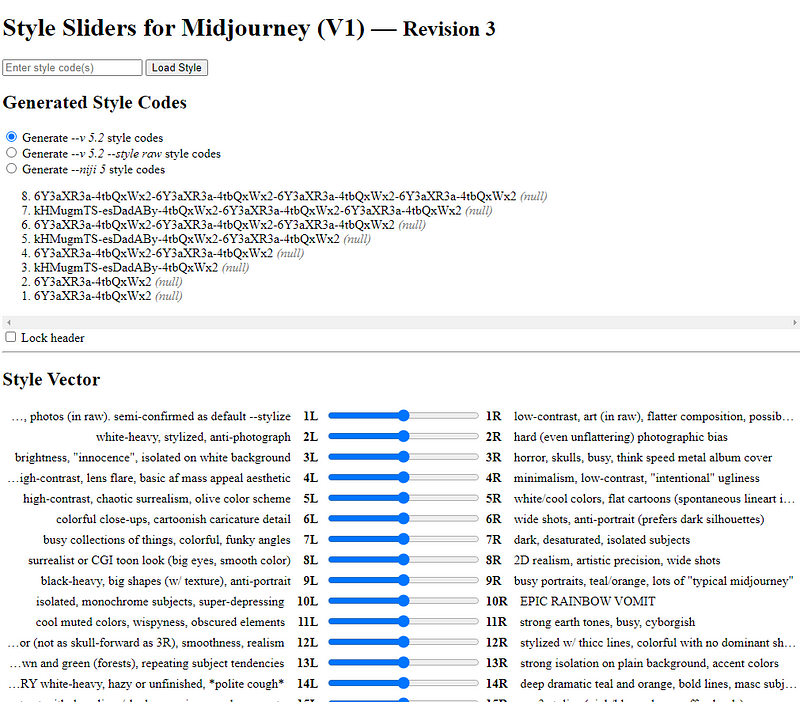
Example 3: Style Sliders for Midjourney
Even though the prompts are different, each visual direction has the same style.
Indeed, we can represent visual directions with words and sliders.
Consider the visual directions as “themes.” This analogy can be demonstrated using this online tool.
(The use cases of the Style Sliders will be discussed in another story.)
What about the compatibility of /tune with other features in Midjourney?
Midjourney recommends using /tune prompt without the parameters.
However, /tune is compatible with prompts that include the following:
- Style phrases or keywords (e.g., watercolor, a photograph…etc.)
- Aspect ratio parameter
--ar - Chaos parameter
--c - Tile parameter
--tile - Multiprompts
/tune and Style Codes are incompatible with image prompts that do not have a text prompt.
Weights and image references in the /tune prompt will only effect the sample images, not the generated styles.
What is the function of the prompt when creating a Style Tuner page?
The prompt is not part of the generated styles in the Tuner.
The prompt creates the canvases on which the styles will be applied.
The “canvases” are also known as “sample images” on the Style Tuner page.
The prompt helps to create the “sample images” applied with the styles.
Sample images with the applied styles help you get an idea of what “visual directions” are doing.
That is why the sample images are also referred to as “visualization tools” for the generated styles.
Example:
Creating a Tuner with only a dot “.” as a prompt resulted in 32 visual directions, even though the dot contains no information about the subject, style, settings, or anything else.
The prompt is the canvas on which the visual directions’ styles are applied.
Prompt: /imagine prompt: .
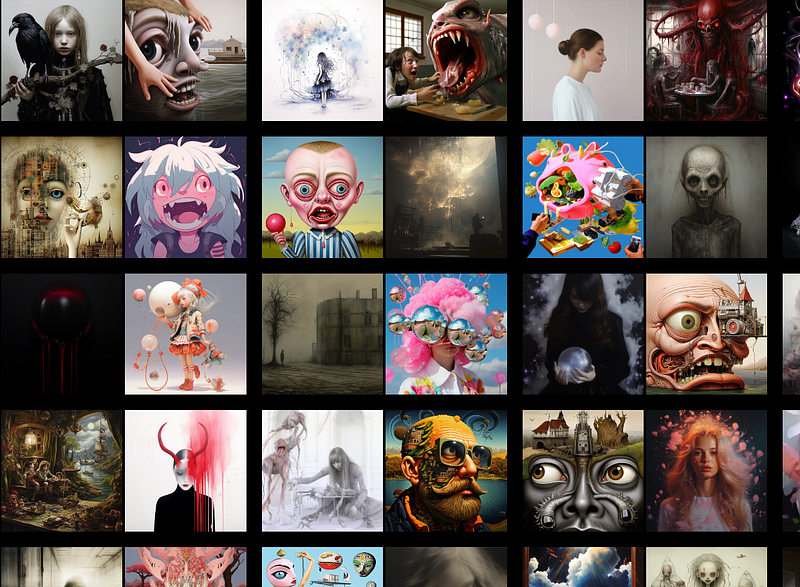
Having said the above, the original prompt used to create the Tuner is not totally useless.
It is crucial to use the original prompt as a template and make gradual changes when applying a Style Code to another prompt. This helps make the style more reproducible.
The “alchemy” of the style refers to the interaction of the style and the prompt. And the outcome of the alchemical reaction is unique to the prompt.
As a result, using a specific prompt to create a Tuner is still preferable to using a meaningless prompt like a dot because the specific prompt can also serve as the template to change its subject, setting, and others.
What happens when you create a Tuner with 128 Style Directions?
When you create a 128-Tuner, you create forces acting on the prompt on the 128 dimensions of aesthetic possibilities.
The grid view shows “left” (L) or “right” (R) visual directions along these 128 dimensions.
The sample images on the Tuner page represent these visual directions.
When you select the left or right sample images, the prompt will be pulled along that visual direction, resulting in the final style.
The visual directions correspond to coordinates in an orthogonal 128-dimensional aesthetic space.
Choosing left, right, or neither roughly means going less or more deeply into that area of the aesthetic space, or staying put.
Your selection is the configuration for your customized style.
How many sample images should be selected to fine-tune the visual direction?
The selected visual directions are blended.
If you choose a large number of sample images, it means you are combining several visual directions. It is difficult to predict how the resulting style will look.
Choosing only a few sample images (visual directions) increases the likelihood of a predictable style corresponding to your choices.
Midjourney recommends selecting 5–10 sample images in the announcement.
I usually select less than 5 sample images.
How about you?
Related stories
Conclusion
- The
/tunecommand is used to create a Style Tuner. It is a style exploration and customization tool. - There are two kinds of
/tune: (1) the Midjourney bot’s default/tuneand (2) The/tunecommand of the Niji·Journey bot. Using the bots, you can create two types of Tuners. - Test the prompt with
/imaginebefore creating a Tuner to ensure it works as expected. Consider the cost, the number of style directions, modes, and the tuner’s utility. - It is not necessary to create multiple Tuners for a single prompt. The 128-Tuner will cover all styles in the 16-, 32-, and 64-Tuner.
- Regardless of the prompts, there is only one Style Tuner tool. The visual cues are consistent and can be generalized and described in words.
I hope you like this story!
Please give me a clap or leave a positive comment to let Medium’s algorithm know that this story is helpful and has contributed to its platform’s success.
Your support inspires me to create higher-quality content in the future!
Never miss a story. Follow me on Medium for updates, stories, and tips about Midjourney.
Sign up here for a free email alert when I post a new story.


