
iOS 17 Is a Mind-Blowing Update — 10 Amazing Changes!
Your iPhone will never be the same old one
#1. ProRes shows if you’re in HDR or SDR
Previously, when you had ProRes toggled on (Settings ⚙️< Camera 📷 < Formats < Apple ProRes), you’d see this glyph at the top-left corner when you’re about to take a video:
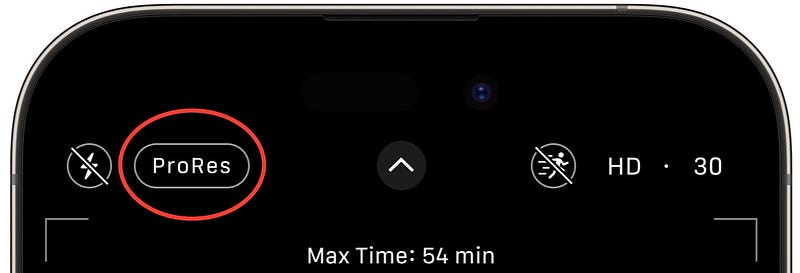
That’s simply a plain glyph that lets you toggle ProRes by tapping on it. It now got a facelift:
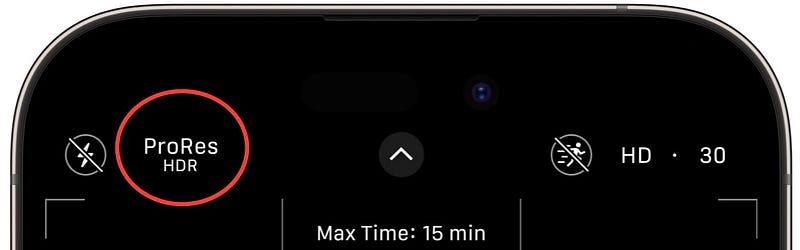
Apart from letting you toggle ProRes, it also shows if you’re on HDR or SDR setting.
PS: Toggle HDR or SDR in Settings ⚙️ < Camera 📷 < Record Video < HDR Video.#2. Depth Control can now be ‘Preserved’
You already know you could preserve Camera settings like
+-------------------+-------------+
|Camera Mode        |Portrait Zoom|
|Creative Controls  |Action Mode  |
|Macro Control      |Apple ProRAW |
|Exposure Adjustment|Apple ProRes |
|Night Mode         |Live Photo   |
+-------------------+-------------+
in Settings ⚙️ < Camera 📷 < Preserve Settings .
Depth Control just joined the bandwagon. You can now preserve it for every Camera session and not let it reset.
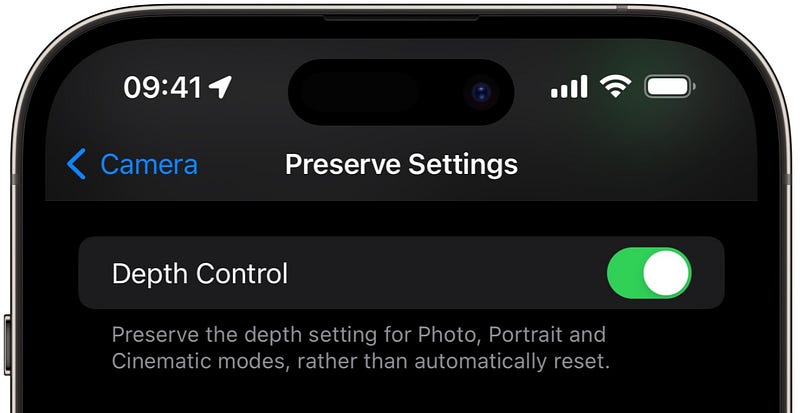
Appendix: To adjust Depth Control,
- Head over to Camera and tap on Photo, Portrait, or Cinematic mode,
- Tap ⓕ at the top,
- Drag the slider at the bottom to adjust the effect,
- Swipe down to close.
Bonus — Camera settings rearranged
Observe.
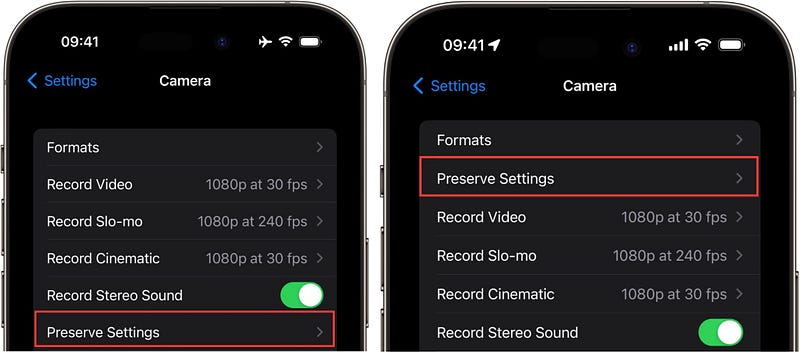
The ‘Preserve Settings’ option we’ve just talked about was moved to the 2nd spot below Formats on iOS 17. Previously it was at 6th.
#3. Two new Siri voices each — for German and British
We’ve now got four new Siri voices — two for German and two for British English.
To try them,
- go to
Settings ⚙️ < Siri & Search < Language, and tap on English or German (any country). - Now go to
Settings ⚙️ < Siri & Search < Siri Voiceand listen to them.
Lemme spoil :)
German Male:
Click on 'Listen in browser' if it appears.German Female:
British Male:
British Female:
#4. Slide to Type for German Keyboard
German keyboard just got intelligent enough to support ‘Slide to Type’.
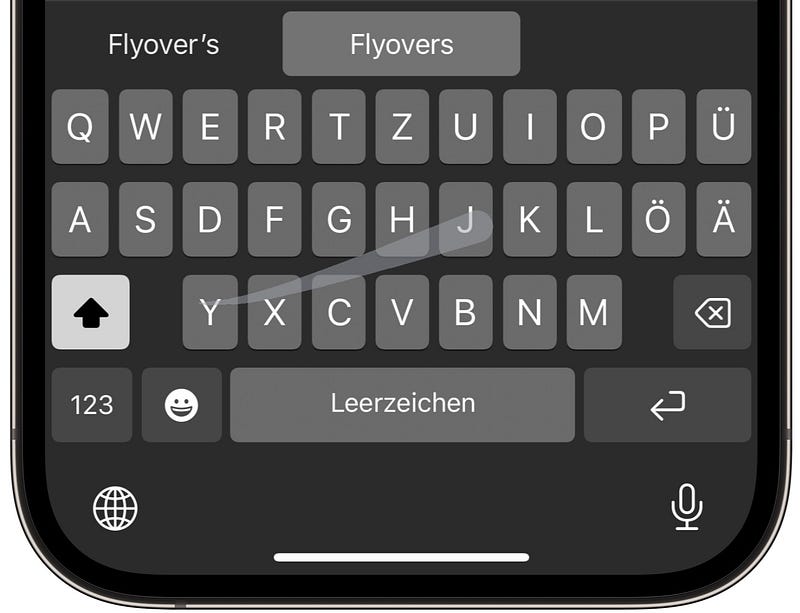
So instead of tapping letters, you can now slide your fingers smoothly across the keyboard to form meaningful words.
Try it out by setting German keyboard in Settings ⚙️ < General ⚙️ < Keyboard < Keyboards < Add New Keyboard... .
#5. Microlocation is gone!
I’ve mentioned in #6 of this article →
that there’s a mysteriously new location toggle called “MicroLocation” that’s toggled on by default. And Apple never mentioned why it’s for.
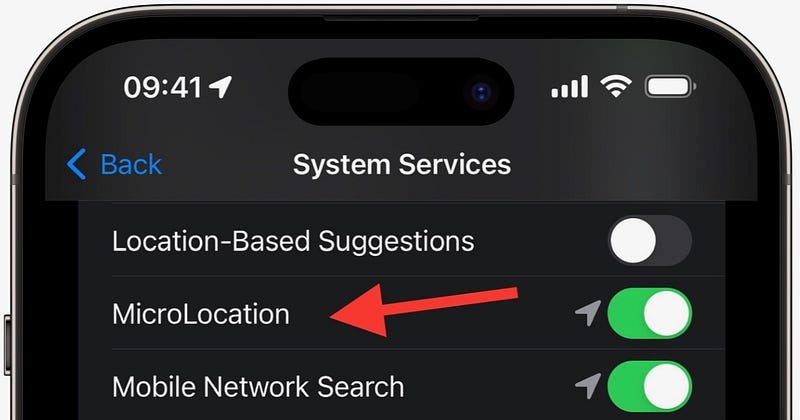
I thought it’s a hint for a massive feature ahead.
But sadly, it’s removed in iOS 17 Dev Beta 3. Hope Apple returns it back later with some actual functionality.
(I found it in Settings ⚙️ < Privacy & Security ✋ < Location Services ↗️ < System Services ⚙️ < MicroLocation)#6. “Recording video is not available while on a call”
Most people didn’t know their iPhone could this:
Try recording a video while you’re on a call.
Try it NOW.
You can’t. Coz you won’t even find ‘Video’ mode in Camera. It’s deliberately hidden — coz you know Apple doesn’t allow recording calls. And it’s afraid if you’d record a call in the guise of recording video.
However, on iOS 17, tho Apple shows video option on Camera, when you press it, you’ll see this:
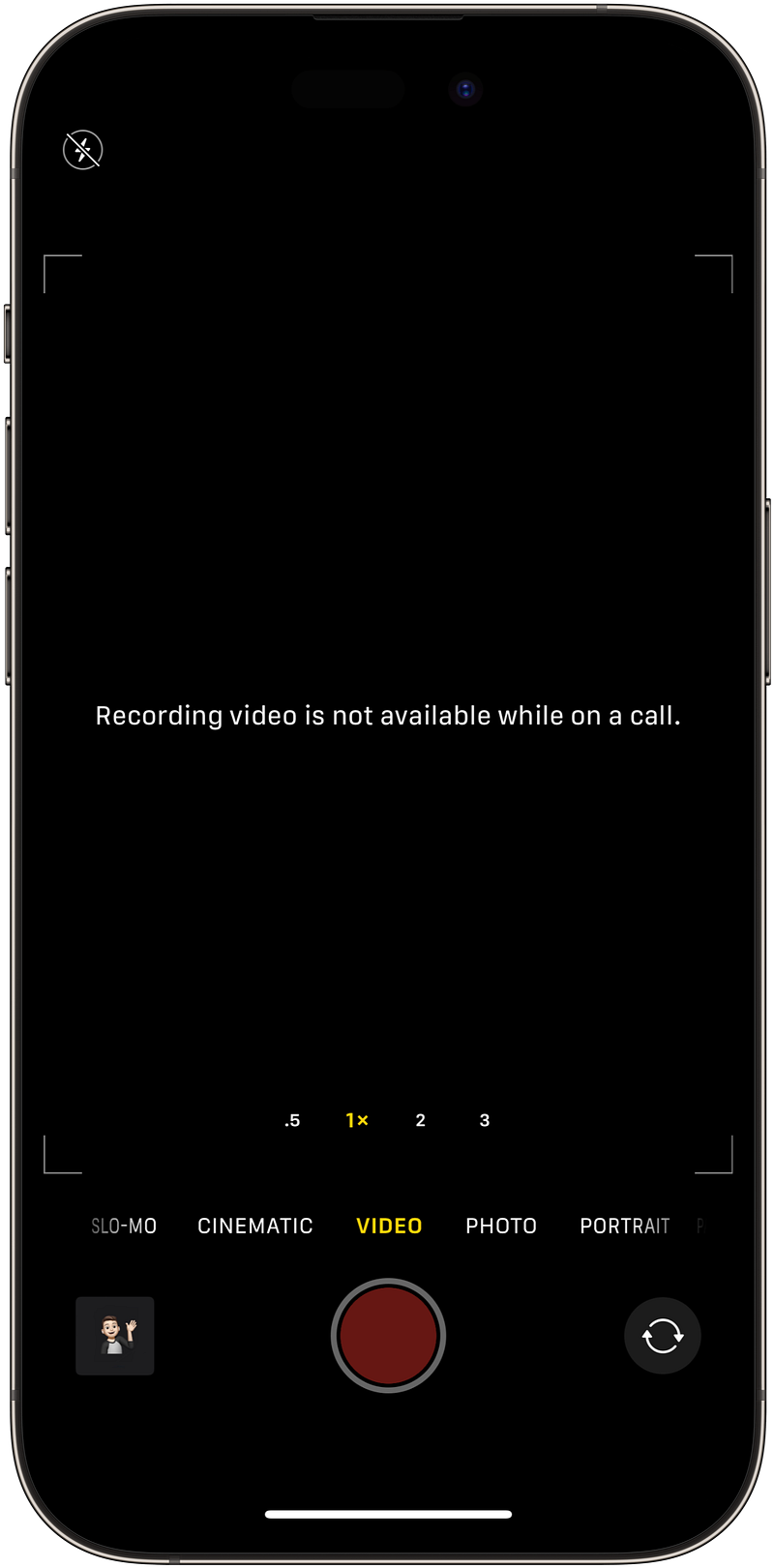
#7. General menu expands a bit to show if you have an update
You already know this — whenever there’s a new iOS update available, you see this red ① beside General ⚙️ in Settings. Like this:
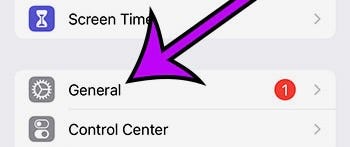
There’s a slight UI change to it on iOS 17.
The ‘General’ bar expands a bit in size to accommodate a bigger ①:
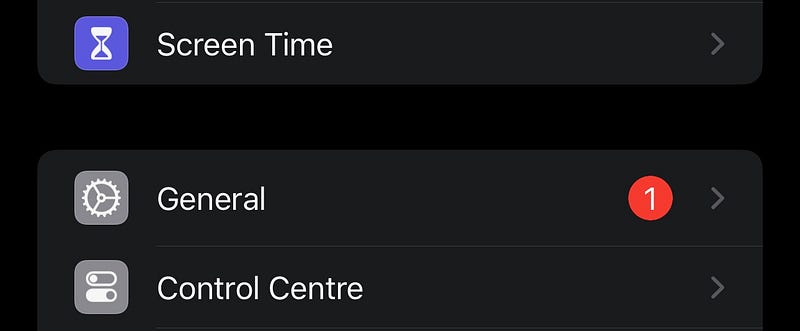
Hope you’re able to observe it.
#8. Look Up Music album screenshot
iOS 17 got some great upgrades for Visual Lookup (VL). Apple’s added a lot of new things VL can now detect both in images and video frames.
…including Laundry 🧺 and Auto symbols 🛞 I’ve mentioned in #2 of this article →
I’ve lately discovered one more thing VL can detect — Music Albums.
I’ve tested it out by taking a screenshot of a song playing on Apple Music and VL showed this in its info:
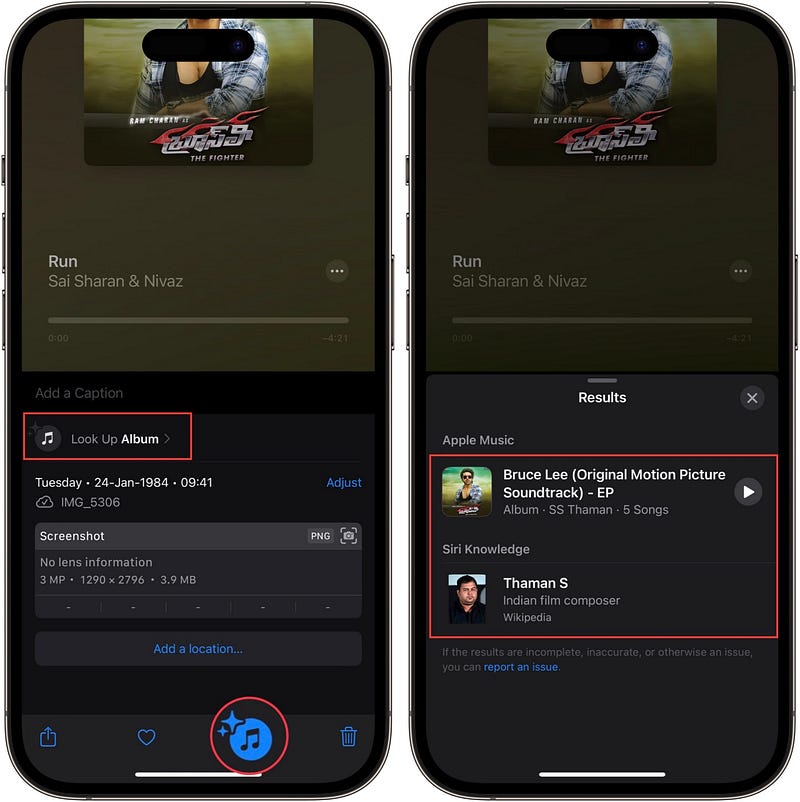
And when I clicked on ‘Look Up Album’ it showed up the entire Album and the composer.
How cool is that!
#9. Review Privacy settings while uploading Photos
While you’re uploading Photo(s) to a website on Safari, you’ll now find a new interface that includes much-needed privacy settings.
So when you’re selecting Photos to upload, you’ll see ‘Options’ button at the bottom-left corner.
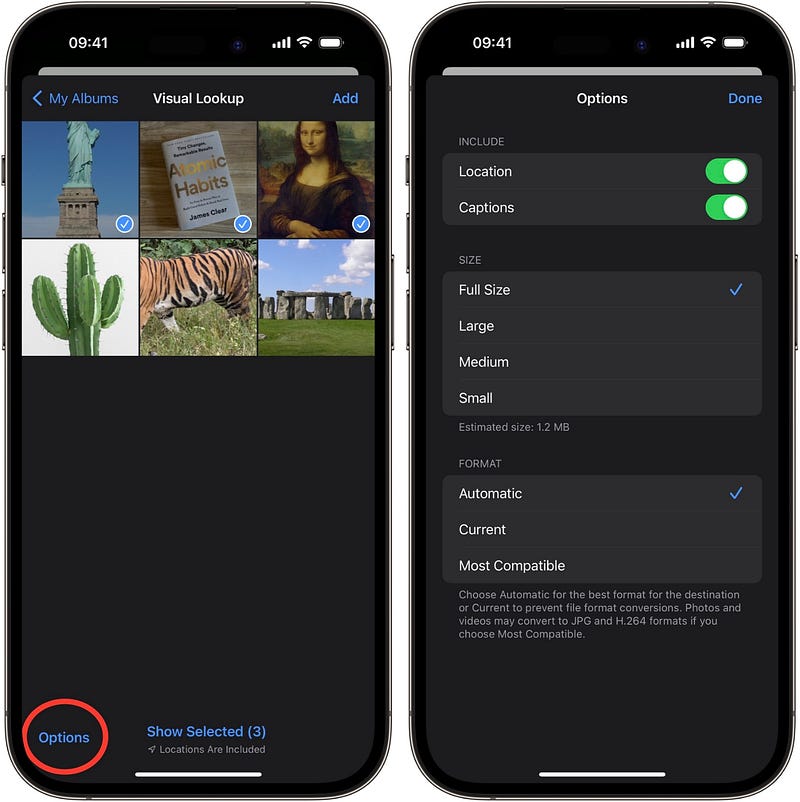
Tap it, and you’ll be able to choose
- whether or not to include Location and Captions,
- the size of the photos, &
- the format of the Photos to upload.
Pretty cool, right?
#10. View average temperatures and precipitation of a place
Apple’s put noticeably a lot of effort into improving Weather on iOS 17. For example, I’ve mentioned in #4 of this article →
that Weather’d now show real-time Moon position in the night sky. Like this:
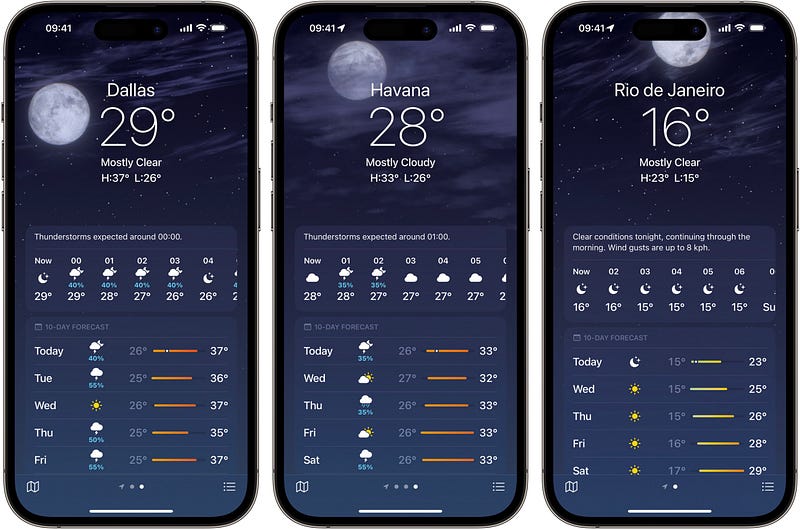
Here’s another awesome feature:
You’d now see averages for Temperature and Precipitation for a place. To see it for your place, simply scroll down and tap on Averages 📈:
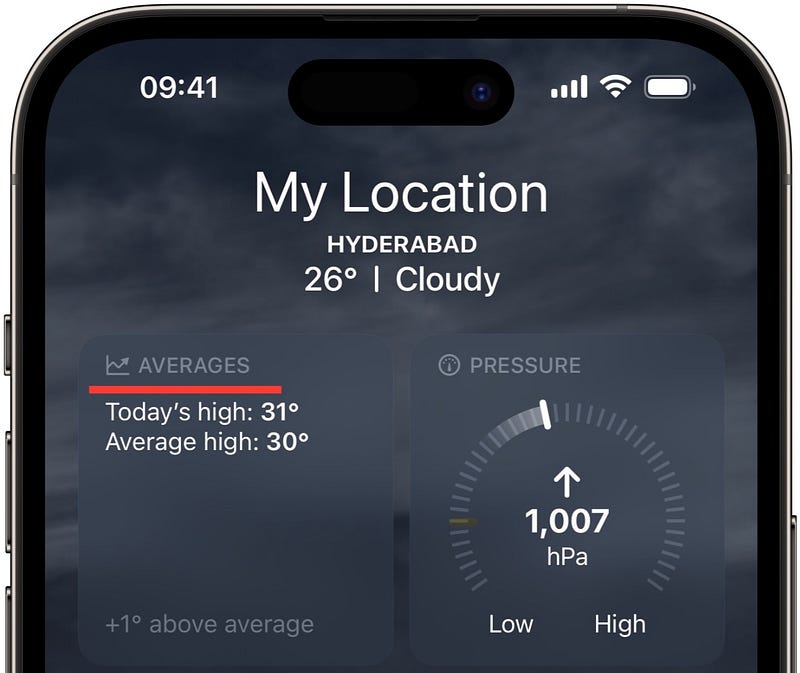
(See, it’s already showing current day’s high and average high temperature)
Inside, it displays info like
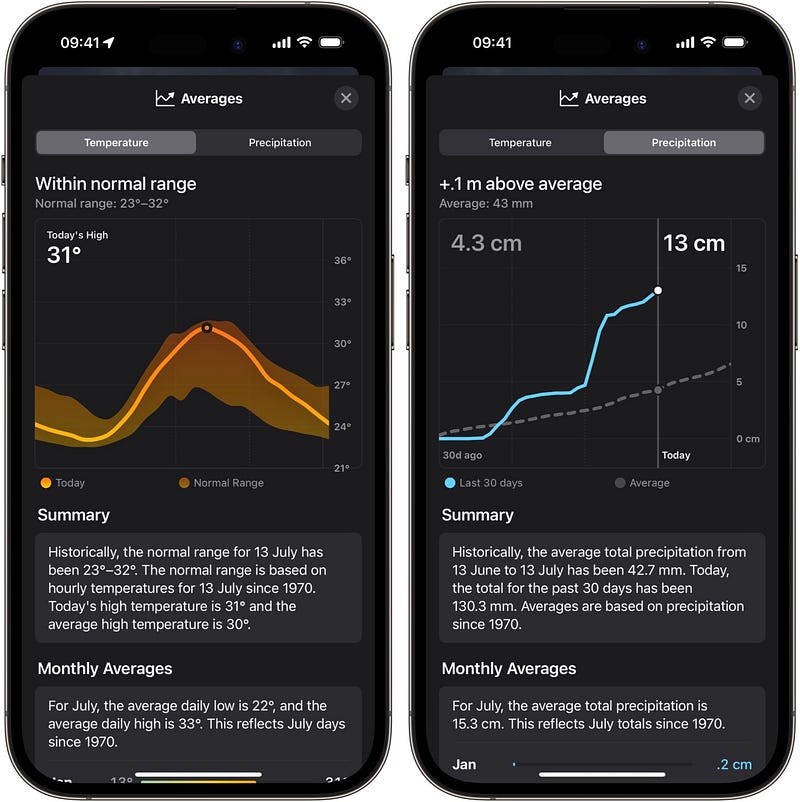
Isn’t iOS 17 awesome?
125+ new features of iOS 17: A Compilation (Always Updated):
Finally,
If you love exploring new iOS & Mac apps (like me), consider subscribing for Setapp. You’ll get access to a curated collection of 240+ amazing apps for just $9.99 a month, which rather cost hundreds of dollars if purchased individually.
Use my affiliate link to start your Setapp journey! (It’s free for 30 days)
If you enjoyed this story, join 395+ others to get notified whenever I publish a new story.