
Import Your Todoist Tasks Into Roam Research
Using Python, MatPlotLib, and Markdown

Roam Research is a tool where everything that you do comes together. Your research, your personal cultural Zeitgeist, and your metadata and notes about your daily life. What about your third-party tools? Namely, what about your To-Do List, like Todoist?
Ian Drummond wrote a great article about using a stack of apps.
He writes about “jobs to be done,” which:
In a nutshell, it’s the idea that product owners should dig deeper than the product and focus on the needed outcomes.
This idea is that we should use a tool for its intended purpose and not force a round peg into a square hole. While every tool has its purpose, we need to build an organizing system to host all data.
I still want to combine my Todos with my daily notes in Roam Research and measure my work output vs. expectations. To do this, we are going to use the Todoist Activity API. I’m assuming that you already have access to the API and generated your token. If you haven’t, here are the instructions.
Get a List of Projects and Activity
First off, set up your Todoist API call.
I want to tie everything back to Pages in my Roam Database. To do that, we need to get the names of my Projects. Since Todoist’s API (and the rest of the data) is all tied to Project IDs, we will create a dictionary of Projects that hosts the names. We will also rename some of our Todist Projects Names to Roam Research Pages.
Python Code to get Todoist Projects
Get all of our Todoist Activity
Data Preparation from Todoist Activity
We are going to do two things to get our data ready. We will create a dictionary of completed projects and another for a count of all activities within the extract by project.
The first page of any activity call is limited to this week and is capped at 100 items; you may need to iterate to get your total activity. See here for more information.
For this exercise, we will treat updated items as if they have had their date changed or “pushed.” I want to track when I postpone or change a due date on a task, so I’m assuming that I delayed completing a task when something is updated.
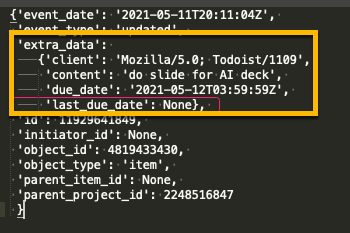
You can check the extra_data sub-object for the fields due_date and last_due_date to make sure that your update was for a time shift or some other form of updating.
Creating a Chart
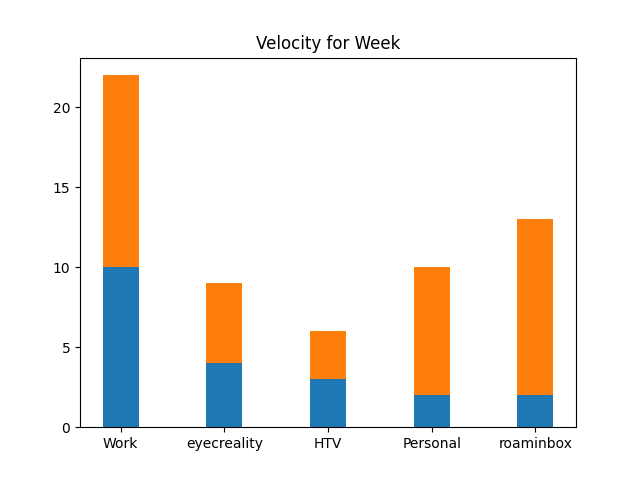
We will use MatPlotLib to chart out our completed tasks and those items that have been delayed. I’ve created a stacked bar chart by project of completed tasks and UNIQUE postponed tasks. This way, I know what I scheduled to complete this week and what actually got achieved.
And Here is our Output. You can choose to copy this into your weekly tasks.
Export to Roam Research
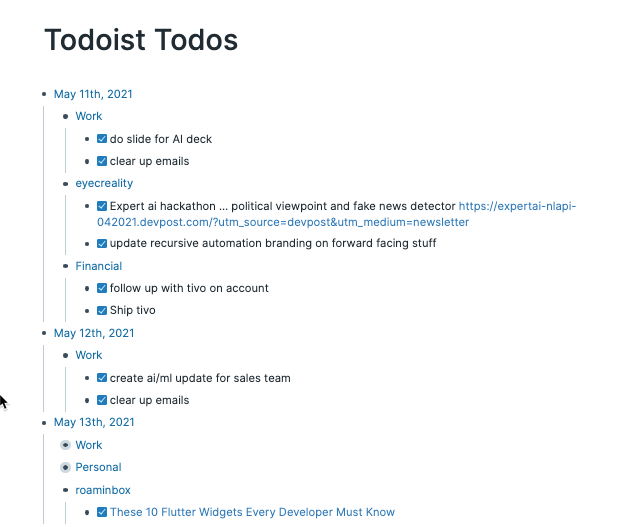
To export to Roam, we will create a single page for all of my Todoist Tasks and then group the tasks by day and project.
Building Dictionaries for Roam Import
Building Roam Markdown Imports
Time Stamp Conversion
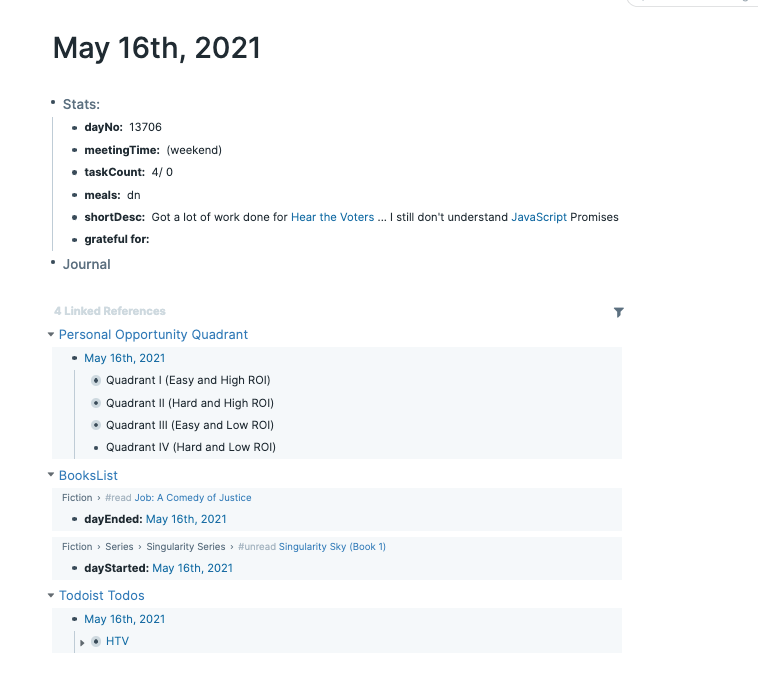
I also needed to convert the timestamps to days, so my work would link correctly to my daily pages.
After you import your markdown files, your tasks will be tied directly to your Pages and your Daily Pages.
You can find all of the code at my public GitHub Repository.
Next Steps
Now that I have set up my Todoist -> Roam Research Pipeline, I have some more work to do, namely:
- Import my Outlook Calendar
- Start Reviewing My Task Velocity and proactively warn myself when I might have overcommitted
- Start Tying my research to actual tasks
- Creating a weekly retrospective cadence
If you want to follow along with my journey, make sure to join our mailing list and check out these other articles.
This article was originally published at www.recursiveautomaiton.com on May 17th, 2021.


