
How To Use Zoom To Build A Strong Presence On Stage.
Many of us use Zoom for Webinars and virtual conferences. Do you know effectively using Zoom’s features can help us prepare for a speaking engagement? This is how.

Zoom’s importance as a virtual workspace exploded in 2020. Stay home policies prompted and accelerated the need for multiple party meetings.
Zoom was there when it happens, and we are now daily users of the platform. We know it works for Webinars and meetings.
Can we find other purposes for our Zoom account?
The answer is yes, and you might find it surprising. I will share in this story how the Zoom features can be used to improve communication skills and prepare for virtual conferences.
I will demonstrate step by step how we can utilize Zoom to build a strong presence on stage.
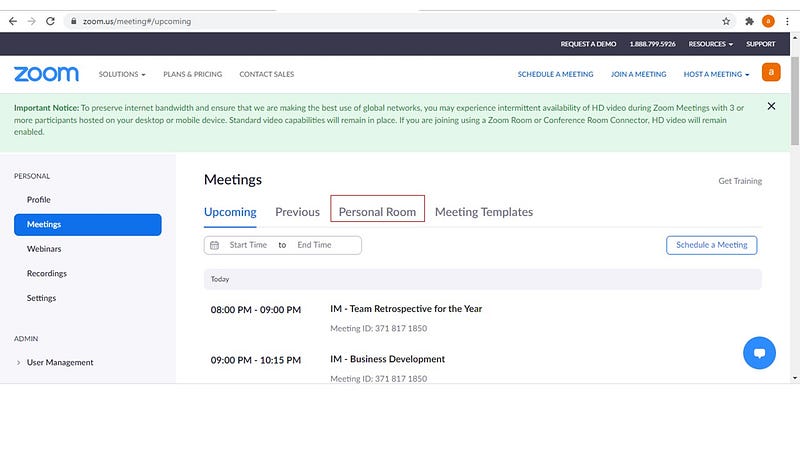
First, upon login, you will be brought to the default landing page known as Meetings. You can see that on the left panel highlighted in blue. On this same page, there is a “Personal Room” tab. Refer to the screenshot below to locate where the tab is. Click on it.
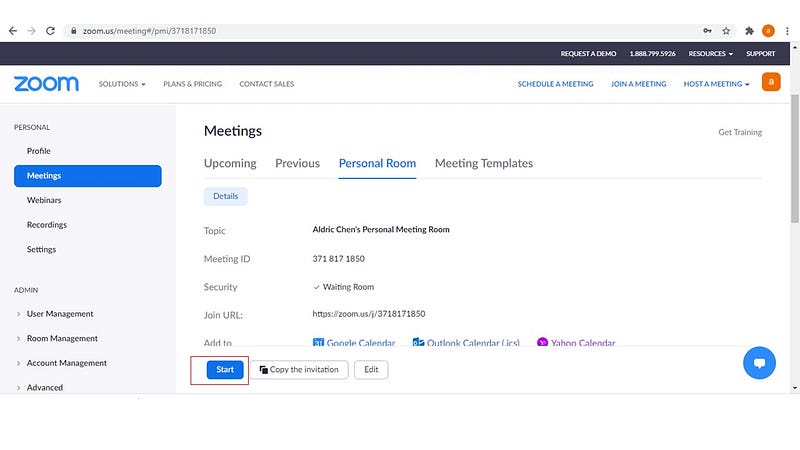
It brings you to your personal room. This is the screen when you will be looking at. There is a blue “Start” button featured at the bottom of the page where I boxed it in red. Press the “Start” button.
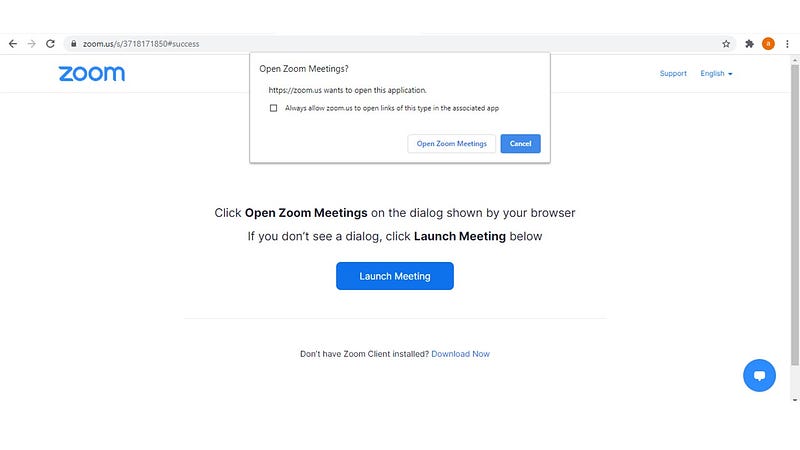
There will be a prompt asking for your permission to start the meeting. This is no different from using Zoom for a webinar or virtual conference. Proceed by clicking on the “Open Zoom Meetings” button.
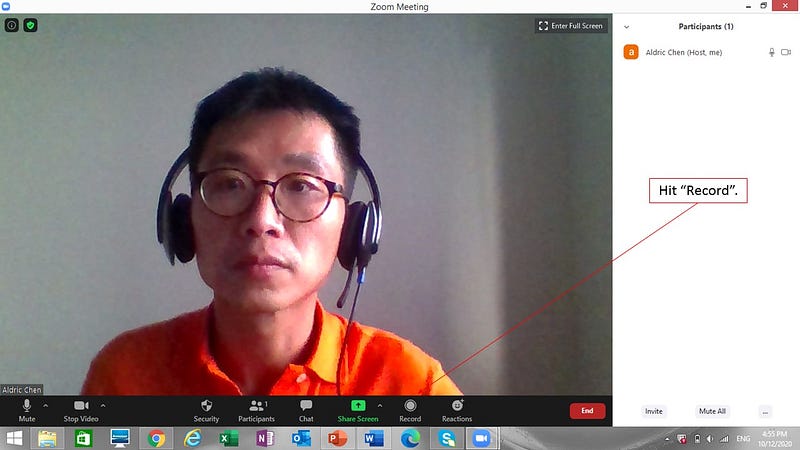
You have entered your personal room. To start practicing for future speaking engagements or improve on your spoken communication, we can start by pressing the “Record” button. I will explain why we have to do it in a moment.
When you hit on the “Record” button, there will be a prompt for the recording to be done on your computer or Zoom cloud. The choice is yours. I typically store my recordings on my computer.
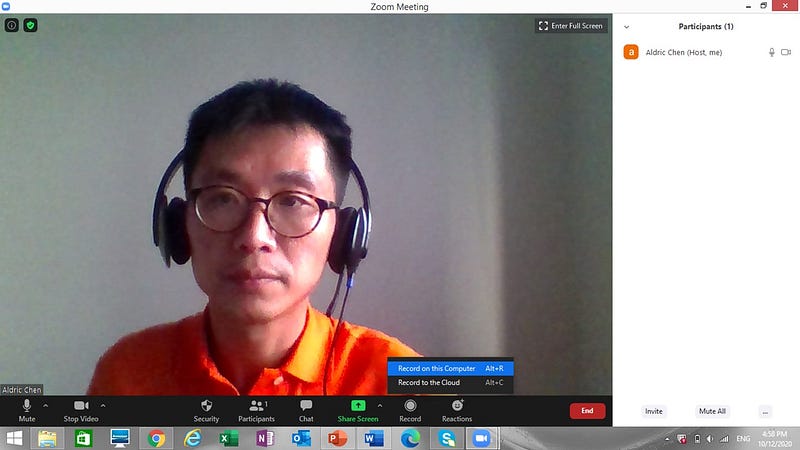
Start recording.
When you are done with the practice/rehearsal, end the recording. A message will prompt on the top-right of your computer screen to indicate that your recording will be converted to Music Player 4 (MP4) format when the meeting is ended by the organizer (you). End the meeting.
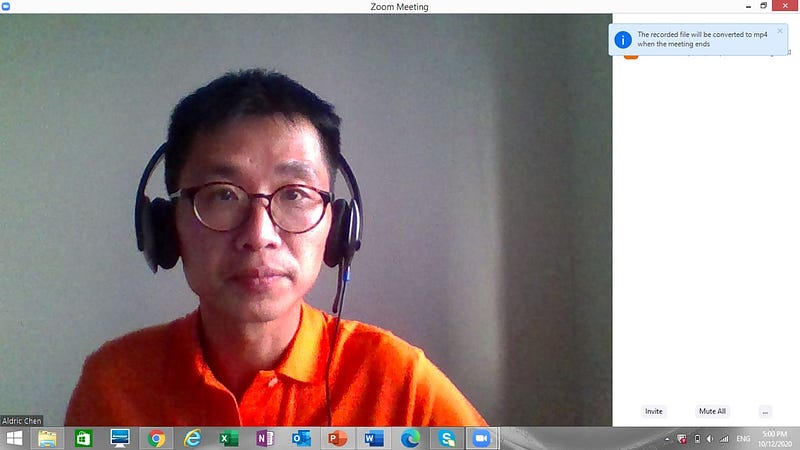
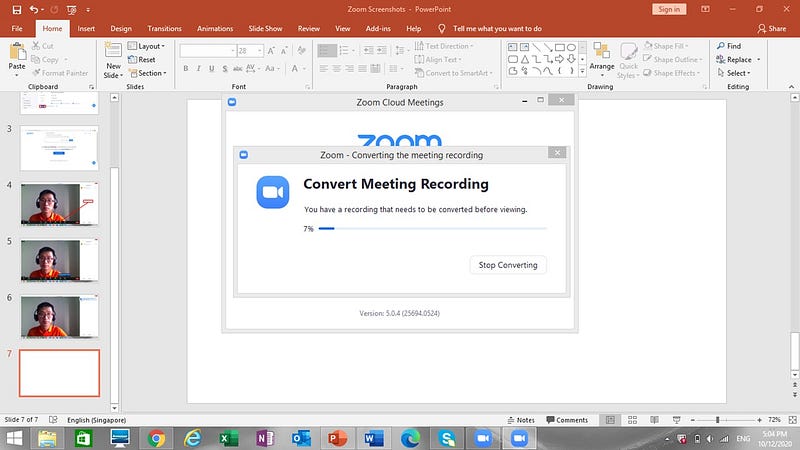
When you leave the Zoom meeting, a notification pop-up will appear indicating the progress of conversion into MP4 format.
A folder will be automatically created to store this MP4 file. This folder will appear under This PC > Documents > Zoom. The folder will be named using the timestamp that is created so you will not be confused by your earlier recordings.
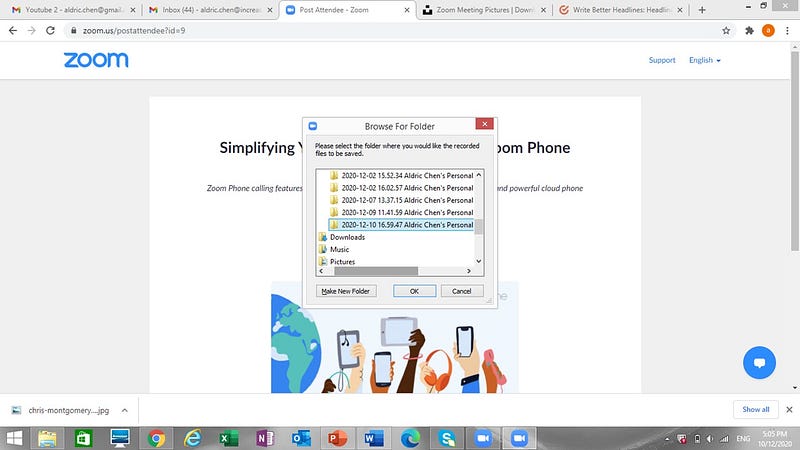
Proceed to the folder. You will see the following.
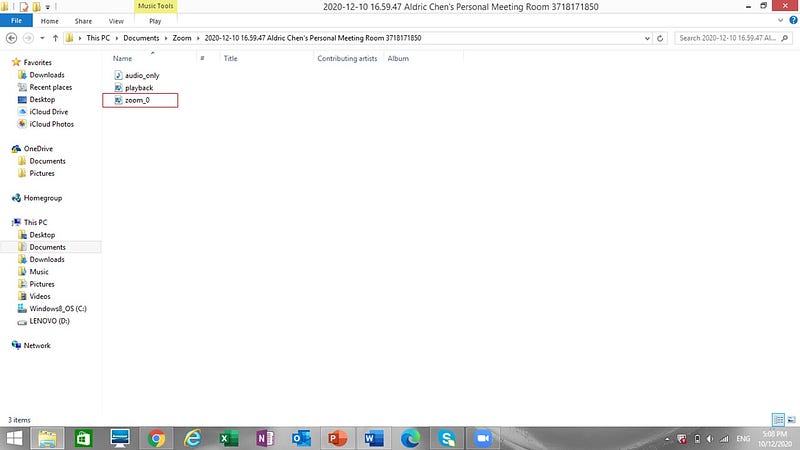
Double click on the MP4 file that is named “Zoom” in the folder.
The MP4 file will start playing on Windows Media Player, where we can watch our replay.
This is important because the recording we have performed is not just about practice. We can replay and review our current performance over and over. That means we have the basis to improve each time we go on air.
How Does This Help Us Build A Strong Stage Presence?
For one, we can hear how we speak. As we script our delivery, we might think that our delivery will be smooth. It is through practice and deliberate articulation we find out about our attempt to perform a tongue twister.
As we watch our replay, we hear how we sound like, hear and identify unnatural pauses, and identify segments where there are tongue twisters.
As this is an MP4 recording, we can view and review our performance repeatedly, seeking to improve each time after review. We can also pause segments of the video to scribble editorial updates into our script immediately.
There is no need to rely on faint memory to pin-point the sub-optimal section of the script for updates.
Also, we can watch ourselves. We can see how we carry ourselves within the little cubes that we are boxed into as we speak to many participants in a virtual conference format.
We can check our hand gestures if they are too excessive. Yes, they can be, especially when the real estate on Zoom is severely limited and our hands can get out of the cube.
Annoying? Yes, I know. We learn.
If it helps, we can also check the lighting and the reflection of the clothes we wear. This is to minimize excessively visual assault to the other participants. We might not realize it in real life, but it can be the case online.
My orange polo-tee in the images above is a case in point.
Zooming All The Way.
Beyond interacting with others for Webinars and virtual conferences, the personal room on our Zoom account can be used for practice/rehearsal leading to a speech or a talk.
It can also be used for improving our personal communication, reviewing, and making ourselves as effective as possible in terms of communication online.
Doing that builds our stage presence.
Don’t forget. We get to watch and review how far we have come if we put in the consistent work.
A strong stage presence awaits.
Zoom Is Not Just For Meetings!
Aldric
Related Stories from the Author.
About the Author:
As a content contributor, I write my observations from daily life and my business exposure.
Because our life experience is the bedrock of our unique perspectives.
As a Consultant by training, I believe in making the complex simple.
Because simplicity adds value.
And with clarity — We grow.
Follow me for my stories on Medium!
This is more “About Me”.
Do reach out and say hi on Linkedin!


