
Artificial Intelligence, AI Art & Visual Design
How to make 3D images with AI art that will grab readers’ attention
3D images that can be embedded anywhere (yes, even on Medium!)
Regular readers will have noticed I’ve been using 3D images in my articles recently. Why? Because they reach out and grab readers by their eyeballs!
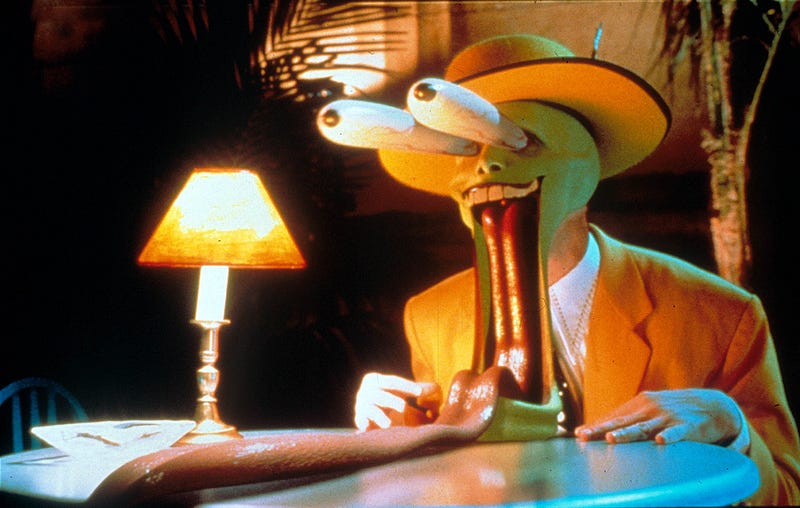
This is even more important now that Medium’s new metrics measure how long people stay to read. I’ve been making over $200 a day on some articles, thanks to embedded 3D images that my readers can interact with, via user-gesture controls or motion sensors in their phone (or wiggling their mouse).
3D images stop the scroll and demand attention!
That’s right, 3D is here! It can be used any device or platform, anywhere on the web. Yes, even in your Medium articles (I’m not sure their developers know that yet. You read it here first! Even more reason to hit Subscribe).
I’ll tell you how bloggers, marketers and content creators can use 3D images to engage with their audience. It’s simple to make images like the one below. But first, have a play around with this eye-popping goodness:
What 3D AI service do I recommend? Easy: Looking Glass Blocks
I’m going to show you how to use Looking Glass Block’s AI-driven software to create stunning holographic illusions to help to hold onto your readers.
Now, you can use others (like LeiaPix), but the 3D images they produce are only sharable as GIFs on the majority of websites. GIFs suck. You lose the resolution of your image and get a grainy, low-frame-rate disappointment.
Only Looking Glass Blocks has that smooth, responsive feel. And it doesn’t noticeably compress the images, so you get to keep all that vibrant colour.
If you want a physical hologram they also offer a digital frame to display your 3D designs in real life, called the Looking Glass. More on this later!
And yes, I’m an affiliate — it’s how I keep the computer on and bring you my guides — so here’s 10% off that luxury 3D display. If you’re fast, you can stack that discount with their incredible $100 off sale. You don’t need the device to create 3D art that you can use on your website. But why wouldn’t you? 💕
Let’s look at some of the psychology and marketing perks of 3D 🧠
I’ve included a quick video tutorial in the article to show you how to start.
Feel free to skip ahead to that “How” section, but I feel the “Why” is even more important, as it will decide which images you want to create and convert to 3D. What is going to grab and keep your reader’s attention?
Why 3D images demand attention in social media marketing
Ever walk by a TV in a department store and just stop and stare for a sec?
There’s a reason they place those screens so prominently. Our brains crave new visual information and to be stimulated in unexpected ways. Part of it is called the orienting response, and is triggered by changes in perspective.
(Have I told you guys I specialized in Visual Perception for my Psyc major? It’s been incredibly useful for visual marketing and increasing viewership).
Any marketer knows, you have a limited window when you have people’s eyes, and you’re competing — especially in the digital age — with so much noise. It’s hard to stand out without screaming. 3D offers a gentle visual oasis in that tempest — where we reset — while still fascinating the brain:
Calming isn’t it? When you saw the image above, you stopped scrolling for a moment and looked at it, right? Maybe you tilted your screen or went “Huh, that’s cool”. It commanded your total attention for a moment, and that’s the pause, the break from the constant bombardment that we want to harness.
3D involves a different part of the brain too, so it’s undeveloped real estate. Think of it like a long highway where there are only one or two billboards. Currently, very few creators are using 3D, and it’s a big part of my success.
Other types of scroll stoppers have nothing on 3D!
I’ve been making moving images with PhotoVibrance, for a different effect (you can more read about it below) as well. And it’s a tool I’ll keep on using:
[Watch this space, because I’m going to release a tutorial soon for how you can combine PhotoVibrance with a 64-Bit Divoom for a retro vibe. It’s great for YouTubers, Twitch streamers and podcasters to add a nostalgic touch of Pixel art flair, personality, and branding to their setup or background 🕰️✨]
But there’s something stronger, visceral and more immediate about 3D art. Especially when it pops up in your reader’s hands on their phone or tablet.
How do 3D images work?
Whether you’re making Magic Eye art, or a naturalistic 3D image like the ones in this post (which you can view without a headset or crossing your eyes), you’ll need to render a RGB-D file. But first, let’s discuss parallax:
Parallax is the principle that our eyes see two different ‘images’ due to the distance between our eyes. You can test this out yourself by closing one eye then switching to the other. You’ll notice that for nearer objects the view is more different: you see slightly more ‘around the side’. This diminishes for objects that are farther away in the background. Our brain uses that difference (alongside other cues, like perspective) to assign depth.
By mimicking the visual experience of parallax, a moving image can trick our eyes into thinking something is nearer or farther away, and stimulate that orienting response. It’s an optical illusion, but when it’s in response to something kinetic (like scrolling or moving our phone) it’s very compelling.
Going deeper into how 3D images are made: Depth maps/RGB-D
The clever bit is blending these images in a way that your brain perceives the depth, the 3D effect, like it would in real life. That’s where depth maps come into play. A depth map, or RGB-D, is a grayscale image where shades of gray denote different distances from the observer. Darker shades imply objects are closer, while lighter shades suggest they’re farther away. This map serves as blueprint for generating the perspective needed for the 3D.
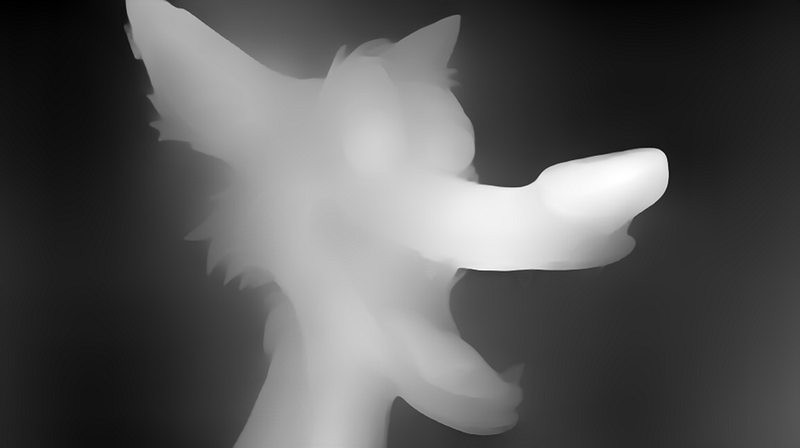
How does AI fit into this picture, you may wonder? Creating depth maps manually is a tedious, time-consuming process, often requiring hours of meticulous work. Only 6 months ago, I was still struggling to do this in Photoshop! 😫🔨 However, with recent advancements in AI and machine learning, we can automate this process. There are two main components:
- Rendering Depth Maps Automatically: Artificial Intelligence algorithms can analyze a single 2D image and estimate depth for each pixel, creating a depth map (RGB-D). AI systems learn by training on vast datasets of images where depth information is known. By recognizing patterns in these training images, the AI can infer depth in new images.
- Generative Fill of Background: This is the process of generating “see-around-the-side” details, or more accurately, synthesizing the occluded parts of the scene that become visible from a different viewpoint. With the use of advanced generative AI models, we can predict and fill in these areas based on the surrounding context, giving a complete, realistic view that generates additional details where needed.
Making 3D Look Easy: 30 Seconds to 3D
2D → 3D Conversion with Looking Glass Blocks
Now that I’ve told you all the hard work that goes into it making depth maps, it’s time to see how user-friendly Looking Glass Blocks is to use!
Remember my 3D oasis picture from before? Here it is in ordinary 2D:
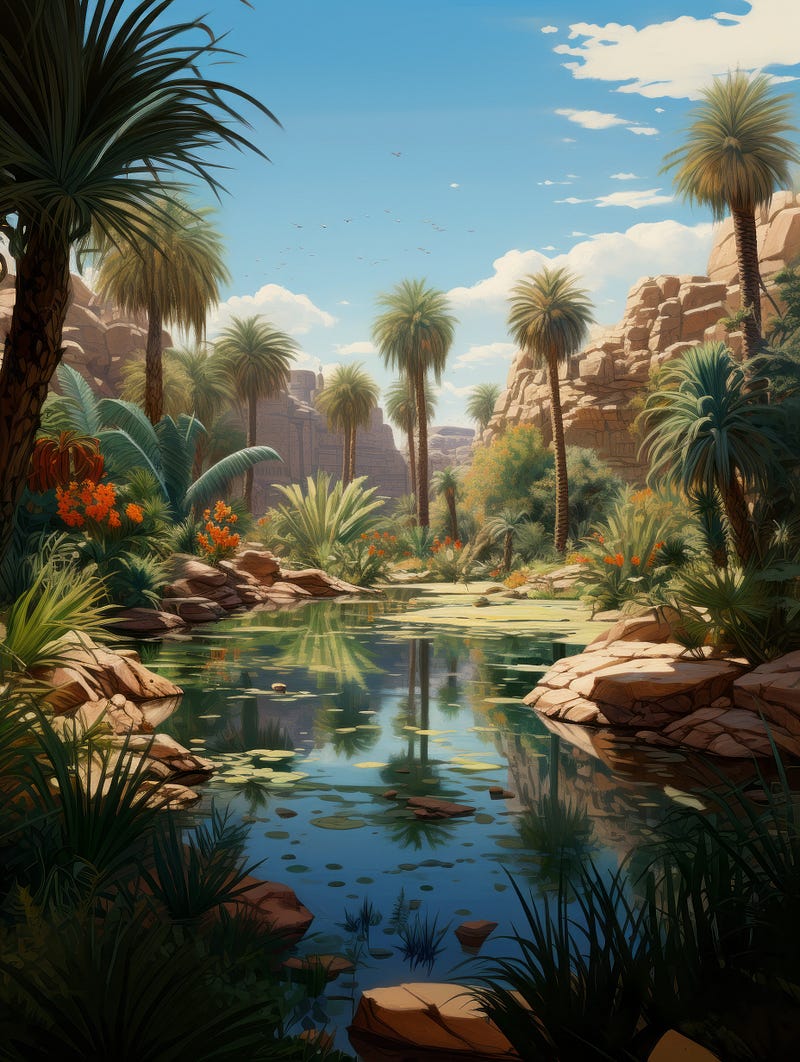
It’s nice. It’s fine. But it doesn’t pop. Let’s watch it transform to 3D in 30 secs:
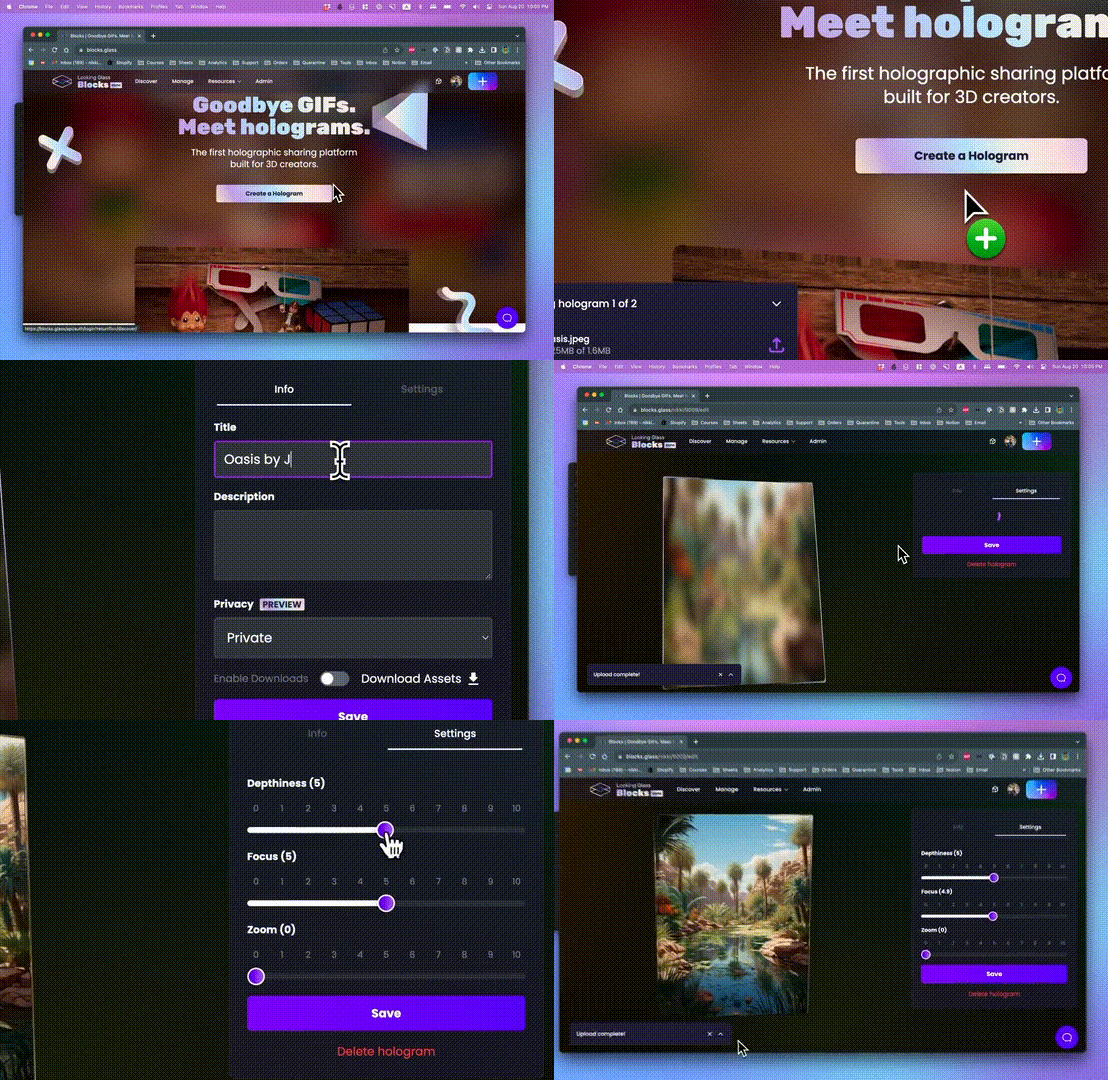
You can take any 2D image and do the same. Looking Glass Blocks lets you convert 20 images a month for free — more than enough to illustrate your monthly content in 3D! You can use AI-generated art, a scanned image, a cellphone photo, even a painting. Of course, there’s still skill in choosing a subject that makes the most of depth, perspective, and focal cues, but your creativity is the limit. The platform is intuitive and user-friendly, allowing beginners to dip their toes into the world of 3D visualization.
Preparing your image for 3D conversion 🖊️🎨
First, you want to clean up your image (no, I don’t mean deleting drunken tweets, but you might want to do that anyway). When converting 2D AI art (or any flat image) to 3D, you want clear, crisp contours so that the layers don’t bleed or warp. For illustrations, this means stronger line work. For photographic or photorealistic AI images, this means higher resolution.
Whatever the source image, I like to remaster it first with Topaz Photo AI.
This is especially essential if you’re using MidJourney, because you’ll want to upscale any AI generated images. Pro tip: for preparing images for Depth Mapping, you can go a little stronger on sharpening. I’ve experimented with both raw and processed images of identical subjects, and there is a huge difference in quality of the 3D effect between unedited images and those that have been sharpened and had noise reduced prior to 3D conversion.
I’m also a perfectionist, so even though it takes 30 seconds to convert, I spend 30 mins in PhotoShop beforehand. Thankfully for that sake of my wrists and RSI, my editing process has become significantly more efficient and precise once I started using a Wacom tablet. For those not in the know, Wacoms are intuitive, tactile tablets that are like drawing on paper, but with all the benefits of digital tools. It’s perfect for the intricate adjustments that make a difference in the 3D transformation. More importantly, it’s not just about fine-tooth control, but comfort and ease during my editing sessions.
In essence, while Looking Glass Blocks provides the magic of 3D, using Topaz and my Wacom ensures that the source material is of the highest quality. Pairing these two tools has helped achieve unparalleled results, setting my content apart for the big leap into the holographic future! 🌟
Pushing Boundaries: Advanced Holography
How good can Looking Glass holograms get? Well, this guide is for writers and bloggers wanting to add that extra wow, and AI artists wanting pizazz, so I’ve kept it accessible. Anyone can do what we’ve looked at today (and I hope you’ll tag me in your articles when you do, and give me a shout out!).
But the results can be even more spectacular. Tech experts can use light fields, NeRFs, photogrammetry and Quilts. Take a gander at this beauty:
Look at the consistency of the crystal! And how even the banana — an odd shape — maintains its shape! This is next level advanced stuff, using light fields, which uses AI to capture the full 3D scene, including all those crazy view dependent effects like reflection, refraction, and translucency. The way the light plays off every surface, every curve, and every texture showcases the power of using light fields in holography. 🍌✨🔮
Imagine seeing the shimmer of light on the ripple of water or the glint of sunlight off a glass surface. That’s the magic of advanced holography. For those using sophisticated tools like Unity, Unreal Engine, and Blender, the results are absolutely mesmerizing. This is the pinnacle now. But even if you’re just starting out or keeping things simple, the possibilities are vast.
How to publish 3D images online
We haven’t even gotten to the best bit! Looking Glass Block’s own sharing platform makes it super easy to embed the images pretty much anywhere you publish on the internet, from social media and blogging platforms to industry-specific portals, e-commerce platforms and personal websites.
Up until now, the 3D image creator community faced significant challenges showcasing their work. Platforms like the esteemed Stereopix exisited, but they catered more to niche audiences. Such sites were primarily venues for experts to admire each others’ work rather than for wider sharing, making images difficult to embed and view elsewhere. Although Facebook offered 3D photos with Depth Maps, they were confined to Feeds, groups, or Pages.
All that’s changed with Blocks. The gates are open and 3D is for everyone.
How to embed 3D images in your content
With a single line of code, you can place your 3D images anywhere you go. On Medium, you don’t even need the code: it will display the link in 3D.
When you convert an image to 3D on Looking Glass Blocks, you can set it to Private, Public or Unlisited. There are over 6,000 images already uploaded, many of which are Public (just be considerate and credit if you share them). Or why not create and showcase your art in the Looking Glass community?
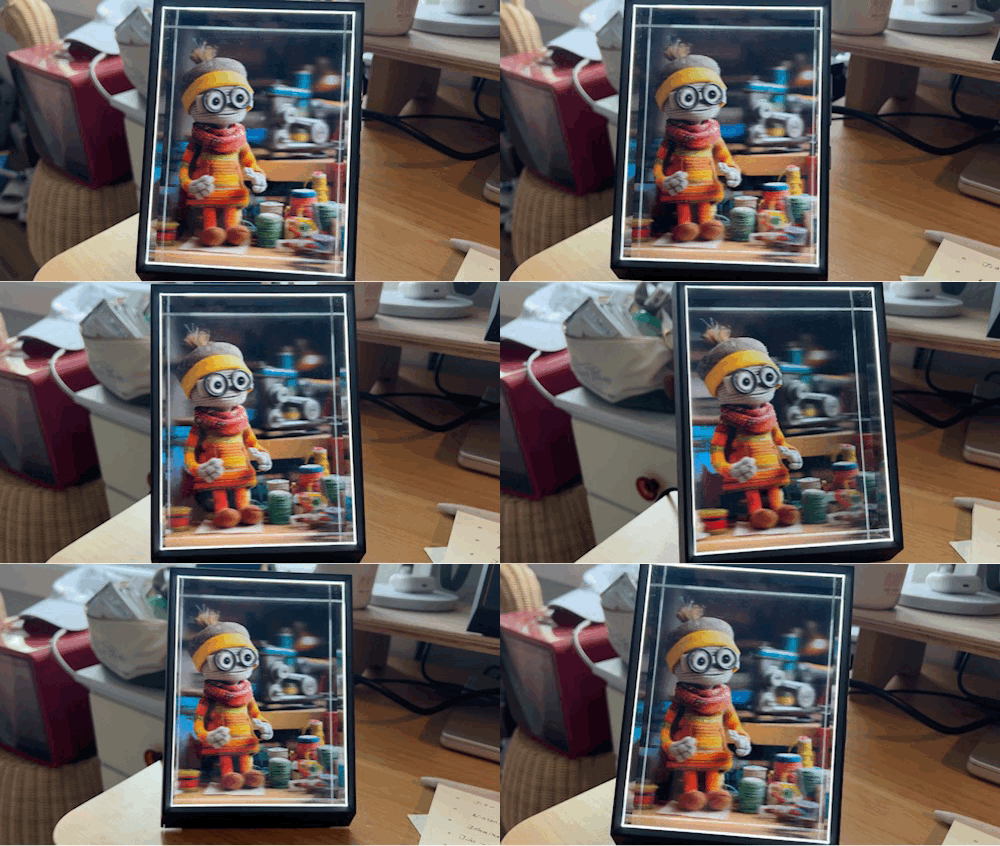
You can download and sync galleries if you own a Looking Glass device (I do, and I’ll review it next; it’s the luxury tech device of 2023. Seriously, if I had to save my iPhone 14 or my Looking Glass, I’m grabbing the LG, even though it’s waaay cheaper, especially with the discount)! It’s how I view my 3D art at home. You can even watch volumetric and RGB-D video on them.
Take a step into the holographic realm
So, whether you’re a writer wanting to add flair to your blogs, an AI artist aiming for jaw-dropping visual splendor, a marketer grabbing eyeballs, or just a curious creator looking to play with the next big thing in visual tech, let the magic of 3D take your content to soaring new heights… er depths!
You know what I meant! See you in the future (by which I mean now) 🚀🌌
P.S. Love the idea but too busy to make 3D art yourself?
Want to have it All Done For You? Good news, I offer a professional 3D image creation option. Reach out to Jim the AI Whisperer and see what wonders I can do for you.
Who is Jim the AI Whisperer?
Jim the AI Whisperer offers private coaching on how to write original and compelling content, as well as how to use AI generators to create stunning visuals. If you’re interested in discovering more, feel free to contact me.
I’m also available for podcasts, interviews, fine-tuning AI prompts, and creating prompt libraries and professional AI images for companies.


