
Design, Technology, Art & Perception
How to Create Your Own Magic Eye 3D Image with AI Art
How I made an autostereogram using Jasper Art
If you’re a child of the 90s you’ll remember the Magic Eye books — a series that featured intricate patterns that turned into three-dimensional images if you stared at them long enough. They amazed, puzzled, and delighted us.
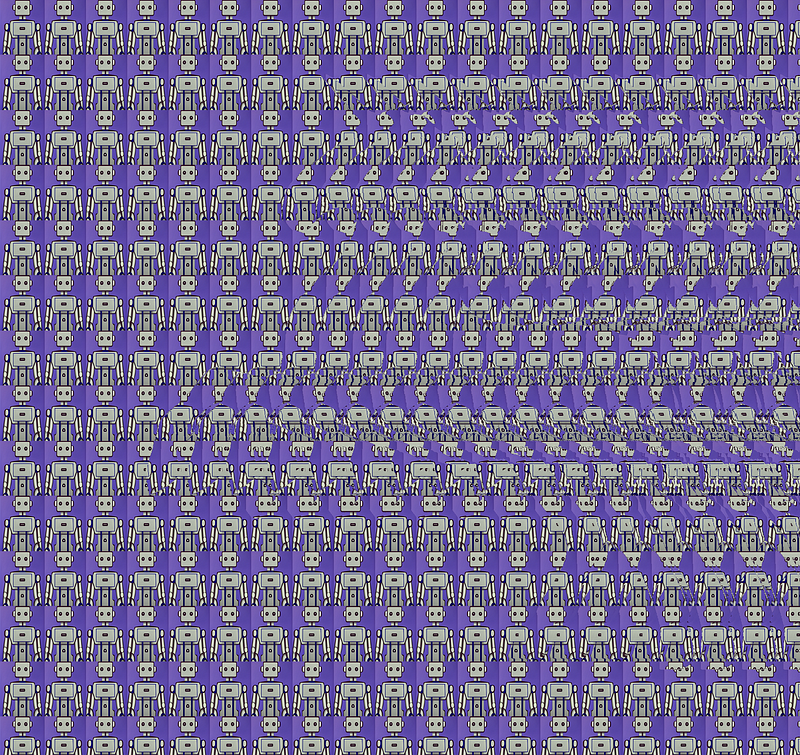
An autostereogram creates its amazing 3D effect with no special optical device or glasses required. Tom Baccei, a computer programmer, and Cheri Smith, an artist, invented this method to generate 3D images in 1991. The autostereogram — also called a “Magic Eye” — is still popular today.
With advances in AI image generators, you can now create your own stereogram on your computer (with a little help from Photoshop and an online stereogram maker tool).
It’s very easy. I’ll show you how to create your own AI artwork in 3D! These are great for interactive ads or to share with your friends on social media.
How does a Magic Eye image appear in 3D?
While stereograms may seem like magic, they are based on a simple optical illusion. It all comes down to psychological perception and the human eye.
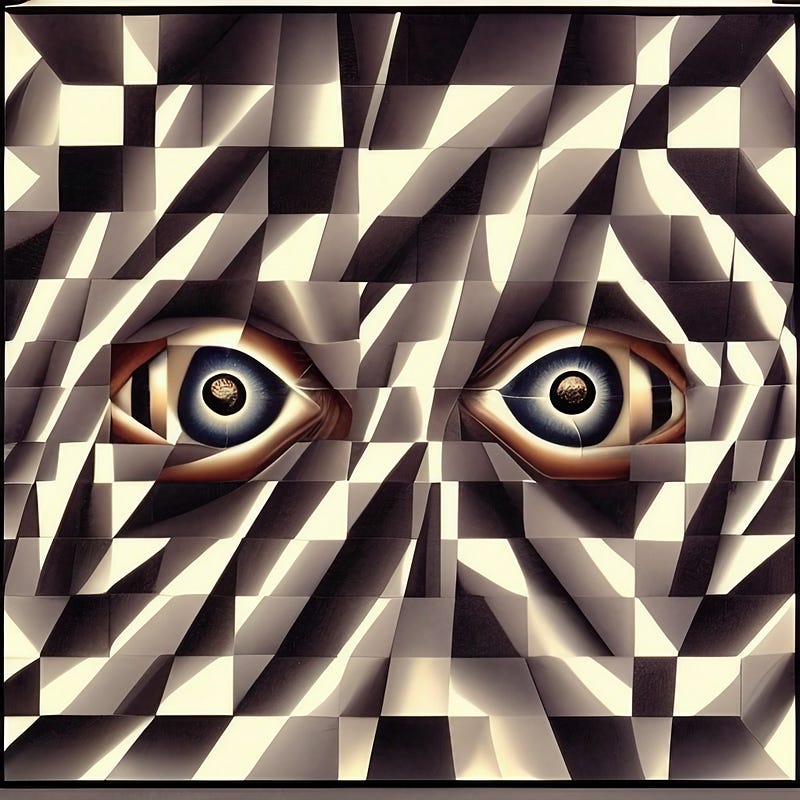
Autostereograms work by tricking your brain into percieving depth where there is none. When you look at a Magic Eye image, your eyes will search for a repeating pattern in the background and converge on a single point. The image appears to come into 3D focus, and your brain fills in the rest.
At first glance, autostereograms may seem like nothing more than random colors and shapes. However, if you look closely, the image contains two hidden pictures. Your brain superimposes the two images, creating the illusion of depth.
How to view a magic eye image
To see a hidden image, you need to relax, let your eyes cross, and gaze at a distant point through the pattern. Then slowly move the image away from you while continuing to focus loosely. Go a little cross-eyed. It may help to slowly move your head back and forth until the two images merge into one.
If you’re viewing stereograms online on your iPhone or monitor, you may want to increase the brightness settings of your device. Although a simple optical illusion, the effectiveness of stereograms is surprising. With a little practice, anyone can learn how to see the hidden 3D image in Magic Eyes.
How I made 266 robots transform into a 3D unicorn
Recently, the AI company Jasper became a unicorn. That means their value exceeded $1 billion in the first year. To celebrate this milestone, I created a custom stereogram of a horde of robots that transforms into a 3D unicorn.
The cool thing about a stereogram is that the random background doesn’t have to just be dots or swirls; it can contain a relevant design (in this case, the repeating Jasper robot). This makes stereograms the perfect method to present personalized content, like branding, or for incorporating a logo…
What do I need for a Magic Eye Generator?
To create my 3D stereogram, I used a free online Stereogram Maker where you can generate an autostereogram from any image. But first I needed to assemble all my materials! Here's everything you’ll need to get started:
The Background Image File
Step 1 was to create the custom background pattern. You could just use clipart, but I wanted to tailor my original content. To do this, I used Jasper Art and some simple image prompts. Generating new art is super easy with text-to-image generators; you literally just describe what you want.
Jasper Art - AI Image Generator
Describe the image you want to see and watch it appear
www.jasper.ai
The trick is to find pixel colors and patterns that have a high contrast to create the stereo effect when combined. If there isn’t enough distinction, the pattern will blur, so the image will just appear as a flat, 2D image.
To counter this, when I ran my image prompt through Jasper AI, I added “simple, iconic, striking image”. Soon I had this cute little robot below:

The target 3D object
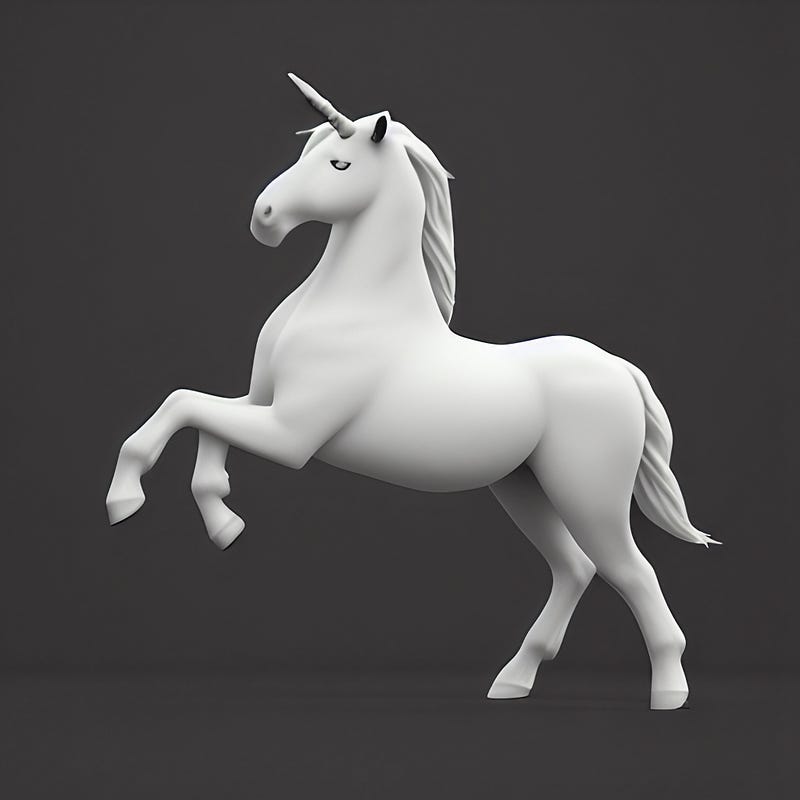
Step 2 was to generate the hidden 3D object, in this case, a unicorn. You want the image to be clear and solid. I simply typed in “unicorn prancing, outline, 3D render” as input and got this output from Jasper Art. Voilà.
The Depth Mask
Step 3 was the most trouble.
I had to enhance the 3D-rendered unicorn into what’s called a “depth map”. A depth map is a greyscale image where the darkness of each pixel is a measure of its depth. The lighter a pixel is, the closer it appears, and vice versa. This transforms the 3D data into a 2D representation of depth. You can run a 3D render through an image-to-depth map converter or use an online Depth Mask Generator.
But I wanted to do my version really simply, to show that anyone can do it, so I just used grayscale in Photoshop. This is a time-consuming process, but one that yields amazing results. It took me about 15 minutes.
Here are some links to Youtube tutorials on how to make a depth map:
I made a mask for each layer of the unicorn (the front hoof, the main body, the back legs, and the tail) and color-filled them in with a gradient. I made the background — the furthest point — completely black. Once I’d tweaked the layers, I just had to merge the masks and save them all into one file.

Now I was ready for my Magic Eye Generator!
The Final Product: Using the stereogram generator
After managing these three steps, all it took was a visit to a stereogram generator website. There are many more options for these services online, but after doing some research I decided on this site: the Easy Stereogram Builder. Of all the websites I tried out, they had the best performance.
It was super easy to upload my files (the background and the depth mask). In seconds I had my pattern of robots transforming into a picture of a 3D unicorn. The whole process took about half an hour (most of that time was the depth mask), but I think you’ll agree the end result was worth it!
There’s something magical about a 3D stereogram. You can create your own 3D stereograms using the same easy steps. Try it out for yourself and you’ll be amazed. You can transform an image into something truly unforgettable. Have fun and let me know what you come up with!
Happy creating!
Ready to join Medium?
Unlock the entire Medium catalogue with my referral link, and you’ll also be supporting my ongoing writing at no extra cost to you. I’d appreciate it.
Who is Jim the AI Whisperer?
Jim the AI Whisperer offers advanced training in how to use AI generators to create stunning visuals as well as to write original, compelling content with AI. If you’re interested in learning more, feel free to contact me.
I also do commissions. Let me bring your AI art concepts to life!


