
How To Get 1 TB iCloud Storage For Free Without Duping Apple
Save a handful of bucks using this simple trick

iCloud+ isn’t expensive.
If you upgrade to iCloud+, you not only get extra storage, but also other useful benefits like Private Relay, Hide My Email, Custom Email Domains and HomeKit Video Storage — Making it a great deal.
However, I see many of my pals not upgrading to iCloud+. They say they’re happy using 15 GB free Google Photos ever since they were Androidees. And that they don’t need the extra storage and other sophisticated benefits iCloud+ offers.
That’s okay.
“But how do you guys suffice yourselves with meagre 5 GB iCloud storage? Where are you storing all the bulky university project files?” Then,
They told me a secret. They’re getting 1 TB iCloud storage for FREE.
Here’s how
Mail Drop
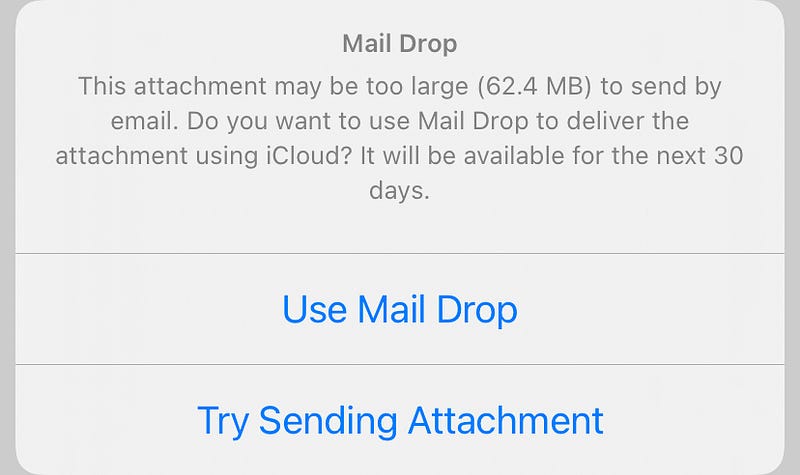
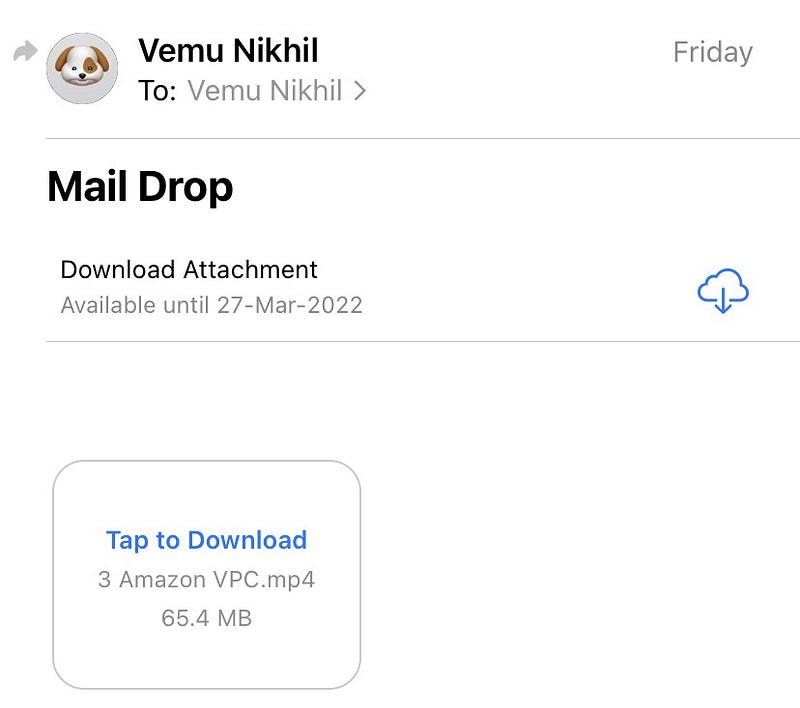
If you don’t know what Apple’s Mail Drop is, it’s actually a free Apple service that uploads large mail attachments to iCloud and sends only the download link to the receiver.
This avoids using up your mail provider’s free tier storage (Like 15 GB in Gmail).
It’s worth noting the Mail Drop feature is optional and the max size for a single file is 5 GB. The files stay in iCloud for 30 days, and the receiver has to download the attachments before they expire.
Isn’t it cool Apple offering it for free?
My pals have exploited it, i.e., used it for their best advantage.
They’ve sent 50 GB of project files to their own mails using Mail Drop. And they’ve set an alert for the previous day the Mail Drop links expire. And they resend the same mails to themselves again.
And again.
Anyways, the university Wi-Fi is high-speed and unlimited, and gigabytes of files are uploaded at warp speed.
Thus, we’re finally getting benefitted from the free 1 TB iCloud storage without paying tens of dollars to Apple every month.
Drawback
Using cloud drives (like iCloud, G Drive) helps manage your files easily. They can be copied, moved, edited, and deleted quickly.
However, Mail Drop as a free cloud service doesn’t do that.
Your files stay as a bulk together. And you can’t make any operations on them. So consider using it only if you don’t need to edit the files and don’t use them often.
If you liked this story, you might also like:
Get notified via email whenever I publish. Join 40+ others!
Not a Medium member yet? To get unlimited access to all stories on Medium, Sign up now!
(It’s an affiliate link so I receive a portion of your payment, with zero extra cost for you.)


