
How To Create a Static Website on Azure with Terraform
A step by step guide with an example project

Azure CDN with blob storage is one of the options which provides a low-cost and highly reliable static website hosting solution. These static sites have only CCS, HTML, JS files, fonts, etc. Terraform is the infrastructure as a Code offering from HashiCorp. It is a tool for building, changing, and managing infrastructure in a safe, repeatable way. Operators and Infrastructure teams can use Terraform to manage environments with a configuration language called the HashiCorp Configuration Language (HCL) for human-readable, automated deployments.
In this post, we can see how we can build a static website with a simple HTML and host that on Azure with Terraform.
- Prerequisites
- Example Project
- Configuring Backend
- Deploying a Static Website
- Demo
- Summary
- Conclusion
Prerequisites
Let’s see what are some prerequisites before going through this post.
Azure
You need to have hands-on experience on the Azure cloud at least you need to understand how resource groups work on Azure. If you are not familiar with the resource groups or subscriptions and how these things are important when you are creating infrastructure on Azure, please check the below post.
Terraform
Terraform is the infrastructure as a Code offering from HashiCorp. It is a tool for building, changing, and managing infrastructure in a safe, repeatable way. Operators and Infrastructure teams can use Terraform to manage environments with a configuration language called the HashiCorp Configuration Language (HCL) for human-readable, automated deployments. Go through the below post if you are not familiar with it.
Terraform — 5 Ways To Create Infrastructure in Multiple Environments
VSCode
Any code editor is fine, but this has very good extensions and maintained by Microsoft. Here is the link for it.
Azure Prerequisites
Once you install the necessary components and run the terraform on your local machine. It’s time to create a Microsoft Azure Account checkout this link
- Microsoft Azure Account
- Create a subscription
- Create a Storage Account
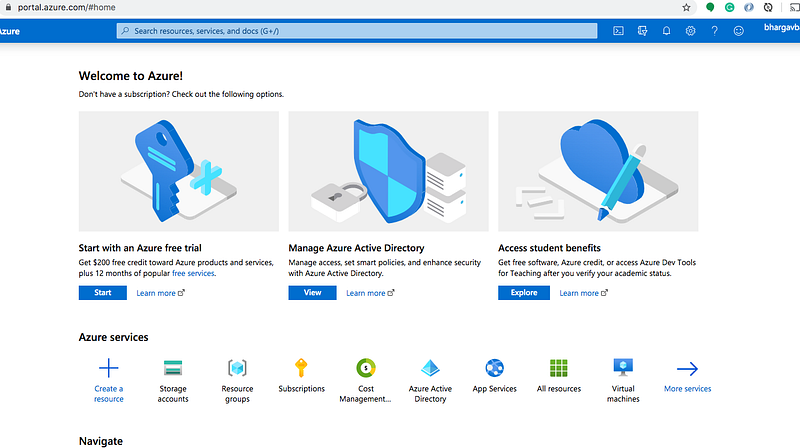
You can see the below dashboard once you create your account.
Create a subscription
You need to create a subscription that’s how It serves as a single billing unit for Azure resources in that services used in Azure are billed to a subscription
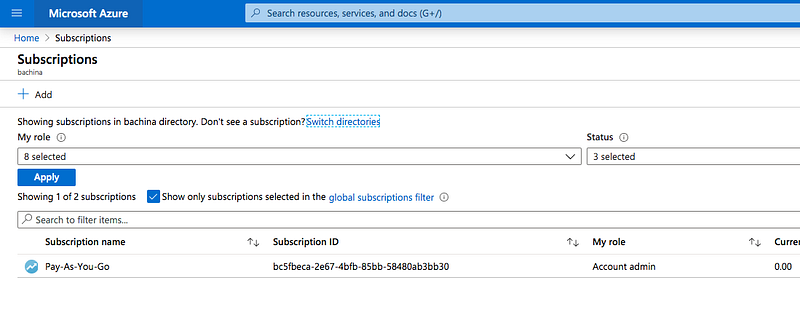
Install the Azure CLI and authenticate with Azure with the following command. Make sure you have the right subscription account by default.
az loginaz account list --output=tableExample Project
Here is an example project for this post. You can clone it and run it on your machine. Make sure you use your access keys for the environment variable ARM_ACCESS_KEY.
// clone the project
git clone https://github.com/bbachi/static-website-azure-terraform.git
// Initialization
terraform init// Plan
terraform plan// apply
terraform applyConfiguring Backend
Every Terraform project has a state and this state determines which resources to create, destroy, etc. Whenever you do the Terraform apply command it looks at this state and determines the action on the resources. By default, Terraform uses the “local” backend, which is the normal behavior of Terraform. This is not the case in the professional environment and you can’t use the local backend all the time since we work in a collaborative environment with teams. In Terraform, Backend is a way to configure a Terraform state in a remote place where everybody can access in a collaborative environment.
You can store the Terraform state in Azure Storage. The State allows Terraform to know what Azure resources to add, update, or delete. There are two steps to configuring Backend.
- Creating a Storage Account and Blob Container for the terraform state
- Include Backend Block in the Terraform scripts and run the command
terraform init
Creating a Storage Account and Blob Container for the terraform state
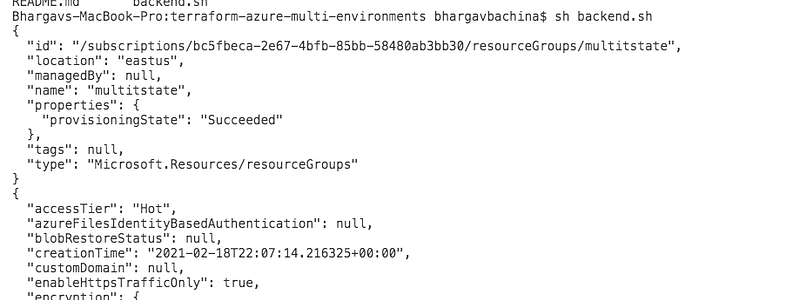
The first thing you need to run this script with this command sh backend.sh so that it creates the resource group, storage account, and container in Azure.
Here is the output of the above script.
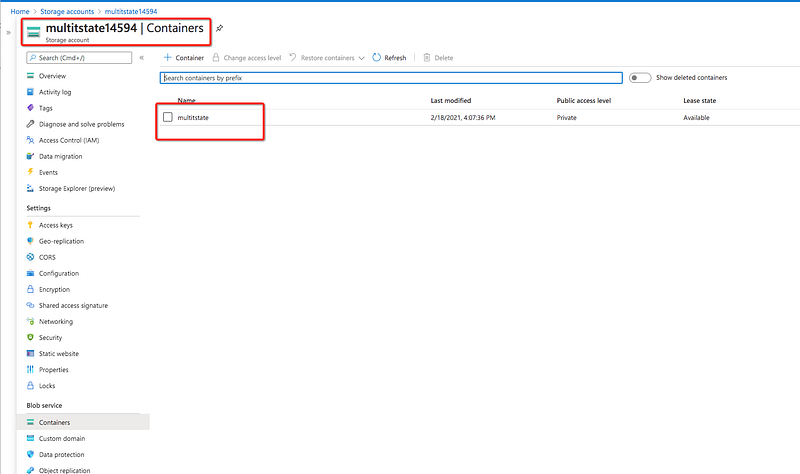
You can log in to the Azure portal and verify that the storage account is created or not.
Include Backend Block in the Terraform scripts and run the command terraform init
You need the access key for the Terraform to provision infrastructure on Azure so you need to export that as an environment variable.
export ARM_ACCESS_KEY=MEkicUgawLyIWwFIfMDvP+dQy41qU5ruJY9FHobKSdJxAVlvogfrESYw1PNXHkr/agkWWaNADp51PpT2rA/53A==Once you have this file all you need to do is that run the following command.
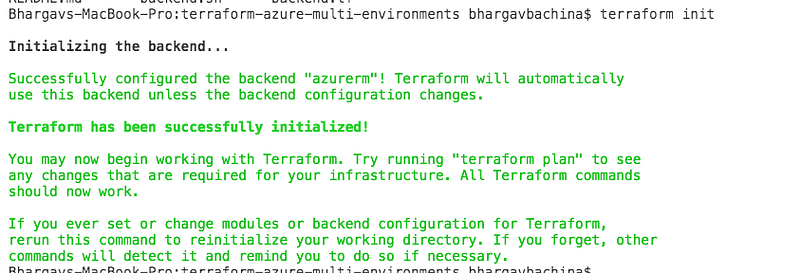
terraform initHere is the out when we run the above command
Deploying a Static Website
Here is the main terraform file in which we define the provider first and then the resource group called rg-multienv-demo. We are creating a storage account with the static website and finally, we are adding the index.html content to the blob storage.
We have put everything in one file and it’s very difficult to maintain this way what if you want to create multiple environments? So, let’s separate the file into multiple files. The first thing we need to do is to create a provider file.
We have a variables file here to declare the variables and you can even give default values here.
Here is the main terraform file that reads the variables like this var.location.
Here is the file that passes the actual values named terraform.tfvars.
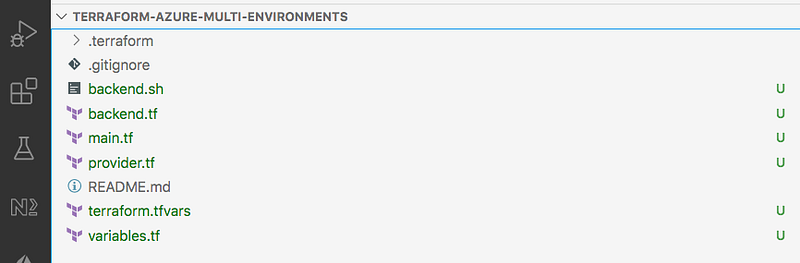
The project structure at this point looks like below.
There are two ways that you can provide source content to the website either by source or source_content. Once you have the file in place. You need to run the following commands
// init
terraform init
// plan
terraform plan// apply
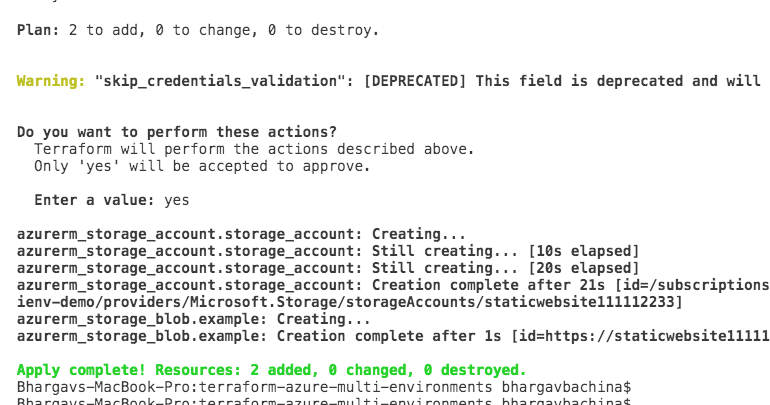
terraform applyYou will see the below output in which there are two resources created with the terraform apply command.
Demo
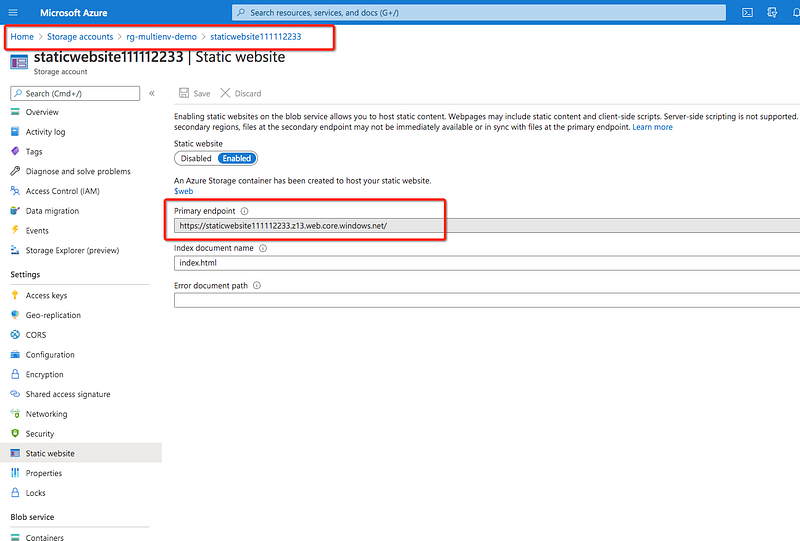
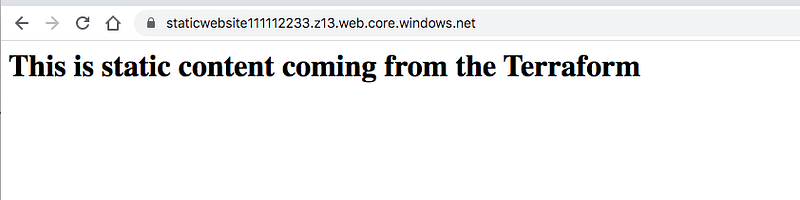
You can see that two resources are created in the portal and take the URL and hit it in the browser.
Summary
- Azure CDN with blob storage is one of the options which provides a low-cost and highly reliable static website hosting solution.
- These static sites have only CCS, HTML, JS files, fonts, etc.
- Terraform is the infrastructure as a Code offering from HashiCorp. It is a tool for building, changing, and managing infrastructure in a safe, repeatable way.
- You need to have hands-on experience on the Azure cloud at least you need to understand how resource groups work on Azure.
- Every Terraform project has a state and this state determines which resources to create, destroy, etc. Whenever you do the Terraform apply command it looks at this state and determines the action on the resources.
- You need the access key for the Terraform to provision infrastructure on Azure so you need to export that as an environment variable.
- There are two ways that you can provide source content to the website either by source or source_content.
Conclusion
We have seen how to deploy a simple static website on Azure with Terraform. In future posts, we can see how we can deploy Angular or React static websites with Terraform.


