
How To Get Started With Terraform
A Beginners Guide With an Example project

Terraform is the infrastructure as a Code offering from HashiCorp. It is a tool for building, changing and managing infrastructure in a safe, repeatable way. Operators and Infrastructure teams can use Terraform to manage environments with a configuration language called the HashiCorp Configuration Language (HCL) for human-readable, automated deployments.
Nobody is doing the manual provision of infrastructure nowadays. Terraform is very popular as an Infrastructure as a code provisioning tool. In this post, we will see how anyone can get started with Terraform and we will do some infrastructure provisioning on your local machine.
- Prerequisites
- Installing Terraform
- Terraform Workflow
- Example Project With Docker
- Provision Infrastructure With Terraform
- Understanding Terraform State
- Terraform Inputs and Outputs
- Next Steps
- Summary
- Conclusion
Prerequisites
It’s very important to set up and configure a local development environment for the terraform. Please make sure you install the below tools before going through the entire CLI.
Installing Terraform
The first thing we need to do is to install Terraform on your local machine. Let’s do it based on your machine by going through this link here. Once the installation is complete you can check with the following commands.
terraform
terraform -version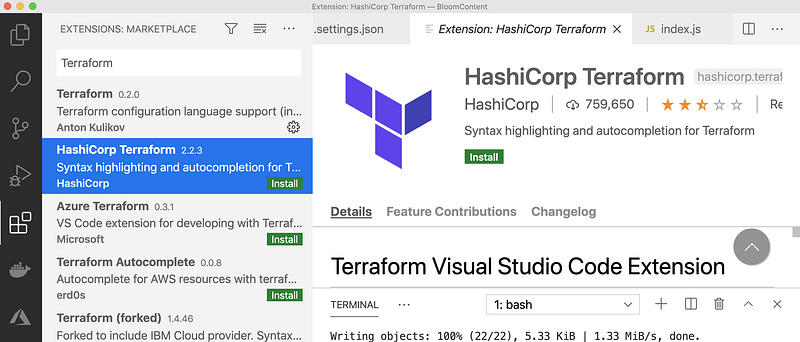
Terraform Workflow
The next thing you need to understand is the Terraform workflow. There are three steps in the terraform core workflow.
- Write: You write the Infrastructure as code in the main.tf file or any other file. You can name this file whatever you want.
- Plan: Once you are done with the authoring, you can run this command
terraform applyto preview the changes before you actually apply this infrastructure. - Apply: After reviewing the changes in the output of the plan command, you can finally run this command
terraform applyto actually provision infrastructure.
Example Project With Docker
Now, you know the core workflow of Terraform. Let’s create a sample project which demonstrates this workflow. This is a simple Angular with Nodejs example project in which we can add users, count, and display them at the side, and retrieve them whenever you want.
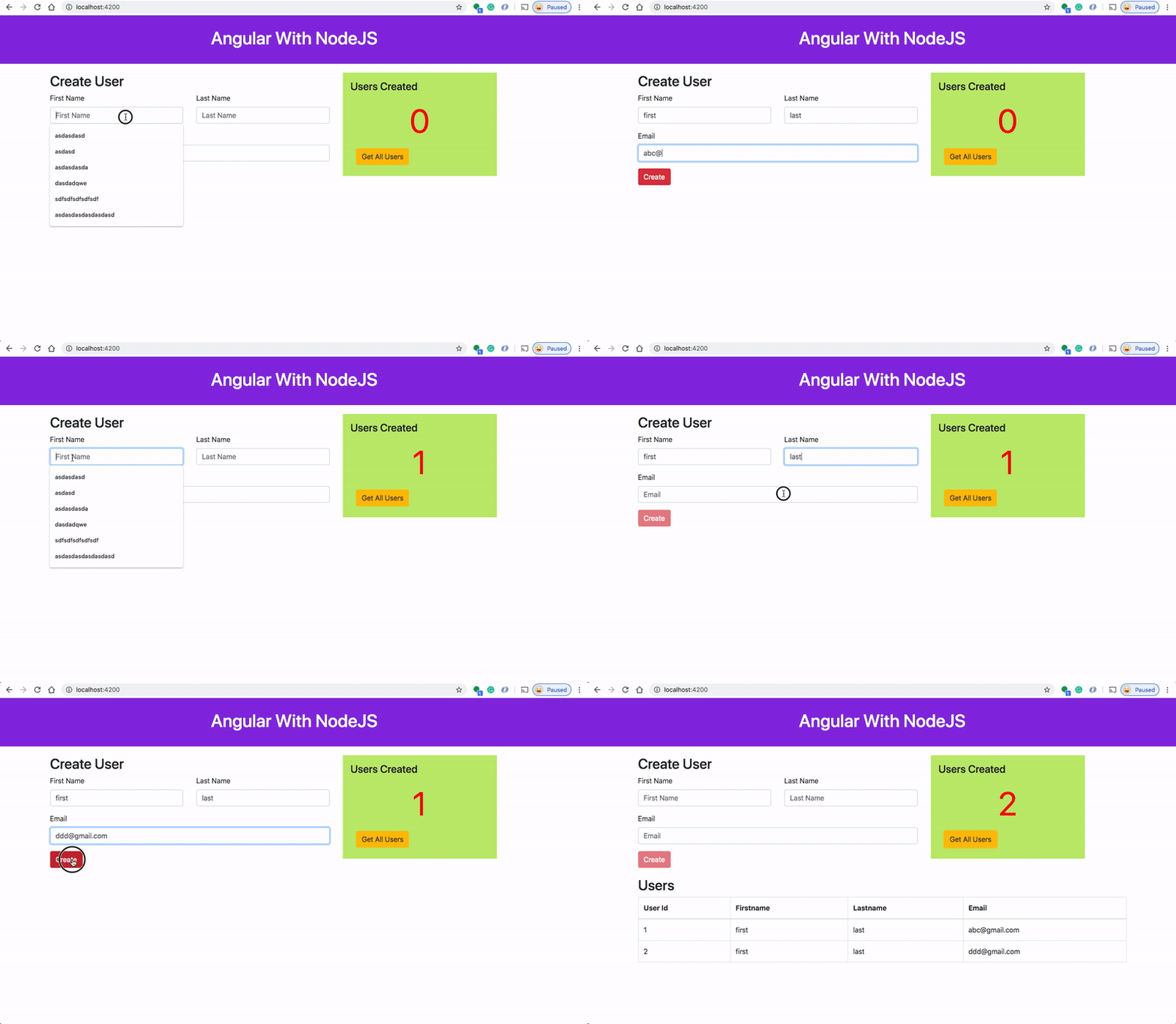
You can clone the project with the following URL
// clone the project
git clone https://github.com/bbachi/angular-nodejs-minikube.git
Here is the Dockerfile for this application. We are using multi-stage builds here. In this multi-stage build, building an Angular project and put those static assets in the dist folder is the first step. The second step involves taking those static build files and serve those with the node server.
You can build the image with the following command and publish it to the Docker Hub as below.
// build the image
docker build -t angular-node-image .
// check the images
docker imagesRunning the container in the local environment
Run the below commands to run the container on your local machine
// run the image
docker run -d -p  3080:3080 --name ang-node-ui angular-node-image
// check the container
docker psPublishing the Docker Image
Let’s publish the Docker image to Docker Hub with this command docker push <repo name> . Before that, you need to create a Docker Hub account if you dot have one. Here is the link for it.
Let’s create a repository and it’s bbachin1 in my case. We need to login, tag the image, and push it finally.
// login
docker login/
/ tag the image
docker tag angular-node-image bbachin1/angular-node-webapp// push the image
docker push bbachin1/angular-node-webapp
Provision Infrastructure With Terraform
We have seen how to run this example project on Docker manually. Let’s see how we can provide this with the terraform. All we need one file called main.tf as below. Terraform configurations must declare which providers they require so that Terraform can install and use them when we do the command terraform init
The next resource would be the Docker Image that we need to pull from the DockerHub and the last one is the container creation which maps the internal port 3080 to the external port 8080.
Let’s run all the below commads to provision this on your local machine.
// initialization
terraform init
// plan
terraform plan// apply
terraform apply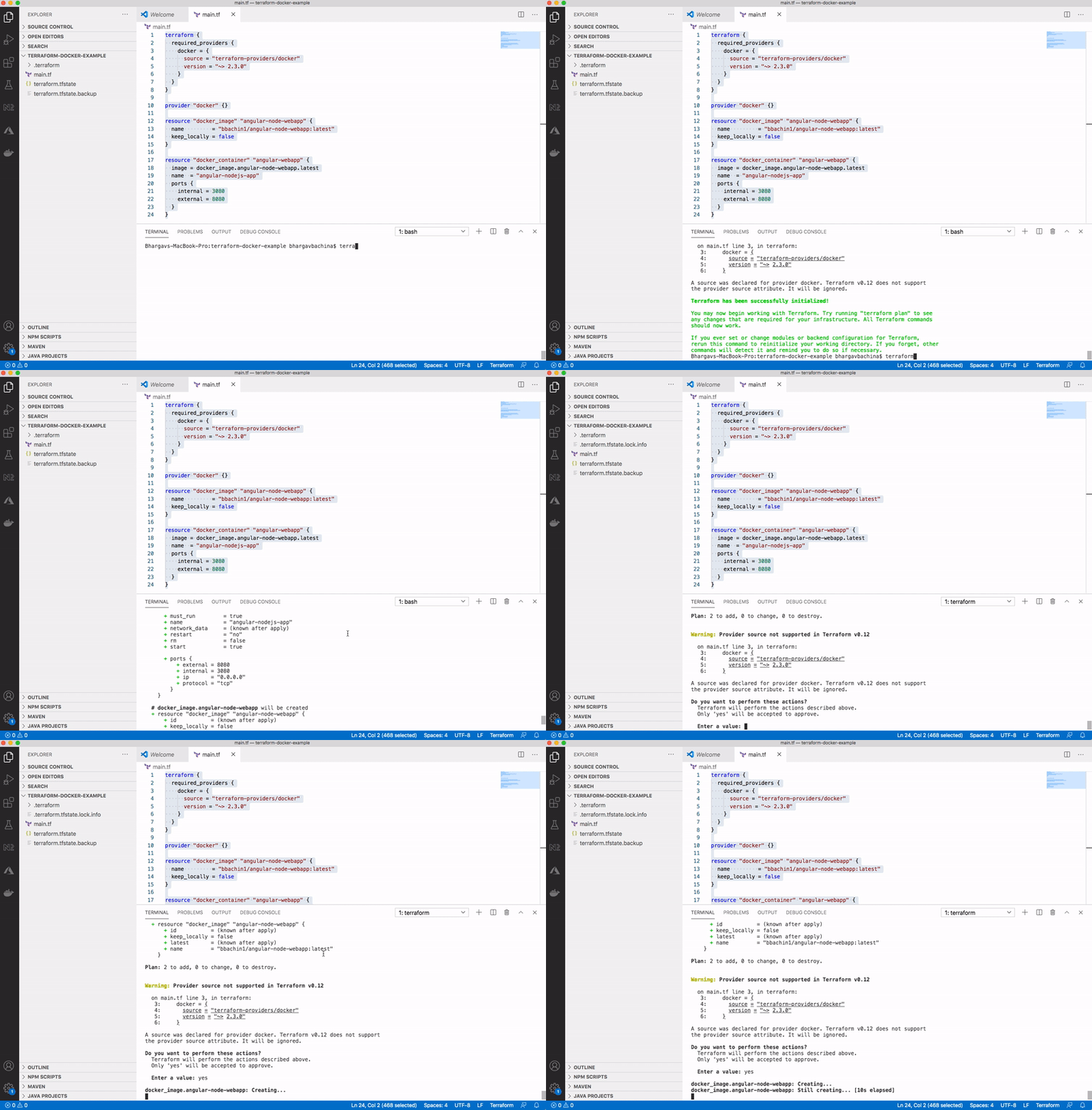
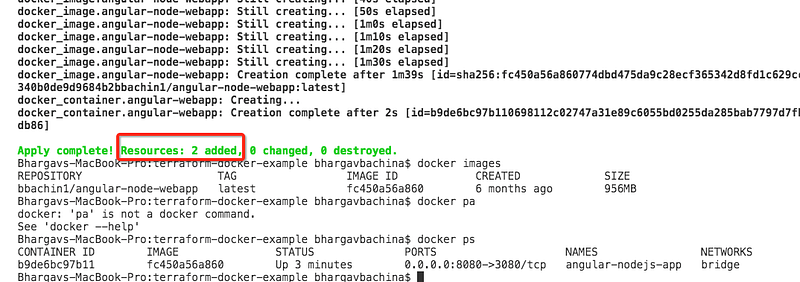
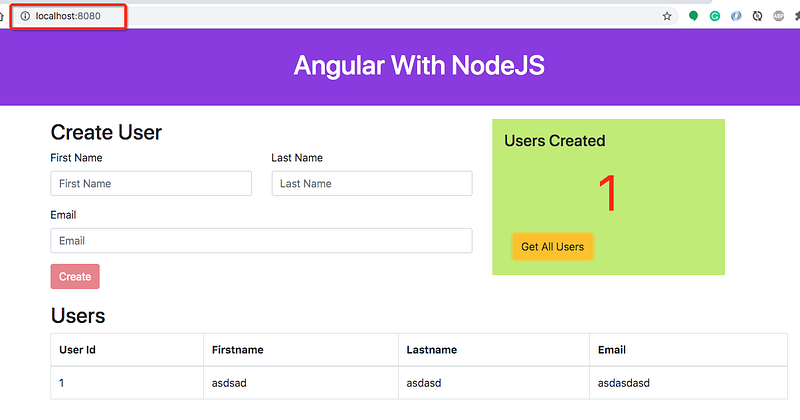
You can actually see that in the above image two resources (Docker image and Docker containers) are created and you can view the application running on port 8080.
Destroy the infrastructure
You can destroy the infrastructure with a single command terraform destroy
Understanding Terraform State
Terraform must store state about your managed infrastructure and configuration. This state is used by Terraform to map real-world resources to your configuration, keep track of metadata, and to improve performance for large infrastructures.
This state is stored by default in a local file named terraform.tfstate, but it can also be stored remotely, which works better in a team environment.
Terraform uses this local state to create plans and make changes to your infrastructure. Prior to any operation, Terraform does a refresh to update the state with the real infrastructure.
You can actually see the file called terraform.tfstate after you provision the infrastructure as below.
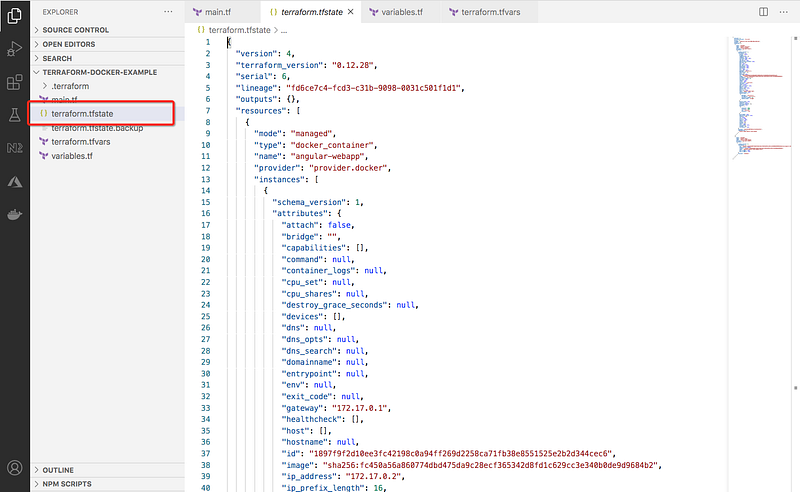
When you are working as a team this file should be saved in some kind of backend such as AWS S3 or Azure Blob Storage, etc. You can run the following command to list all the resources that we have in the state.
terraform state list

Terraform Inputs and Outputs
You don’t have to hardcode the names or any values in the main.tf file you can define variables and pass it to the main.tf. For example, we can define the docker image and container name in the variables.tf file and actual values in the terraform.tfvars file as below.
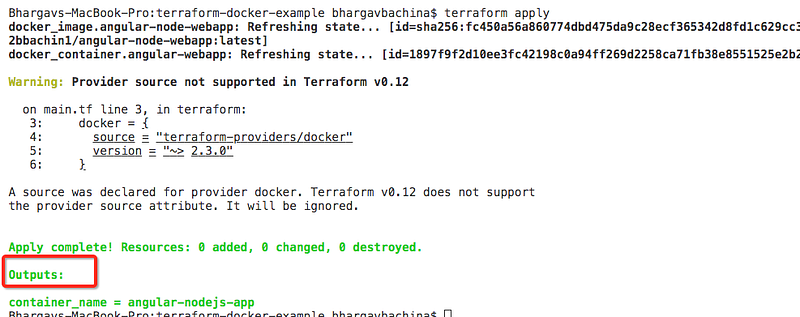
In the same way, we can define the outputs. Outputs are very useful for configuration management because you can read these outputs and use them for any configuration. For example, in this project, we can define the output for the container name.
output "container_name" {
  value = docker_container.angular-webapp.name
}
Next Steps
- Here is the Github link for the above project you can check out and get hands on experience with Terraform.
- Once you are familiar with the above you need to start your hands dirty on other things as well such as Deploying infrastructure on public clouds such as Azure, AWS, and GCP, etc.
- Start looking at these providers and use these providers and provision infrastructure. Here is the list of the terraform providers you can take the AWS providers from here and provision infrastructure on AWS.
- You need to understand the terraform modules. Here is the link for the official documentation. Every Terraform configuration has at least one module, known as its root module, which consists of the resources defined in the .tf files in the main working directory.
- You need to understand how to save you terraform with the backend. This is very important when you work in a team where several people work on the same infrastructure.
- You need to understand how to provision infrastructure for different environments such as dev, stage, prod.
- Understand how to collaborate on infrastructure with Terraform Cloud.
- We have seen how to define input and output variables. Understand the local variables as well. A local value assigns a name to an expression, so you can use it multiple times within a module without repeating it.
- Understand the data sources you can fetch the external data for your Terraform configuration. Here is the documentation for it.
- Understand the backend configuration. Each Terraform configuration can specify a backend, which defines exactly where and how operations are performed, where state snapshots are stored, etc. Here is the link for the documentation.
- If you want to control the behavior of the terraform itself you can do that with the terraform block. You can check this more here.
Conclusion
We have seen a simple example of how we can provision docker infrastructure on our local machine and run the container. This is just a beginner’s guide on terraform. As you get started and dig deeper you need to understand all the concepts mentioned in the Next Steps section.


