avatarEva Rtology

Free AI web copilot to create summaries, insights and extended knowledge, download it at here

5596

Abstract

_in">rows</span>; <span class="hljs-keyword">let</span> board; <span class="hljs-keyword">let</span> next;</pre></div><div id="83e7"><pre><span class="hljs-keyword">function</span> setup() { createCanvas(<span class="hljs-number">720</span>, <span class="hljs-number">400</span>); w = <span class="hljs-number">20</span>; // Calculate <span class="hljs-keyword">columns</span> <span class="hljs-keyword">and</span> <span class="hljs-keyword">rows</span> <span class="hljs-keyword">columns</span> = floor(width / w); <span class="hljs-keyword">rows</span> = floor(height / w); // Wacky way <span class="hljs-keyword">to</span> make a <span class="hljs-number">2</span>D <span class="hljs-keyword">array</span> <span class="hljs-keyword">is</span> JS board = <span class="hljs-built_in">new</span> <span class="hljs-keyword">Array</span>(<span class="hljs-keyword">columns</span>); <span class="hljs-keyword">for</span> (let i = <span class="hljs-number">0</span>; i < <span class="hljs-keyword">columns</span>; i++) { board[i] = <span class="hljs-built_in">new</span> <span class="hljs-keyword">Array</span>(<span class="hljs-keyword">rows</span>); } // Going <span class="hljs-keyword">to</span> use multiple <span class="hljs-number">2</span>D arrays <span class="hljs-keyword">and</span> swap them next = <span class="hljs-built_in">new</span> <span class="hljs-keyword">Array</span>(<span class="hljs-keyword">columns</span>); <span class="hljs-keyword">for</span> (i = <span class="hljs-number">0</span>; i < <span class="hljs-keyword">columns</span>; i++) { next[i] = <span class="hljs-built_in">new</span> <span class="hljs-keyword">Array</span>(<span class="hljs-keyword">rows</span>); } init(); }</pre></div><div id="fe50"><pre>function <span class="hljs-built_in">draw</span>() { <span class="hljs-attribute">background</span>(<span class="hljs-number">255</span>); <span class="hljs-built_in">generate</span>(); for ( let i = <span class="hljs-number">0</span>; i < columns;i++) { for ( let j = <span class="hljs-number">0</span>; j < rows;j++) { if ((board[i][j] == <span class="hljs-number">1</span>)) <span class="hljs-built_in">fill</span>(<span class="hljs-number">0</span>); else <span class="hljs-built_in">fill</span>(<span class="hljs-number">255</span>); <span class="hljs-built_in">stroke</span>(<span class="hljs-number">0</span>); <span class="hljs-built_in">rect</span>(i * w, j * w, w-<span class="hljs-number">1</span>, w-<span class="hljs-number">1</span>); } }</pre></div><div id="a749"><pre>}</pre></div><div id="8099"><pre><span class="hljs-comment">// reset board when mouse is pressed</span> function <span class="hljs-built_in">mousePressed</span>() { <span class="hljs-built_in">init</span>(); }</pre></div><div id="3929"><pre><span class="hljs-comment">// Fill board randomly</span> <span class="hljs-function"><span class="hljs-keyword">function</span> <span class="hljs-title">init</span><span class="hljs-params">()</span> {</span> <span class="hljs-keyword">for</span> (<span class="hljs-built_in">let</span> i = <span class="hljs-number">0</span>; i < columns; i++) { <span class="hljs-keyword">for</span> (<span class="hljs-built_in">let</span> j = <span class="hljs-number">0</span>; j < rows; j++) { <span class="hljs-comment">// Lining the edges with 0s</span> <span class="hljs-keyword">if</span> (i == <span class="hljs-number">0</span> || j == <span class="hljs-number">0</span> || i == columns-<span class="hljs-number">1</span> || j == rows-<span class="hljs-number">1</span>) board[i][j] = <span class="hljs-number">0</span>; <span class="hljs-comment">// Filling the rest randomly</span> <span class="hljs-keyword">else</span> board[i][j] = <span class="hljs-built_in">floor</span>(random(<span class="hljs-number">2</span>)); next[i][j] = <span class="hljs-number">0</span>; } } }</pre></div><div id="f4a7"><pre><span class="hljs-comment">// The process of creating the new generation</span> <span class="hljs-keyword">function</span> <span class="hljs-keyword">generate</span>() {</pre></div><div id="04c8"><pre>// Loop through every spot in our 2D<span class="hljs-built_in"> array </span>and<span class="hljs-built_in"> check </span>spots neighbors for (let x = 1; x < columns - 1; x++) { for (let y = 1; y < rows - 1; y++) { // Add up all the states in a 3x3 surrounding grid let neighbors = 0; for (let i = -1; i <= 1; i++) { for (let j = -1; j <= 1; j++) { neighbors += board[x+i][y+j]; } }</pre></div><div id="18d6"><pre>// A little trick to subtract the current cell's state since // we added it in the above loop neighbors -= board<span class="hljs-comment">[x]</span><span class="hljs-comment">[y]</span>; // Rules <span class="hljs-keyword">of</span> Life if ((board<span class="hljs-comment">[x]</span><span class="hljs-comment">[y]</span> == 1) && (neighbors < 2)) next<span class="hljs-comment">[x]</span><span class="hljs-comment">[y]</span> = 0; // Loneliness else if ((board<span class="hljs-comment">[x]</span><span class="hljs-comment">[y]</span> == 1) && (neighbors > 3)) next<span class="hljs-comment">[x]</span><span class="hljs-comment">[y]</span> = 0; // Overpopulation else if ((board<span class="hljs-comment">[x]</span><span class="hljs-comment">[y]</span> == 0) && (neighbors == 3)) next<span class="hljs-comment">[x]

Options

</span><span class="hljs-comment">[y]</span> = 1; // Reproduction else next<span class="hljs-comment">[x]</span><span class="hljs-comment">[y]</span> = board<span class="hljs-comment">[x]</span><span class="hljs-comment">[y]</span>; // Stasis } }</pre></div><div id="69d7"><pre><span class="hljs-regexp">//</span> Swap! let temp = board; board = <span class="hljs-keyword">next</span>; <span class="hljs-keyword">next</span> = temp; }</pre></div><p id="9938"><b>How can we tell stories with code?</b>

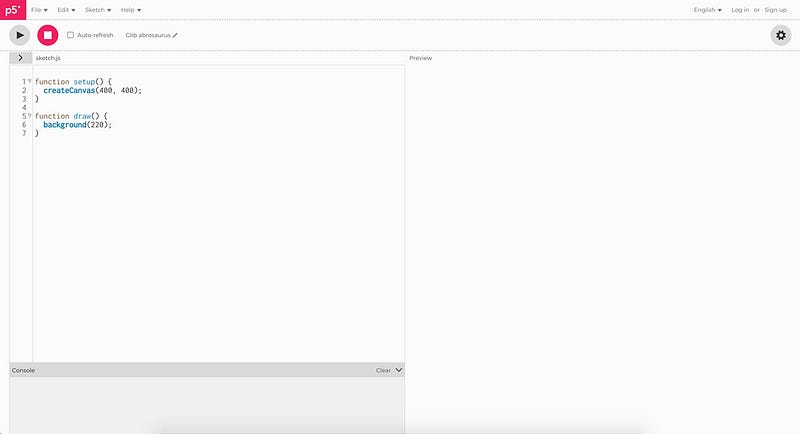
  1. start on the <a href="https://p5js.org/">p5.js website</a> by clicking on the EDITOR button.
  2. the window EDITOR opens
  3. click on PLAY ( or copy the above code and paste it into the editor) Launching is quite simple : )</p><figure id="02ba"><img src="https://cdn-images-1.readmedium.com/v2/resize:fit:800/1*sKNk4JJ59eLwm6ZUPVvb-Q.jpeg"><figcaption></figcaption></figure><p id="4654"><a href="https://p5js.org/examples/">Start creating with the p5 Examples</a></p><p id="196c"><a href="https://p5js.org/examples/simulate-multiple-particle-systems.html">Multiple Particle Systems</a> (Simulate)</p><figure id="fa64"><img src="https://cdn-images-1.readmedium.com/v2/resize:fit:800/1*wXLntmaSyUTM1qXOZ6EsjQ.png"><figcaption></figcaption></figure><p id="bdc6"><a href="https://p5js.org/examples/image-pointillism.html">Pointillism</a></p><figure id="d407"><img src="https://cdn-images-1.readmedium.com/v2/resize:fit:800/1*IIrvb4-em3HsiP2nD4ds8Q.png"><figcaption></figcaption></figure><p id="880f"><a href="https://p5js.org/examples/3d-sine-cosine-in-3d.html">Sine Cosine in 3D</a></p><figure id="5814"><img src="https://cdn-images-1.readmedium.com/v2/resize:fit:800/1*EaPLKCD1l9T-_NlC9_-snA.png"><figcaption></figcaption></figure><p id="c4bd">Art is all about expression and can be viewed from several perspectives. Gaming is a creative process that broadens the minds of both players and spectators. Both <a href="https://readmedium.com/what-is-the-future-of-digital-art-936bf9f815d7">AI art projects and games</a> can go hand in hand to provide an interactive experience that will excite countless people. It is essential to understand the vast differences between <a href="https://readmedium.com/is-ai-art-really-art-a363073d62d0">AI art</a> projects and gaming to make sense of those differences in meaning, message, execution, etc.</p><div id="ebb9" class="link-block"> <a href="https://readmedium.com/everyone-can-create-8270ecf1f379"> <div> <div> <h2>Everyone Can Create</h2> <div><h3>What is the future of AI art?</h3></div> <div><p>medium.com</p></div> </div> <div> <div style="background-image: url(https://miro.readmedium.com/v2/resize:fit:320/1*qL4bLVrcHZHJYevQNFiLxg.jpeg)"></div> </div> </div> </a> </div><p id="60eb">For more interesting AI articles and tutorials, <a href="http://Art is all about expression and can be viewed from several perspectives. Gaming is a creative process that broadens the minds of both players and spectators. Both AI art projects and games can go hand in hand to provide an interactive experience that will excite countless people. It is essential to understand the vast differences between AI art projects and gaming to make sense of those differences in meaning, message, execution, etc. For more interesting AI articles and tutorials, click HERE Artificial intelligence is making art more accessible"><b>click HERE</b></a> <a href="https://readmedium.com/creative-industry-and-machine-learning-818c8c01ec0f">Machine Learning</a> is making art more accessible</p><p id="3f7a">Art is everywhere 🟣 But the question is, <a href="https://evartology.medium.com/membership"><b>how much do you love it</b></a>?</p><div id="8ae9" class="link-block"> <a href="https://evartology.medium.com/membership"> <div> <div> <h2>Join Medium with my referral link - Eva Rtology</h2> <div><h3>As a Medium member, a portion of your membership fee goes to writers you read, and you get full access to every story…</h3></div> <div><p>evartology.medium.com</p></div> </div> <div> <div style="background-image: url(https://miro.readmedium.com/v2/resize:fit:320/0*m2WzvwwH2W94V8NG)"></div> </div> </div> </a> </div><p id="8e60">I am <a href="https://readmedium.com/how-to-become-a-curator-3c0c75f74637">an Art Curator,</a> founder at <a href="https://evartology.com/">EvArtology</a>, and <a href="https://www.linkedin.com/company/mlearning-ai/">ML consultant at MLearning.ai</a>. I advise companies and institutions in the <a href="https://readmedium.com/machine-learning-will-free-creatives-79f005145e4">creative industries</a> on using AI tools in their daily work. Human collaboration with ML models can be very creative and bring huge benefits. <a href="https://readmedium.com/is-ai-art-really-art-a363073d62d0">The new era begins now.</a></p><ul><li><a href="https://twitter.com/evARTology"><b>Twitter</b></a><b> * <a href="https://www.instagram.com/evartology/">Instagram</a> * <a href="https://evartology.com/">Tumblr</a> * <a href="https://www.linkedin.com/company/evartologycom">Linkedin</a> * <a href="https://www.facebook.com/evARTologycom">Facebook</a> * <a href="https://www.buymeacoffee.com/evartology">AIcafe</a></b></li></ul></article></body>

Machine Learning Art

How can we tell stories with code?

Learn to use AI, data and machine learning for your art

This article will be about how to make the Game of Life. If you are interested, then keep reading! 🟣 Subscribe here to never miss another article on AI Art

80 Lines of code? No sweat!

The Game of Life is a game for zero players that follows four simple rules and can end in chaotic, beautiful, and excellent results. This uncomplicated game can even be used to emulate a Turing machine. This fantastic program is one of the oldest computer games still being written about today!

“It’s important that we talk about games. We need them as a medium for artistic expression, as an outlet for our creativity, as an escape from reality.” Dariusz Gross #DATAsculptor

The Game of Life is the mathematical modeling of living beings’ born, evolve, and die. This simulation helps understand how species organize food webs and energy networks. The Game of Life model has also been used by software developers to study how dynamics lead to emergence in natural systems and digital environments.

John Conway’s Game of Life: 1. Each cell is either alive or dead. 2. Each cell interacts with its 8 neighbors. 3. If a cell has 3 or more neighbors, it is alive. 4. If a cell has 2 or fewer neighbors, it is dead.

I will teach you how to create this game independently with only 80 lines of code. p5.js is a JavaScript library for creative coding P5.js is free and accessible to everyone. Whether you’re a beginner or an expert, P5.js has a project for you. It’s free! This library is perfect for creative coding, focusing on making coding accessible and inclusive for artists, designers, educators, beginners, and anyone else!

”In fact, one could argue that games themselves are more like art than anything else.” Dariusz Gross #DATAsculptor

p5.js is easy to use and has many helpful built-in tools like blend shapes and pixel dragging to help you create your art projects. This could be a great way to teach programming skills while making games or animations using p5.js.

Start creating here: Game of Life A basic implementation of John Conway’s Game of Life CA

let w;
let columns;
let rows;
let board;
let next;
function setup() {
  createCanvas(720, 400);
  w = 20;
  // Calculate columns and rows
  columns = floor(width / w);
  rows = floor(height / w);
  // Wacky way to make a 2D array is JS
  board = new Array(columns);
  for (let i = 0; i < columns; i++) {
    board[i] = new Array(rows);
  }
  // Going to use multiple 2D arrays and swap them
  next = new Array(columns);
  for (i = 0; i < columns; i++) {
    next[i] = new Array(rows);
  }
  init();
}
function draw() {
  background(255);
  generate();
  for ( let i = 0; i < columns;i++) {
    for ( let j = 0; j < rows;j++) {
      if ((board[i][j] == 1)) fill(0);
      else fill(255);
      stroke(0);
      rect(i * w, j * w, w-1, w-1);
    }
  }
}
// reset board when mouse is pressed
function mousePressed() {
  init();
}
// Fill board randomly
function init() {
  for (let i = 0; i < columns; i++) {
    for (let j = 0; j < rows; j++) {
      // Lining the edges with 0s
      if (i == 0 || j == 0 || i == columns-1 || j == rows-1) board[i][j] = 0;
      // Filling the rest randomly
      else board[i][j] = floor(random(2));
      next[i][j] = 0;
    }
  }
}
// The process of creating the new generation
function generate() {
// Loop through every spot in our 2D array and check spots neighbors
  for (let x = 1; x < columns - 1; x++) {
    for (let y = 1; y < rows - 1; y++) {
      // Add up all the states in a 3x3 surrounding grid
      let neighbors = 0;
      for (let i = -1; i <= 1; i++) {
        for (let j = -1; j <= 1; j++) {
          neighbors += board[x+i][y+j];
        }
      }
// A little trick to subtract the current cell's state since
      // we added it in the above loop
      neighbors -= board[x][y];
      // Rules of Life
      if      ((board[x][y] == 1) && (neighbors <  2)) next[x][y] = 0;           // Loneliness
      else if ((board[x][y] == 1) && (neighbors >  3)) next[x][y] = 0;           // Overpopulation
      else if ((board[x][y] == 0) && (neighbors == 3)) next[x][y] = 1;           // Reproduction
      else                                             next[x][y] = board[x][y]; // Stasis
    }
  }
// Swap!
  let temp = board;
  board = next;
  next = temp;
}

How can we tell stories with code? 1. start on the p5.js website by clicking on the EDITOR button. 2. the window EDITOR opens 3. click on PLAY ( or copy the above code and paste it into the editor) Launching is quite simple : )
Start creating with the p5 Examples

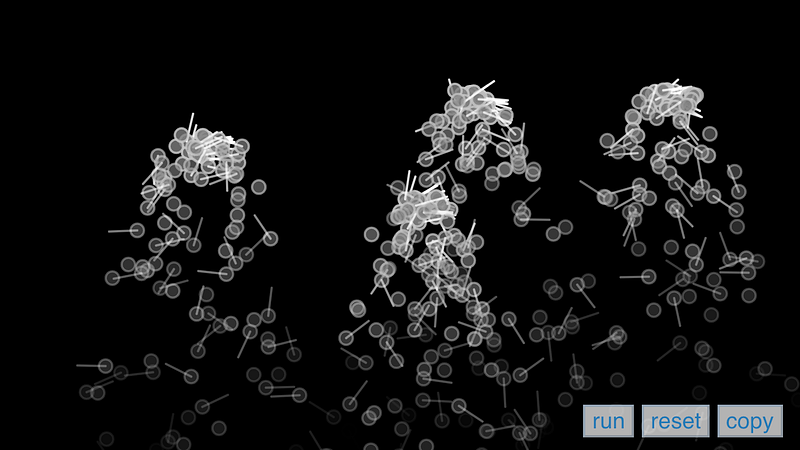
Multiple Particle Systems (Simulate)
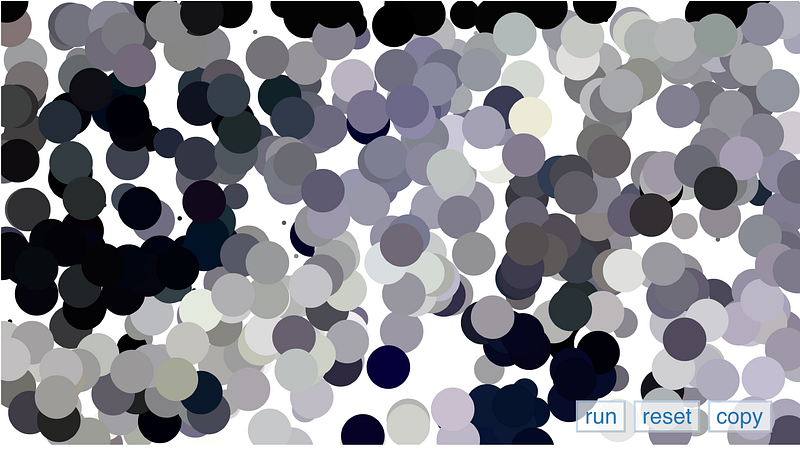
Pointillism

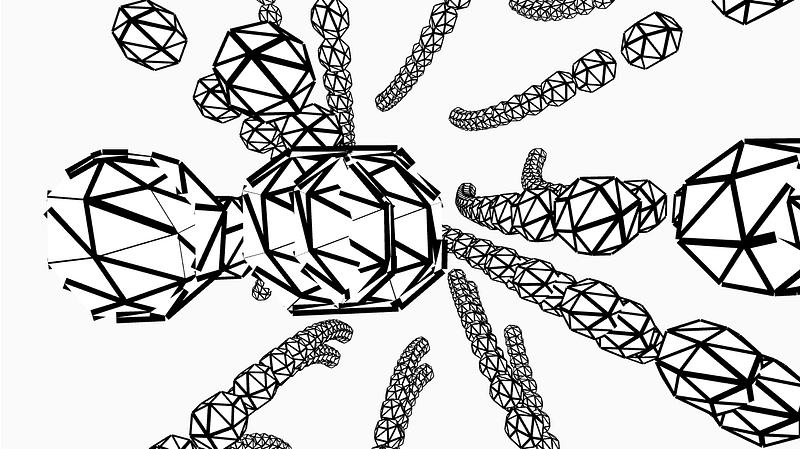
Sine Cosine in 3D

Art is all about expression and can be viewed from several perspectives. Gaming is a creative process that broadens the minds of both players and spectators. Both AI art projects and games can go hand in hand to provide an interactive experience that will excite countless people. It is essential to understand the vast differences between AI art projects and gaming to make sense of those differences in meaning, message, execution, etc.

For more interesting AI articles and tutorials, click HERE Machine Learning is making art more accessible

Art is everywhere 🟣 But the question is, how much do you love it?

I am an Art Curator, founder at EvArtology, and ML consultant at MLearning.ai. I advise companies and institutions in the creative industries on using AI tools in their daily work. Human collaboration with ML models can be very creative and bring huge benefits. The new era begins now.

Art
Games
Ai Art
Data
JavaScript
Recommended from ReadMedium