
How Apple SHOULD Fix the HomePod and Siri
I’ve worked it out!
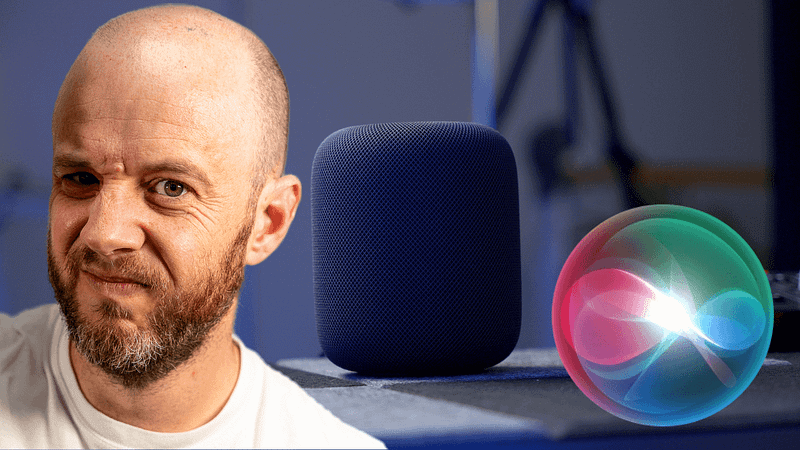
I’m holding on for as long as I can, folks.
I’m the lucky one, though. Every day, I get to use both Siri and Alexa as my digital assistants. The former resides at home, while the latter has set up camp in my studio via the wonderful new Sonos Era speakers.
Out of the two, I spend more time with Alexa.
This is a good thing.
My girlfriend isn’t so lucky. She’s at home each day. She very rarely needs to visit the studio. And that means she’s stuck with Siri all day.
All. Day.
Jen’s patience is wearing thin — I’m acutely aware of that. There’s only so much longer she’ll put up with Siri’s dimwittedness and propensity to give up entirely.
Thankfully, I’ve worked out how this can be fixed. We just need to hope (desperately) that someone from Apple is reading this.
Is This What Apple News Has Come To?
There is some serious barrel scrappage going on here
medium.com
Make it quicker
This one is simple.
Siri is about as quick to draw as a cowboy with 20-kilogram weights attached to his arms.
The simplest of requests take far too long to arrive. It genuinely feels as though something is wrong with the hardware (this goes for any Siri-compatible Apple device) or as though your internet connection has ground to a halt (which I can guarantee it hasn’t).
The things Apple is doing with its silicon are breathtaking. It makes no sense that Siri is this slow.
Make Siri faster. Please.
Make multi-room audio… work
When I first started using our HomePod setup, multi-room audio seemed to work fine. I even threw an Apple TV 4K into the mix, which happily joined the party.
However, over time, things have started to unravel. It has got so unreliable that I’ve all but given up on Apple-powered multi-room audio.
It just doesn’t work. If I start playing something on the kitchen HomePod and decide that I also want it aired on the dining room HomePod mini, the first issue encountered is that I have no idea how to achieve that feat.
Asking Siri is an absolute waste of time (I have no idea what the command is for playing stuff across multiple HomePods and I’ve tried every obvious one) and heading into my iPhone’s control centre inevitably only displays what was last playing on my iPhone.
That leaves the Home app. Which no one uses. It is, however, within there that you can choose multiple speakers for whatever it is you’re playing. This works — sometimes — but I’ve found that the selection of said speakers isn’t always retained for future listening sessions.
It gets worse.
Sometimes, the playback just stops entirely. This happened the other day when I somehow managed to get both HomePods to play a radio station based on the genius of Stevie Wonder. However, once the last few bars of Superstition had died away, there was… nothing.
Sonos continues to handle multi-room audio perfectly, and it appears to be related to how everything is centred around the Sonos app, whereas Apple spreads HomePod functionality clumsily across the entire iOS ecosystem.
Apple really could learn a thing or two from Sonos here. Keep it simple. Please.
Remove device confusion
Let’s say you ask your HomePod to start a timer. After the inevitable delay that results from such a complex request, the clock begins ticking down. You pop your AirPods Pro in and get down to the task of chopping up the ingredients for tonight’s dinner.
So fascinating is the episode of Eight or Sixteen you’re listening to that you lose track of time, so, you decide to ask Siri how long remains on the timer.
“There are no timers set right now,” she replies.
It takes a moment or two (while the chicken in the oven continues to overcook) for you to realise that Siri is referring to your iPhone, which indeed has zero timers running.
I hadn’t experienced much trouble with Siri when it came to multiple devices listening out for my commands — until I added a couple of HomePods into the mix. For some unfathomable reason, the latter appears to be treated as second citizens in Siri land.
If I’m in the same room as a HomePod and I’ve previously asked it to set a timer, I don’t want any other device to respond to the request for how long remains on that timer — regardless of what I’m doing with those other devices. It makes absolutely zero sense.
Revert to Alexa-style voice recognition
Regular readers will know that, since installing the HomePods in our house, we’ve had trouble with Siri recognising that my girlfriend lives there.
The good news? We’ve fixed it. Thanks to a very helpful commenter, I discovered that Jen didn’t have her card set up on her iPhone. Once that was added, Siri accepted that Jen lived with me and has been more responsive to her as a result.
This is silly. How many people have forgotten to set up their contact cards on iOS?
Most people, I’d guess. To my knowledge, it doesn’t form part of the iOS setup process, and Apple never offers a reminder to do so. It’s only when you realise how tightly integrated it is into certain elements of the Apple ecosystem that its importance becomes clear.
You don’t have to do this with Alexa or Google Assistant. They just work and respond to multiple voices. I get that Apple wants to stand by its firm approach to privacy, but the whole ‘recognising different voices’ thing on HomePods is a needless faff.
To fix this, the way Siri works on the HomePod needs to be separated from that of the iPhone. On the latter, it makes total sense for it to recognise just one voice — the owner’s — but HomePods should be far less restrictive.
Again, this is a case of Apple trying to be cleverer than anyone wants them to be.
Keep it simple. Please.
Final thought
I think ChatGPT and the rise of AI have caught a lot of big tech companies on the hop — Apple included.
Artificial intelligence is the main topic of conversation in tech right now. No one cares about the iPhone, Mac, or the move Apple might make with VR. People are simply excited and scared in equal measure about the potential of services like ChatGPT.
The way in which AI is finally clawing its way into everyday life reveals just how poor systems like Siri are. Anyone can now ask a chatbot to undertake complex research, write accurate code, or provide inspiration for any creative endeavour (or complete it entirely) for free. What’s more, the initial versions of the AI tools we’re witnessing are the worst they’re going to be — and they’re already amazing.
Siri struggles to set an egg timer.
If Siri (and, let’s be honest — every other big tech-backed digital assistant) doesn’t raise its game to at least match the capabilities of AI, it’s in trouble.
I’ll shut up about this for now and see what Apple does next, but I still cannot get over how bad Siri is when you attempt to integrate it into your home. It’s been one of my most disappointing tech experiences in recent memory.
Before you go
Join my Substack newsletter for tips on becoming a profitable, happy online creator!
If you enjoy my writing, it’s only a snippet of what’s on Medium. I’m a paying member myself and highly recommend joining. Click here to join (a portion of your membership fee will be sent my way and therefore directly support my work!).
Originally published at https://markellisreviews.com on April 14, 2023.


