
Google Data Studio vs. Tableau — a Comparison
Which one is the better Business Intelligence Solution?

In times of Big Data, where more and more data is produced and at the same time companies want to become more data-driven with Self Service BI tools, there is an abundance of providers in this area. All of them have their strengths and weaknesses. In this article, I would like to compare the solutions of Google Data Studio and Tableau. Maybe this short overview will help you to decide which one fits more to you and your needs.
Google Data Studio
Google constantly provides its’ Google Cloud and also many analytical services. One of them is Data Studio. Google’s Data Studio is a very simplistic dashboard and reporting tool for analytics but it has been expanded into a comprehensive business intelligence tool through many updates and connectors in the last years and months like:
- Google aims at Excel with new Big Data Features
- Data Studio now allows more Join Possibilities when Blending Data
- How to connect Data Studio easily with Amazon Redshift and Microsoft SQL
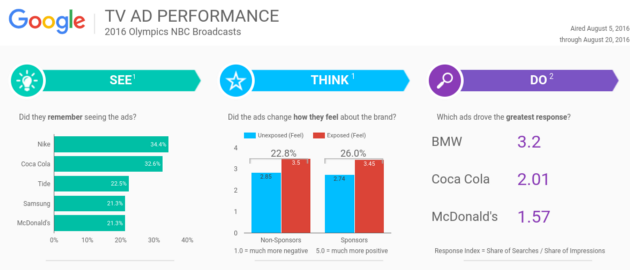
Google Data Studio is a free and fully SaaS-based tool which is hosted in the cloud and operated via a web interface [1].
Most important Benefits:
- It is perfectly integrated into G Mail and Google Cloud.
- It’s for free.
- Its’ interface and design is very simple and therefore easy to use.
Tableau
Tableau is a business intelligence tool owned by Salesforce software and is available either as on-premise or on a public cloud basis. The company provides customized versions for various industries — for example, for the banking and healthcare sector or the manufacturing industry. The BI tool can support the finance department as well as HR, IT, marketing or the sales department [2][3].
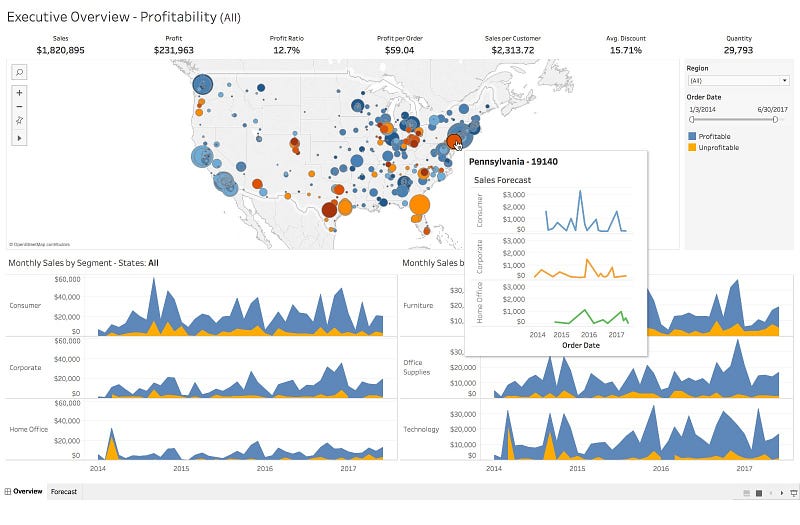
Similar to my comparison of Data Studio vs. Qlik (read here more about it: Google Data Studio vs. Qlik — a Comparison), the most important benefits of Tableau over Data Studio are the same as about Qlik:
- It is suited for all cloud or on-premise environments.
- It also provides advanced statistic and ML functionality.
Qlik and Tableau provide advanced analysis tools and models which Data Studio not offer (yet). While Qlik rather focuses on data association, Tableau promotes exploration for users with author permissions [4].
Conclusion
So similar to my comparison of Data Studio vs. Qlik, Google Data Studio convinces with its’ simplicity and yet many features and connectors to other systems and above all, it is for free! Therefore, it could be used in your business as a solution for the masses. Most users would probably be happy with it and it costs you nothing. Here, you have to say that it makes sense if you use other Google systems like Google Analytics or the Google Cloud and services like Google BigQuery as a data source. Identical to Qlik, Tableau on the other hand, is cloud independent and may be interesting for companies that have a lot of data in other clouds or want to analyze it on- premise rather than in the cloud. Tableau is also equipped with additional features that Data Studio does not (yet) offer. What I personally have seen as a good solution for Google Cloud Users is that Google Data Studio is offered for all users to simply do dashboard and reporting tasks and for individual specialisations such as data analytics to acquire a Tableau license. If you’re on another cloud, you’d probably have to opt for another solution here, though I have to say that Data Studio is currently opening up to other cloud platforms as well — read more here: How to connect Data Studio easily with Amazon Redshift and Microsoft SQL
Sources and further Readings
[1] Google, Welcome to Data Studio (2022)
[2] Qlik community, add python script to Qlick sense (2020)
[3] Wikipedia, Tableau Software (2022)
[4] TechRepublic, Qlik vs Tableau: BI tool comparison (2022)
[5] Tableau, Unsere Produkte (2022)


