
Do You Ever Wonder If a Tag is Effective in Medium?
You can try this trick to check first before using it!
You just spent 3 hours researching, writing, editing, and carefully choosing a title for your next amazing piece. You’re about to submit it to a publication, but you have one last step to do before hitting that juicy green publish button.
You need to choose tags!
And since you can only have a maximum of 5 tags (make sure you use them all!), you worry that you might not be choosing the right ones.
But how can you possibly tell if a tag is or isn’t the right one for your story?
Well, here’s 2 simple methods to help you out with tagging your Medium.com articles!
Using Medium’s search function
For the 1st method, we’ll use one of Medium’s own tools to better understand each tag’s potential.
I’ll lead with this caveat for those concerned about time — if you write in similar topics or a niche, you’ll only have to ever do this once or twice.
Let’s say you just finished a great new article on the topic of air conditioning.
It’s the summer, it’s hot out, and every day you pray to the gods of air conditioning for some of that sweet relief indoors.
And if you’re anything like me, you did a deep dive on the subject and wrote an article about it because you’re also weird.
Now, air conditioning was quite out of my normal fair, even though I am a generalist as far as writing niches go.
So I wasn’t sure what exact tags to use.
So I went to the Medium search bar in the top-right corner of the browser:

I then typed in “air conditioning” (the general topic of my article — you can play around with different words here) and pressed ‘enter’.
It then brings you to a screen that looks like this:
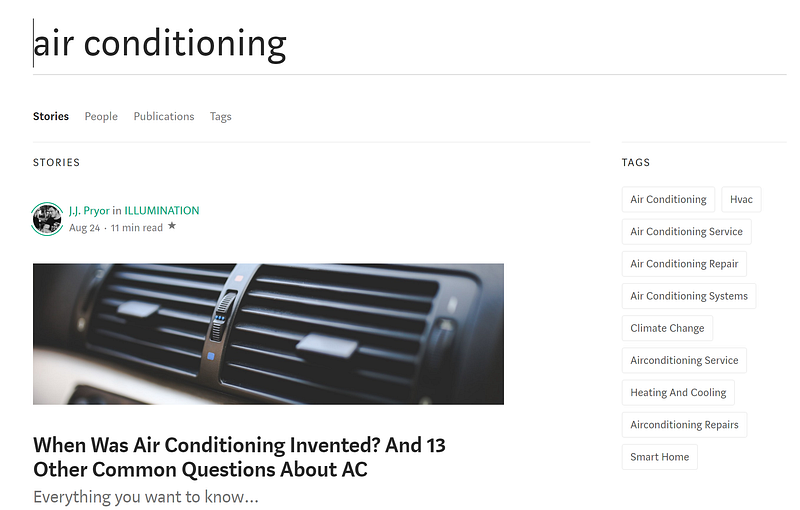
Outside of the amazing first article listed by yours truly, we’re more interested in the right side of the screen — the ‘Tags’ section.
It shows us a list of real tags that are registered in Medium’s system and even makes them all clickable.
The search function tries to find the most relevant tags for your search — which is just great!
Let’s click on one of the tags now. I’d say that ‘Air Conditioning’ looks to be the most general of the applicable tags there, so let’s do that.
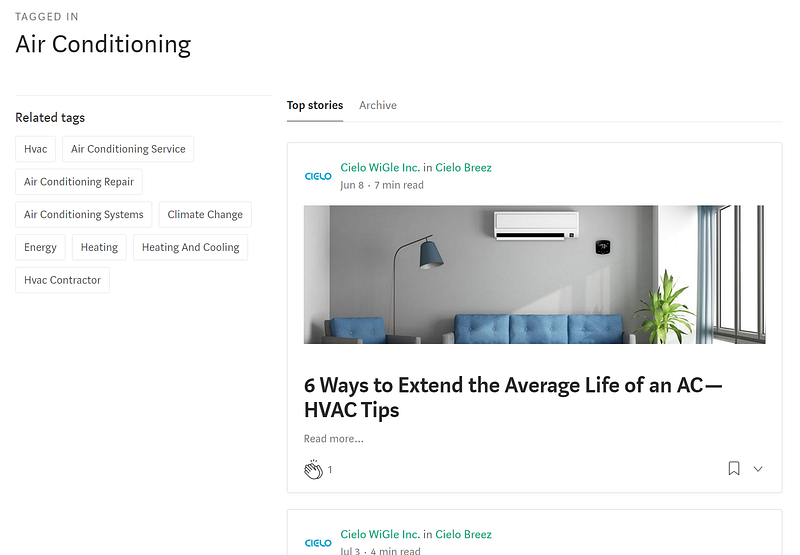
It now brings us to a list of articles sorted by (I assume) most visits.
- *Note, this doesn’t mean the most ‘clapped’
An even better function is the tab marked ‘Archive’ right beside ‘Top stories’.
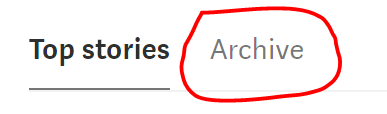
If we click on ‘Archive’, it takes us to a wonderful screen that looks like this:
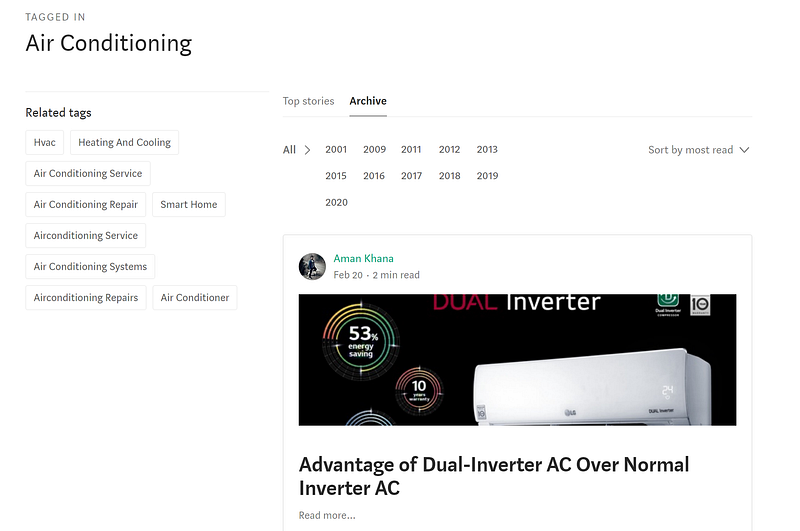
This screen is full of great information that’s very relevant to the article we just wrote.
You can select ‘All’ for all-time, or just choose a specific year. You can also sort by 3 different methods:
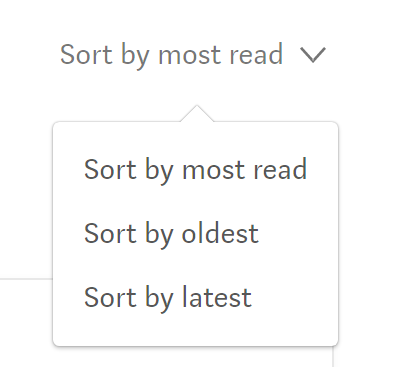
I usually will play with both the ‘most read’ and the ‘latest’ sorting methods.
Why?
For a few reasons:
- You can compare your article to the ones in the list
- Is my article topic unique?
- Is my voice & style different?
- Am I saying a unique angle, adding new information, or teaching something else?
2. You can see the relative popularity of the tag/subject
- Do the articles have a lot of claps? (enjoyability)
- Are there a lot of articles written on this subject? (competition)
- Are all of the existing articles really old? (timeliness)
You can tell a lot about a subject and a potential story by looking at the existing articles.
Unfortunately, we can’t quite tell how many views a specific article has, so we have to go by claps. This isn’t the greatest measure though, as many people read without clapping.
It also might indicate that the article isn’t well-written — even if the subject is great.
Last tips for tags on Medium.com
Next time you put all that hard effort into writing an article, try to remember this tool to use before hitting that publish button.
If I’m writing about a new subject, when I get to the tagging section, I do the following:
- Refer to my list of target Top Writer tags (I used to have 10 at one time)
- I have a reduced list of about 20 Top Writer tags I target (out of 73 in total)
- I’ll typically make 2–3 tags one of the Top Writer tags
- I then use the method in this article to find appropriate tags for the remaining ones
- and I always remember to use all 5 tag slots available!
Wrap up
Have fun playing around with the search function.
I use it a lot myself to get ideas for articles, new angles on old subjects, and to check if a subject has been written about before extensively.
If you have any questions or comments about the article, please let me know in the comments!
Until next time, happy Mediuming!
Keep up with my guides, rants, deep dives, and crazy shenanigans with my free newsletter. Thanks and have a great day!


