
IdentityServer4, Admin UI, ASP.NET WebAPI, and Angular Tutorial Series

This is a multipart tutorial for implementing Token Service to secure Clients and API Resources using OIDC/oAuth2/JWT. The core technology includes
- IdentityServer4 + Admin UI
- ASP.NET CORE 3.1
- Angular 9+
- Azure Cloud (for a live demo)
- And many more
Who is this publication for?
- Angular/NetCore developers who are searching for a solution to secure your Client apps and WebAPI with JWT. You have spent weeks/months reading thru partial solutions scattered thru out the world wide web to figure out how the OIDC/oAuth2/JWT works.
- Developers who use Microsoft NetCore/Angular template to create a prototype and find it difficult to scale and deploy in real-world applications.
- Developers who are new to the Angular/NetCore and want to find working production-quality sample projects that have best practices such as Clean Architecture and SOLD principles to jump-start your first project.
- Developers who need an Identity and Access Management (IAM) solution to support (a) different types of clients such as SPA, Mobile, MVC, and (b) external authentication providers such as Azure AD, Google, or Okta, etc. for single-sign-on.
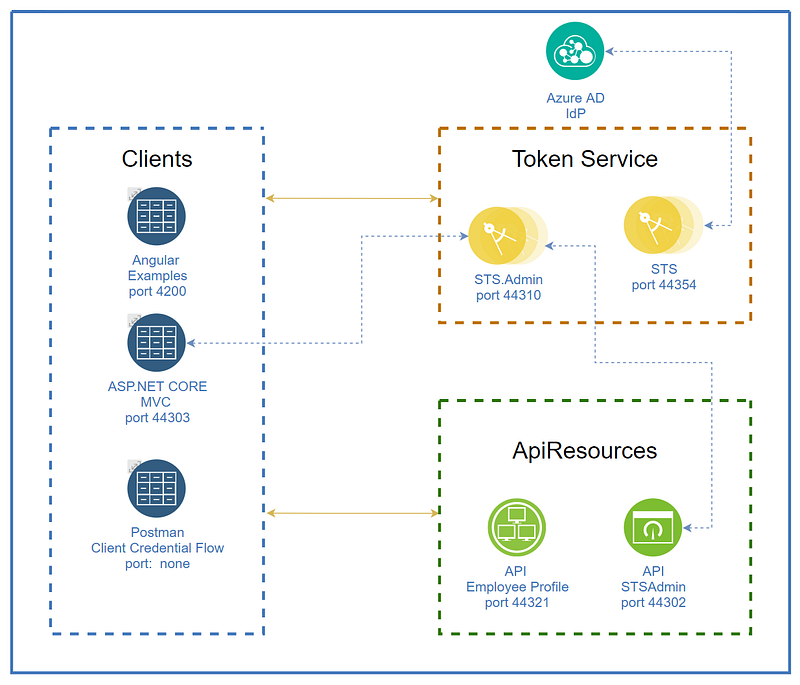
Figure 1 depicts the logical design of the modern application stack showing connectivity and the relationship between Clients (apps), Token Service, and API Resources (WebAPI). You will find the complete source code of the DevKit in GitHub. You can download and run all the components on the localhost, independent of the server infrastructure/internet connection. See the Tutorial section later in this story for step by step instructions. Imagine the possibility of working anywhere!
What is the DevKit?
It is a collection of best-breed opensource projects, integrated into one set of tools to support the rapid prototype of SPA and WebAPI. The DevKit is architected with the separation of components to allow for more targeted development/debugging, scale, and DevSecOps support.
Features
- Complete set of projects to run on the developer workstation. Project source code includes (a) Secure Tokes Service/Admin UI, (2) sample Angular client, and (3) sample ASP.NET CORE 3.1 WebAPI
- Running a local instance of Secure Token Service on developer workstation to issue JWT and support PKCE grant type
- Running a local instance of Admin UI on developer workstation to register new Client Apps and ApiResources and persist data into the MSSQL database
- Sample ASP.NET CORE WebAPI project showing JWT validation and access control policy
- Sample Angular SPA using OIDC certified library to support PKCE login
Benefits
- Developers can focus on developing new app features, less on the cross-cutting concerns such as app security and OIDC/oAuth2/JWT backend plumbing
- Baked in best practice Clean Architecture and SOLID principles
- Module design — tightly integrated yet loosely couple JAMstack (JavaScript, APIs, and Markup)
Online Demos
Developers can run the DevKit WebAPI on the local development workstation or in the Cloud. Below is a list of the demo links running in Microsoft Azure Cloud.
- Token Service Server: https://devkit-sts.azurewebsites.net
- Angular Client: https://devkit-cli-angular-oidc-oauth2.azurewebsites.net
- ASP.NET CORE 3.1 WebAPI https://devkit-api-employeeprofile.azurewebsites.net/swagger/index.html
Tutorial Repositories in Github
- https://github.com/workcontrolgit/devkit-tokenservice-sts Secure Token Service (STS) based on IdentityServer/IdentityServer4 library
- https://github.com/workcontrolgit/devkit-tokenservice-sts.admin Admin UI for STS based on skoruba/IdentityServer4.Admin
- https://github.com/workcontrolgit/devkit-clients-angular-auth-oidc-client Sample SPA Angular app, implementing PKCE, and passing JWT via header to secure access WebAPI. The certified ODIC library is from damienbod/angular-auth-oidc-client
- https://github.com/workcontrolgit/devkit-apiresources-employeeprofileapi Sample ASP.NET CORE 3.1 WebAPI, showcasing back-channel JWT validation against Token Service and claim-based policy to authorize access to WebAPI endpoints. The project source code was generated using proudmonkey/ApiBoilerPlate template containing a ton of best practices
Demo Screens
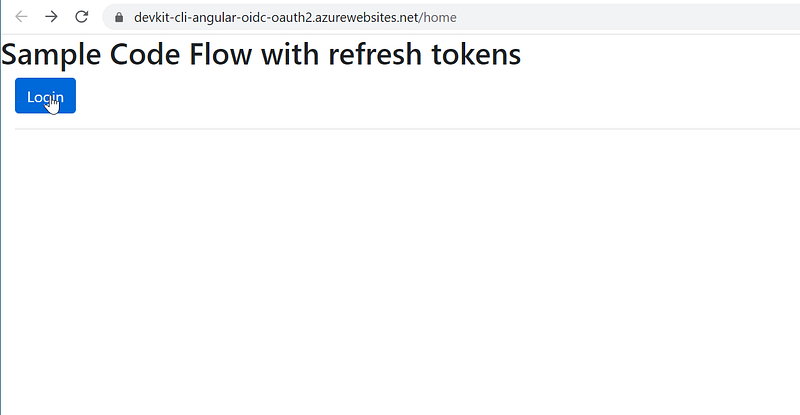
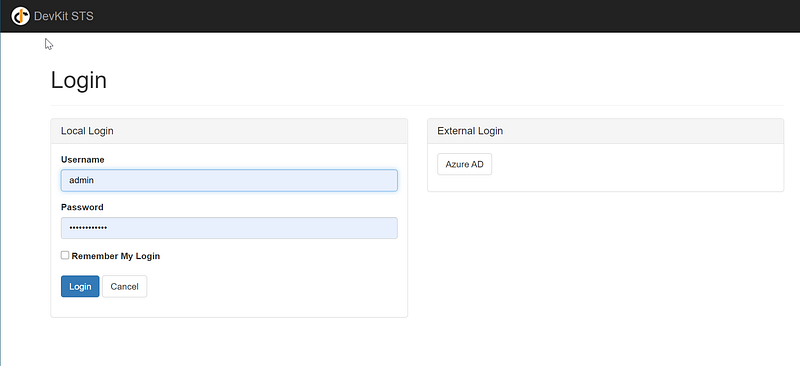
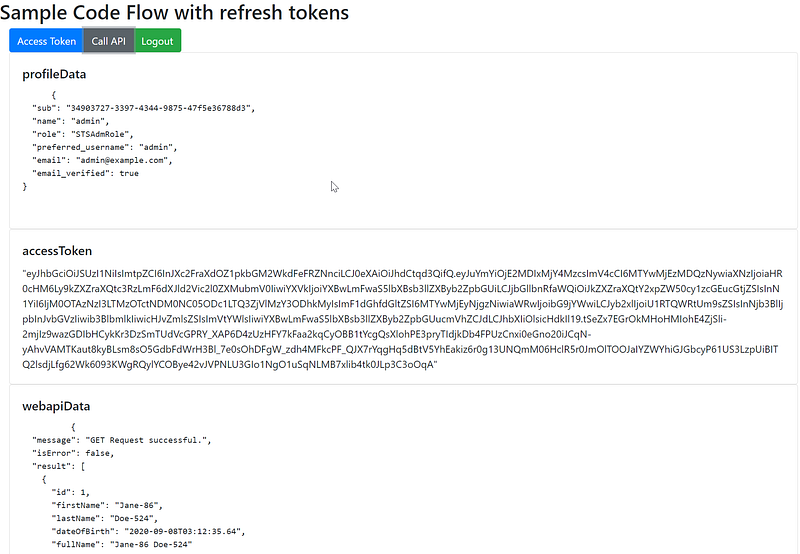
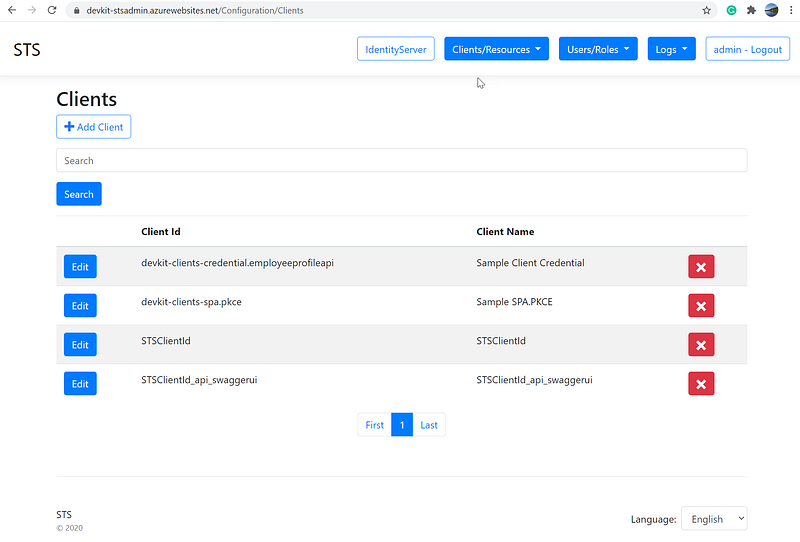
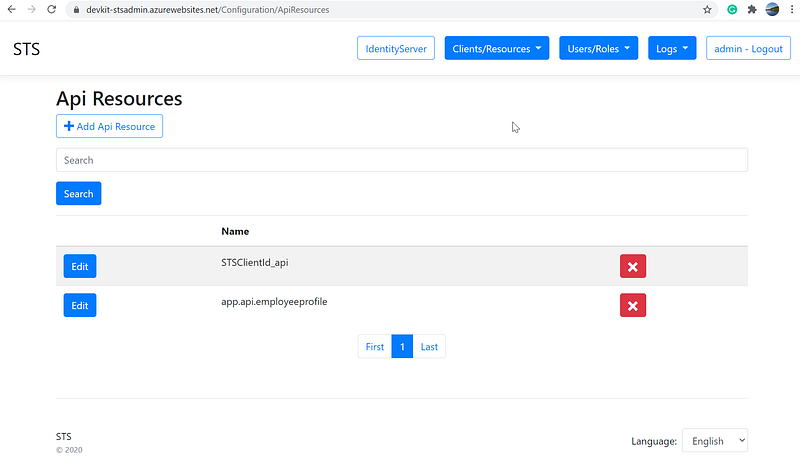
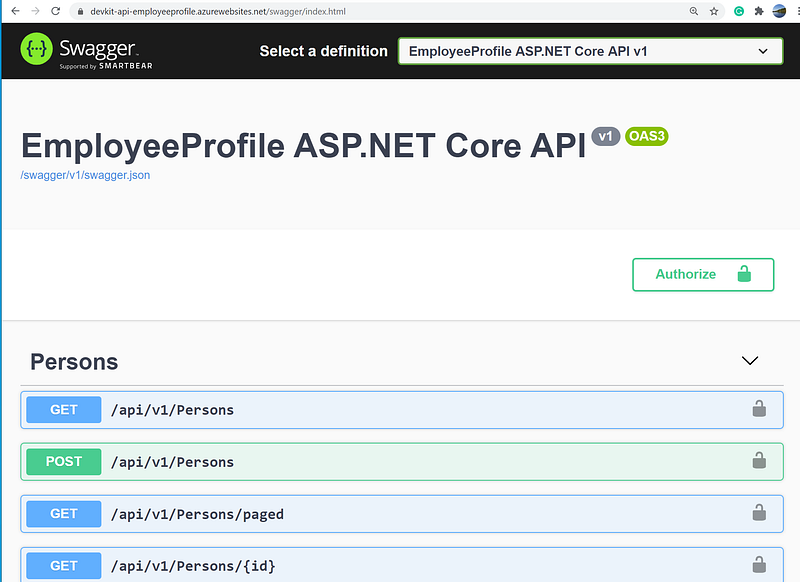
Tutorials
The focus of the tutorial will be “As a developer, I need to have X set up so I can do Y”. You will find the tutorial to be tasked oriented, with step by step instructions and a lot of screenshots. If you have questions or comments, feel free to ask by clicking on the “responses” link at the end of the post.
- Tutorial 1: Set up secure token service IdentityServer4 Admin UI (Published 9/28/2020)
- Tutorial 2: Register Clients and ApiResources in IdentityServer4. (Published 10/7/2020)
- Tutorial 3: Set up and configure secure token service IdentityServer4. (Published 10/12/2020)
- Tutorial 4: ASP.NET WebAPI JWT validation against IdentityServer4. (Published 10/16/2020)
- Tutorial 5: Angular SPA authentication against IdentityServer4. (Published 10/17/2020)
- Tutorial 6: ASP.NET claims-based policy to secure WebAPI. (Published 10/21/2020)
Check out related tutorials
- Rapid Prototype Asp.Net Core REST API using KissApi Template — use Visual Studio template to generate Clean Architecture solution based on Repository Pattern, Unit of Work, Dapper, SQLKata, and Swagger
- Rapid Prototype of ASP.NET Core WebAPI with Swashbuckle and Bogus — use a combination of Swashbuckle.AspNetCore and Bogus libraries to construct and simulate REST endpoints
- Rapid Prototype Asp.Net Core REST API using OnionAPI Template — Visual Studio template to generate a Clean Architecture ASP.NET Core REST API solution with boilerplate code for advanced features such as data filtering, sorting, paging, and shaping


