
Design the layout with CSS grid by using Styled-components and ThemeProvider
Introduction
As we know, there are two ways to do the layout for React components, CSS files, or CSS-in-JS. I used to do the layout by writing CSS/SASS directly.
However, there are a few advantages to do the layout with CSS-in-JS by using Styled-component and ThemeProvider.
- It’s readable to use styled-components rather than use className and ID from CSS files for me
- It’s flexible to define different styles in theme
Practice
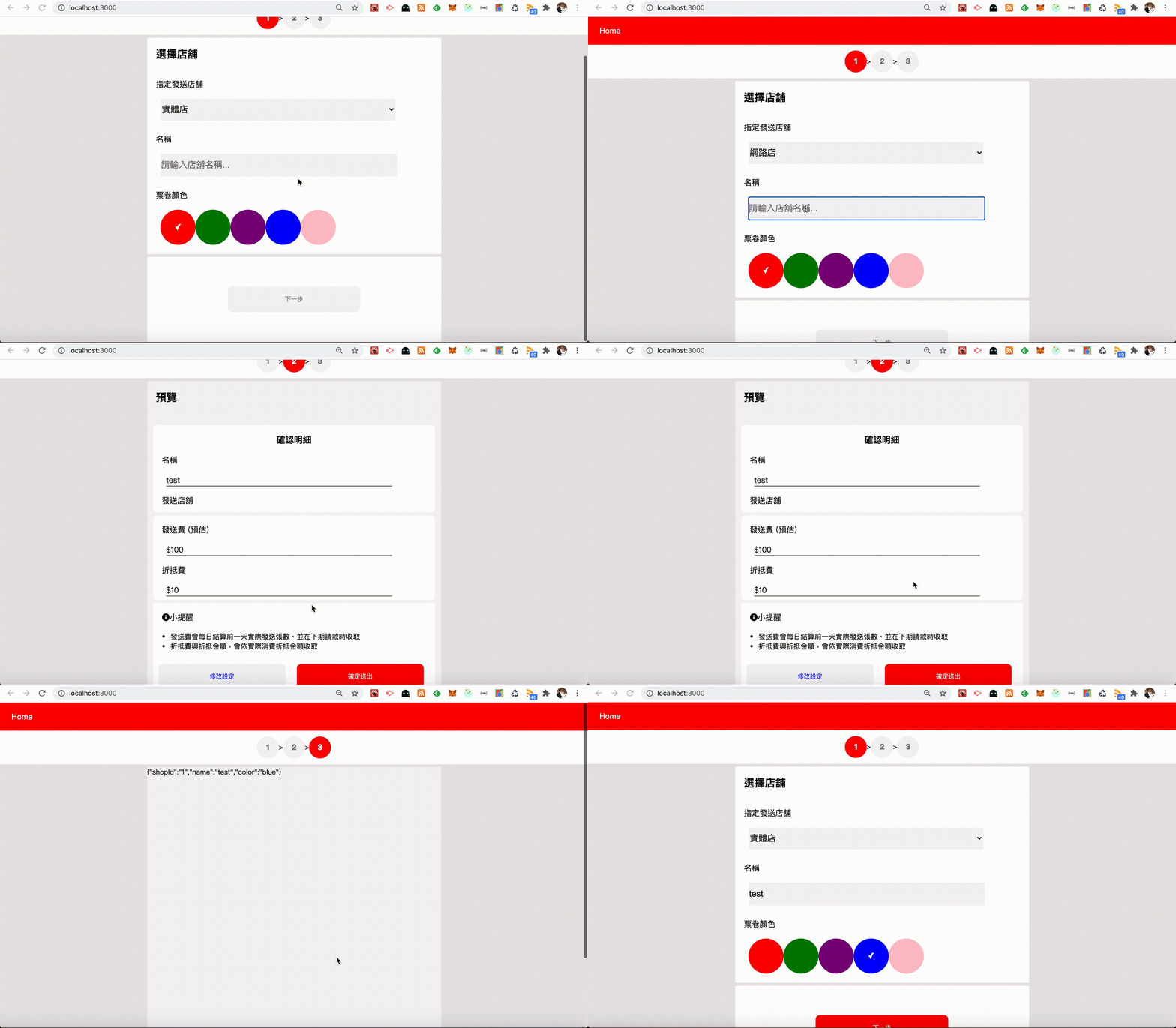
Here is the demo video for the ticket store. That’s trying to do the layout for the first page with CSS grid, styled-component, and ThemeProvider.
How do we do?
Step 1. Design layouts with CSS grid in theme.js
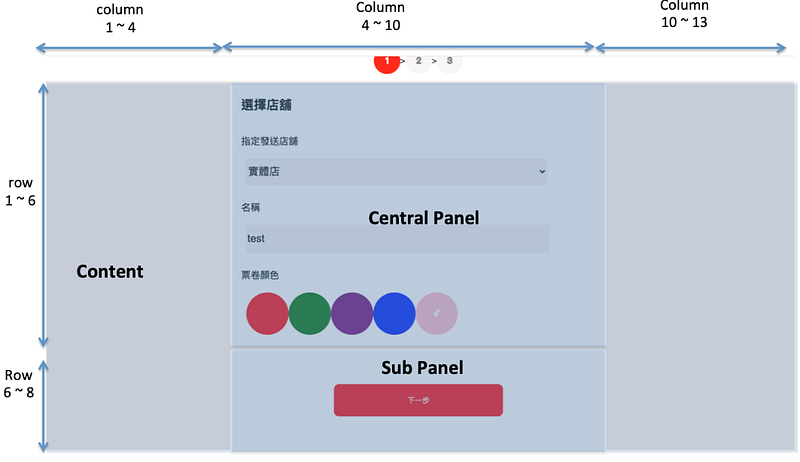
1. Divid this page to three sections
- Content (the CSS grid container)
- Central panel
- Sub panel
2. Define a JavaScript object in the theme.js
- Define content and panel as theme keys
- Define center and sub as variants keys
Step 2. Define styled-components
1. Install packages with npm
npm install -s styled-components styled-system2. Define styled-components in the sytle.js. Use scale as the theme key to get the corresponding CSS content from theme.js
Step 3. Use styled-components with the ThemeProvider
<ThemeProvider> is based on the React context APIs. It can provide variants props for inner child components.
After using the <ThemeProvider> in the parent component and pass theme to it, we can use our styled-components with variant props.
That’s it!
References
- [Note] styled-component 學習筆記
- Styled System 初探 (๑╹◡╹๑)
- 介紹撰寫React CSS的神套件Styled Components
- 在 React-Styled Components 透過 ThemeProvider 來更換網頁色彩主題樣式
Summary
Thanks for your patient. I am Sean. I work as a software engineer.
This article is my note. Please feel free to give me advice if any mistakes. I am looking forward to your feedback.
- The Facebook page for articles
- The latest side project: Daily Learning
Related topics
How to use the two-way binding in Knout.js and ReactJS?
Learn how to use SignalR to build a chatroom application
My reflection of
IT & Network:
Database:
Software testing:
Debugging:
DevOps: