
Deploying AWS Accounts In Parallel Using CloudFormation
ACM.419 Deploying an organizational structure in a new AWS account using a container that requires MFA for deployment jobs
~~~~~~~~~~~~~~~~~~~~~~~~~~~~~~~~~~~~~~~~~~~~~~~~~~~~~~~
⚙️ Check out my series on Automating Cybersecurity Metrics | Code.
🔒 Related Stories: AWS Organizations | IAM | Deploying a Static Website
💻 Free Content on Jobs in Cybersecurity | ✉️ Sign up for the Email List
~~~~~~~~~~~~~~~~~~~~~~~~~~~~~~~~~~~~~~~~~~~~~~~~~~~~~~~
In the last post, I added an account alias to any new account I deploy. The account alias is used to log into the account and switch roles using an alias instead of an account number. In the process, I now have the functionality to assume the AWS Organizations role when creating a new account and configure it as needed.
Now that I have that completed I want to create my accounts in parallel because they can all pretty much be created at once with the same template.
I’m going to leverage my parallel processing code and OU and Account deployment code from previous posts to deploy all of that.
I already redeployed my OUs according to this naming scheme so I could use the new consistent naming in the last post.
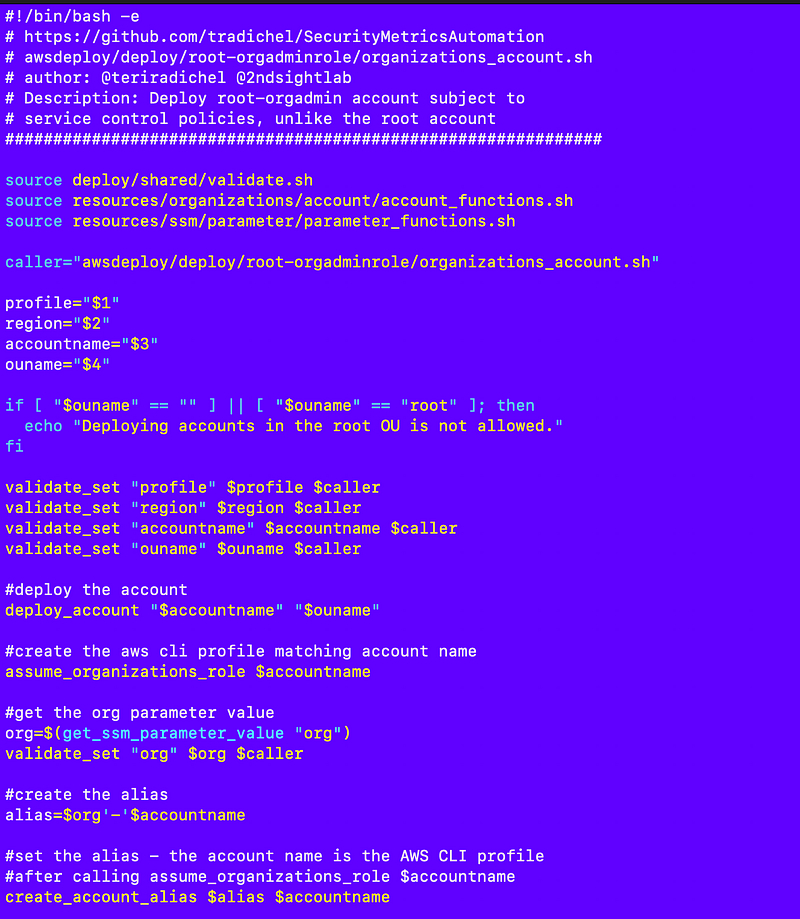
Recall that I created an IAM account already. The generic deploy script for an account looks like this (leveraging my container and common functions and templates.) I updated it in the last post to deploy an account alias for each new account.
My IAM account script looks like this:
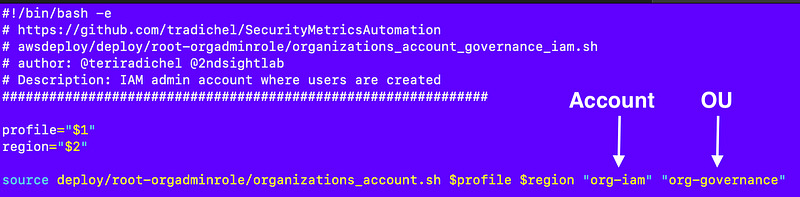
Besides the Account, OU, and comments, little changes for each new account script. In fact, I could probably add automating these account scripts to my gen_code function later.
But anyway I have all my account scripts along with OUs and other things the root-orgadmin user can deploy in the deploy/root-orgadmin folder:

I updated the file I source in my local test script to call all these functions. I haven’t tested every single one because I’m focusing on the “all accounts” option that deploys all the accounts in parallel.
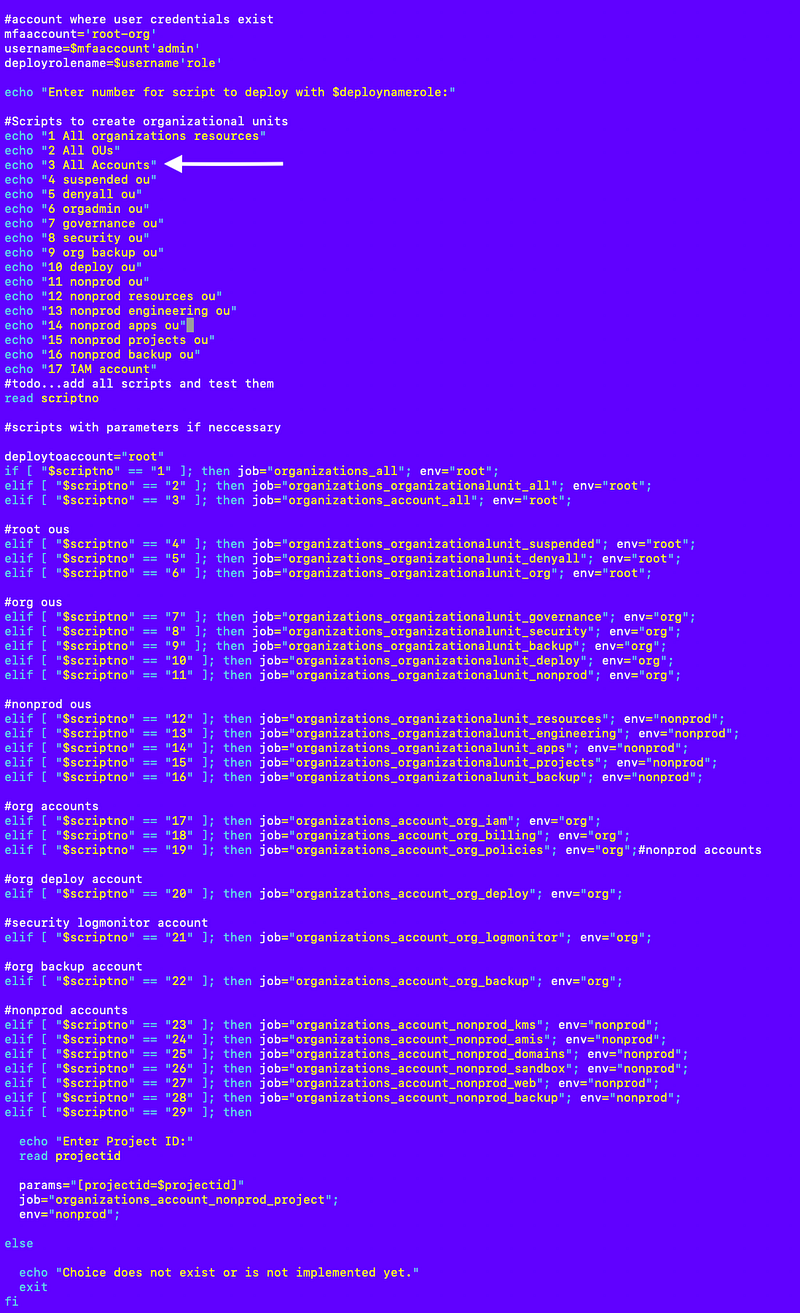
Here’s the file that calls all the account scripts:
As long as I don’t have typos, it works.
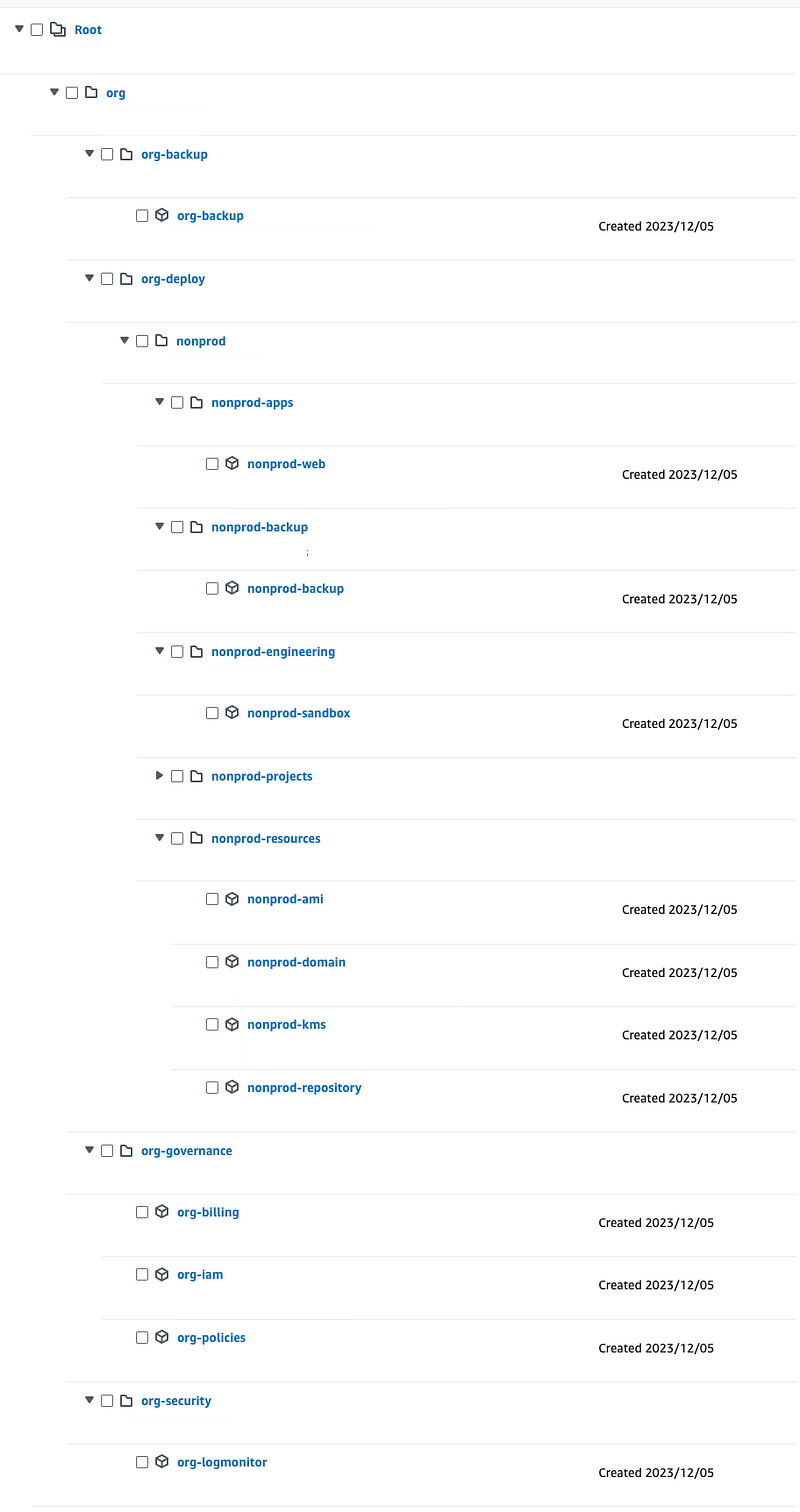
My accounts are created in a matter of minutes (with a couple of rounds to fix errors):
My aliases are created:
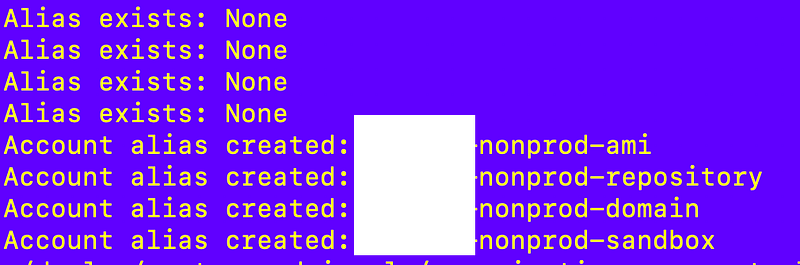
I inadvertently deployed my OUs with an output name that had “account” in it and it conflicted with some of my account outputs so they failed to create.
I fixed the OU output names and redeployed the accounts but while doing so got this error because apparently you can’t call the function to get the root id simultaneously. There is some overlap in requests for the OU ID multiple times. I can fix that later to reduce calls to AWS Organizations, but I expect to run this code very infrequently. I also ran the script a second time and did not get any errors with no changes on my end.

Now I have almost all my OUs and accounts, a way to configure new accounts by using the organizations role when they are created and all my account aliases are assigned so it’s easy to access them.
More to do, as always.
Verify that all the accounts got created in the correct OUs.
That’s it!
Follow for updates.
Teri Radichel | © 2nd Sight Lab 2023
About Teri Radichel:
~~~~~~~~~~~~~~~~~~~~
⭐️ Author: Cybersecurity Books
⭐️ Presentations: Presentations by Teri Radichel
⭐️ Recognition: SANS Award, AWS Security Hero, IANS Faculty
⭐️ Certifications: SANS ~ GSE 240
⭐️ Education: BA Business, Master of Software Engineering, Master of Infosec
⭐️ Company: Penetration Tests, Assessments, Phone Consulting ~ 2nd Sight Lab
Need Help With Cybersecurity, Cloud, or Application Security?
~~~~~~~~~~~~~~~~~~~~~~~~~~~~~~~~~~~~~~~~~~~~~~~~~~~~~~~~~~~~~
🔒 Request a penetration test or security assessment
🔒 Schedule a consulting call
🔒 Cybersecurity Speaker for PresentationFollow for more stories like this:
~~~~~~~~~~~~~~~~~~~~~~~~~~~~~~~~~~~~~~~~~~~~~~~~~~~~~~~~~~~~~
❤️ Sign Up my Medium Email List
❤️ Twitter: @teriradichel
❤️ LinkedIn: https://www.linkedin.com/in/teriradichel
❤️ Mastodon: @teriradichel@infosec.exchange
❤️ Facebook: 2nd Sight Lab
❤️ YouTube: @2ndsightlab