
Generating CloudFormation Deployment Code With a Simple Script
ACM.400 Look— no generative AI!
~~~~~~~~~~~~~~~~~~~~~~~~~~~~~~~~~~~~~~~~~~~~~~~~~~~~~~~
⚙️ Check out my series on Automating Cybersecurity Metrics | Code.
🔒 Related Stories: AWS Security | Secure Code
💻 Free Content on Jobs in Cybersecurity | ✉️ Sign up for the Email List
~~~~~~~~~~~~~~~~~~~~~~~~~~~~~~~~~~~~~~~~~~~~~~~~~~~~~~~
In the last post I fixed an issue with my CloudFormation stack output naming convention.
Since this is my 400th post in this series, I figured I should write about something impactful and cool. I have been testing out this functionality for a bit and I think it’s pretty neat. It’s clean, simple, and saves me a bunch of time. It also helps me prevent typos — to some degree. This is a starting point and I’ll revise and refine it throughout the series.
Directory structure and naming conventions
First I’ll summarize my directory structure and file naming conventions again.
I created my directory structure based on the AWS documentation so in theory, it is easy to find the documentation for a resource based on its name.
It should also be easy to find the associated files to deploy a resource based on that naming convention.
The files to deploy a resource include the following:
A deployment script that containers a single resource and it’s parameter values:
/deploy/[role name that deploys the resource]/[resource name].sh
A CloudFormation template:
/resources/[resource category]/[resource type]/[resource name].yaml
A functions file with the function called from the deployment script to deploy the resource:
/resources/[resource category]/[resource type]_functions.sh
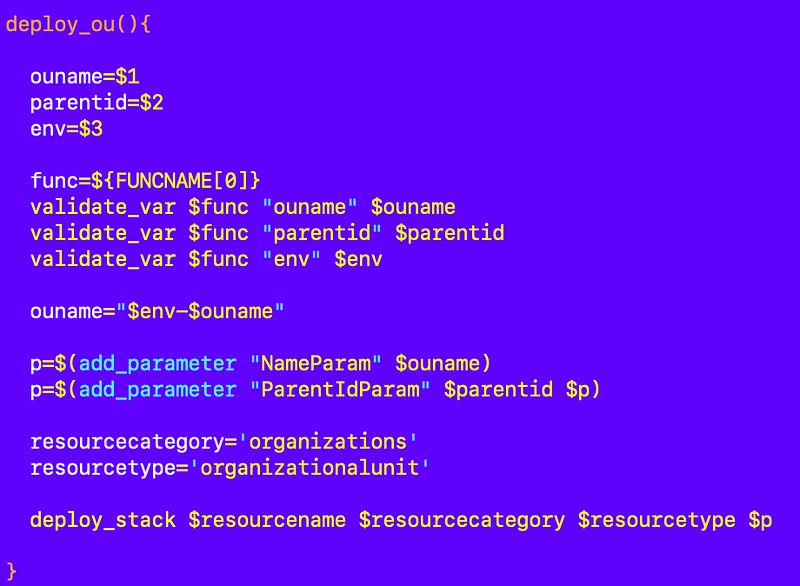
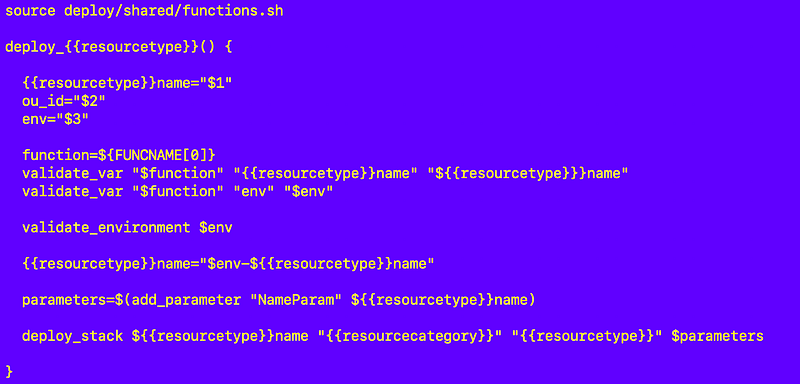
A resource deployment function generally looks something like this with parameters passed in, validated, added to an array, and passed to a common deploy_stack function:
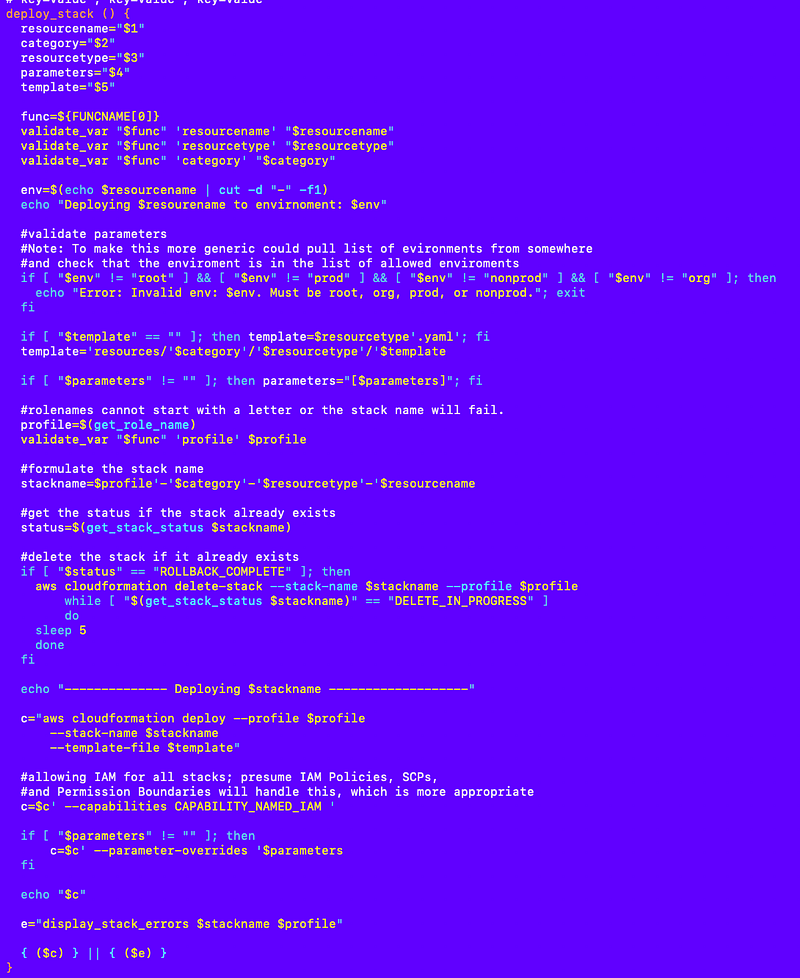
The deploy_stack function is in a common functions file.
/deploy/shared/functions.sh
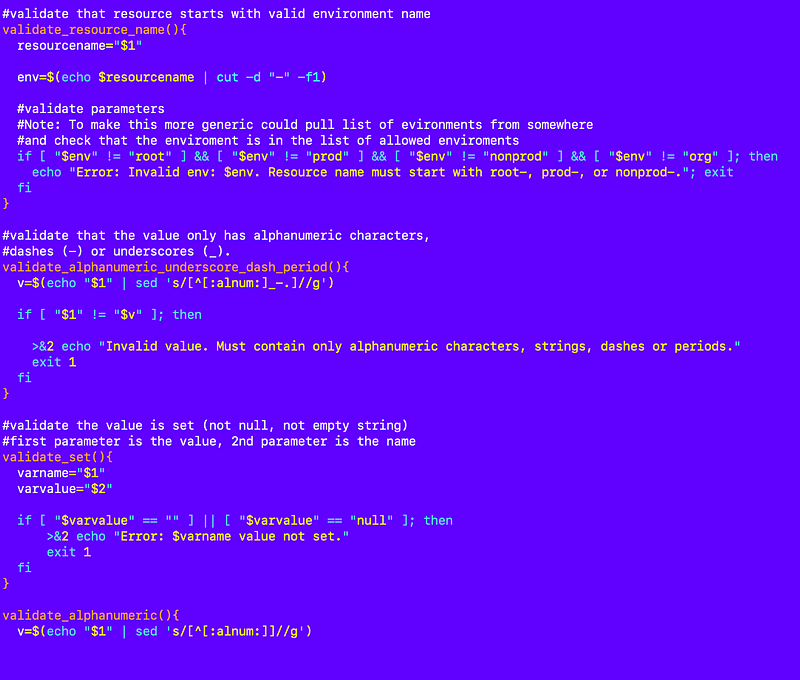
A shared validation functions file is used to validate values (truncated):
Generating the code for a new CloudFormation resource
Using the above common structures and functions I can generate a lot of the code to create a new CloudFormation resource automatically.
I created a new directory called gen_code in the root of my repository.
I added a file to it called gen_code.sh.
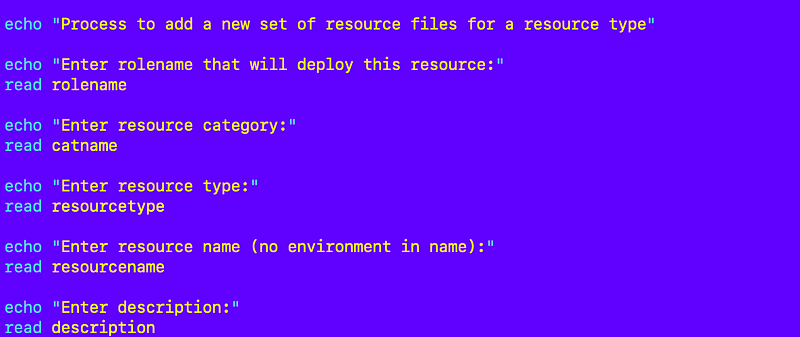
In this file, I ask the user a series of questions about the resource they want to deploy:
First I generate the deploy file. In order to do that I use files that are templates for the blocks of code in the file.
Within the template files I put the variables I want to replace in double curly braces like this {{ }}.
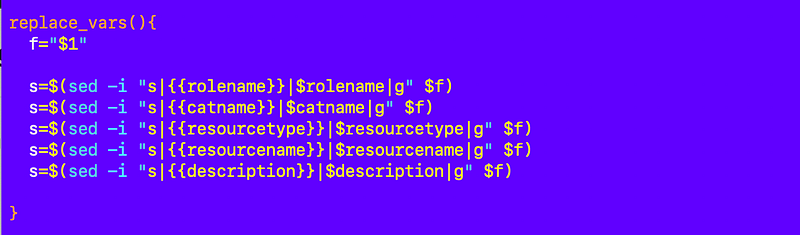
The names of the values in the curly braces match the variable names I set in the above code where I collected information from the user. I have a common function that replaces the placeholders with the values of the variables at the top of my gen_code.sh file:
Here are my template blocks:
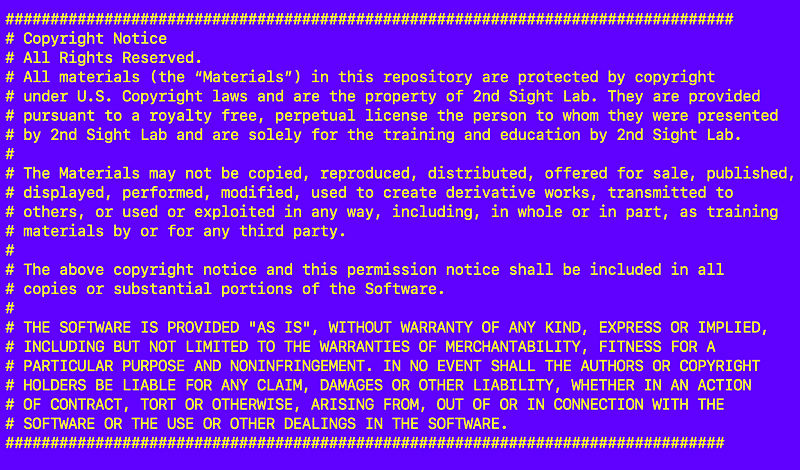
header.txt

footer.txt
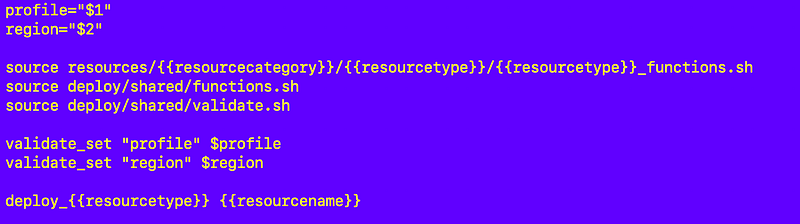
deploy.txt
functions.txt
yaml.txt
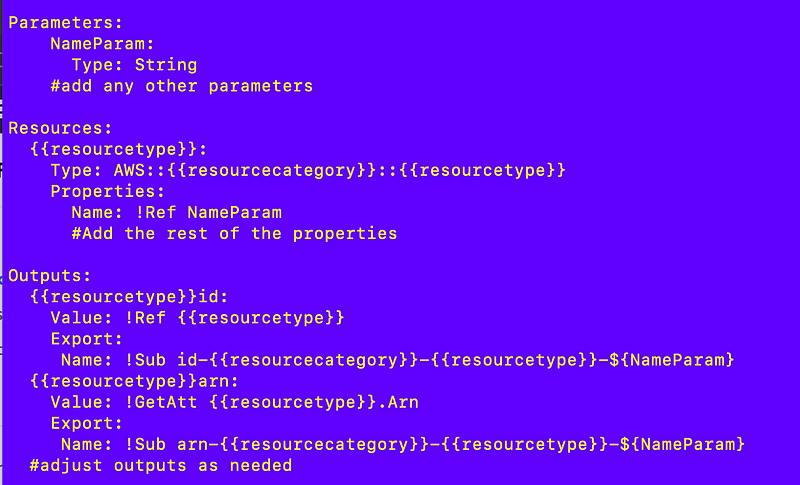
Note that there’s more I can do with the yaml file and I’ll get to that in another post. For now let’s piece this together.
Back to my gen_code.sh file.
Using the above I can deploy the initial deployment file with the proper naming convention and base code.

I ask the user if they want to deploy the file or not. It could be that the user only wants to deploy the functions file or the template file and not the others.

Next I check to see if the file the user wants to write already exists and ask the user if they want to overwrite the file. The value of a will be overwritten here with the answer to this question:

If the value of a is “y” then write the file.

I use the cat command to combine the three files and write them to the deploy file path.

Then I call my function to replace the variables in the file:

After the file gets generated, I use the cat function again to display what’s in the deploy file on the screen.

Here’s the whole block of code to write a new deployment file:
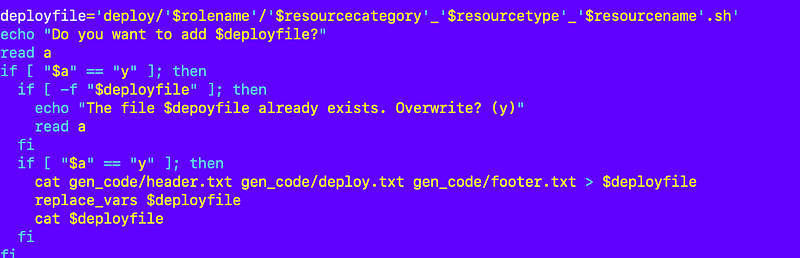
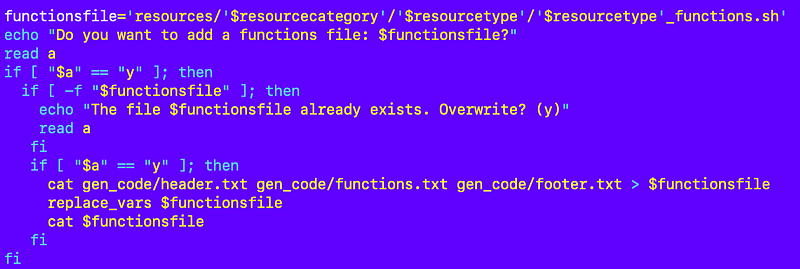
Here’s the code to write the functions file — same thing except I include the functions.txt file for the body of the file instead of the deploy.txt code.
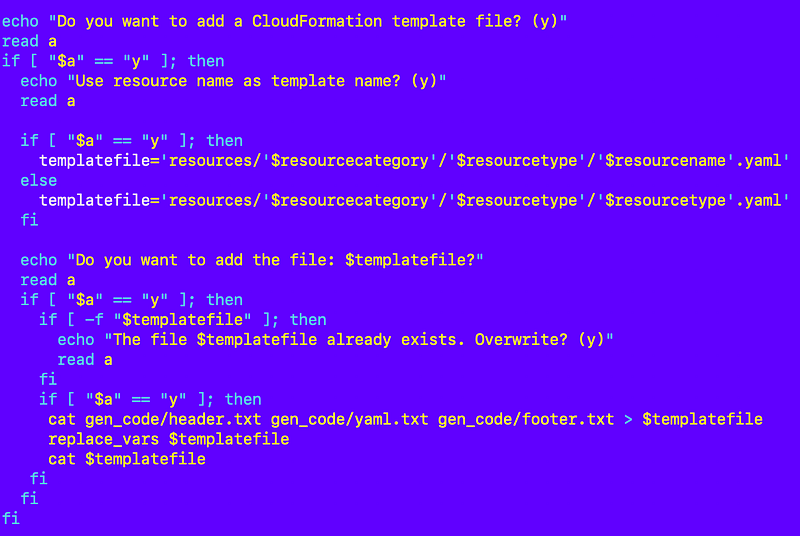
Same thing for the template file with one exception.
In some cases our template file works for every resource like a KMS key, an S3 bucket, an account or a user. I can use a single yaml file with parameters to deploy any resource of that type.
In other cases we have a very unique policy that is different for every single resource. In that case, I want the template name to be the name of the resource.
I allow for that variation in template names in the script below.
Executing the code to generate new code
I can execute the code to generate the code for a new resource. Let’s say I want to deploy the code to deploy an AWS IAM group for the IAM administrators, deployed by the orgadminrole.
I change to the root directory of my repository:

I run this command:
./gen_code/gen_code.sh
I answer all the questions:
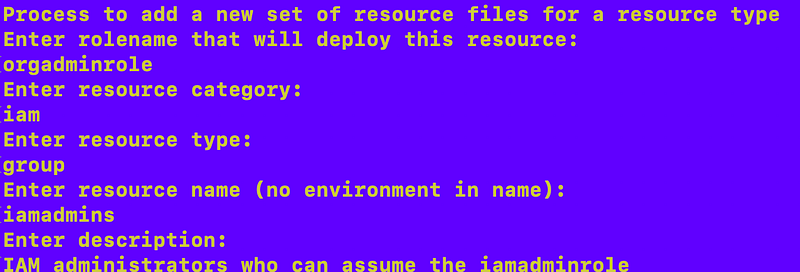
I answer y to create the deployment file. That file is created and the contents are outputted to the screen.
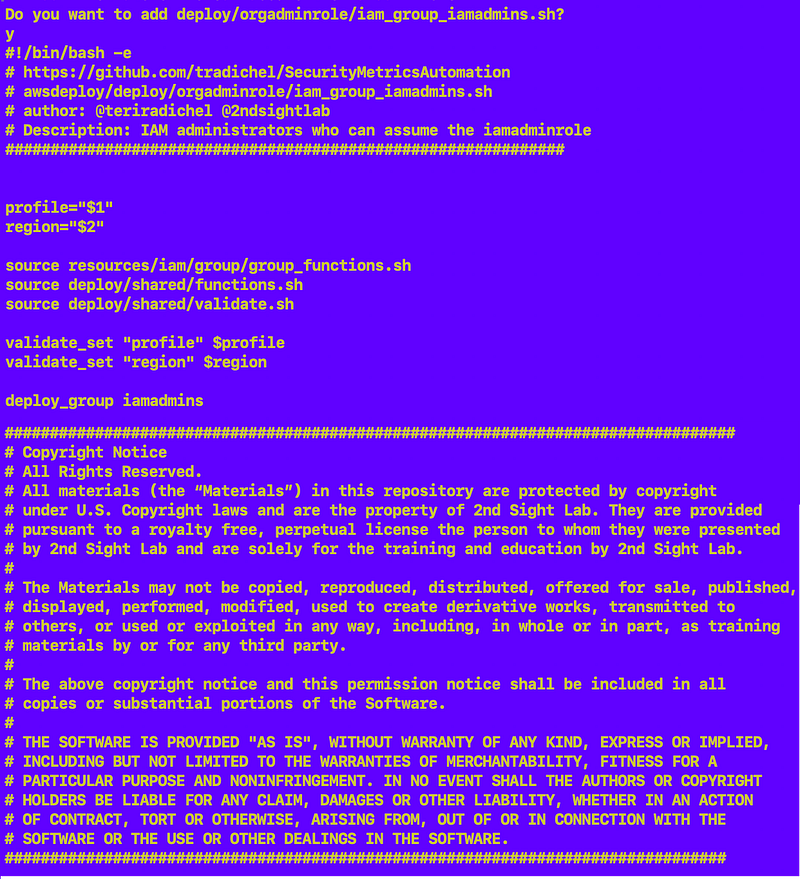
I answer y to create the functions file.
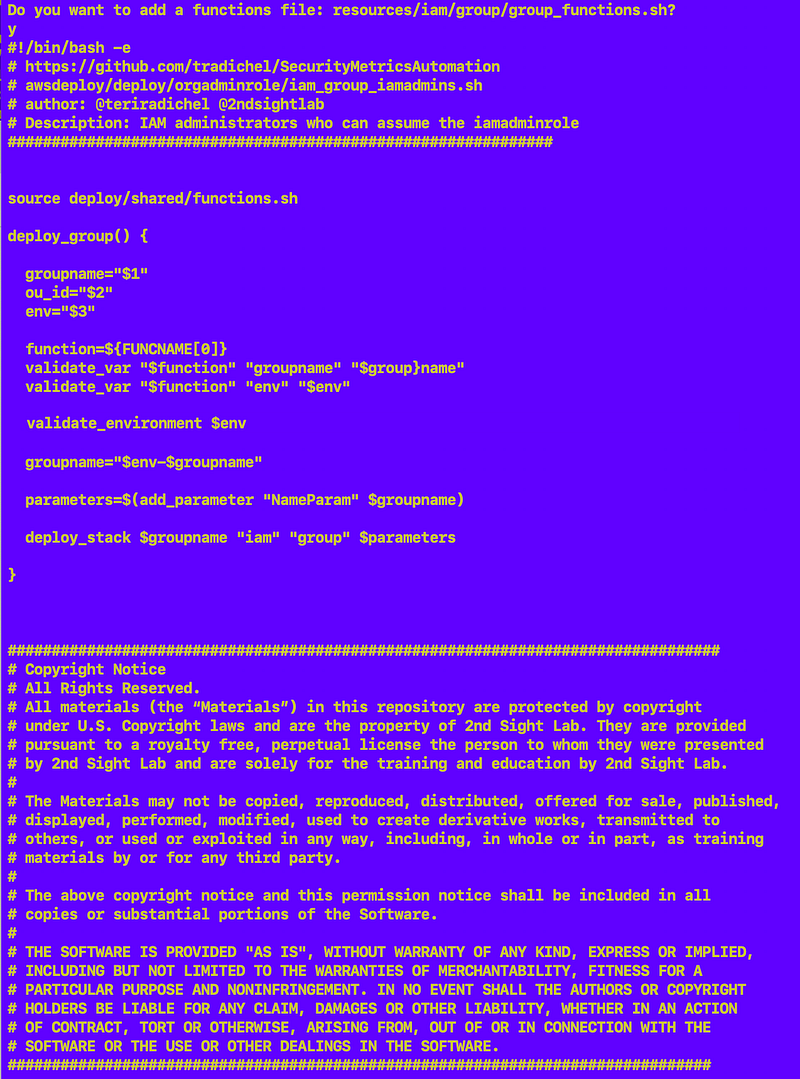
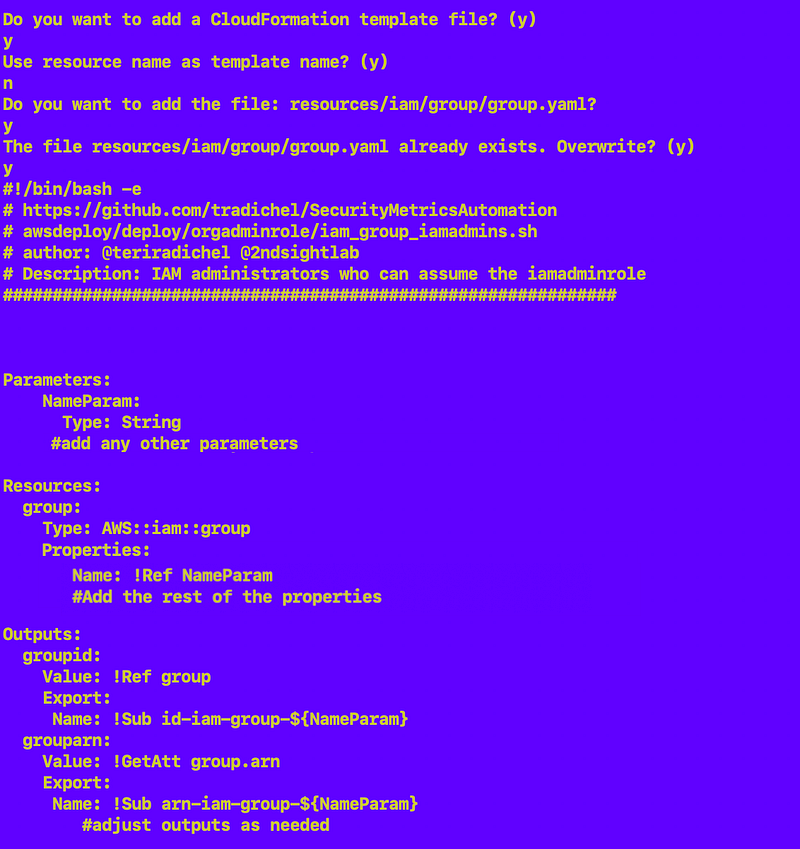
I answer y to create the template file:
I can check to see that my deploy file shows up in the right directory with the right name:

And the other two files:

The contents of those files will match what was displayed above using the cat command with those files.
The full function to generate all that code
Here’s the code to wrote all the above code in a consistent manner for any resource:
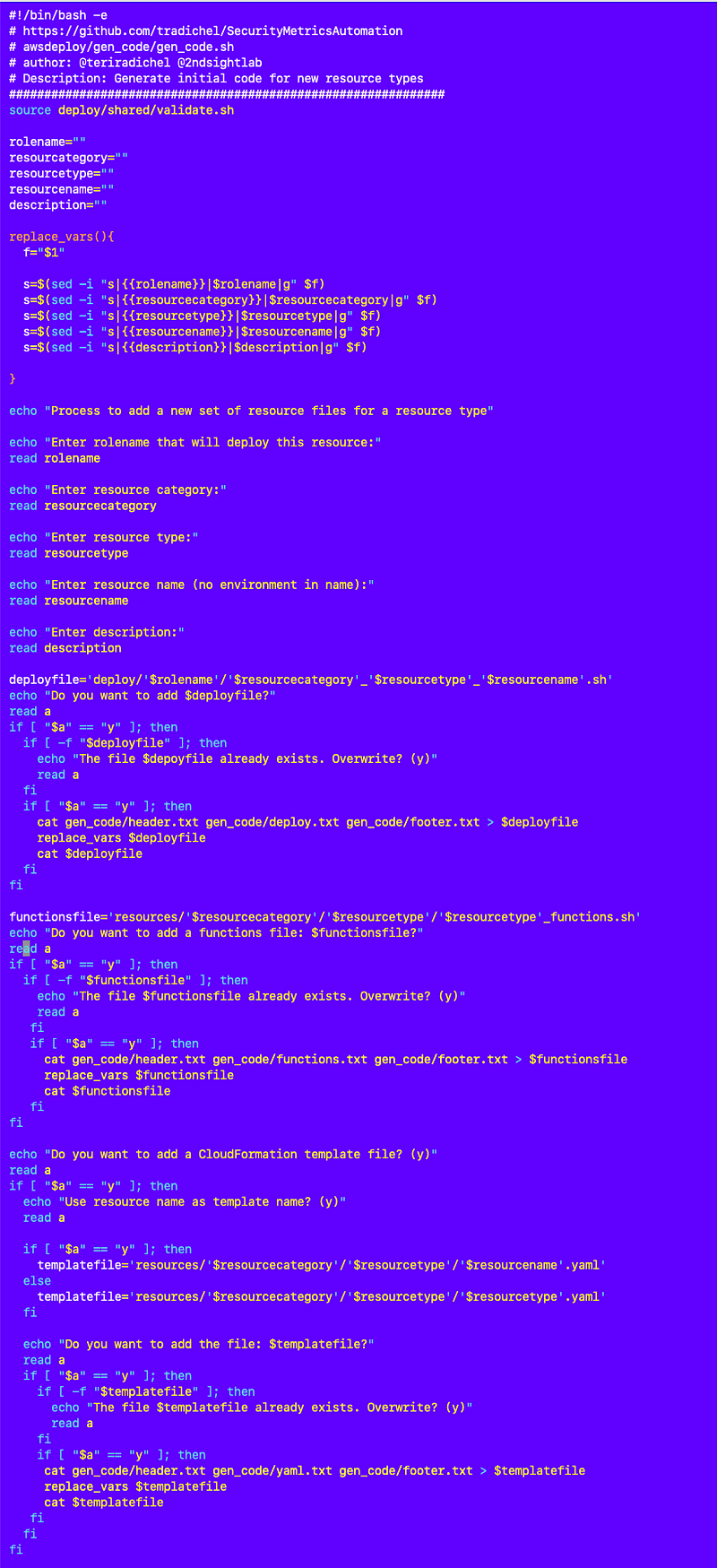
And no fancy generative AI! Imagine that. ;-)
I run that code with my local test script that lists the available scripts you can run for any role…more on that later because I have some additional automation planned for this code as well:
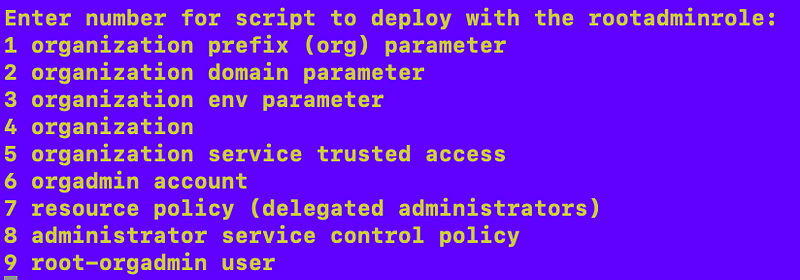
I’m using this code in a container that requires MFA to execute each deployment.
Follow for updates.
Teri Radichel | © 2nd Sight Lab 2023
About Teri Radichel:
~~~~~~~~~~~~~~~~~~~~
⭐️ Author: Cybersecurity Books
⭐️ Presentations: Presentations by Teri Radichel
⭐️ Recognition: SANS Award, AWS Security Hero, IANS Faculty
⭐️ Certifications: SANS ~ GSE 240
⭐️ Education: BA Business, Master of Software Engineering, Master of Infosec
⭐️ Company: Penetration Tests, Assessments, Phone Consulting ~ 2nd Sight Lab
Need Help With Cybersecurity, Cloud, or Application Security?
~~~~~~~~~~~~~~~~~~~~~~~~~~~~~~~~~~~~~~~~~~~~~~~~~~~~~~~~~~~~~
🔒 Request a penetration test or security assessment
🔒 Schedule a consulting call
🔒 Cybersecurity Speaker for PresentationFollow for more stories like this:
~~~~~~~~~~~~~~~~~~~~~~~~~~~~~~~~~~~~~~~~~~~~~~~~~~~~~~~~~~~~~
❤️ Sign Up my Medium Email List
❤️ Twitter: @teriradichel
❤️ LinkedIn: https://www.linkedin.com/in/teriradichel
❤️ Mastodon: @teriradichel@infosec.exchange
❤️ Facebook: 2nd Sight Lab
❤️ YouTube: @2ndsightlab