
Generating A Directory Structure For CloudFormation Templates
ACM.362 Leveraging the AWS documentation to create a directory structure for CloudFormation templates
~~~~~~~~~~~~~~~~~~~~~~~~~~~~~~~~~~~~~~~~~~~~~~~~~~~~~~~
⚙️ Check out my series on Automating Cybersecurity Metrics | Code.
🔒 Related Stories: AWS Security | Secure Code | Cybersecurity
💻 Free Content on Jobs in Cybersecurity | ✉️ Sign up for the Email List
~~~~~~~~~~~~~~~~~~~~~~~~~~~~~~~~~~~~~~~~~~~~~~~~~~~~~~~
In the last post I explained how I’m changing all the outputs in my templates to work with a common function to get the ARN or ID for any resource deployed with CloudFormation.
In this post I’m going to generate a directory structure for all my CloudFormation resources in conjunction with changes I’m making described in my post on creating generic scripts for deploying organization and application resources.
I mentioned that I am going to align my directory structure with the CloudFormation naming conventions and documentation. I don’t like the naming conventions used for a couple of things in CloudFormation but I suppose I can live with certain things if I can generate a directory structure and base code — something I started thinking about on a recent walk with my dog. Walks are a good way to sort out ideas and get some inspiration.

I can get a list of CloudFormation resources with the list-resources command.
I looked around for an AWS CLI command to simply list all the AWS services but that does not seem to exist. The AWS CLI help lists the services kind of:
aws helpThere are two problems with that option:
- The service names don’t all align with the CloudFormation documentation
- It’s a pain to try get and grep that info
Now although #2 is a problem My second option was to curl the AWS documentation page or use wget and for some reason that’s blocked on my ec2 instance. It’s also blocked locally. AWS must be blocking programmatic access. It’s unfortunate that I have to use this approach at all and there’s not a programmatic list that aligns with all documentation that reports service names in a consistent manner. But anyway.
Update: I found a command to generate a list of the AWS service names. Hopefully it aligns and could use that instead but haven’t tried it yet.
I just copied and pasted the source into a file named src.html.
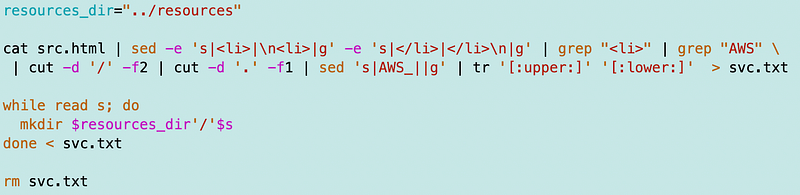
Then I used the following script to grep the names:

That yields all the services names matching the CloudFormation documentation (until they change it again).
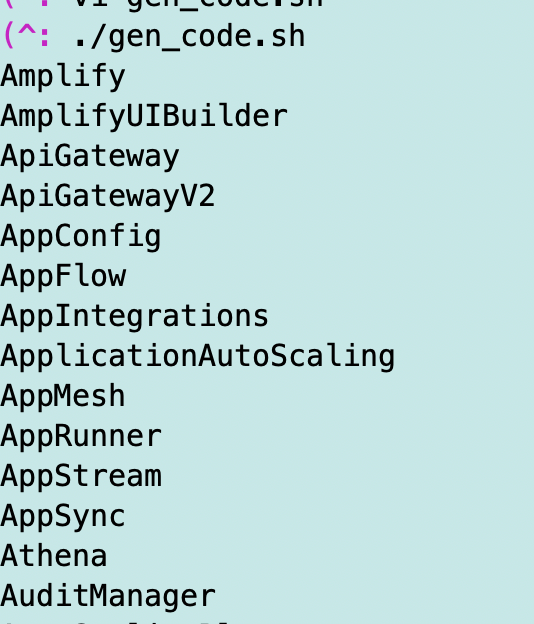
One interesting note is that all the files with the AWS service resources link to a page that starts with AWS whereas this resource page recently added either AWS or Amazon in front of the names. I commented on Twitter that most people don’t care whether it’s an AWS or Amazon service and I wish AWS would just remove those prefixes. Other AWS heroes have been making the same sort of comments. It’s extraneous text.
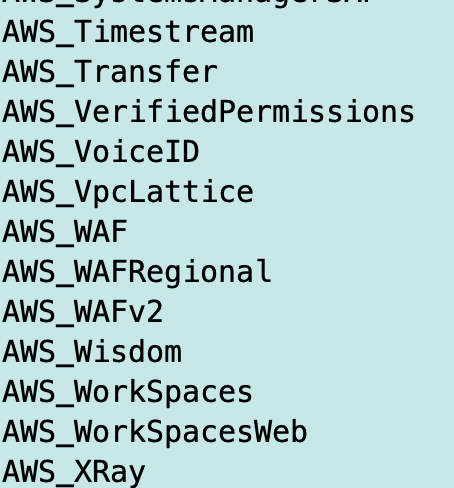
Anyway, now that I have the services names I can create a related directory structure.
I’m going to keep the names lowercase for reasons explained previously so I can add that to my command above.

That gets me lowercase names.
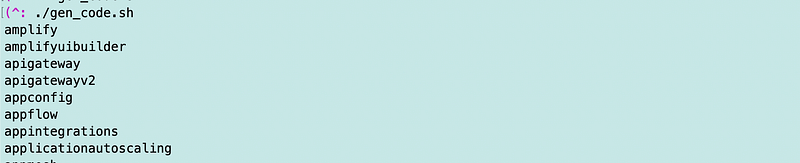
Now before I create the directories, I made a change to my repository structure.
I created a v1 and a vPOC folder. I put all the original code in the vPOC folder. That’s where I’m going to leave the files that match the existing blog posts to some degree.
I added a “resources” folder to my v1 folder. I’m going to create the directories for CloudFormation resources in that folder.
I created one other folder called gen_code. I put the gen_code.sh script above in that folder.
/v1
  /resources
  /gen_code
    gen_code.sh
/vPOC
When I run the gen_code.sh file it needs to have the path to the resources folder where it will create the new directory structure. I like relative paths because no matter where you clone my code it will work without having to set environment variables and having all kinds of weird path issues. So I’m going to set this variable.
resources_dir="../resources"Then I create a directory for each line in the file and remove the file:
I check and yes, my directories got created:
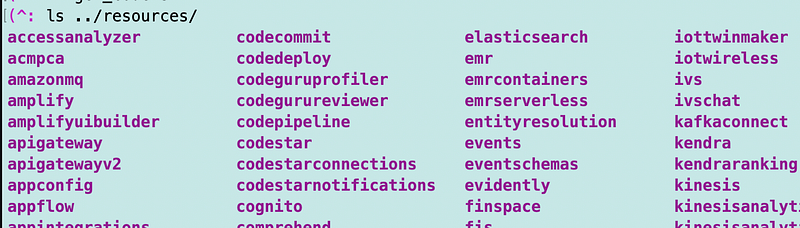
One problem is that if I run the code again I get an error that the file already exists:

So I need to only create the directory if it does not already exist.
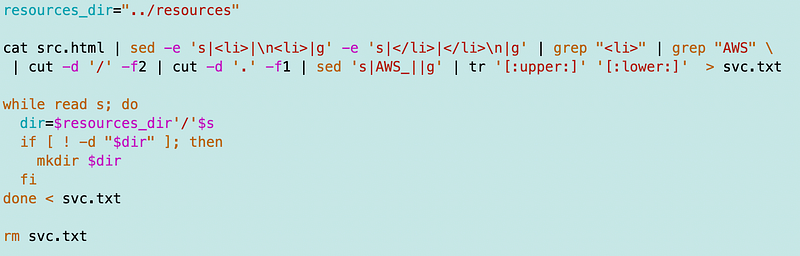
Now I would love to loop through and add all the resources for each type, but AWS seems to be blocking curl and related. I know I could probably eventually find a way but not sure it’s worth the time.
So I got the base directories but there’s another issue. Some services have subdirectories of resources. For example, Systems Manager (SSM) has additional arrows next to the items below it:
For example patch baseline has a number of sub resources:
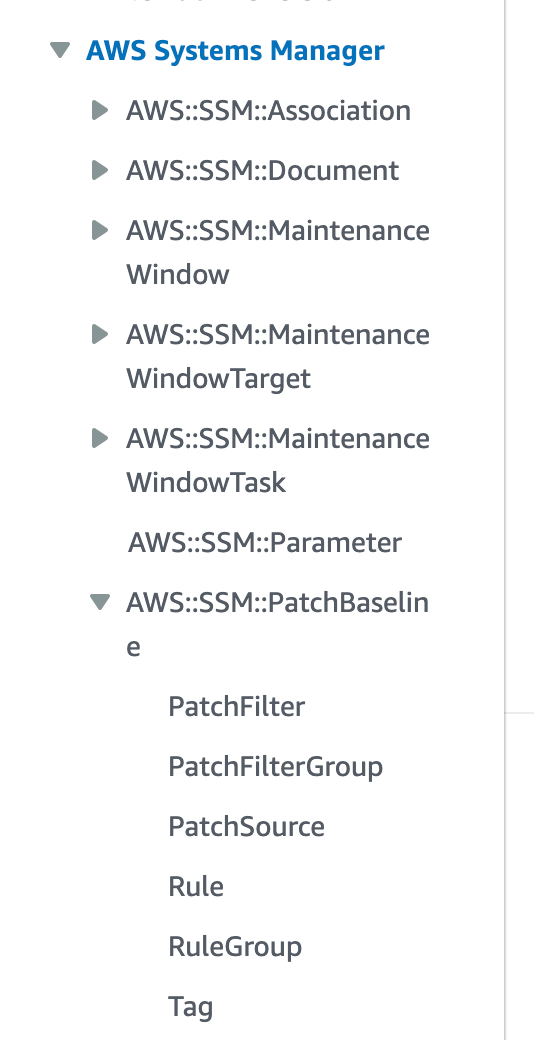
However, most of those are not top level entities but something used as part of another template, so I would primarily be concerned with the top level resource.
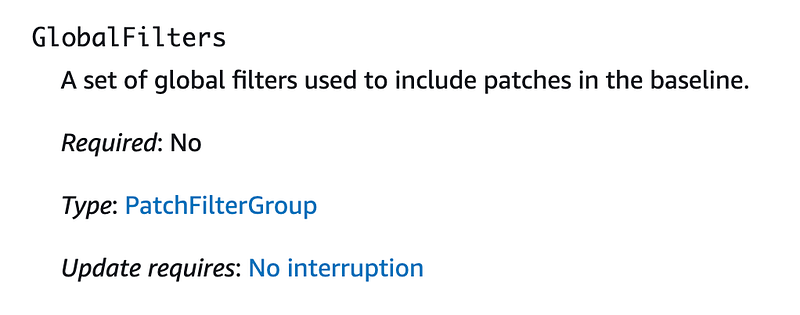
Within each folder I will likely be creating a template for each resource I use from this list:
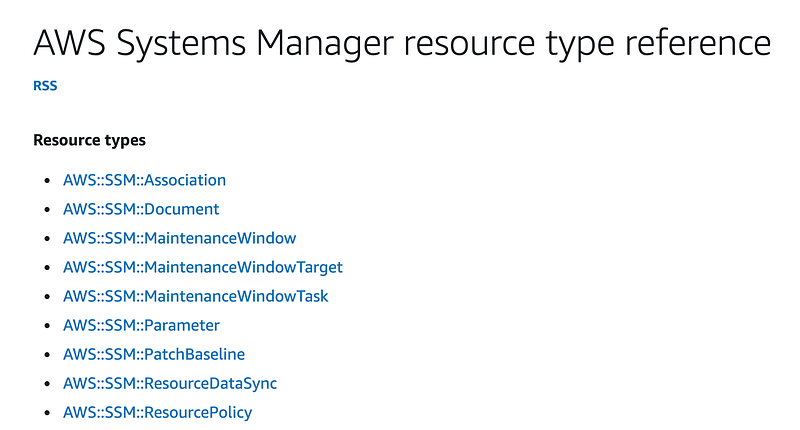
I am also going to create a folder for each of the types above because I might end up with more than one template for a type. For the most part I’ve been able to use one template per type, with the exception of policies. So likely there will be a folder for policy types and templates with different names within the policy folder.
I could use my gen_code.sh file to create a folder for all the types but without some additional hacking, I’d have to copy each page and run the code against it. Having the base folders is good enough for now.
It is unfortunately that you can’t simply run AWS commands for this type of information and that the resource naming conventions don’t match throughout AWS resources and documentation. #awswishlist
The first thing I want to do is add the organization parameters I wrote about in prior posts. I am going to move my SSM template over to this structure and see how it works out.
Follow for updates.
Teri Radichel | © 2nd Sight Lab 2023
About Teri Radichel:
~~~~~~~~~~~~~~~~~~~~
⭐️ Author: Cybersecurity Books
⭐️ Presentations: Presentations by Teri Radichel
⭐️ Recognition: SANS Award, AWS Security Hero, IANS Faculty
⭐️ Certifications: SANS ~ GSE 240
⭐️ Education: BA Business, Master of Software Engineering, Master of Infosec
⭐️ Company: Penetration Tests, Assessments, Phone Consulting ~ 2nd Sight Lab
Need Help With Cybersecurity, Cloud, or Application Security?
~~~~~~~~~~~~~~~~~~~~~~~~~~~~~~~~~~~~~~~~~~~~~~~~~~~~~~~~~~~~~
🔒 Request a penetration test or security assessment
🔒 Schedule a consulting call
🔒 Cybersecurity Speaker for PresentationFollow for more stories like this:
~~~~~~~~~~~~~~~~~~~~~~~~~~~~~~~~~~~~~~~~~~~~~~~~~~~~~~~~~~~~~
❤️ Sign Up my Medium Email List
❤️ Twitter: @teriradichel
❤️ LinkedIn: https://www.linkedin.com/in/teriradichel
❤️ Mastodon: @teriradichel@infosec.exchange
❤️ Facebook: 2nd Sight Lab
❤️ YouTube: @2ndsightlab