
Delegated Administrator for AWS Organizations
ACM.139b Delegating governance via service control policies to an AWS Governance account
~~~~~~~~~~~~~~~~~~~~~~~~~~~~~~~~~~~~~~~~~~~~~~~~~~~~~~~~~~~
⚙️ Check out my series on Automating Cybersecurity Metrics. The Code.
🔒 Related Stories: Cloud Governance | IAM | AWS Security
💻 Free Content on Jobs in Cybersecurity | ✉️ Sign up for the Email List
~~~~~~~~~~~~~~~~~~~~~~~~~~~~~~~~~~~~~~~~~~~~~~~~~~~~~~~~~~~
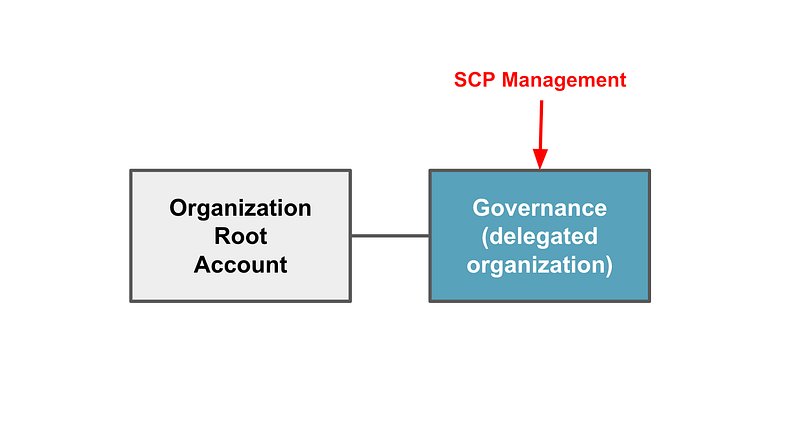
As I mentioned in the last post, I’d like the governance team to operate out of a governance account and I want to limit activities in the root account. I created a separate account in the last post.
When I used AWS Control Tower to set up my AWS Accounts for this particular implementation it seemed to put a lot of the things it built in the root account. I’m not sure if there’s a way around that and it’s a moot point at the moment. What AWS Organizations does offer is a way to delegate certain actions to other accounts. But what does that apply to and what does that mean exactly?
Delegated Admin Account
When I searched around for information on this feature, this page with the term “delegated admin” appeared in search results. As you can see there’s something called a Delegated Admin Account and it is related to AWS organizations.
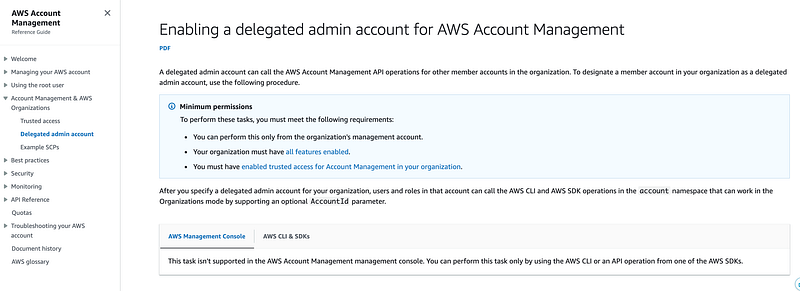
As you can see above, you cannot perform this action from the AWS console. You can use the AWS CLI or SDKs.

The account number is the one to which you want to delegate this authority. The “service-principal” name is confusing to me but it refers to the actions you want to give the account permission to manage.
The documentation (which is sparse) states:
A delegated admin account can call the AWS Account Management API operations for other member accounts in the organization.
and
After you specify a delegated admin account for your organization, users and roles in that account can call the AWS CLI and AWS SDK operations in the
accountnamespace that can work in the Organizations mode by supporting an optionalAccountIdparameter.
What are “AWS Account Management API operations”? and what is the “account namespace”?
We can parse through some other documentation to try to sort this out.
One page has a reference to an account API:
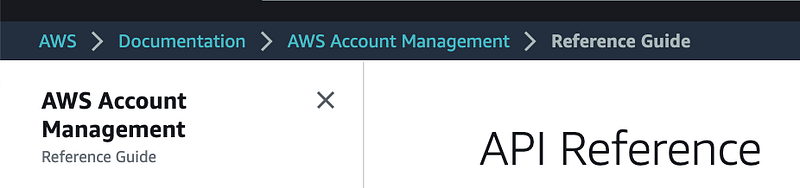
It links to the following actions.
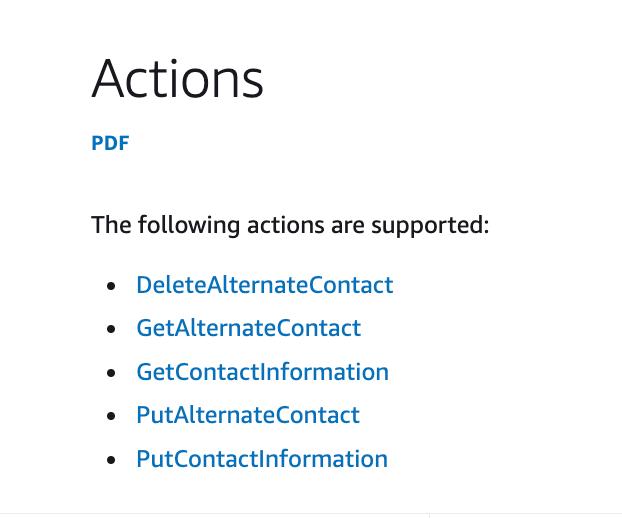
That might come in handy, but it does not include Service Control Policies, which I wrote about here, and is what I want my governance team to manage.
I probably want the billing team to handle the above operations. By the way, AWS just announced a change to AWS Billing which I haven’t fully explored yet:
In any case, I want to segregate the actions my billing team can take from those of the governance team and this is not what I’m seeking. That also is an issue I have with AWS Control Tower and AWS Organizations, which seem to try to merge these two functions into one. They are distinct operations with organizational boundaries that do not always align.
Delegated Administrator for AWS Organizations
Not to be confusing or anything, AWS also has a separate link in the documentation called an AWS Administrator for Organizations.
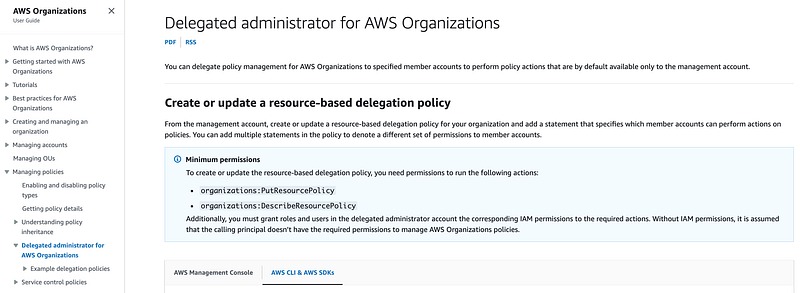
AWS announced this functionality fairly recently — last November about the time of the last AWS re:Invent conference.
This documentation has a subtitle:
Create or update a resource-based delegation policy.
I wrote about resource vs. IAM policies here and typically resource policies are applied — to a resource. That means you attach the policy to the resource, like you attack a policy to an S3 bucket to define who is allowed to access it.
What is the resource to which we are attaching these policies? We are attaching them to our AWS organization, it seems.
What does this functionality do?
The document states:
You can delegate policy management for AWS Organizations to specified member accounts to perform policy actions that are by default available only to the management account.
That sounds interesting. Perhaps we can allow our governance account to update SCPs. The only thing is, the documentation for SCPs still states that you have to perform these operations in the management account, but that is when using the AWS Console. Perhaps we can programmatically manage SCPs from our governance account.

What do we need to do to implement this policy?
create or update a resource-based delegation policy for your organization and add a statement that specifies which member accounts can perform actions on policies
Let’s see how we can create such a policy for our new governance account.
Permissions to create the delegated administrator
In order to create a delegated administrator you’ll need the following AWS Organizations permission, so this is likely something we’ll want to be careful with and may want to remove from the governance permissions I created the pseudo code for in the last post. We may or may not want our governance team to have these capabilities. If you work for a small organization with one or two people handling governance in your account, perhaps you deny these permissions. If you are in a large organization where the governance team delegates some responsibly for governance to individuals within lines of business, perhaps your governance team has these permissions.
organizations:PutResourcePolicy
organizations:DescribeResourcePolicy
What actions will an account be able to take when you make it a delegated administrator for organizational policies?
When you delegate permission to another account using a delegation policy, you can assign it the following permissions, or a subset of the following permissions. The documentation here is not really clear. I figured that out by reviewing the sample policies.
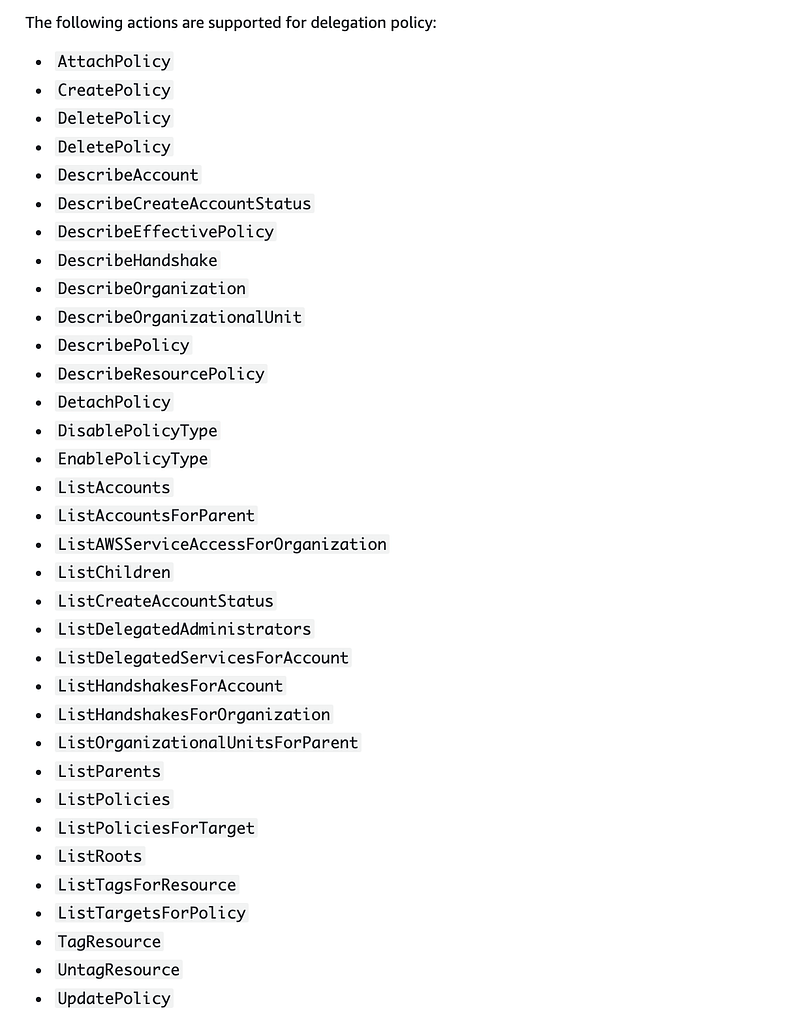
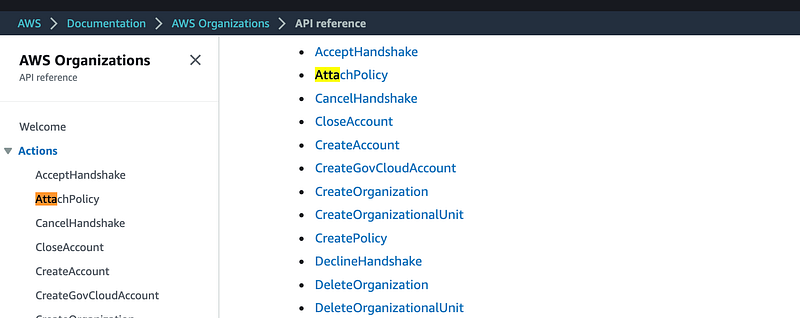
These actions are in the AWS Organizations namespace:
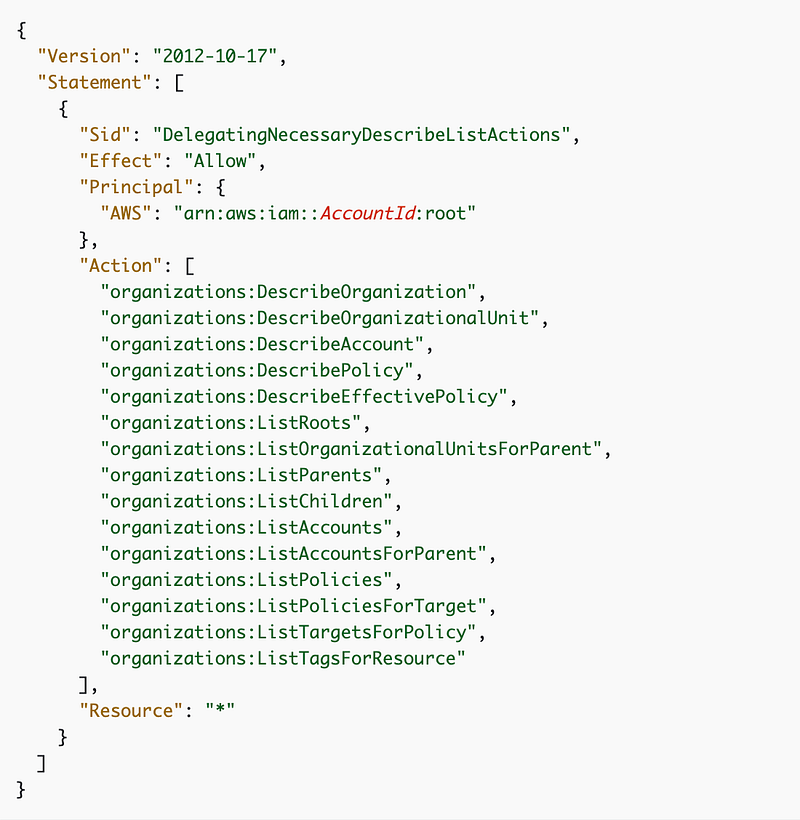
Prerequisite: Granting permission to view the organizational structure
Before you can delegate permission to manage a certain type of policy, you have to grant the account permission to see the organizational structure. AWS has a sample policy for that here:
What organizational policies can a delegated administrator manage?
The documentation is not clear on this point. The documentation for the delegated administrator for AWS organizations doesn’t list the organization policies that an administrator can manage.
It does, however, have a example of delegating administrative permissions to another account to manage backups:
This page seems to address this question:
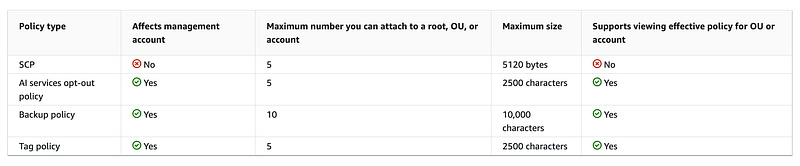
Because this list may change in the future, and for the sake of segregation of duties, we will probably want to create an allow list and be explicit as far as what types of policies our governance team can manage. For now, I just want them to manage SCPs.
Nowhere can I find the documentation listing all the possible organization policy types that you can use in place of “BACKUP_POLICY” in the example below and /backup_policy/ in the resource ARN.
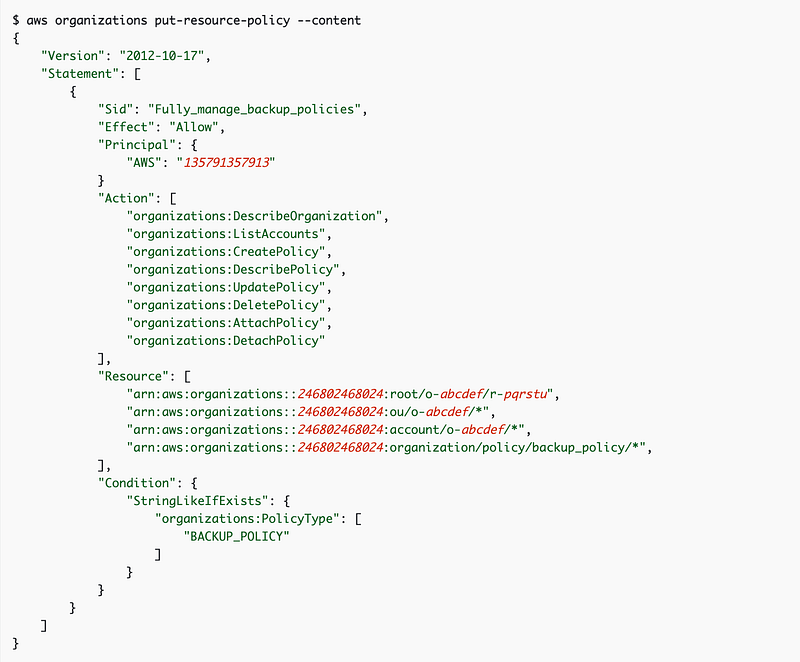
No matter. We can perform some actions and view the logs to reverse-engineer what the policy type is in the corresponding CloudTrail Logs request (hopefully) when we create an SCP. I’ll do that in an upcoming post.
If it is possible, the pseudo code would be similar to the above code to delegate backup policy permissions, but we’ll likely replace ‘backup_policy’ with ‘service_control_policy’. I also want to create a reusable block of code that can be used by any organization rather than hard-coding in specific account numbers.
It took a while to sift through the documentation so I’ll try to implement this in the next post, which will include reverse-engineering policy types and ARNs for the policy above.
Follow for updates.
Teri Radichel | © 2nd Sight Lab 2023
About Teri Radichel:
~~~~~~~~~~~~~~~~~~~~
⭐️ Author: Cybersecurity Books
⭐️ Presentations: Presentations by Teri Radichel
⭐️ Recognition: SANS Award, AWS Security Hero, IANS Faculty
⭐️ Certifications: SANS ~ GSE 240
⭐️ Education: BA Business, Master of Software Engineering, Master of Infosec
⭐️ Company: Penetration Tests, Assessments, Phone Consulting ~ 2nd Sight Lab
Need Help With Cybersecurity, Cloud, or Application Security?
~~~~~~~~~~~~~~~~~~~~~~~~~~~~~~~~~~~~~~~~~~~~~~~~~~~~~~~~~~~~~
🔒 Request a penetration test or security assessment
🔒 Schedule a consulting call
🔒 Cybersecurity Speaker for PresentationFollow for more stories like this:
~~~~~~~~~~~~~~~~~~~~~~~~~~~~~~~~~~~~~~~~~~~~~~~~~~~~~~~~~~~~~
❤️ Sign Up my Medium Email List
❤️ Twitter: @teriradichel
❤️ LinkedIn: https://www.linkedin.com/in/teriradichel
❤️ Mastodon: @teriradichel@infosec.exchange
❤️ Facebook: 2nd Sight Lab
❤️ YouTube: @2ndsightlab


