
Creating an AWS Governance Account
ACM.139 Creating OUs and Accounts in an AWS Organization
~~~~~~~~~~~~~~~~~~~~~~~~~~~~~~~~~~~~~~~~~~~~~~~~~~~~~~~~~~~
⚙️ Check out my series on Automating Cybersecurity Metrics. The Code.
🔒 Related Stories: IAM | AWS Security | AWS Organizations | Cloud Goverance
💻 Free Content on Jobs in Cybersecurity | ✉️ Sign up for the Email List
~~~~~~~~~~~~~~~~~~~~~~~~~~~~~~~~~~~~~~~~~~~~~~~~~~~~~~~~~~~
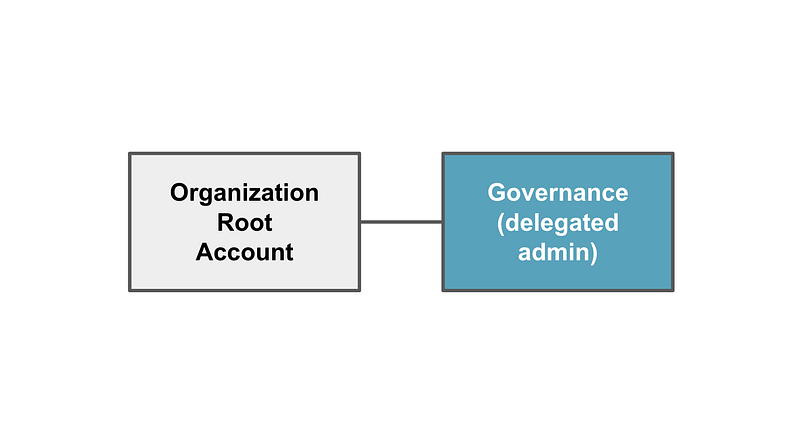
In the last post we created some code for an AWS governance user, group, and role.
The next question that comes to mind is — Where should I deploy these governance IAM resources? I also should think about where the ROOT user will exist and run commands. Additionally, where do I want to create AWS IAM users?
Well, let’s start with what I know.
I know I do not want to have users actively working in the top level root organization account to which all other accounts are linked. For this reason, I’m going to create a new account for the governance team to manage service control policies for the organization.
I also want to create a new organizational branch associated with these changes I’m testing so I can apply and test my new on that branch of my organization only. To do that I’m going to create a new Organizational Unit (OU). An OU is a container to which you can add AWS accounts. Then you can apply policies to the OU and the policies will apply to all the accounts below that container.
Create a New OU
I use AWS Control Tower currently which applies certain controls to accounts in my organization. I haven’t yet fully automated my approach so I’m going to go ahead and create a new Organizational Unit in the console manually.

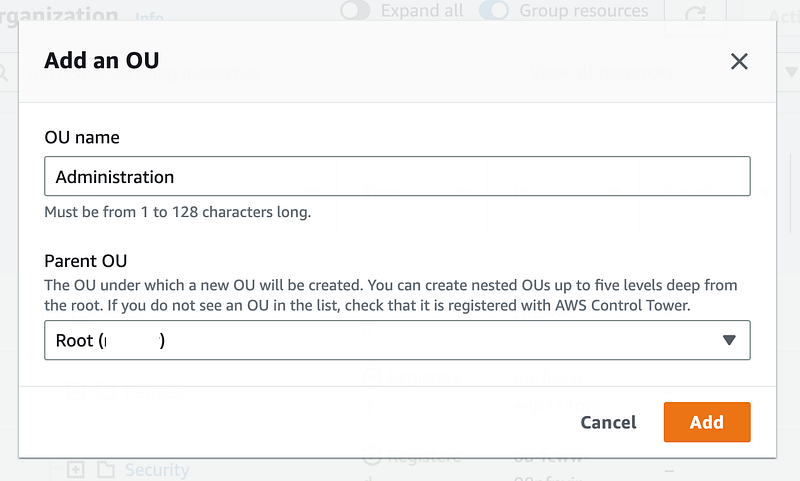
AWS Control Tower is going to apply some controls and add the OU to my organization.

Now my new OU shows up in my Control Tower hierarchy
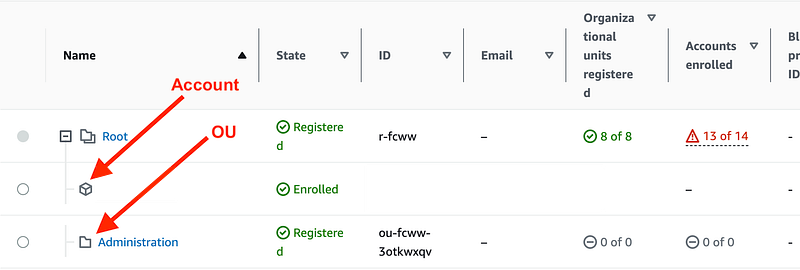
If you only use AWS Organizations, you can use the AWS CLI to add a new OU:
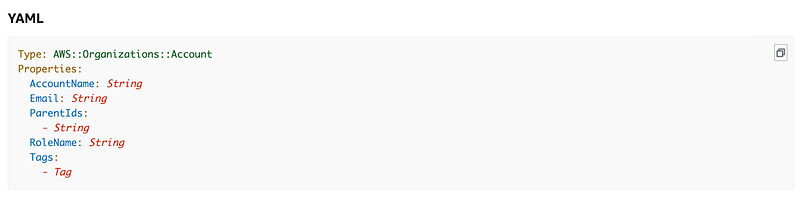
You can also use CloudFormation.
However, if you do that and you use AWS Control Tower, then you must separately “register” the OU in AWS Control Tower.
I don’t see a way to use CloudFormation to easily manage Control Tower. You have to use a special tool with manifest files and additional infrastructure (check the cost) to customize your Control Tower implementation.
That is one of the issues I have with AWS Control Tower. The intent is great. I’m not sure about the implementation just yet. At any rate, I’m going to leave Control Tower in place due to the benefits for now and test out my changes from within that context, but you don’t need Control Tower. You can create an AWS Organization and add an OU without AWS Control Tower.
Add a new Governance account
I’m going to add a new Governance account in my Administrator OU. Once again you can do that within the Control Tower UI.

Fill in the required information ~ you’ll probably want to use an alias for the account email so it’s not tied to a single individual:
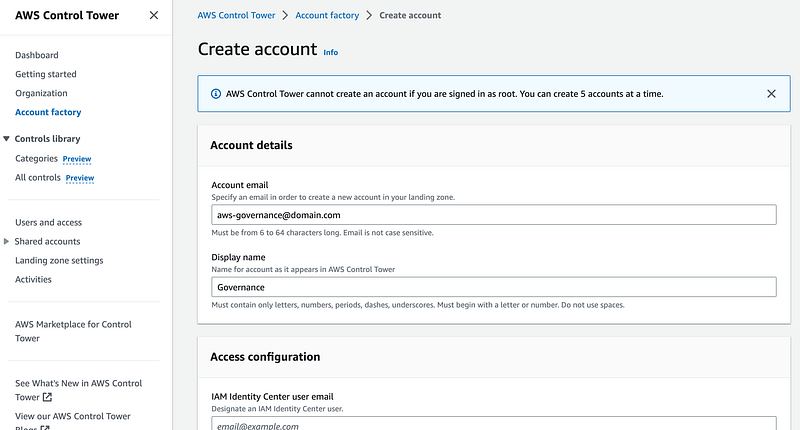
Choose the new Administration OU:
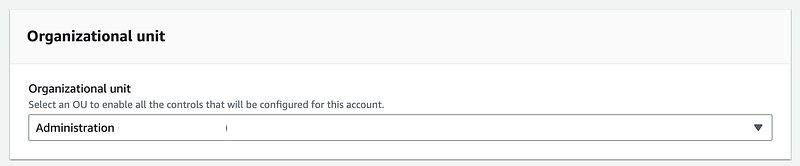
Wait for the account to be created and for all the controls to be applied.
As with the OU, if you only use AWS Organizations, you can create the account programmatically and add it to the OU with the AWS CLI or CloudFormation.

Once the account is created you’ll see the AWS Organizations hierarchy.
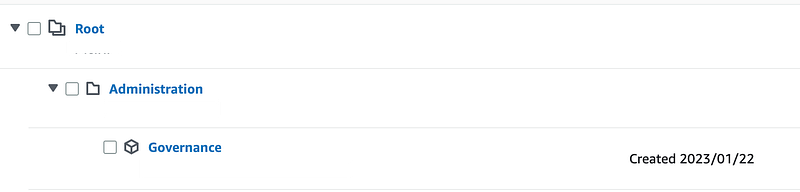
Next up — Delegate AWS Organizations administration
Next, I want to delegate management of the organization to the new governance account. I would like it if the governance admins could create SCPs for the organization in the governance account. I would like to restrict any and all actions in the root account so all activities in the cloud account occur from the governance account down.
I’m not sure at this point if this is possible. The documentation is not exactly clear, so the easiest way to find out how it really works is to try it out in a future post.
Follow for updates.
Teri Radichel | © 2nd Sight Lab 2023
About Teri Radichel:
~~~~~~~~~~~~~~~~~~~~
⭐️ Author: Cybersecurity Books
⭐️ Presentations: Presentations by Teri Radichel
⭐️ Recognition: SANS Award, AWS Security Hero, IANS Faculty
⭐️ Certifications: SANS ~ GSE 240
⭐️ Education: BA Business, Master of Software Engineering, Master of Infosec
⭐️ Company: Penetration Tests, Assessments, Phone Consulting ~ 2nd Sight Lab
Need Help With Cybersecurity, Cloud, or Application Security?
~~~~~~~~~~~~~~~~~~~~~~~~~~~~~~~~~~~~~~~~~~~~~~~~~~~~~~~~~~~~~
🔒 Request a penetration test or security assessment
🔒 Schedule a consulting call
🔒 Cybersecurity Speaker for PresentationFollow for more stories like this:
~~~~~~~~~~~~~~~~~~~~~~~~~~~~~~~~~~~~~~~~~~~~~~~~~~~~~~~~~~~~~
❤️ Sign Up my Medium Email List
❤️ Twitter: @teriradichel
❤️ LinkedIn: https://www.linkedin.com/in/teriradichel
❤️ Mastodon: @teriradichel@infosec.exchange
❤️ Facebook: 2nd Sight Lab
❤️ YouTube: @2ndsightlab