
Creating a KMS Key Shared With an Organization OU Using a Generic Key Policy
ACM.423 Modifying our existing policy that deploys every KMS key in our account to support deploying a key for an Organizational Unit
~~~~~~~~~~~~~~~~~~~~~~~~~~~~~~~~~~~~~~~~~~~~~~~~~~~~~~~~~~~
⚙️ Part of my series on Automating Cybersecurity Metrics. The Code.
🔒 Related Stories: AWS Security | Encryption
💻 Free Content on Jobs in Cybersecurity | ✉️ Sign up for the Email List
~~~~~~~~~~~~~~~~~~~~~~~~~~~~~~~~~~~~~~~~~~~~~~~~~~~~~~~~~~~
In the last post I shared how I created and configured resources in a new AWS account used for a specific project.
In this post, I am going to add the option to share a KMS key across a non-production environment. I’m going to create this key in the AWS account I created specifically for KMS keys in this post named nonprod-keys.
Specifically, I am going to create a key for encrypting Amazon Machine Images (AMIs) shared to the environment. If you’re not familiar with encrypted AMIs, they are the base template configuration for your operating system when you start a VM on AWS. I wrote a bit about encrypting AMIs in the following post. You can start with this post and work backwards as needed:
I’m going to start with the only KMS key template currently used for every KMS key I deploy. I’ve modified it over a series of posts to handle all my use cases:
In order to deploy the key, I’m going to assume the AWS Organizations role in the KMS account using the function I created in this post:
Later I may create a KMS administrator and KMS role for these things but for now I’m just getting started with this approach.
I need to add a KMS key that has permissions for the nonprod environment to access the key. As you may recall my nonprod environment looks like this:
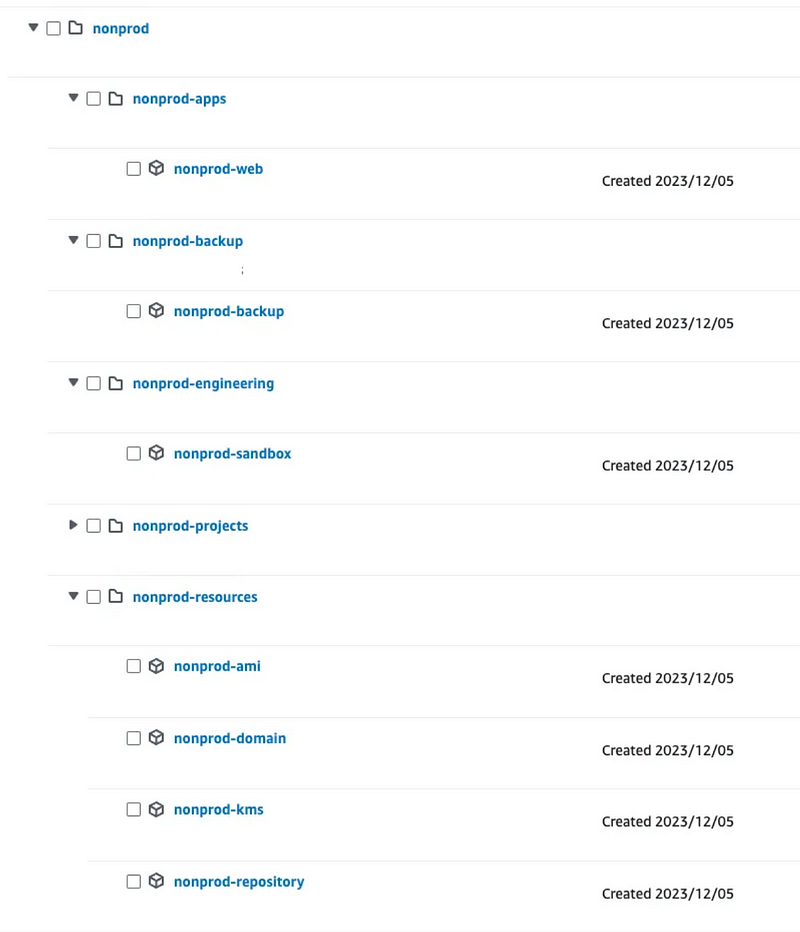
So I’m hoping that granting access to the nonprod OU alone allows all OUs below it to access the key.
The process for granting access to an OU to use a key is described here:
Though the documentation is a bit misleading.
We want to use the second policy and grant access specifically to the non-prod OU. The policy from the documentation looks like this:
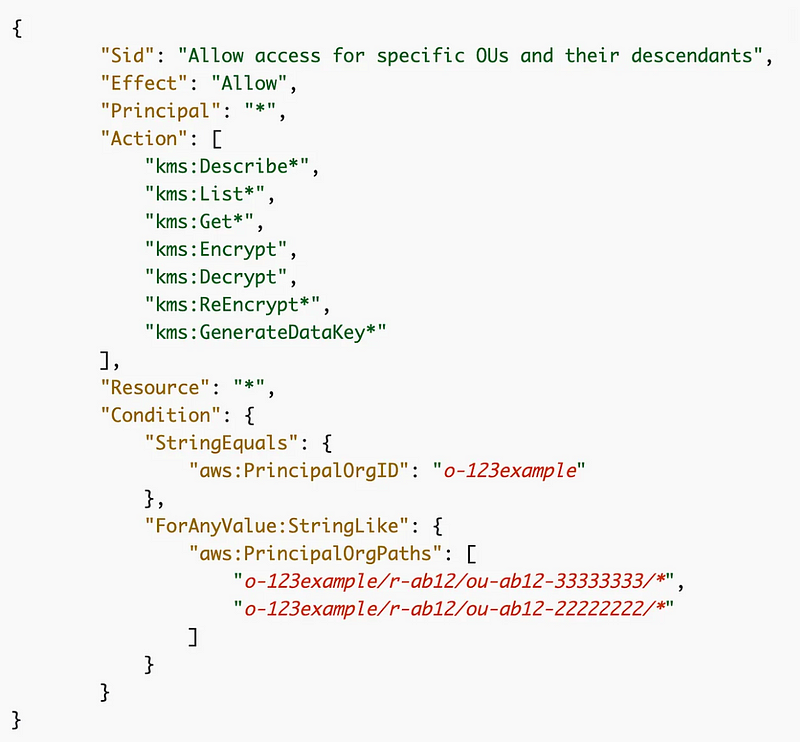
I have a common KMS template so I want to add the option to pass in a list of OUs, just like I pass in the list of ARNs for encrypt or decrypt permissions.
First of all I’m going to call a function that then calls the function to deploy a KMS key:
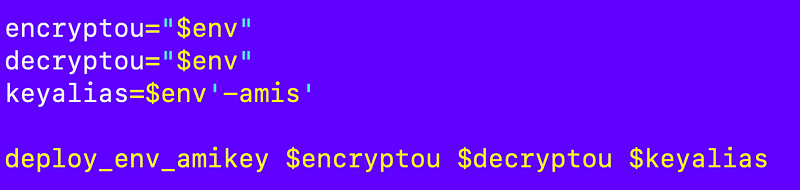
I need to add that function to my kms_functions file. I want it to work like this:
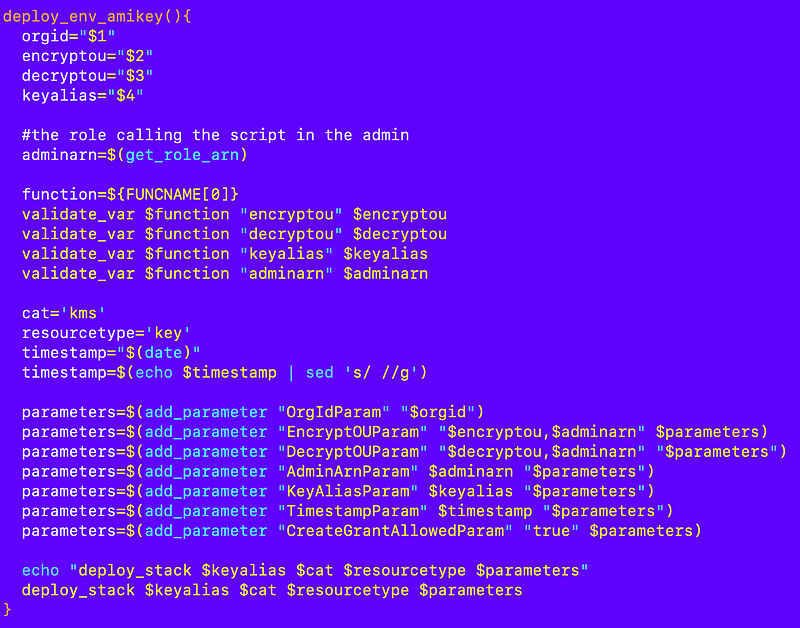
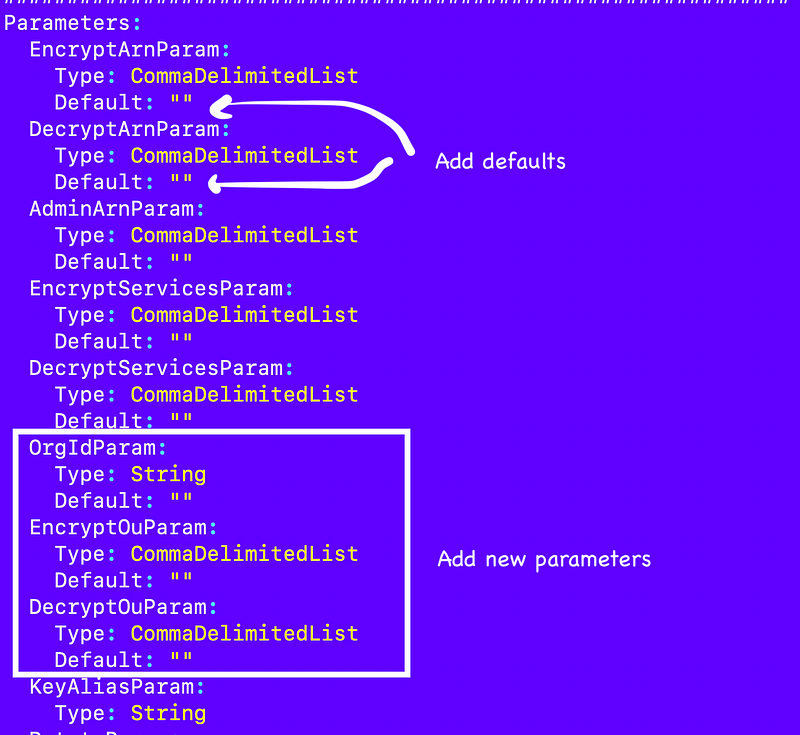
I need to adjust the generic KMS key template to handle the new parameters and allow empty parameters for ARNs.
I add my parameters and make sure encrypt and decrypt ARNs and OUs are all optional by providing a default value of an empty string:
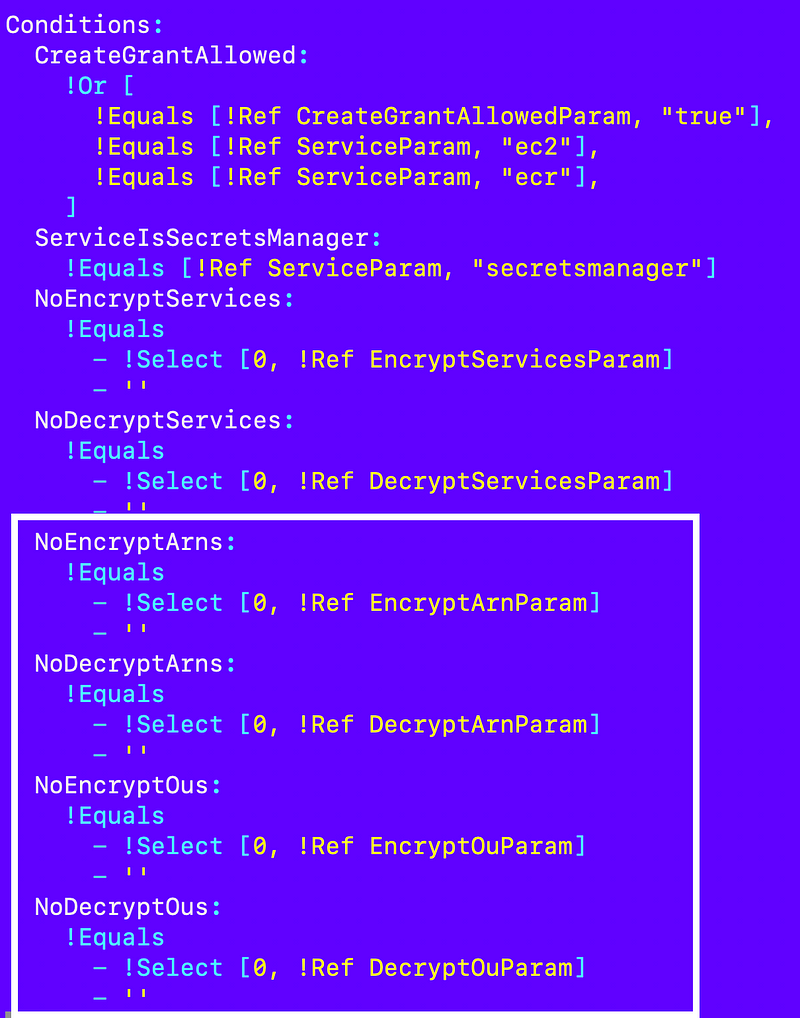
I check for the existence of those values in my Conditions:
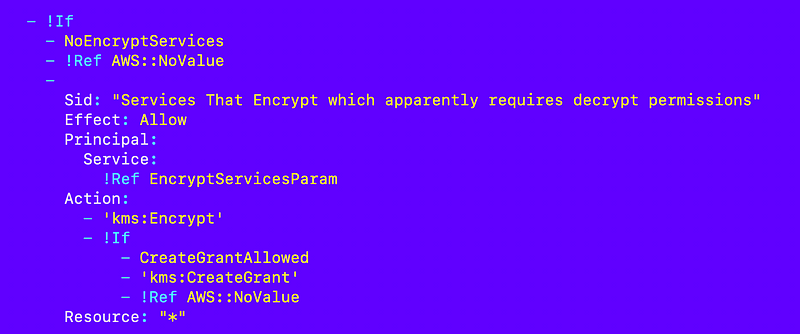
Recall that I optionally add a statement for services if services were passed in the parameters:
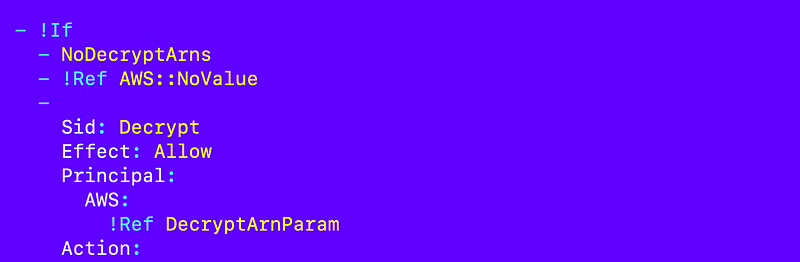
I can add that if logic for the above for values to optionally add statements for the encrypt and decrypt ARNs if provided:
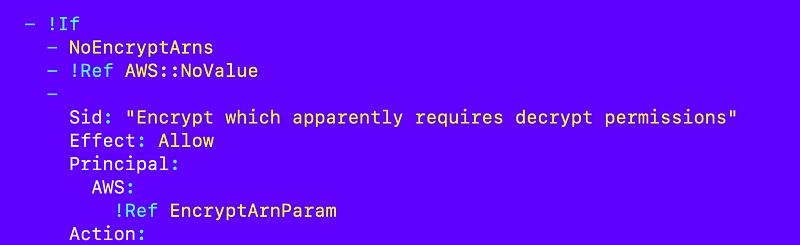
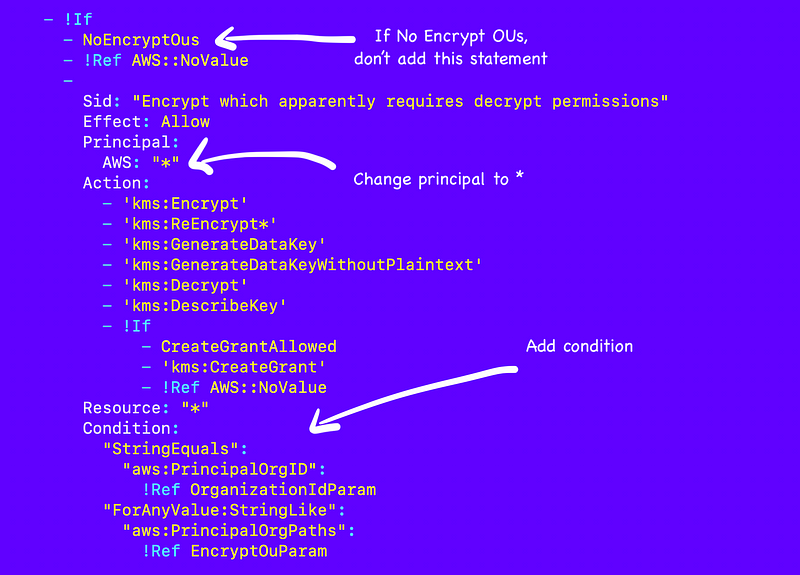
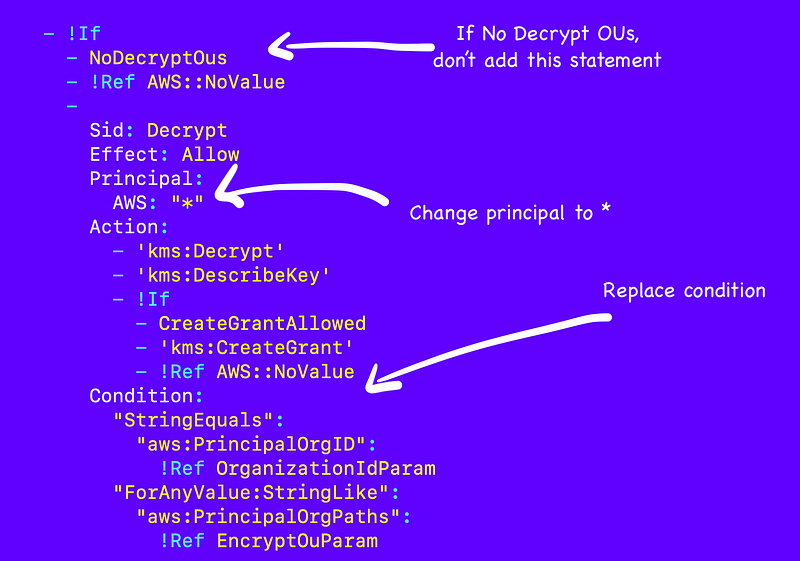
And add the new statements for OUs. I’m going to use the same statements as those I tested for ARNs but adjust them to match the principal and condition of the example policy in the AWS documentation to allow and limit actions to specific OUs. I will use the condition to optionally add the statements if OUs are provided.
Encryption:
Decryption:
That’s it. Install the key and check to see that it was created with the updated policy in your KMS account.
I’ll test it out in the next few posts.
Follow for updates.
Teri Radichel | © 2nd Sight Lab 2023
About Teri Radichel:
~~~~~~~~~~~~~~~~~~~~
⭐️ Author: Cybersecurity Books
⭐️ Presentations: Presentations by Teri Radichel
⭐️ Recognition: SANS Award, AWS Security Hero, IANS Faculty
⭐️ Certifications: SANS ~ GSE 240
⭐️ Education: BA Business, Master of Software Engineering, Master of Infosec
⭐️ Company: Penetration Tests, Assessments, Phone Consulting ~ 2nd Sight Lab
Need Help With Cybersecurity, Cloud, or Application Security?
~~~~~~~~~~~~~~~~~~~~~~~~~~~~~~~~~~~~~~~~~~~~~~~~~~~~~~~~~~~~~
🔒 Request a penetration test or security assessment
🔒 Schedule a consulting call
🔒 Cybersecurity Speaker for PresentationFollow for more stories like this:
~~~~~~~~~~~~~~~~~~~~~~~~~~~~~~~~~~~~~~~~~~~~~~~~~~~~~~~~~~~~~
❤️ Sign Up my Medium Email List
❤️ Twitter: @teriradichel
❤️ LinkedIn: https://www.linkedin.com/in/teriradichel
❤️ Mastodon: @teriradichel@infosec.exchange
❤️ Facebook: 2nd Sight Lab
❤️ YouTube: @2ndsightlab


