
Create A KMS Key for AWS Organizations Trail
ACM.189 Next step to set up an AWS Organizations CloudTrail
Part of my series on Automating Cybersecurity Metrics. The Code.
Free Content on Jobs in Cybersecurity | Sign up for the Email List
In the last post we made sure our AWS Organization has all features enabled which is a prerequisite for an AWS Organizations CloudTrail.
Next steps to create an AWS Organizations Trail
In this post we’ll take the next step. When we outlined the steps I explained that you need to understand if partitions apply. They do not in my case.
You might want to use a delegated administrator. I’m not doing that now but might set it up later. My user has the necessary permissions.
I decided I would use the organization prefix I used to deploy other organization resources to create the trail.
If you want to review all the steps they are all listed here.
The next step is to create a KMS key to encrypt our trail.
Should I reuse my existing key?
Now I’ve already created a secret for OrgRoot secrets when I set up my IdP in this post:
What if I just use that key to encrypt my CloudTrail log? Well, if I decide to delegate access to others to review these logs then I’d need to give them access to that key as well and that’s a bit more access than they need. I’m going to go ahead and create a separate key for any organization logs generated in the root account.
Should I create the key in the root account?
My other question is — do I want to assign a key generated in the root account or a special KMS administrator keys account? Well I don’t have that account set up yet so I’ll put the key in the root account. But then our SCPs won’t apply to this trail.
Can I change the key later? Well, even if I could change that key later, then we would need to have the old in order to decrypt older events. That’s a bit complicated.
As you can see there are always a lot of dependency issues to consider when creating cloud resources. Your initial choices may affect you down the road. I’m going to start with a KMS key in the root account, restricted to CloudTrail using the policy conditions described in my list of steps to Implement an AWS Organizations trail. I’ll likely move management of CloudTrail logs later to a separate logs account.
Create the key
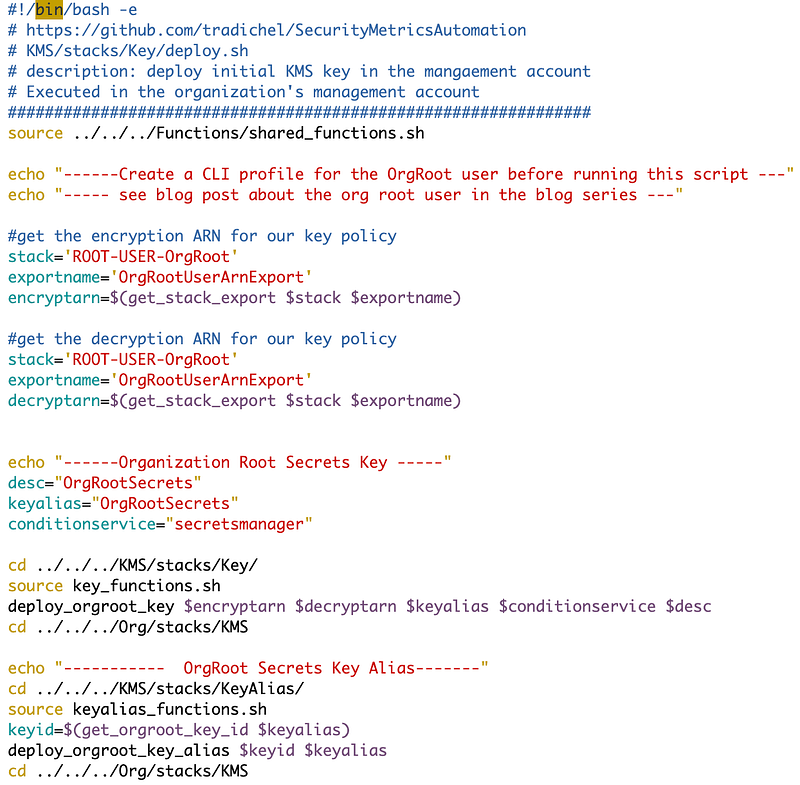
Now as you may recall, I created the last key in the Organizations directory because each directory represents some code maintained in a particular repository potentially in the future. This code will be maintained by whomever is allowed to control the root organization setup.
The code looked like this and uses our generic KMS creation function created much earlier in this series.
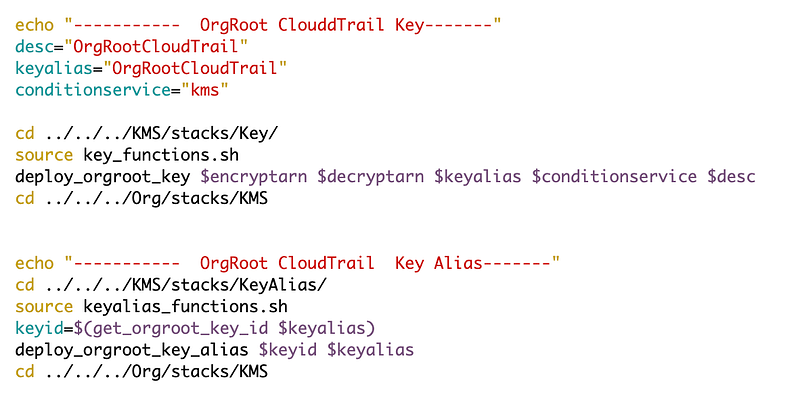
We can essentially use the same code to add another key for CloudFormation.
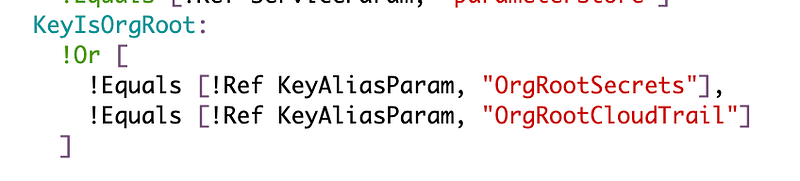
I had to make one other change in the Key.yaml file used to deploy KMS keys.

Since we haven’t yet set up our KMS role, we need to also use the KeyIsOrgRoot condition to make the OrgRoot user the administrator for this key.
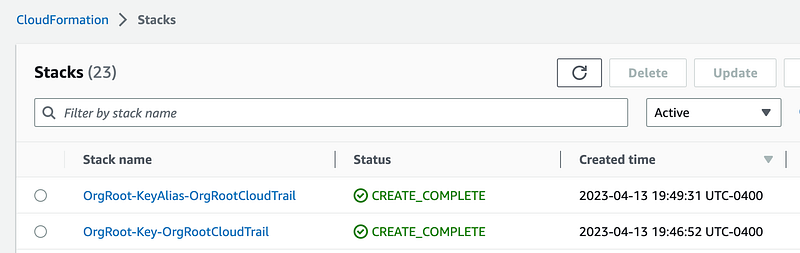
Then running the deploy script was successful.

We’ll need to add a few other things in a later post as explained here:
Notice that I could not use the condition above to restrict this key to our organization trail yet since we haven’t yet created it. That means, like some other KMS permissions we added before, we’ll have to update it after we create the resource to add the condition. We also need to grant CloudTrail permission to use the key.
Update: I want to take a look at policies required to grant access to CloudTrail next. Then we’ll look at S3 buckets! :)
Follow for updates.
Teri Radichel | © 2nd Sight Lab 2023
About Teri Radichel:
~~~~~~~~~~~~~~~~~~~~
⭐️ Author: Cybersecurity Books
⭐️ Presentations: Presentations by Teri Radichel
⭐️ Recognition: SANS Award, AWS Security Hero, IANS Faculty
⭐️ Certifications: SANS ~ GSE 240
⭐️ Education: BA Business, Master of Software Engineering, Master of Infosec
⭐️ Company: Penetration Tests, Assessments, Phone Consulting ~ 2nd Sight Lab
Need Help With Cybersecurity, Cloud, or Application Security?
~~~~~~~~~~~~~~~~~~~~~~~~~~~~~~~~~~~~~~~~~~~~~~~~~~~~~~~~~~~~~
🔒 Request a penetration test or security assessment
🔒 Schedule a consulting call
🔒 Cybersecurity Speaker for PresentationFollow for more stories like this:
~~~~~~~~~~~~~~~~~~~~~~~~~~~~~~~~~~~~~~~~~~~~~~~~~~~~~~~~~~~~~
❤️ Sign Up my Medium Email List
❤️ Twitter: @teriradichel
❤️ LinkedIn: https://www.linkedin.com/in/teriradichel
❤️ Mastodon: @teriradichel@infosec.exchange
❤️ Facebook: 2nd Sight Lab
❤️ YouTube: @2ndsightlab