
🪂· Bungee x zkSync Dual Airdrop Guide
Bungee is a bridge aggregator powered by Socket that helps users find the best way to move tokens between blockchains. Bungee has recently gone live on zkSync Era, making users eligible for a potential zkSync airdrop.
Let’s get started.
Step 1: Connect your wallet 1> Go to Bungee Exchange 2> Connect your wallet 3> Choose zkSync Era

Step 2: Bridge Funds 1> Bridge funds (ETH, USDC, etc) from any Chain (Ethereum, Arbitrum etc) to zkSync Era.
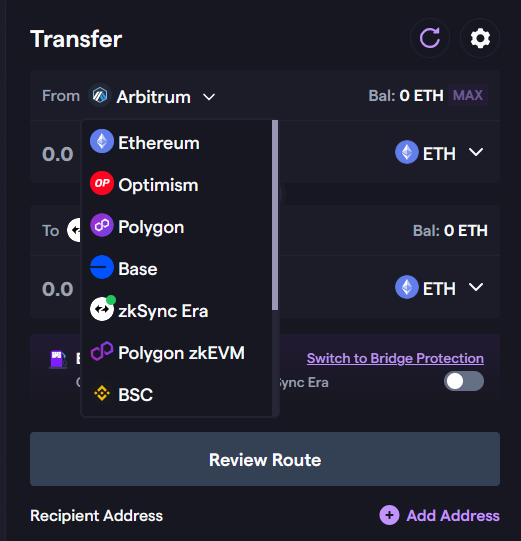
2> Select Arbitrum, send ETH to zkSync as an example
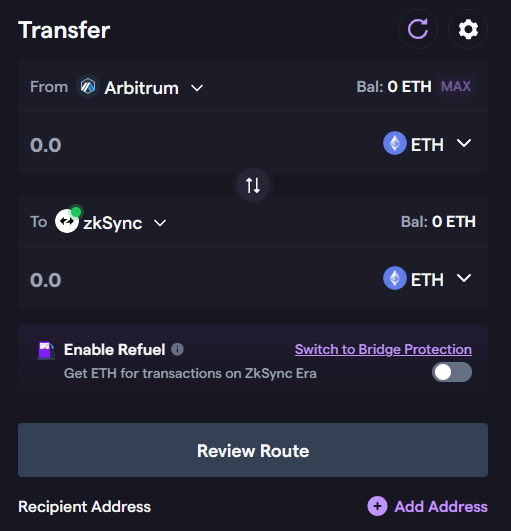
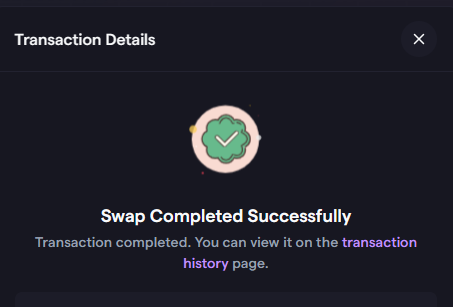
Tip: Make transfers between networks once biweekly.
Step 3: Refuel Gas Option You can also check out their Gas refuel option which allows you to deposit native tokens (gas) on the source chain and receive equivalent gas on destination chain.
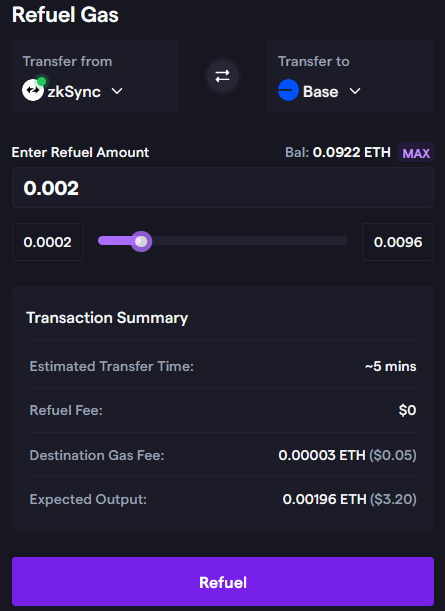
Bonus: You can repeat the above steps with other strategies to maximize airdrops from Base, Polygon ZkEVM, Layer Zero, and more.
That’s it for today’s tutorial, you’re done!
⚠️We have no partnership with any projects. The information provided in this article is for educational and informational purposes only. NFA, DYOR. If you found this tutorial helpful, please give claps and share! Thank you!😄
📌Recommended Reading:
👉 Tools for [zkSync x MetaMask x LayerZero] Airdrop Hunters 👉 How to Deploy a Smart Contract on zkSync Era 👉 MetaMask Potential Airdrop Guide 👉 DeBank — Confirmed Airdrop Guide 👉 Claim Your 25 Worldcoin (WLD) Worth $50 👉 LayerZero, zkSync & Polygon zkEVM Airdrop with One Bridge- Part 3, Part 2, Part 1 👉 zkSync x Dmail Double Airdrop Guide
Please follow me on ☂️Twitter and 📚Medium, turn on 🔔 as well, you can stay informed and be among the first to receive my latest shares and updates.