
BEST 100% FREE Midjourney Image UPSCALER
With this completely free app, upscaling your images will no longer be a problem.
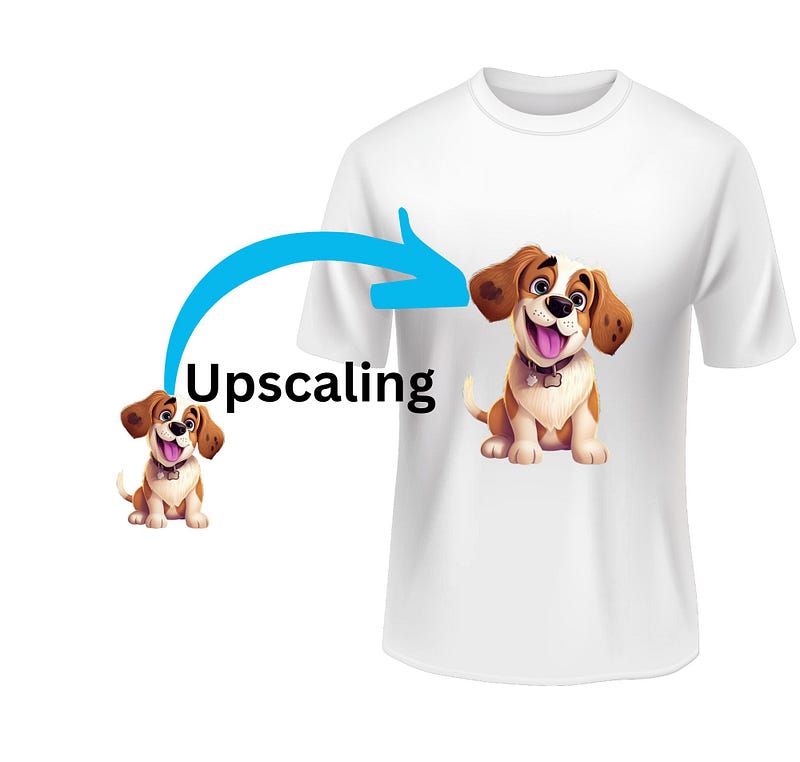
How important is upscaling images created with artificial intelligence? Here are some fantastic 100% free app
In this story, I will present some applications that I have selected to achieve good image upscaling using artificial intelligence, particularly with Midjourney.
Personally, I consider Midjourney to be one of the best AI applications for creating high-quality images from text scripts.
Before discussing these selected upscaling applications, let’s explain why upscaling is so important.
Are the images created with Midjourney not of good quality? Absolutely not! They are of excellent quality.
However, the issue is that for printing purposes, they need to have a significantly higher resolution; otherwise, the print may not be satisfactory on certain media.
To perform upscaling, we need to rely on another type of artificial intelligence.
Midjourney itself, when creating a mosaic of four images based on the prompt we provide, offers the option to upscale the images.
However, the result obtained is not yet optimal because, with the V5 version of Midjourney, the high-resolution images are limited to 1024px X 1024px.
Our goal is to make them suitable, for example, for printing on t-shirts, by increasing their resolution to 2048px X 2048px or even better, 4096px X 4096px.
Thanks to upscaling images with artificial intelligence, industry professionals can obtain high-quality images that meet the requirements of printing.
Once you know how to create images using artificial intelligence and how to upscale them, the only limit is your creativity.
You can then create and print high-quality t-shirts, paintings, posters, and much more.
These pieces of information are of fundamental importance for those who, for example, have an online business that utilizes print-on-demand services or want to sell digital products on marketplaces like Etsy. Being able to obtain high-quality and high-resolution images in these cases is crucial.
So, to summarize, you can use artificial intelligence from Midjourney, for example, to create good images.
However, to upscale them to a high resolution so that they maintain their quality when printed, you will need the help of artificial intelligence applications that we will now describe.
Convolutional neural networks analyze the original image and, using complex algorithms, can increase the resolution without losing important details.
This enables the creation of sharp, vibrant images with stunning details.
But now, let’s get to the point!
The upscaling applications I will talk about also allow us to perform many other operations on images, such as background removal, color enhancement, and image cropping.
However, in this story, we will focus solely on upscaling.
Tinywow.com
Tinywow is an extremely powerful application that allows us to upscale our images for free, without the need for registration. It offers both 2x and 4x upscaling options.
This means that if we have an image of 1024x1024, we can obtain an upscaled image of either 2048x2048 or even 4096x4096.
It’s worth mentioning that we are not limited to square images; rectangular images are also accepted, and the dimensions will be doubled or quadrupled accordingly.
The result is immediate and astonishing, and after upscaling, the image can be downloaded right away.
To proceed, simply go to https://tinywow.com/image/upscale, upload the image to enlarge, choose the upscale type (2x or 4x), wait a few seconds for image processing, and then proceed with the download.
DGB.lol
DGB.lol is another fantastic application that is completely free and doesn’t require any registration.
It is optimized for use with Midjourney, as its upscaling app is called “Midjourney Image Splitter”.
It allows us to divide the mosaic of four images created by Midjourney before upscaling and then upscale each of the four images individually.
This is great because those who have a Midjourney subscription consume computing power to upscale a single image, and thanks to this application, it is possible to avoid upscaling on Midjourney, thus saving computing power for other tasks on the platform.
DGB.lol offers various upscaling options based on the type of image to be processed, such as Detailed, Balanced, Cartoon/Drawing, and Fine Tuning.
Personally, I have found that the Balanced option is definitely a great compromise.
Additionally, you can choose whether to obtain images in JPG or PNG format.
The results here are extremely satisfying, with the only drawback being that they are not immediate.
It may take a few minutes, usually no more than 30 minutes.
Nevertheless, if your goal is to upscale images, this is also an excellent solution.
I want to clarify that I have not been paid to talk about these free applications, nor are there any affiliate links because I am not affiliated with them in any way.
I have simply reviewed them because they are completely free tools that can be of great help to those who need to upscale images, and I decided to share them in this story.
In fact, I would appreciate receiving feedback on these applications in the comments of this story.
Needless to say, if I come across other highly valid options like these, I will gladly add them to this story.
You might also be interested in these stories:
Thank you for reading ,my story!
Would you like to receive my articles directly to your inbox.
If you are intent instead on starting to create passive income for yourself through writing, then simply activate your membership on Medium with a membership costing $5 per month. Registering from the following link will support me at no additional cost to you. Register now! 🫵