
Learning Android Development
Android Image StartCrop and EndCrop Scaling
Complete the possible default scaling type possibly need

If you have learned all the possible ScaleType available on image provided by Android (as per the blog below), you might realize there’s are possible scaletypes it doesn’t have.
It has CenterCrop scaling, where one can scale the image to fit to ensure all the views are filled with image, where either the top-bottom or the sides are matching the view.
Two examples are given below
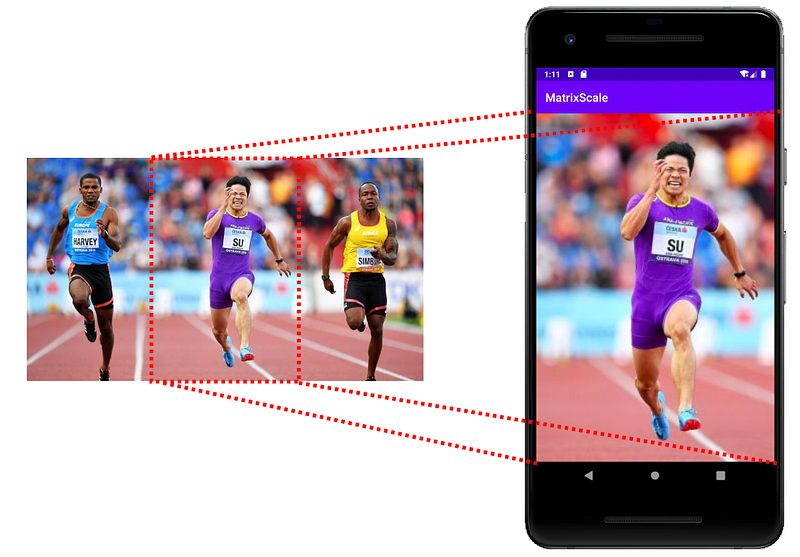
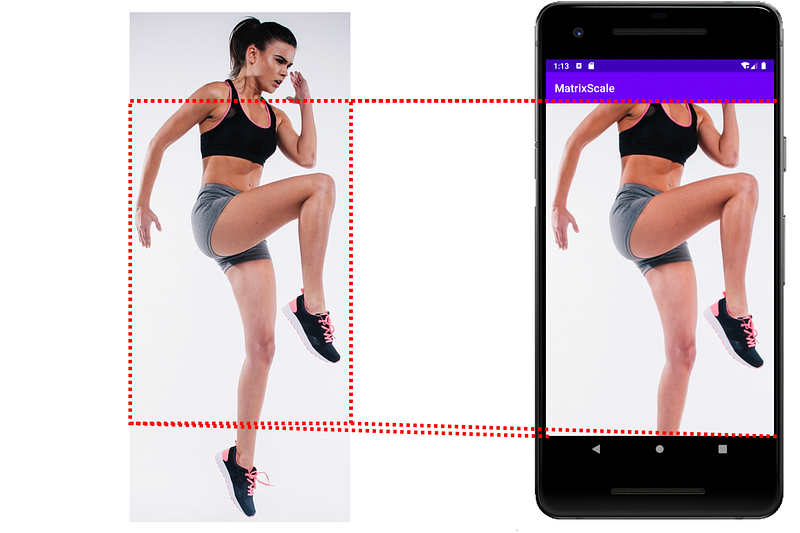
However, at times, we want to Crop the start (top or left) and the end (bottom or right) of the image accordingly. There’s no available out of box scale type to do that.
Matrix Scale Type came to rescue
The good news is, we can do so using the Matrix Scale transformation. To understand it, you can refer to the below article.
But if you are just interested in how to setup Start Crop or End Crop, just read the below.
Start Crop
To perform a Start Crop, one needs to get the minimal scale needed to get the image fully fill up the view bound.
val drawable = image_picture.drawable ?: return
val viewWidth: Float = getImageViewWidth(image_picture).toFloat()
val viewHeight: Float = getImageViewHeight(image_picture).toFloat()
val drawableWidth = drawable.intrinsicWidth
val drawableHeight = drawable.intrinsicHeight

val widthScale = viewWidth / drawableWidth
val heightScale = viewHeight / drawableHeight
val scale = widthScale.coerceAtLeast(heightScale)
Then after that just scale it accordingly.
// Start Crop
baseMatrix.reset()
baseMatrix.postScale(scale, scale)
image_picture.imageMatrix = baseMatrix
By default, the image will be aligned top or left, depends if the image is tall or long.
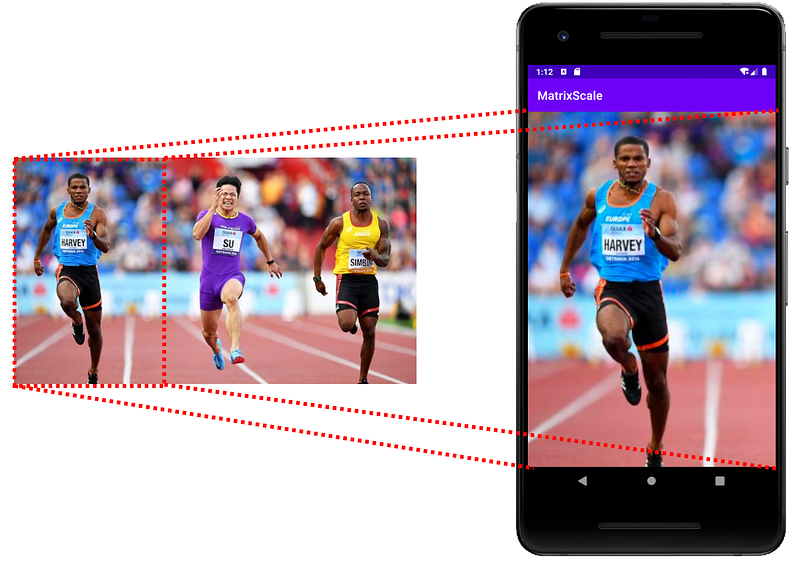
End Crop
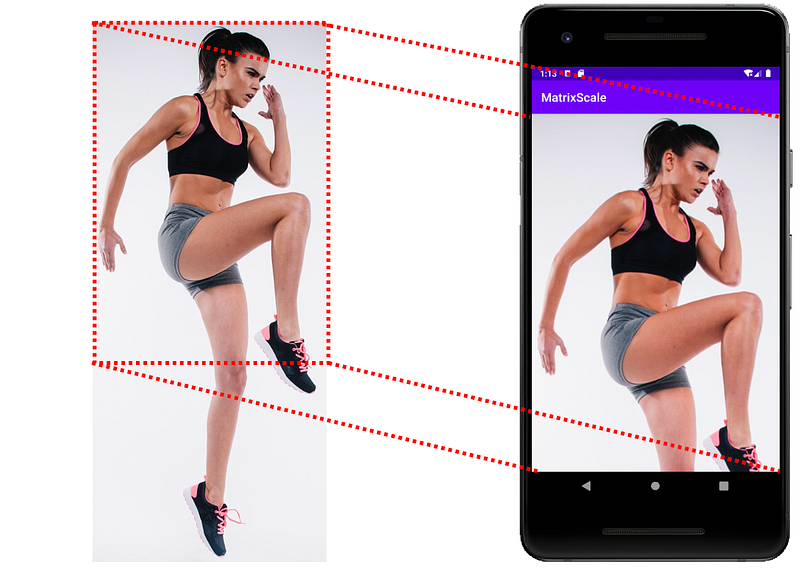
To perform an End Crop, one needs to get the minimal scale needed to get the image fully fill up the view bound as well.
val drawable = image_picture.drawable ?: return
val viewWidth: Float = getImageViewWidth(image_picture).toFloat()
val viewHeight: Float = getImageViewHeight(image_picture).toFloat()
val drawableWidth = drawable.intrinsicWidth
val drawableHeight = drawable.intrinsicHeight

val widthScale = viewWidth / drawableWidth
val heightScale = viewHeight / drawableHeight
val scale = widthScale.coerceAtLeast(heightScale)
Then after that just scale it accordingly, and also translating the image to the end of the image (bottom-right).
// End Crop
baseMatrix.reset()
val scale = widthScale.coerceAtLeast(heightScale)
baseMatrix.postScale(scale, scale)
baseMatrix.postTranslate(
    (viewWidth - drawableWidth * scale),
    (viewHeight - drawableHeight * scale)
)
image_picture.imageMatrix = baseMatrix
After the matrix transformation, now we get the EndCrop as below.
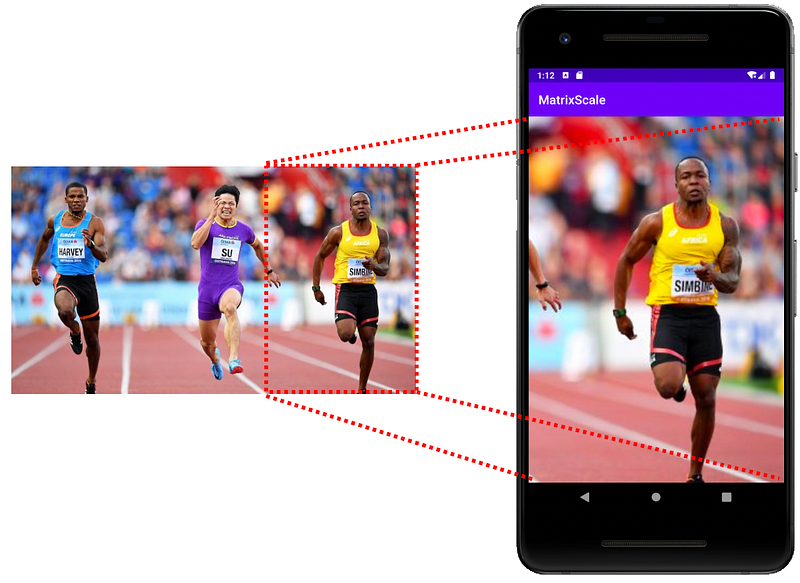
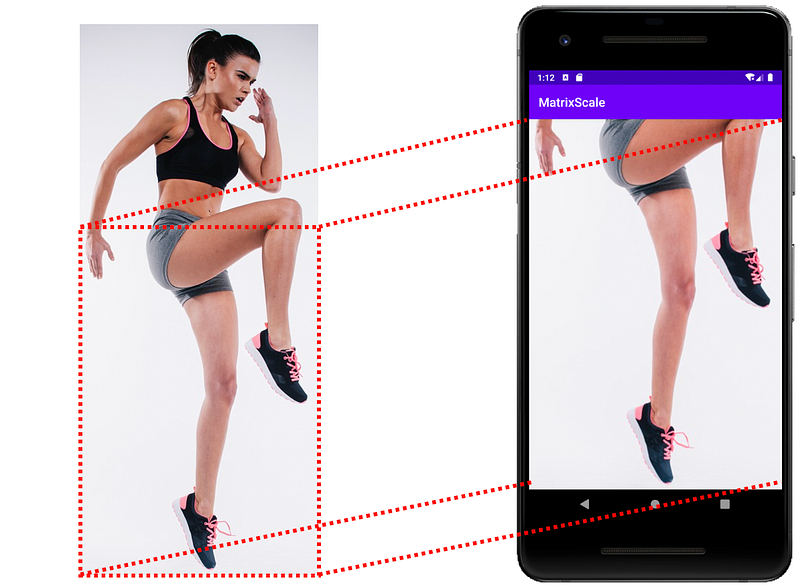
Nice, now you can have StartCrop and EndScrop scaling as well.
You can get the example app code to experiment with it. In the code, it also has all the other scale types implemented using Matrix ScaleType transformation.
If you find the above interested, and like to explore how to move around the images by touch, check out


